
Cheap Webcams: Best Budget Webcams for Streaming & Calls
Discover affordable webcams that deliver crisp video for video calls, online classes, and streaming. You don't need to spend a fortune for a reliable HD webcam.
SEE TOP PICKSFinding a cheap webcam that actually works well is easier than ever. Whether you're working from home, attending online classes, or starting a streaming channel, a budget-friendly webcam can deliver surprisingly good video quality. The key is knowing which specifications matter and which ones you can compromise on.
When shopping for a cheap webcam, focus on resolution (1080p is the sweet spot for most users), frame rate (30fps is standard, 60fps is better for streaming), and low-light performance. Built-in microphones are convenient but often mediocre — if audio quality matters to you, consider a separate microphone. Features like autofocus, field of view, and mounting options also play a role in how well a budget webcam will serve your needs.
Many affordable webcams share the same basic internals, so the difference often comes down to software, build quality, and brand reliability. A well-chosen budget webcam from a reputable brand will outperform a no-name model with inflated specs every time. If you're also setting up a streaming or content creation space, you might be interested in our guide to vlogging cameras for beginners or our picks for budget-friendly vlogging cameras.
Before buying any webcam, check compatibility with your setup. Most webcams connect via USB-A, but some newer models use USB-C. If you need wireless flexibility, a webcam with Bluetooth capability might be worth considering. For desktop setups, pairing your webcam with a portable phone tripod or a mini tripod can improve your framing and stability.
Recommended Budget Webcams
⚠️ AFFILIATE DISCLOSURE: This website contains affiliate links. As an affiliate Associate, we earn from qualifying purchases. If you make a purchase through these links, we may receive a small commission at no additional cost to you. Read our full affiliate policy.

NIVEOLI Webcam 1080P with Microphone & Privacy Cover for PC/Laptop, USB Computer Camera Plug & Play with Auto Light Correction for Video Calls, Live Streaming Gaming & Online Meetings
Check price on Amazon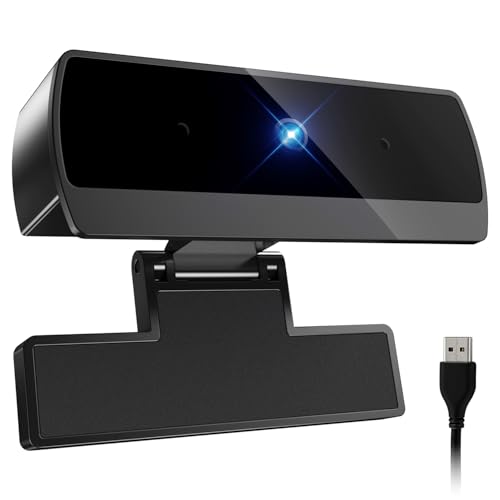
Diccik 1080P Webcam with Microphone, Full HD Video Calling Web Camera, HD Light Correction Streaming Webcam for Zoom/Skype/Teams, Plug and Play PC Camera Web cam for Windows & Mac
Check price on Amazon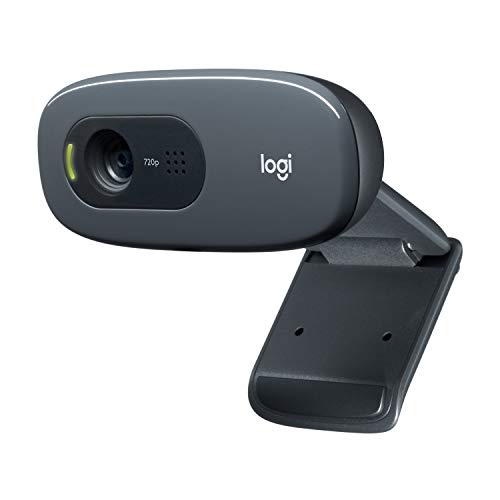
Logitech C270 720p Webcam Plug-and-Play Wide Screen Video Calling - Black | Auto-Light Correct, Noise-Reducing Mic, Zoom, Microsoft, Teams, Skype, Nintendo Switch 2 New GameChat Mode, PC Mac compatible
Check price on Amazon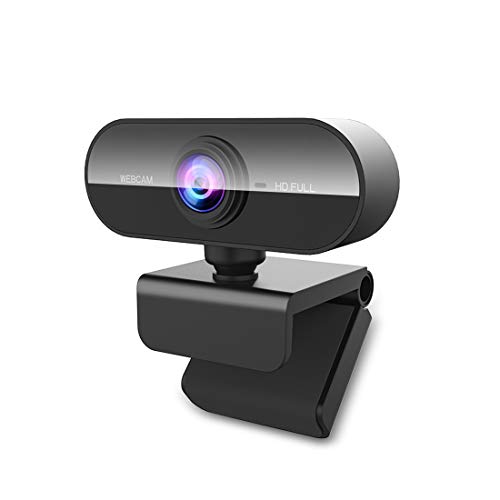
FWV Webcam with Microphone&1080P HD Web Cam,Stand for PC/MAC/Laptop/Desktop, Wide Angle Web Cameras for YouTube,Skype,Zoom,Xbox One,Video Calling,Studying
Check price on Amazon
1080P HD Webcam with Microphone, Streaming Computer Camera for Laptop PC | 30fps Webcam, Plug & Play USB, Auto Light Correction, for Remote Work, Online Teaching & Video Calls
Check price on Amazon
Logitech Brio 101 Full HD 1080p Webcam for Streaming and Meetings - Black | 1080p with auto-light correction, built-in mic, privacy shutter, USB-A, compatible with Teams, Google Meet, Zoom and more
Check price on Amazon
1080P HD Webcam with Microphone, Noise Cancellation, Privacy Cover, Wide-Angle Lens, Auto Light Correction, Plug & Play USB Webcam for Laptop, Desktop, PC, Mac, Zoom, Skype, Streaming (Black)
Check price on Amazon
EMEET C960 1080P Webcam with Microphone, 2 Mics, 90° FOV, Computer Camera | USB Type-A & A-to-C Adapter, Fixed Focus, Plug&Play for Zoom/Teams/Facetime/YouTube/Google Meet/Switch 2 Camera, 2025 Version
Check price on AmazonWhat to Look for in a Cheap Webcam
Not all budget webcams are created equal. Here are the key specifications and features to evaluate before making a purchase decision.
Resolution: 1080p is Ideal
For most video calls and streaming, 1080p at 30fps provides sharp, professional-looking video. 720p is acceptable for basic calls but looks soft on larger screens. 4K webcams exist but are rarely necessary for budget buyers.
Frame Rate: 30fps vs 60fps
30fps is standard and fine for video conferencing. If you plan to stream gameplay or fast-moving content, look for 60fps support. Most cheap webcams cap at 30fps at 1080p, which is perfectly adequate for most users.
Low-Light Performance
Cheap webcams often struggle in dim lighting. Look for models with automatic low-light correction or a decent sensor size. Software-based exposure compensation helps, but good lighting on your end makes the biggest difference.
Field of View
A 60–78 degree field of view is ideal for solo video calls. Wider angles (90+ degrees) work well for group settings or showing more of your room. Some webcams offer adjustable FOV via software.
Built-in Microphone
Most budget webcams include a built-in mic. They're convenient but often pick up background noise. If audio quality matters, budget for a separate USB microphone — it makes a bigger difference than upgrading the webcam itself.
Mounting & Compatibility
Check that the webcam has a universal clip that fits your monitor or laptop. Most connect via USB-A; some newer models use USB-C. Verify driver-free plug-and-play support for your operating system.
Budget Tiers: What to Expect at Each Price Point
Webcam pricing has become very competitive. Here's a realistic breakdown of what you get at different budget levels.
| Price Range | Resolution | Best For | Typical Features |
|---|---|---|---|
| Under $25 | 720p | Basic video calls, casual use | Fixed focus, built-in mic, plastic build |
| $25 – $50 | 1080p | Remote work, online classes, streaming | Autofocus (some models), low-light correction, better mic |
| $50 – $80 | 1080p / 2K | Serious streamers, content creators | 60fps at 1080p, ring light, privacy shutter, better sensor |
Pros & Cons of Budget Webcams
Understanding the trade-offs helps you set realistic expectations and choose the right cheap webcam for your needs.
Advantages
- Very affordable — many quality options under $50
- Plug-and-play setup with no additional software needed
- 1080p resolution is now standard even at budget prices
- Compact and portable — easy to move between devices
- Built-in microphones eliminate the need for extra gear
- Widely compatible with Zoom, Teams, Google Meet, and OBS
Limitations
- Low-light performance is often mediocre
- Built-in audio quality is usually average at best
- Fixed focus on the cheapest models can look soft up close
- Build quality may feel plasticky and less durable
- Limited manual controls compared to premium models
- Some brands have unreliable driver support
Best Uses for a Cheap Webcam
A budget webcam is more versatile than you might think. Here are the most common scenarios where an affordable webcam delivers excellent value.
Remote Work & Meetings
Look professional on Zoom, Teams, and Google Meet without spending on premium gear.
Online Classes
Stay visible and engaged during virtual learning sessions with reliable 1080p video.
Live Streaming
Start streaming on Twitch or YouTube with a 1080p webcam that handles 30fps well.
Video Calls with Family
Keep in touch with loved ones using an affordable, easy-to-set-up webcam.
Content Creation
Pair a budget webcam with a selfie light for surprisingly good results.
Security & Monitoring
Use a spare webcam for basic home monitoring — though dedicated affordable home security cameras are better suited.
Final Thoughts: Getting the Most from a Budget Webcam
A cheap webcam doesn't have to mean poor quality. With 1080p resolution now available at very affordable prices, you can look sharp on video calls and streams without breaking the bank. The most important factors are resolution, frame rate, and how well the webcam handles your typical lighting conditions.
To get the best results from any budget webcam, invest in good lighting — a simple desk lamp or a selfie light can dramatically improve video quality. Position your webcam at eye level using a mini tripod or a camera stand for a more natural angle. If you're also into photography or vlogging, explore our guides to good cameras for sports photography or cheap mirrorless cameras for more serious creative work.
Whether you're upgrading from a laptop's built-in webcam or setting up a dedicated streaming station, the budget webcam options available today offer excellent value. Choose a model from a reputable brand with good reviews, and you'll have a reliable video solution for years to come.