
Sensor Cleaning Guide: Safe & Effective Camera Sensor Care
Discover how to remove dust spots and smudges from your camera sensor without causing damage. This comprehensive guide covers tools, techniques, and when to seek professional help.
EXPLORE MORE CARE GUIDESWhy Sensor Cleaning Matters: Dust and debris on your sensor can ruin an otherwise perfect shot, appearing as dark spots or smudges in your images. While it may seem intimidating, routine sensor cleaning is a safe and essential part of camera maintenance. This guide will walk you through the process step-by-step, so you can confidently keep your sensor spotless.
Recommended Sensor Cleaning Kits & Tools
⚠️ AFFILIATE DISCLOSURE: This website contains affiliate links. As an affiliate Associate, we earn from qualifying purchases. If you make a purchase through these links, we may receive a small commission at no additional cost to you. Read our full affiliate policy.
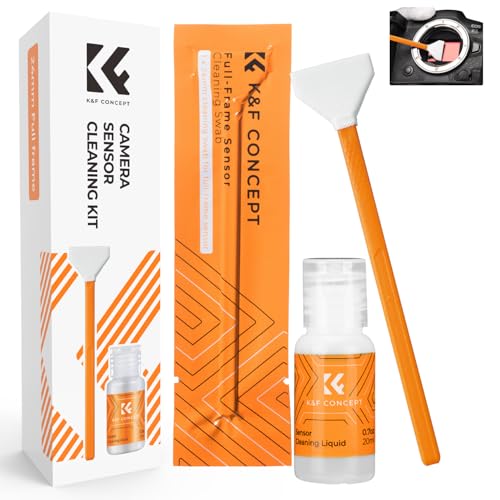
K&F CONCEPT 24mm Full Frame Sensor Cleaning Kits, with 20ml Sensor Cleaner | Sensor SwabsX6, Vacuum Sealed, Gentle Cleaner, Multi-Device Use, Precision Cleaning,for Nikon Sony Canon Camera Clean,MA01
Check price on Amazon
K&F CONCEPT APS-C Sensor Cleaning Kit, with Sensor Cleaner, Camera Cleaning | 16mm Sensor SwabX6, Vacuum Sealed, Gentle Cleaner, Multi-Device Use,Precision Cleaning,for Nikon Sony Canon Camera Clean,MA02
Check price on Amazon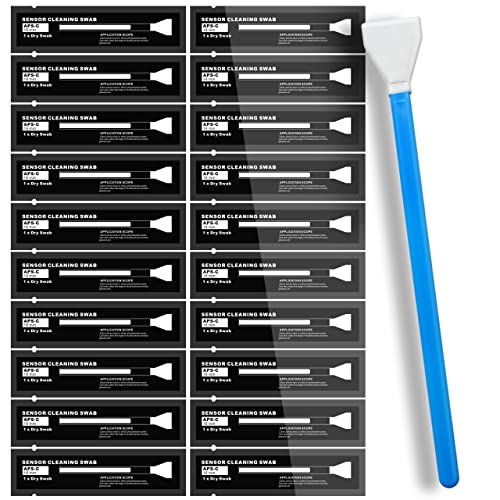
AAwipes Sensor Cleaning Swabs 16mm for APS-C Sensors DDR DSLR or SLR 20pcs | 20 Sensor-Cleaning Swabs, 16 Mm Wide, For APS-C DSLR Or SLR Camera Sensors And Routine Precision Camera Maintenance
Check price on Amazon
UES Full-Frame Camera Sensor Cleaning Kit (14pcs Swabs and 15ml Cleaner) | Includes 14pcs 24mm swabs and 15ml alcohol-free cleaning solution. Compatible with DSLR & Mirrorless Camera CCD&CMOS
Check price on Amazon
AAwipes Sensor Cleaning Swabs 24mm for Full Frame Sensors DDR24 DSLR 20 pcs | 20 Sensor-Cleaning Swabs, 24 Mm Wide, For Full-Frame DDR24 DSLR Or SLR Camera Sensors And Routine Precision Maintenance
Check price on Amazon
VSGO DKL-20 Sensor Cleaning Kit for APS-C Sensor Cameras (16mm) | 69-in-1, for Canon, Nikon, Sony, Pentax & DSLR, All-in-One Camera Cleaning Kit Including Swabs, Lens Pen, Air Blower, Etc.
Check price on Amazon
VSGO Full Frame Camera Sensor Cleaning Kit VS-S03-12 | for Nikon Sony Canon DSLR Full-Frame Sensor Cleaning, 12Pcs 24mm Full Frame Sensor Cleaning Swabs & 10ml Sensor Cleaner
Check price on Amazon
Zacro 24mm Full Frame Sensor Cleaning Swab*8 + 20ml Sensor Cleaner for DSLR SLR Digital Camera CMOS Sensor Cleaning, Compatible with Nikon Sony Canon (Add: 8*Cotton Swabs + 1*Cleaning Cloth)
Check price on AmazonUnderstanding Your Camera Sensor
Your camera's sensor is the heart of your imaging system. It captures the light that passes through your lens and converts it into the digital image you see. Whether you shoot with a DSLR or a mirrorless camera, the sensor is a critical component that demands careful handling. Over time, especially when changing lenses, microscopic dust particles can find their way onto the sensor's surface. These particles create dark, blurry spots on your photos, most noticeable against uniform backgrounds like a clear sky or a plain wall. Understanding the type of sensor you have—be it a full frame sensor or a smaller APS-C sensor—is the first step in determining the right cleaning approach.
Tools You Will Need for Safe Sensor Cleaning
Before you begin, gather the right tools. Using the wrong materials can scratch the sensor or leave behind streaks. Here is what you need:
- Rocket Blower: A handheld air blower is your first line of defense. It removes loose dust without touching the sensor.
- Sensor Swabs: Pre-moistened swabs designed specifically for sensor cleaning. Make sure they match your sensor size.
- Cleaning Solution: A high-purity liquid (often methanol-based) that evaporates quickly and leaves no residue.
- LED Loupe: A magnifying glass with a light that helps you see dust particles clearly.
- Microfiber Cloth: For cleaning the surrounding areas, not the sensor itself.
For a broader understanding of cleaning techniques, you might also want to review our lens cleaning guide and our DIY sensor cleaning article for more advanced tips.
Step-by-Step Sensor Cleaning Process
Follow these steps carefully to ensure a safe and effective clean:
- Preparation: Work in a clean, well-lit, and dust-free environment. Use a dry cabinet or a clean room if possible. Ensure your camera battery is fully charged to avoid the mirror or shutter closing unexpectedly.
- Check for Dust: Set your camera to a small aperture (f/16 or higher) and take a photo of a plain white surface. Review the image on your computer to identify dust spots.
- Blow Away Loose Particles: Use a rocket blower to gently blow air across the sensor. Do not touch the sensor with the blower tip. For mirrorless cameras, you may need to enter a cleaning mode that locks the sensor in place.
- Wet Cleaning (If Necessary): If dust persists, use a pre-moistened sensor swab. Gently drag the swab across the sensor in one direction, then use the other side for the opposite direction. Do not apply excessive pressure.
- Inspect and Repeat: Use an LED loupe to check for remaining particles. Repeat the process if needed, but avoid over-cleaning.
- Reassemble and Test: Reattach your lens, take a test shot, and check for spots. If the sensor is clean, you are done.
For those who prefer to avoid touching the sensor, our guide on DIY sensor cleaning offers alternative methods. If you are uncomfortable performing the cleaning yourself, consider consulting a professional. Also, remember that proper storage with silica gel can reduce dust buildup over time.
Common Mistakes to Avoid
Sensor cleaning can be risky if not done correctly. Avoid these common pitfalls:
- Using Compressed Air: Canned air can spray propellant onto the sensor, causing permanent damage.
- Reusing Swabs: Always use a fresh swab for each cleaning pass to avoid scratching the sensor.
- Applying Too Much Pressure: Gentle strokes are sufficient. Excessive force can damage the sensor or its coatings.
- Ignoring the Mirror: For DSLRs, the mirror and focusing screen also need attention. Refer to our mirror cleaning guide for details.
- Skipping the Viewfinder: Dust in the viewfinder can be distracting. Learn how to clean it in our viewfinder cleaning article.
When to Seek Professional Help
If you notice persistent smudges, oil spots, or if you are simply not confident in your ability to clean the sensor without causing damage, it is best to seek professional help. Many camera brands offer sensor cleaning services, and local camera stores often provide this as well. Attempting to clean a sensor with a damaged coating or a stuck particle can lead to expensive repairs. For other maintenance tasks, such as repairing a faulty shutter or LCD, consult our guides on shutter repair and LCD repair.
Preventive Measures for a Cleaner Sensor
Prevention is always better than cure. Here are some habits to keep your sensor clean:
- Always turn off your camera before changing lenses to reduce static charge.
- Change lenses in a clean, sheltered environment, away from wind and dust.
- Keep your camera bag clean and use camera inserts to protect gear.
- Use a UV filter on your lens to keep dust off the front element.
- Store your camera in a dry cabinet to control humidity and dust.
- Regularly clean your lens and camera body with a body cleaning guide.
By following these practices, you can minimize the frequency of sensor cleaning and keep your images spotless.
Frequently Asked Questions
Can I use a cotton swab to clean my sensor? No, cotton swabs can leave fibers and may scratch the sensor. Always use specialized sensor swabs.
How often should I clean my sensor? It depends on usage. Check for dust spots after every few lens changes or before important shoots.
Is it safe to clean a mirrorless sensor? Yes, but mirrorless sensors are more exposed. Follow the same precautions and use the camera's cleaning mode if available.
What if I see a scratch on the sensor? Scratches are rare but require professional repair. Do not attempt to fix it yourself.
Conclusion
Cleaning your camera sensor is a vital skill for any photographer. With the right tools and a careful approach, you can safely remove dust and keep your images sharp. Remember to start with a blower, use wet cleaning only when necessary, and never apply excessive pressure. If in doubt, professional help is always an option. For more maintenance tips, explore our camera care and maintenance hub, and don't forget to check our setup and accessories hub for essential gear like tripods and memory cards.