
Client Delivery Workflow: The Complete Guide for Photographers
Learn how to build a professional, repeatable client delivery workflow that impresses clients, saves time, and protects your creative work.
Explore the WorkflowWhy a Client Delivery Workflow Matters
You've captured the perfect shots, but the job isn't over until your client has their final images. A well-structured client delivery workflow is the bridge between your creative work and your client's satisfaction. Without one, you risk missed deadlines, lost files, and a chaotic post-production experience that can damage your reputation.
For photographers, whether you specialize in portraits, landscapes, or commercial work, a consistent delivery process ensures every client receives the same high-quality experience. This guide will walk you through every stage, from file preparation to final handoff, helping you build a system that works for your business.
Pro Tip: A professional delivery workflow isn't just about sending files—it's about creating a memorable client experience that leads to referrals and repeat business.
The 6 Stages of a Professional Client Delivery Workflow
Every successful delivery follows a clear path. Here are the core stages you should implement in your photography business.
File Selection & Culling
Review your shots and select only the best. This is where you apply your focus techniques to eliminate blurry or poorly composed images.
Editing & Color Grading
Apply your signature style. Use color theory and white balance adjustments to create a consistent look.
Proofing & Client Review
Share a curated gallery with your client for feedback before final delivery. This step reduces revisions and builds trust.
Final Retouching
Apply the client's feedback and perform final retouching. Ensure every image meets your professional standards.
File Naming & Organization
Use a consistent file naming convention and folder structure. This makes it easy for clients to find and use their images.
Final Delivery & Archiving
Deliver via a secure gallery or download link. Then, archive your files using a reliable photo archive workflow.
Choosing the Right Delivery Method for Your Clients
The method you use to deliver photos can significantly impact the client experience. Here are the most common options and when to use them.
1. Online Client Galleries
Platforms like Pixieset, ShootProof, or SmugMug allow you to create beautiful, branded galleries where clients can view, download, and even purchase prints. This is the most professional option and works well for weddings, portraits, and events.
2. Cloud Storage Links
Services like Google Drive, Dropbox, or WeTransfer offer a simple way to share high-resolution files. This is ideal for commercial clients who need quick access to assets. Always set an expiration date to protect your work.
3. USB Drives or Physical Media
For premium packages or clients who prefer a tangible product, delivering a custom USB drive or DVD can add a personal touch. This is common in wedding photography and high-end portrait sessions.
Note: Always provide a clear usage license with your delivery. This protects your copyright and informs the client how they can use the images.
Essential Tools for a Smooth Delivery Workflow
To execute a flawless delivery, you need the right software and hardware. Here are the essentials:
- Editing Software: Adobe Lightroom, Capture One, or ON1 Photo RAW.
- Retouching Software: Adobe Photoshop or Affinity Photo.
- Client Gallery Platforms: Pixieset, ShootProof, or Pic-Time.
- File Transfer Services: Dropbox, Google Drive, or WeTransfer.
- Storage & Backup: Reliable external hard drives and cloud backup solutions. A good archive workflow is critical.
Investing in these tools will streamline your process and reduce the risk of errors during delivery.
Ready to Elevate Your Photography Business?
A strong delivery workflow is just one part of a successful photography career. Explore our other guides to master every aspect of your craft.
Master Photography TechniquesFrequently Asked Questions
How long should the delivery process take?
This depends on your contract and the type of shoot. A good rule of thumb is 1-2 weeks for portraits and 4-6 weeks for weddings. Always communicate clear timelines upfront.
Should I deliver RAW files to clients?
Generally, no. RAW files are unprocessed and can misrepresent your final work. Deliver high-resolution JPEGs unless a commercial client specifically requests RAWs in the contract.
How do I handle client revisions?
Include a set number of revisions in your contract. Use a proofing gallery to gather feedback efficiently. Once final edits are made, deliver the images and consider the project complete.
What's the best way to back up delivered files?
Follow the 3-2-1 rule: have at least 3 copies of your data, on 2 different types of media, with 1 copy offsite (cloud). This ensures your work is safe for years to come.
Recommended Gear for Your Workflow
⚠️ AFFILIATE DISCLOSURE: This website contains affiliate links. As an affiliate Associate, we earn from qualifying purchases. If you make a purchase through these links, we may receive a small commission at no additional cost to you. Read our full affiliate policy.

The Client Delivery System: Project Delivery & Control — How to Keep Projects on Scope, Decisions Moving, Clients Aligned, and Problems Visible (Workflow Lift Implementation Series)
Check price on Amazon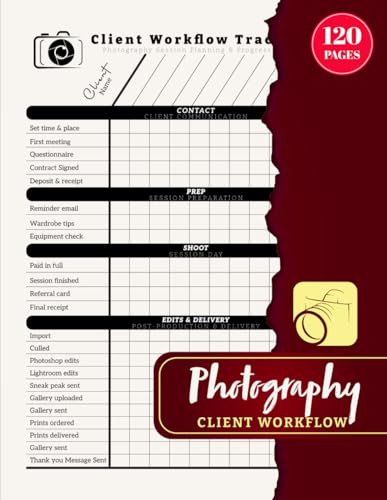
Photography Client Workflow: Photo Session Schedule Tracker for Wedding, Portrait, and Event Photographers | Track Customers, Edits & Deliveries | 120 Pages
Check price on Amazon
Workflow Governance: Putting Workflow Before Technology into Action
Check price on Amazon
The Client Start System: Client Onboarding and Kickoff for Clear Scope, Complete Information, and Ready-to-Run Projects (Workflow Lift Implementation Series)
Check price on Amazon
Professional Photographers Log Book: Track & Record of Client Based Photography Project Appointment Date,Location, Delivery & Feedback With Special Note Space
Check price on Amazon
AI Video for Freelancers and Content Creators: Practical Workflows for Ads, Shorts, Client Briefs, Revisions, and Delivery
Check price on Amazon
THE AI REVENUE STACK: The Solopreneur's Blueprint to Automate Lead Generation, Client Delivery, and Daily Sales with Autonomous AI Agents
Check price on Amazon