
Viewfinder Cleaning: The Complete Guide to a Crystal-Clear View
A dusty or smudged viewfinder can ruin your shooting experience and even affect focus accuracy. This guide shows you how to clean optical and electronic viewfinders safely — using the right tools and techniques to protect your camera's delicate optics.
Why Viewfinder Cleaning Matters: Your viewfinder is your window to the scene. Dust, fingerprints, and haze on the eyepiece or internal glass can make composition difficult and cause you to miss critical details. Regular, gentle cleaning keeps your view sharp and your camera performing at its best.
Why Your Viewfinder Needs Regular Care
The viewfinder is one of the most frequently used parts of a camera, yet it's often the most neglected when it comes to maintenance. Every time you bring the camera to your eye, you transfer natural oils, sweat, and microscopic debris from your skin to the eyepiece. Over time, this buildup creates a haze that reduces contrast and clarity. Outdoor shooters also face environmental threats — dust, pollen, and sand can find their way onto the viewfinder glass. For DSLR owners, the situation is even more delicate because the viewfinder sits above the mirror box, an area where loose particles can migrate. If you shoot in challenging conditions, you should also review our complete camera care and maintenance hub for a holistic approach to keeping your gear in top shape.
It's important to distinguish between the two main types of viewfinders. Optical viewfinders (OVF), found on DSLR cameras, use a prism and mirrors to reflect light from the lens. Electronic viewfinders (EVF), common on mirrorless cameras, use a tiny high-resolution display. Each type has its own cleaning considerations, and using the wrong method can cause permanent damage. This guide covers both, so whether you shoot with a traditional DSLR or a modern mirrorless body, you'll know exactly what to do.
Essential Tools for Safe Viewfinder Cleaning
Before you touch your viewfinder, gather the right tools. Never use household items like paper towels, tissues, or abrasive cloths — they can scratch delicate optical coatings. Here's what you actually need:
- Rocket blower (air blower): Your first line of defense. A good quality blower removes loose dust without contact.
- Microfiber cleaning cloth: Specifically designed for optical surfaces. Keep a clean one in your bag at all times.
- Lens cleaning solution: Use only solutions formulated for camera optics. Never use alcohol or window cleaner.
- Lens cleaning pen: A pen with a soft brush on one end and a carbon or microfiber tip on the other is ideal for eyepiece glass.
- Cotton swabs (optional): For reaching tight corners around the eyepiece frame.
- LED magnifier or headlamp (optional): Helps you see fine dust particles you might otherwise miss.
If your camera uses interchangeable lenses, you should also have a proper lens cleaning guide handy, as many of the same tools and techniques apply. For deeper maintenance, such as cleaning the sensor or the mirror, refer to our DIY sensor cleaning guide and mirror cleaning guide for step-by-step instructions.
Step-by-Step: How to Clean an Optical Viewfinder (DSLR)
Optical viewfinders are generally more robust than EVFs, but they still require care. The eyepiece glass is the most exposed part, while the internal prism and focusing screen should only be cleaned if absolutely necessary.
- Step 1: Remove the eyecup. Most DSLR eyecups slide or twist off. This gives you better access to the eyepiece glass and the surrounding frame.
- Step 2: Blow away loose dust. Use a rocket blower to gently remove loose particles from the eyepiece and the eyecup. Hold the camera with the viewfinder facing downward so dust falls away rather than into the camera.
- Step 3: Brush the eyepiece. Use the soft brush end of a lens pen to sweep away any remaining dust. Use light, circular motions.
- Step 4: Wipe with a microfiber cloth. If smudges remain, breathe lightly on the glass (not directly into the camera) and gently wipe with a clean microfiber cloth. Use a circular motion from the center outward.
- Step 5: Use cleaning solution for stubborn marks. Apply a small amount of lens cleaning solution to your microfiber cloth — never directly on the glass. Wipe gently, then use a dry part of the cloth to remove any residue.
- Step 6: Clean the eyecup. Wash the rubber eyecup with warm water and mild soap, then let it air dry completely before reattaching.
- Step 7: Reattach the eyecup. Make sure it's secure and aligned properly.
Important: Never touch the focusing screen inside the mirror box. It is extremely delicate and easily scratched. If you see dust on the focusing screen, use only a blower — never a cloth or brush. For more serious issues, consider professional service. If you're new to camera maintenance, start with our body cleaning guide to build your confidence before tackling the viewfinder.
How to Clean an Electronic Viewfinder (Mirrorless)
Electronic viewfinders have a glass or plastic eyepiece that covers a small OLED or LCD display. The display itself is sealed and should never be touched. Your cleaning efforts should focus only on the outer eyepiece glass and the rubber eyecup.
- Step 1: Remove the eyecup if possible. Many mirrorless cameras have removable eyecups. Check your manual.
- Step 2: Blow away dust. Use a rocket blower to remove loose particles from the eyepiece glass and the sensor area around the eyecup.
- Step 3: Wipe gently with a microfiber cloth. Use a clean, dry microfiber cloth. If needed, lightly dampen it with lens cleaning solution.
- Step 4: Use a lens pen for edges. The carbon tip of a lens pen is excellent for cleaning the edges of the eyepiece glass where dust tends to accumulate.
- Step 5: Clean the eyecup. Remove and wash the rubber eyecup with mild soap and water. Dry thoroughly before reattaching.
Caution: EVF eyepiece glass is often coated with anti-reflective coatings that can be damaged by harsh chemicals. Stick to dedicated lens cleaning solutions and microfiber cloths. Never apply pressure — the glass is thin and can crack. If you're considering a mirrorless camera and want to understand the differences in maintenance, our DSLR vs mirrorless comparison covers the practical aspects of owning each type.
Don't Forget the Diopter and Eyepiece Frame
The diopter adjustment dial or slider is another area that collects grime. Use a cotton swab lightly dampened with cleaning solution to clean around the diopter dial. Be careful not to force it out of alignment — note its position before cleaning so you can return it to your preferred setting. The eyepiece frame itself, especially the area where the rubber meets the body, can trap dust and debris. A soft brush or a blower with a narrow nozzle can help dislodge particles from these crevices.
If you wear glasses, you may find that your viewfinder gets dirty more quickly. Consider using a screen protector for your camera's LCD, but note that viewfinder eyepieces generally don't accept protectors. Instead, keep a microfiber cloth in your pocket and give the eyepiece a quick wipe before each shoot. For photographers who frequently swap lenses in the field, a camera backpack with dedicated compartments can help minimize dust exposure. And if you're storing your gear for extended periods, a dry cabinet or silica gel storage solution prevents moisture and mold from affecting your optics.
Common Mistakes to Avoid When Cleaning Your Viewfinder
- Using compressed air cans: These can spray propellant onto the glass and cause frost or residue. Always use a manual rocket blower.
- Breathing directly on the glass: While a light breath can help with smudges, heavy breathing introduces moisture that can seep into the camera body.
- Using paper products: Tissues, paper towels, and toilet paper contain wood fibers that scratch optical coatings.
- Applying too much pressure: The eyepiece glass is delicate. Let the cloth and solution do the work.
- Cleaning the internal display: Never attempt to clean the EVF display itself. It's sealed and not user-serviceable.
- Reusing dirty microfiber cloths: Wash your microfiber cloths regularly, or replace them when they become dirty. A dirty cloth spreads oil and grit.
When to Seek Professional Help
If you notice persistent fogging inside the viewfinder, visible scratches on the prism, or dust that cannot be removed with a blower, it's time to consult a professional. Internal viewfinder components — especially in DSLRs — are precisely aligned and should not be disassembled by untrained hands. Attempting a DIY repair can void your warranty and lead to expensive damage. If your camera is under warranty, contact the manufacturer first. For older cameras, a local repair shop can often perform a professional cleaning for a reasonable fee. You can also check our lens repair guide and shutter repair guide for related maintenance topics.
Building a Simple Viewfinder Maintenance Routine
Consistency is key. Here's a simple routine that takes less than five minutes:
- Before every shoot: Use a rocket blower on the eyepiece and a quick wipe with a microfiber cloth.
- After every outdoor shoot: Check for dust and wipe down the eyecup and diopter area.
- Monthly: Remove the eyecup and clean it thoroughly with soap and water. Inspect the eyepiece glass for smudges.
- Quarterly: Review your entire camera care routine. Check our care and maintenance hub for seasonal tips.
By following this routine, you'll keep your viewfinder clear and your shooting experience enjoyable. A clean viewfinder not only helps you compose better shots but also reduces eye strain during long shooting sessions.
Final Thoughts: A Clear View Leads to Better Photos
Cleaning your viewfinder is a simple task that pays off every time you raise the camera to your eye. With the right tools and a gentle touch, you can keep both optical and electronic viewfinders in pristine condition. Remember to avoid harsh chemicals, never apply pressure, and when in doubt, use a blower first. If you're looking for more ways to protect your gear, explore our UV filters guide and lens hoods guide for additional protection strategies. A well-maintained camera is a reliable camera — and a clear viewfinder is the first step toward capturing the shots you envision.
Recommended Viewfinder Cleaning Tools & Accessories
⚠️ AFFILIATE DISCLOSURE: This website contains affiliate links. As an affiliate Associate, we earn from qualifying purchases. If you make a purchase through these links, we may receive a small commission at no additional cost to you. Read our full affiliate policy.

View Finder, 11X Zoom View Finder 41mm Front Thread Director Scene Viewer View Finder for Artists Directors Viewfinder with Cleaning Cloth Carry Bag for Film Photography
Check price on Amazon
Mingzhe 11X Micro View Finder with Adjustable Focus | Lightweight aluminum alloy, portable design, compatible with cameras, includes storage bag, cleaning cloth
Check price on Amazon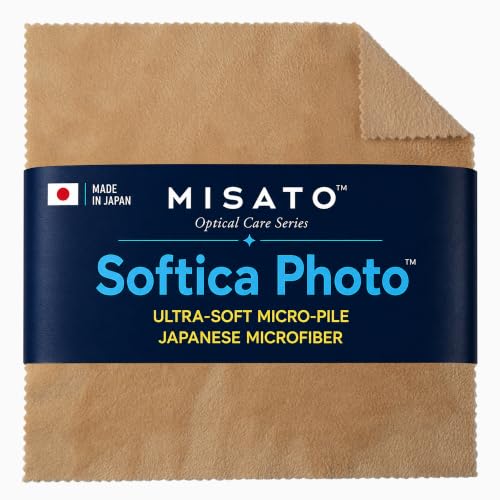
MISATO Softica Photo™ | Japanese Microfiber Camera Lens Cleaning Cloth | Ultra-Soft Micro-Pile for Lenses, Filters, Viewfinders, Binoculars & Eyeglasses | Made in Japan | Beige | 8×8 in
Check price on Amazon
KUVRD Waterbear - Electronic Screen Cleaner Pads, Single Patch Set | Compact Reusable Stick-On Microfiber Patch, for Cleaning Phone Camera Lenses, Car Screens, Viewfinders, and Eyeglasses
Check price on Amazon
K&F CONCEPT APS-C Sensor Cleaning Kit,with 5 Pack Swabs,20ml Sensor Cleaner | Clean Camera Sensor and View finder,Double layer 270g Swabs,Gentle Cleaning Liquid,for Nikon Sony Canon Camera Clean,MA02
Check price on Amazon
Polaroid Originals Now Viewfinder i-Type Instant Camera (Red) Bundle | Cleaning Cloth, Film, (3 items)
Check price on Amazon
Cosiki Portable 11X Director Viewfinder, Mini Telescopic Zoom Lens with 41mm Front Thread for Professional Photographers, Film TV Video Production, Includes Storage Bag Cleaning Cloth
Check price on Amazon