
DIY Sensor Cleaning: The Ultimate Guide to a Spotless Sensor
Discover how to safely remove dust, oil, and smudges from your camera sensor at home. Save money and keep your images sharp with our step-by-step professional guide.
SHOP CLEANING KITSWhy DIY Sensor Cleaning is a Game-Changer
Every photographer eventually faces the dreaded dust spot. It appears as a dark blob on your images, ruining an otherwise perfect shot. While professional sensor cleaning can cost anywhere from $50 to $150, learning to do it yourself is a valuable skill that saves money and gives you immediate control over your gear.
Whether you shoot with a DSLR or a mirrorless camera, the sensor is the heart of your imaging system. Understanding how to care for it is essential. This guide will walk you through the entire process, from diagnosing the issue to performing a safe and effective clean. Before you begin, it's wise to familiarize yourself with the basics of sensor cleaning and general camera care and maintenance.
💰 Cost Savings: A professional sensor cleaning typically costs $50–$150. A complete DIY cleaning kit costs $30–$60 and can be used for multiple cleanings, saving you hundreds over the life of your camera.
How to Know If Your Sensor Needs Cleaning
Before you rush to clean your sensor, you need to confirm that dust is actually the problem. Sometimes, spots in your images can be caused by dust on the lens or a dirty mirror. Here's how to diagnose a dirty sensor:
- Set a Small Aperture: Set your camera to Aperture Priority mode and choose a small aperture like f/16 or f/22.
- Take a Test Shot: Point your camera at a plain white wall or a clear sky. Take a photo, slightly overexposing it.
- Review the Image: Transfer the photo to your computer and zoom in. Dust spots will appear as dark, blurry circles. If the spots are sharp and well-defined, they might be on your lens instead. For lens issues, refer to our lens cleaning guide.
If you see multiple dark spots in the same location on every image, it's time for a sensor clean.
Essential Tools for DIY Sensor Cleaning
Using the right tools is critical to avoid damaging your sensor. Here's what you'll need:
- Rocket Air Blower: Your first line of defense. It removes loose dust without touching the sensor. $10–$20
- Sensor Swabs: These are lint-free swabs specifically designed for your sensor size (APS-C, Full Frame, etc.). $15–$25 for a pack
- Sensor Cleaning Solution: A specialized liquid that evaporates quickly and leaves no residue. $10–$15
- LED Sensor Loupe: A magnifying glass with LED lights that helps you see dust particles on the sensor. $30–$50
- Microfiber Cloth: For cleaning the camera body and lens. $5–$10
- Fully Charged Battery: Ensure your camera has plenty of power. You don't want it to turn off mid-clean.
⚠️ Important: Never use canned air, cotton swabs, or household cleaning solutions on your sensor. These can cause permanent damage.
Step-by-Step DIY Sensor Cleaning Guide
Step 1: Prepare Your Workspace
Find a clean, well-lit room with minimal dust. Avoid rooms with carpets or pets. Work on a sturdy table. Wash your hands and remove any jewelry that might scratch the sensor.
Step 2: Lock the Mirror (DSLR) or Remove the Lens (Mirrorless)
For DSLRs, use the "Mirror Lock-Up" or "Sensor Cleaning" mode in your camera's menu. This exposes the sensor. For mirrorless cameras, simply turn off the camera and remove the lens. The sensor is already exposed.
Step 3: Use the Air Blower First
Hold your camera with the lens mount facing down. Use a rocket air blower to gently blow air across the sensor. This removes loose dust. Never insert the tip of the blower into the camera body.
Step 4: Inspect with a Sensor Loupe
Use an LED sensor loupe to inspect the sensor. If you see dust particles, try blowing them off again. If they persist, you'll need to use a sensor swab.
Step 5: Dry Cleaning with a Sensor Swab
If the air blower doesn't work, use a dry sensor swab. Gently swipe it across the sensor in one direction. Do not apply pressure. Use a new swab for each swipe.
Step 6: Wet Cleaning with Solution
For stubborn spots, apply 2-3 drops of sensor cleaning solution to a fresh swab. Swipe across the sensor in one direction. Then, use the other side of the swab to swipe back. This ensures a streak-free finish.
Step 7: Re-check and Reassemble
Take another test photo to confirm the sensor is clean. If spots remain, repeat the wet cleaning with a new swab. Once clean, reattach your lens and reset the mirror.
How to Prevent Future Sensor Dust
Prevention is better than cure. Here are some tips to keep your sensor clean:
- Always change lenses in a clean, indoor environment.
- Keep your camera body facing down when changing lenses.
- Use a camera backpack or hard case to protect your gear during transport.
- Store your camera with a lens attached to minimize exposure.
- Consider using a dry cabinet to control humidity and dust.
Recommended Sensor Cleaning Kits & Tools
⚠️ AFFILIATE DISCLOSURE: This website contains affiliate links. As an affiliate Associate, we earn from qualifying purchases. If you make a purchase through these links, we may receive a small commission at no additional cost to you. Read our full affiliate policy.
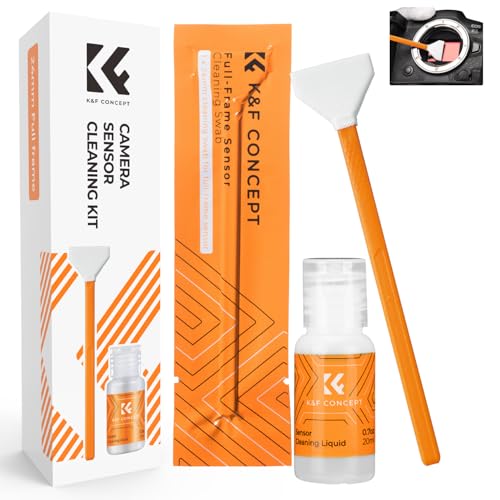
K&F CONCEPT 24mm Full Frame Sensor Cleaning Kits, with 20ml Sensor Cleaner | Sensor SwabsX6, Vacuum Sealed, Gentle Cleaner, Multi-Device Use, Precision Cleaning,for Nikon Sony Canon Camera Clean,MA01
Check price on Amazon
K&F CONCEPT APS-C Sensor Cleaning Kit, with Sensor Cleaner, Camera Cleaning | 16mm Sensor SwabX6, Vacuum Sealed, Gentle Cleaner, Multi-Device Use,Precision Cleaning,for Nikon Sony Canon Camera Clean,MA02
Check price on Amazon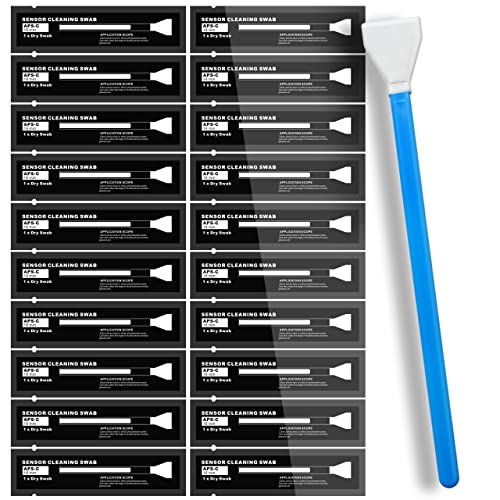
AAwipes Sensor Cleaning Swabs 16mm for APS-C Sensors DDR DSLR or SLR 20pcs | 20 Sensor-Cleaning Swabs, 16 Mm Wide, For APS-C DSLR Or SLR Camera Sensors And Routine Precision Camera Maintenance
Check price on Amazon
UES Full-Frame Camera Sensor Cleaning Kit (14pcs Swabs and 15ml Cleaner) | Includes 14pcs 24mm swabs and 15ml alcohol-free cleaning solution. Compatible with DSLR & Mirrorless Camera CCD&CMOS
Check price on Amazon
AAwipes Sensor Cleaning Swabs 24mm for Full Frame Sensors DDR24 DSLR 20 pcs | 20 Sensor-Cleaning Swabs, 24 Mm Wide, For Full-Frame DDR24 DSLR Or SLR Camera Sensors And Routine Precision Maintenance
Check price on Amazon
VSGO DKL-20F Sensor Cleaning Kit for Full Frame Cameras (24mm) | 69-in-1, for Canon, Nikon, Sony, Pentax & DSLR, All-in-One Camera Cleaning Kit Including Swabs, Lens Pen, Air Blower, Etc.
Check price on Amazon
AAwipes Sensor Cleaning Swabs 16mm for APS-C Sensors DDR DSLR or SLR 10pcs | 10 Sensor-Cleaning Swabs, 16 Mm Wide, For APS-C DSLR Or SLR Camera Sensors And Routine Precision Camera Maintenance
Check price on Amazon
Camera Lens Cleaning kit,Camera Accessories,Camera Sensor and Lens Cleaning kit,Lens Pen
Check price on AmazonFrequently Asked Questions
Can I use a Q-tip to clean my sensor?
No. Q-tips leave fibers behind and can scratch the sensor. Always use lint-free sensor swabs designed for camera sensors.
How often should I clean my sensor?
It depends on how often you change lenses and where you shoot. Check for dust every few months or before an important shoot.
Is it safe to clean a full-frame sensor myself?
Yes, as long as you use the correct size swab (e.g., 24mm for full-frame) and follow the steps carefully. The process is the same for full-frame and APS-C sensors.
What if I damage my sensor?
If you're not confident, it's always best to seek professional help. However, with practice and the right tools, DIY sensor cleaning is safe for most photographers.