
Security Camera That Works With Mobile Hotspot
Your complete guide to off-grid surveillance. Learn how to choose, set up, and power a security camera using a mobile hotspot for reliable, wire-free monitoring anywhere.
Whether you're securing a remote construction site, a vacation cabin, or a temporary event, traditional Wi-Fi cameras often fall short when no internet infrastructure exists. This is where a security camera that works with a mobile hotspot becomes invaluable. By using a smartphone or dedicated mobile hotspot as your internet source, you can deploy a camera almost anywhere with cellular coverage. This guide will walk you through everything you need to know, from data plans to camera features, ensuring you build a reliable off-grid security system.
Key Takeaway: The most critical factors for a hotspot-compatible camera are its ability to connect to a 2.4GHz Wi-Fi network, efficient data consumption, and a power source that doesn't rely on a wall outlet.
Recommended Hotspot-Compatible Security Cameras
⚠️ AFFILIATE DISCLOSURE: This website contains affiliate links. As an affiliate Associate, we earn from qualifying purchases. If you make a purchase through these links, we may receive a small commission at no additional cost to you. Read our full affiliate policy.
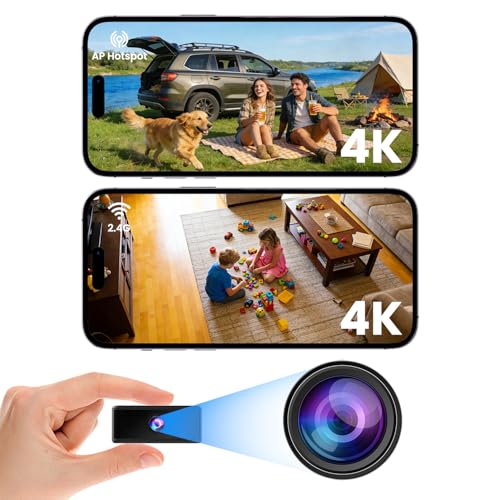
No WiFi Security Camera, 4K Mini Spy Camera-WiFi/ Hotspot/Offlline Modes | Night Vision, Sticking/Magnetic/Screw in, Indoor/Outdoor Mini Surveillance Camera for Home/Indoor/ Outdoor, Black
Check price on Amazon
VIMTAG 5G/2.4G 4MP Cameras for Home Security-Outdoor/Indoor Camera for Dog/Cat/Pet/Nanny/Baby, Wired, Color Night Vision, Free AI Detection, 2-Way Audio, 24/7 SD Recording,Support Alexa Cloud SD Card
Check price on Amazon
4G LTE Cellular Solar Security Cameras Wireless Outdoor, Built in SIM Card | No Wi-Fi 2K Camera, 24/7 Recording, Color Night Vision, 360°Pan Tilt, 2-Way Audio, AI Motion Detection, Ultra Solar Panel
Check price on Amazon
Luna 2K Indoor Camera for Home Security, Dual-Band WiFi 360° Pan-Tilt | Built-in Spotlight, Motion Detection & Human Auto Tracking, Siren, Pet/Dog/Baby Camera with Phone App
Check price on Amazon
TALKSIM Data SIM Card 12GB 365Days Works with Verizon, AT&T and T-Mobile | 4G LTE USA Data Only, Compatible with Unlocked Security Camera/Router/Mobile WiFi Hotspot/Tablet/Trail Devices
Check price on Amazon
Indoor Security Camera No WiFi Needed with Built-in Hotspot | Motion Detection, Cloud/SD Card Storage, USB Powered, Real-Time Alerts, Easy Setup
Check price on Amazon
Boveila 4G LTE Cellular Security Spy Camera Mini cam with SIM Card | 2K, 8-Inch Extened Lens | 20-Day Standby & 32ft PIR Motion Detection Night Vision | No WiFi Required | Portable Hidden Cameras
Check price on Amazon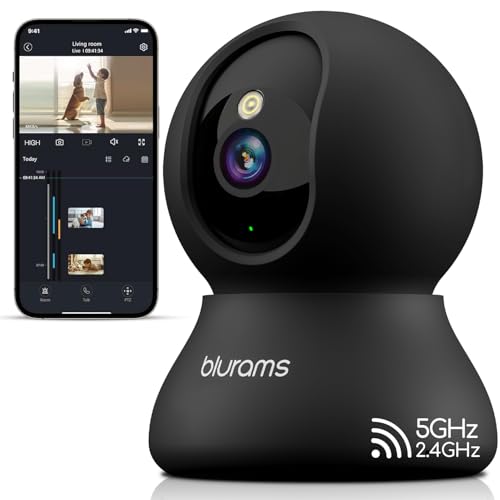
blurams Indoor Camera, 2K Pet Camera 360° Cameras for Home Security with Phone App, Motion Tracking, 2-Way Audio, IR Night Vision, Siren, Compatible with Alexa & Google Assistant
Check price on AmazonWhy Use a Mobile Hotspot for Security Cameras?
A mobile hotspot provides a flexible, on-demand internet connection. Unlike fixed-line broadband, you can move the hotspot and camera as needed. This is perfect for locations where running cables is impossible or too expensive. For situations where internet access is a major challenge, understanding security cameras that don't use internet at all is also a valuable alternative, though they lack remote viewing capabilities.
The primary benefit is true portability. You can set up a surveillance point in a matter of minutes, as long as you have cellular signal. This makes them ideal for:
- Construction sites and temporary job sites.
- RVs, boats, and camping trailers.
- Remote cabins, farms, and ranches.
- Monitoring vacation properties.
- Pop-up events or temporary retail spaces.
Key Features to Look For in a Hotspot-Compatible Camera
Not all security cameras are created equal when it comes to hotspot connectivity. You need a model that is designed for efficiency and flexibility. Here’s what to prioritize:
1. Wi-Fi Connectivity (2.4GHz is Crucial)
Most mobile hotspots broadcast a 2.4GHz Wi-Fi signal, which is more reliable over longer distances and penetrates obstacles better than 5GHz. Ensure your chosen camera supports 2.4GHz Wi-Fi. While some cameras support both, a 2.4GHz-only camera is often sufficient and more affordable. If you have a dual-band hotspot, check out cameras that work with 5GHz Wi-Fi for potentially faster speeds when close to the hotspot.
2. Data Efficiency and Management
This is the most critical factor. Continuous streaming will burn through a mobile data plan in days. Look for cameras with:
- Motion-Activated Recording: The camera only wakes up and transmits video when it detects movement. This is essential for conserving data.
- Adjustable Sensitivity: Fine-tune the motion sensor to avoid false alerts from moving trees or animals.
- Local Storage (SD Card): A camera that records 24/7 to a local SD card and only sends clips to the cloud is ideal. You can review the full footage later if needed, saving massive amounts of data.
- Low-Resolution Streaming Option: Some cameras allow you to stream live view at a lower resolution (e.g., 480p) to save data, while recording in full HD locally.
Consider a camera that offers outdoor security camera with SD card recorder functionality. This setup lets you record everything locally and only use the hotspot for remote alerts or occasional live checks.
3. Power Independence
Since you're already off-grid with your internet, you're likely off-grid with power too. A battery-powered security camera with night vision is the natural partner for a mobile hotspot. Look for cameras with long battery life or, even better, solar-powered outdoor security camera with night vision capabilities for a truly self-sustaining setup.
4. Robust Build and Night Vision
For outdoor use, an IP65 or IP66 weatherproof rating is non-negotiable. You'll also need reliable night vision (either infrared or color night vision) to ensure 24/7 protection. A wireless security camera with motion detection is a perfect fit, as it combines the necessary features for an efficient, off-grid system.
How to Set Up Your Camera with a Mobile Hotspot
Setting up your camera is a straightforward process, but it requires attention to detail. Follow these steps:
- Activate Your Hotspot: Turn on your mobile hotspot and ensure it has a strong cellular signal. Note the Wi-Fi network name (SSID) and password.
- Power Your Camera: Ensure your camera is fully charged or connected to a power source like a solar panel.
- Initiate Pairing: Open the camera's mobile app on your smartphone (connected to the hotspot's Wi-Fi). Follow the in-app instructions to add a new camera. The app will scan for available Wi-Fi networks.
- Connect to Hotspot: Select your mobile hotspot's SSID from the list and enter its password.
- Configure Settings: Once connected, immediately go into the camera's settings and:
- Set recording to "Motion Detection Only."
- Adjust motion sensitivity to a medium or low level.
- Enable push notifications for alerts.
- If available, set the live view stream quality to a lower resolution (e.g., 360p or 480p).
- Test and Position: Place the camera in its final position and test the live view and motion alerts to ensure a stable connection.
For a more permanent and robust setup, you might consider a security camera with built-in cellular service. These cameras have their own SIM card and don't require a separate hotspot, simplifying the setup and often providing more reliable connectivity.
Data Plan Considerations and Costs
Your data plan is the lifeline of this setup. The cost can vary significantly based on your usage.
| Usage Scenario | Estimated Data/Month | Recommended Plan |
|---|---|---|
| Motion alerts only (20-30 events/day, 15-sec clips) | 1–3 GB | Basic prepaid or low-cost plan |
| Frequent live view checks (5-10 mins/day) + motion alerts | 5–10 GB | Mid-tier plan |
| Continuous low-res streaming + motion alerts | 15–30+ GB | Unlimited or high-data plan |
Always check with your cellular provider for the most current plans. For a more predictable cost, you could look at security camera that does not require subscription for cloud storage, relying instead on local SD card storage.
Top Recommendations for Hotspot-Compatible Cameras
When choosing a camera, consider the specific needs of your location. For a comprehensive overview of popular models, our guide to the top 10 outdoor wireless security cameras is a great resource. If you're looking for a camera that works without any internet at all, perhaps using a local hotspot for initial setup only, consider a wireless security camera that does not require internet. For those who need to monitor a property with no Wi-Fi at all, a security system that doesn't need WiFi might be the answer, though remote access will be limited.
If you need a system for a larger property, you might investigate a wireless security camera system no wifi that can operate on a local network, which you can then bridge to your hotspot for remote access. For a simple, single-camera solution, an outdoor camera that doesn't require wifi can be paired with a hotspot for on-demand viewing.
Final Thoughts
Building a security system around a mobile hotspot is a powerful way to protect locations without traditional internet. By focusing on data efficiency, power independence, and a camera with the right features, you can create a reliable and flexible surveillance solution. Remember to carefully monitor your data usage and choose a plan that fits your monitoring style. With the right camera and setup, you can have peace of mind, no matter how remote your location.