
Wireless Doorbell Camera for Apartment: The Ultimate Renter's Guide
Secure your apartment entrance without drilling, wiring, or breaking your lease. Discover the best wireless doorbell cameras designed for renters and apartment living.
For apartment dwellers, home security comes with unique challenges. You can't drill into walls, run new wiring, or make permanent changes to the property. This is where a wireless doorbell camera for apartment becomes an essential tool. These devices offer a powerful combination of security, convenience, and renter-friendly installation. They let you see, hear, and speak to visitors from anywhere using your smartphone, all without a single screw or wire.
Choosing the right one, however, requires understanding a few key factors that are specific to apartment life. This guide will walk you through everything you need to know, from power sources and connectivity to the best features for a seamless and secure setup.
Why Your Apartment Needs a Wireless Doorbell Camera
A video doorbell is more than just a gadget; it's a peace-of-mind solution. For apartment residents, the benefits are even more pronounced. You gain a crucial layer of security and convenience that traditional peepholes or intercoms simply can't match.
Whether you're expecting a package, a guest, or an uninvited visitor, you'll have a complete visual record. Many models offer advanced features like package detection, motion alerts, and clear two-way audio. For those concerned about ongoing costs, you can even find a 4K doorbell camera without subscription, which stores footage locally. This ensures you get top-tier security without any monthly fees, a perfect fit for budget-conscious renters.
Renter-Friendly Installation: No Tools, No Damage
The biggest hurdle for apartment security is installation. Traditional wired doorbells require low-voltage wiring and drilling, which is a definite no-go for most leases. Fortunately, wireless doorbell cameras are designed with renters in mind. They typically mount using strong, damage-free adhesive strips or over-the-door brackets.
These methods are secure, reliable, and can be removed cleanly when you move out. This means you can enjoy enhanced security without risking your deposit or violating your lease agreement. Always check your lease terms, but for most renters, an adhesive-mounted wireless doorbell is a safe and practical choice.
Power Sources: Battery vs. Wired vs. Solar
In an apartment, you have three main options for powering your doorbell camera. Your choice will depend on your specific setup and charging preferences.
- Battery-Powered: This is the most common and flexible option for renters. The camera runs on a rechargeable battery that you can pop out and charge via USB every few weeks or months. The main consideration is remembering to charge it. Some cameras offer long battery life, making them extremely low-maintenance.
- Wired (Existing Doorbell): If your apartment already has a wired doorbell, you might be able to connect a compatible smart doorbell to the existing wiring. This provides continuous power, so you never have to worry about charging. However, this is less common in apartments and requires basic DIY skills.
- Solar-Powered: While less common for apartment doors due to lack of direct sunlight, a solar-powered wireless camera can be an option if your front door gets consistent sun. These are often designed for outdoor use but can be adapted for an apartment entrance that faces the sun.
For most apartment renters, a high-quality battery-powered model offers the best balance of performance, ease of use, and renter-friendliness.
Connectivity: Wi-Fi, No Wi-Fi, and Cellular Options
Your doorbell's connectivity is its lifeline to your smartphone. Most wireless doorbell cameras connect to your home's 2.4GHz Wi-Fi network. This is usually reliable, but if your Wi-Fi signal is weak at your front door, you might experience connectivity issues.
For situations where Wi-Fi is not available or unreliable, you have other options. A wireless camera that works without Wi-Fi often uses a proprietary RF receiver that plugs into a monitor inside your apartment. This creates a closed-circuit system that is highly secure but may lack smartphone integration. Alternatively, a security camera with built-in cellular service uses a mobile data plan to connect, ensuring you get alerts even if your home internet goes down. This is a premium feature but offers ultimate reliability.
Key Features to Look For in an Apartment Doorbell
Not all video doorbells are created equal. When shopping for your apartment, prioritize these features:
- Video Quality: Look for at least 1080p HD resolution. A 2K or 4K camera provides even clearer details, which is crucial for identifying faces or reading license plates. A wide field of view (at least 160 degrees) ensures you can see packages left on the ground.
- Two-Way Audio: This lets you communicate with visitors, delivery drivers, or even deter potential intruders directly from your phone.
- Motion Detection: Customizable motion zones are a must. This feature allows you to focus alerts on your doorstep and hallway while ignoring passing traffic in the corridor.
- Night Vision: A good doorbell camera should provide clear video even in low-light conditions. Look for models with infrared or color night vision.
- Local Storage vs. Cloud Subscription: Many brands push a cloud subscription for video recording. If you prefer to avoid monthly fees, look for a model that supports a local microSD card for storage. This is common in many outdoor security cameras without a monthly fee.
The Importance of Power Backup and Reliability
Your security shouldn't go dark during a power outage. This is a concern for any home, but especially for apartments where you may not have control over the main power. While a battery-powered doorbell is inherently immune to power outages at your unit, the Wi-Fi router might not be. To maintain connectivity and security, consider a UPS power backup for CCTV cameras and DVR to keep your internet running. This ensures your doorbell camera continues to send alerts and record footage even when the power is out.
Recommended Wireless Doorbell Cameras for Apartments
⚠️ AFFILIATE DISCLOSURE: This website contains affiliate links. As an affiliate Associate, we earn from qualifying purchases. If you make a purchase through these links, we may receive a small commission at no additional cost to you. Read our full affiliate policy.

Orbitell 1080p Wireless Wi-Fi Video Doorbell Camera with Two Way Audio, Night Vision, Cloud Storage, Smart AI Motion Detection, Support 2.4GHz Wi-Fi only
Check price on Amazon
BOIFUN Video Doorbell Camera Wireless – No Subscription Required, 2K HD | 166° Wide View, HDR Night Vision, Motion Alerts, Two‑Way Audio & Battery Video Doorbell with Chime, 2.4 GHz Wi‑Fi Only
Check price on Amazon
Arlo Video Doorbell 2K (2nd Gen) Wireless or Wired - 1-Cam | 2K HDR head-to-toe video; Front door security; Package & person detection; Night vision, 2-way audio; 1-mo Secure plan incl.
Check price on Amazon
Ring Battery Doorbell 2K (newest model), Retinal 2K with wide-angle video, up to 6x Enhanced Zoom, Two-Way Talk, and Built-In Battery, Speckled White
Check price on Amazon
Anti-Theft Ring/Blink Doorbell Mount for 2026 Newest Battery Doorbell/Plus/Pro (2nd Gen) 2k 4k, No-Drill Camera Doorbell Kits, Non-Blocking Motion Sensor, Accessories for Apartment & Rental, Black
Check price on Amazon
Wyze Battery Video Doorbell Wireless Camera, 1536x1536 HD+ with Color Night Vision, 2-Way Audio, 1:1 Head-to-Toe View, Person/Vehicle/Package Monitor, Wire-Free/Wired Option, 1 Minute Easy Setup
Check price on Amazon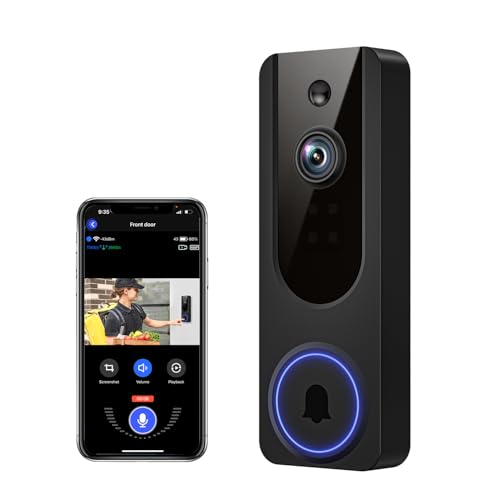
VanaOrbi 1080p WiFi Video Doorbell Camera Wireless, Battery Powered, AI Human and Motion Detection, 2 Way Talk, Night Vision, Cloud Storage, 2.4G WiFi Only, Indoor/Outdoor Surveillance
Check price on Amazon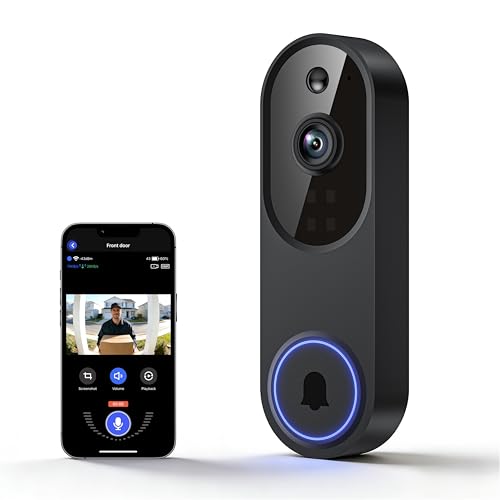
Lunelyx 1080P Wireless Video Doorbell Camera, Outdoor Surveillance Cameras, FHD Live View, Cloud Storage, AI Human Detection, Instant Alert, Night Vision, Two Way Audio, 2.4G WiFi Only
Check price on AmazonFrequently Asked Questions
Can I install a wireless doorbell camera if I rent my apartment?
Yes, absolutely. Most wireless doorbell cameras are designed with renters in mind. They use damage-free adhesive mounts or over-the-door brackets, so you don't need to drill any holes. When you move out, you can easily remove the camera and mount without leaving a trace.
Do I need Wi-Fi for a wireless doorbell camera to work?
Most wireless doorbell cameras connect to your home's Wi-Fi network to send alerts to your phone. However, there are models that don't require Wi-Fi. These typically use a dedicated RF receiver or a built-in cellular connection. A wireless security camera that does not require internet can be a great alternative if your Wi-Fi is unreliable.
How do I power a wireless doorbell camera in an apartment?
The most common method is a rechargeable battery. You simply detach the camera, charge it via USB, and reattach it. This process might need to be done every few weeks or months, depending on usage and battery capacity. Some models can also be hardwired to existing doorbell wiring if your apartment has it.
Is a wireless doorbell camera worth it for an apartment?
For most renters, a wireless doorbell camera is an excellent investment. It provides a significant boost in security and convenience, allowing you to monitor your door, communicate with visitors, and deter package theft. It offers peace of mind without requiring permanent modifications to your apartment.
Final Thoughts: Securing Your Apartment with Confidence
Choosing the right wireless doorbell camera for apartment living is a straightforward process once you know what to look for. Prioritize a renter-friendly installation method, a reliable power source, and the connectivity that suits your lifestyle. Features like HD video, two-way audio, and customizable motion alerts will transform your apartment's entrance into a smart, secure, and convenient gateway.
With the right device, you can enjoy the benefits of modern home security without the complexity or commitment of a permanent installation. Take your time, compare the options, and invest in the peace of mind that comes with knowing who's at your door, no matter where you are.