
Bluetooth Selfie Stick: The Ultimate Guide to Perfect Selfies
Stop struggling with awkward angles and blurry group photos. A Bluetooth selfie stick puts the power of a professional tripod in your pocket, letting you capture every moment with stunning clarity and ease.
View Top RecommendationsWhy Trust This Guide? At AllCameraGuide, we've spent hundreds of hours testing and researching mobile photography accessories. We understand that a selfie stick isn't just a stick—it's a tool that can transform your travel vlogs, family reunions, and solo adventures. This guide cuts through the marketing jargon to help you find the perfect Bluetooth selfie stick for your specific needs.
What Exactly is a Bluetooth Selfie Stick?
A Bluetooth selfie stick is a telescopic monopod that extends your smartphone's reach, allowing you to take photos and videos from a distance without needing a second person. Unlike older models that required a wired connection, modern Bluetooth selfie sticks pair wirelessly with your phone, giving you the freedom to position your device at the perfect angle. Many models now double as a phone tripod stand, offering incredible versatility for content creators.
The built-in remote shutter is the magic ingredient. It's a small, detachable remote that connects via Bluetooth to your phone, letting you snap photos or start recording video with a simple button press. This is especially useful for vloggers who need to start recording from a distance or for anyone who wants to capture a spontaneous group shot without sprinting back into the frame.
Key Features to Look For in a Bluetooth Selfie Stick
Not all selfie sticks are created equal. To ensure you get the most out of your purchase, here are the critical features you should evaluate:
📏 Extended Length
Most sticks extend from 7 to 40 inches. Longer lengths are great for wide group shots or capturing more of the background. Look for a model that balances reach with stability.
🔗 Bluetooth Remote
The remote should be detachable and rechargeable or use a replaceable battery. Check for compatibility with both iOS and Android devices.
🔄 Rotating Head
A 360-degree rotating phone holder allows for easy switching between portrait and landscape modes. Some even offer adjustable tilt for low-angle or high-angle shots.
🏗️ Build Quality
Aluminum alloy is lightweight and durable, while ABS plastic is more affordable. The clamp should have rubberized grips to hold your phone securely without scratching it.
📱 Phone Compatibility
Ensure the clamp can accommodate your phone's width, especially if you have a large phone or a thick case. Most clamps fit devices from 2.2 to 3.7 inches wide.
⚖️ Weight & Portability
A lightweight stick (under 200g) is easier to carry. Folding designs that collapse to pocket size are ideal for travel.
Bluetooth vs. Wired Selfie Sticks: Which is Right for You?
While Bluetooth models offer unmatched convenience, wired selfie sticks are still an option. Here's a quick comparison to help you decide:
| Feature | Bluetooth Selfie Stick | Wired Selfie Stick |
|---|---|---|
| Setup | Wireless pairing, no cables | Plug into headphone jack or charging port |
| Compatibility | Works with most modern phones | Limited to phones with specific ports |
| Battery | Requires charging or battery replacement | No battery needed |
| Convenience | High—remote can be used separately | Moderate—cable can get in the way |
| Price | $15–$50 | $8–$25 |
For most users, a Bluetooth selfie stick is the superior choice due to its versatility and wide compatibility. However, if you have an older phone with a headphone jack and prefer a zero-battery solution, a wired option might suffice.
Recommended Bluetooth Selfie Sticks
⚠️ AFFILIATE DISCLOSURE: This website contains affiliate links. As an affiliate Associate, we earn from qualifying purchases. If you make a purchase through these links, we may receive a small commission at no additional cost to you. Read our full affiliate policy.

ATUMTEK Selfie Stick Tripod with Rechargeable Bluetooth Remote, Black | 3-in-1 Extendable Aluminum Phone Tripod, 7.7" Pocket-Size, Detachable Shutter Remote for iPhone 18 Pro/17/16/15 & Android
Check price on Amazon
Selfie Stick Tripod for Phone with Remote Control & Holder, 50 Inch, Black | Extendable Selfie Stick Travel for iPhone, iPhone Tripod for Video Recording
Check price on Amazon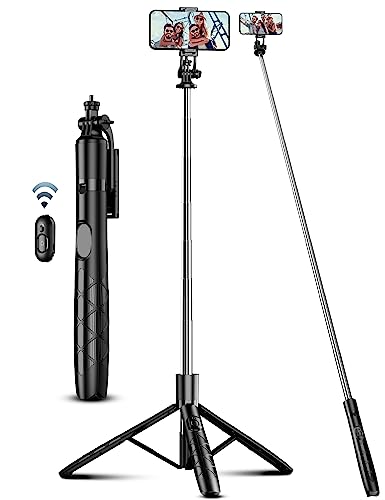
71" Phone Tripod & Selfie Stick, All in One Extendable Cell Phone Tripod with Wireless Remote, Tripods Stand for iPhone & Travel Selfie Stick 360° Rotation Compatible with iPhone Android, Camera
Check price on Amazon
EUCOS 62" Phone Tripod, Tripod for iPhone & Selfie Stick with Remote | Extendable Cell Phone Stand & Ultimate Phone Holder, Solidest Phone Stand Compatible with iPhone/Android
Check price on Amazon
Tripod for iPhone, Selfie Stick with Remote, Stable & Durable Phone Tripod | Portable Travel Cell Phone Stand, Extendable All-in-1 Tripod for Video Recording Compatible with iPhone Android
Check price on Amazon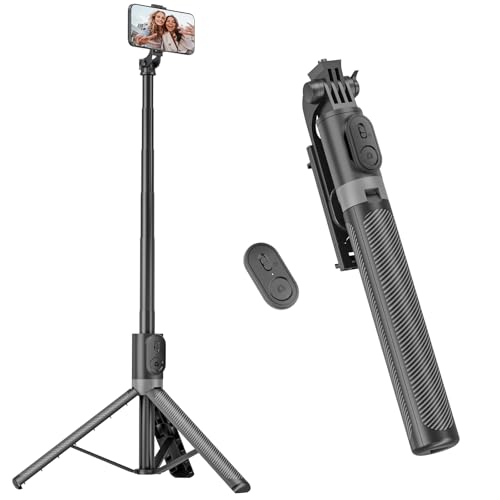
RISEOFLE 71” Phone Tripod & Selfie Stick, Portable All in One Extendable Cell Phone Tripod Stand, with Wireless Remote Control for iPhone/Samsung/Android/Camera
Check price on Amazon
Upgrated 5-in-1 Magnetic Selfie Stick with Remote for Cell Phone 360° Rotation.Can Transforms into Mini Tripod/Camera Grip/Handheld Stabilizer/Phone Stand.Extend to 25 inches
Check price on AmazonHow to Choose the Perfect Bluetooth Selfie Stick for Your Needs
Your choice should ultimately depend on how you plan to use it. Here are a few scenarios to guide your decision:
For Travel & Vlogging
Prioritize a lightweight, compact model that folds down small enough to fit in a pocket or small bag. A stick with a strong clamp and a reliable remote is essential for capturing steady footage on the go. Consider a model that can also serve as a cell phone tripod for stable time-lapses or hands-free recording. If you're into more adventurous content, you might also be interested in a chest camera for immersive POV shots.
For Group Photos & Events
Look for a longer extended length (over 30 inches) to fit everyone in the frame. A wider clamp is also important to accommodate friends' phones. A model with a sturdy base that can stand on its own as a tripod is a huge bonus for setting up the perfect group shot.
For Solo Creators & Live Streaming
If you're filming yourself, a selfie stick with a detachable remote that can be held in your hand while the phone is mounted is ideal. Some creators even pair their selfie stick setup with a selfie light for phone to ensure they're always well-lit, regardless of the environment.
For Budget-Conscious Buyers
You don't need to spend a fortune. There are excellent budget-friendly options available that offer all the core features—Bluetooth remote, adjustable clamp, and decent extension—for under $20. Focus on build quality and user reviews rather than premium branding.
Tips for Getting the Most Out of Your Bluetooth Selfie Stick
- Keep the Remote Charged: Nothing is worse than a dead remote when you need it most. Make it a habit to charge it after every use, or carry a spare battery if your model uses one.
- Secure Your Phone: Always double-check that your phone is firmly clamped before extending the stick. A drop from a high angle can be catastrophic.
- Practice Your Angles: Experiment with different tilts and rotations to find the most flattering angles. A slight downward tilt often works best for selfies.
- Use a Tripod Mode: When using the stick as a tripod, ensure the legs are on a stable, level surface. Avoid using it in windy conditions without anchoring it.
- Clean the Clamp: Dirt and grit can reduce the grip of the phone clamp. Wipe it down with a damp cloth periodically to maintain a secure hold.
Frequently Asked Questions About Bluetooth Selfie Sticks
Will a Bluetooth selfie stick work with my phone case?
Most clamps are designed to accommodate phones with standard cases. However, very thick or rugged cases (like OtterBox Defenders) might not fit. Check the maximum clamp width in the product specifications before buying.
Do I need an app to use a Bluetooth selfie stick?
Generally, no. The Bluetooth remote pairs with your phone like any other Bluetooth device and usually works with your phone's default camera app. Some brands offer a dedicated app with extra features like zoom control or beauty filters, but it's not required for basic operation.
How do I pair the Bluetooth remote with my phone?
Turn on the remote (usually a small switch), then go to your phone's Bluetooth settings and look for a device named something like "Selfie Stick" or "AB Shutter." Tap to connect. Once paired, open your camera app and press the remote's button to take a photo.
Can I use a Bluetooth selfie stick with a GoPro or action camera?
Most selfie sticks have a standard 1/4-inch screw mount, which is compatible with action cameras like GoPro (with the appropriate adapter). However, the Bluetooth remote is designed for smartphones, so you would need to use your action camera's own remote or app to control it.
What is the maximum weight a selfie stick can hold?
This varies by model. Most standard selfie sticks are designed for smartphones, which typically weigh under 250g. If you plan to use a larger device or a phone with a heavy lens attachment, look for a model with a higher weight capacity, often listed in the specs.
Ready to Capture the Perfect Shot?
A Bluetooth selfie stick is one of the most affordable and impactful accessories you can add to your mobile photography kit. Whether you're a seasoned vlogger or someone who just wants better vacation photos, the right stick will make a noticeable difference.
Check Our Top Recommendations