
Continuous Recording Indoor Security Camera
Discover how 24/7 indoor cameras work, what storage options exist, and how to choose the right one for round-the-clock protection.
Why Continuous Recording Matters: Unlike motion-triggered cameras that may miss critical seconds, a continuous recording indoor security camera captures every moment—day and night. This guide explains the technology, storage requirements, and top features so you can make an informed decision.
What Is a Continuous Recording Indoor Security Camera?
A continuous recording indoor security camera is designed to record video non-stop, 24 hours a day, 7 days a week. Instead of activating only when motion is detected, these cameras maintain a constant video feed that is stored either locally or in the cloud. This ensures that no event—whether it's a subtle movement or a brief disturbance—goes unnoticed.
For homeowners and renters who want comprehensive coverage, continuous recording provides peace of mind that security cameras that continuously record will capture everything. If you're specifically looking for an indoor solution, a indoor security camera that records 24/7 is the ideal choice for monitoring nurseries, pet areas, or entry points.
How Continuous Recording Works
Continuous recording relies on a few key components working together:
1. Constant Video Feed
The camera sensor captures video frames continuously without interruption. Unlike motion-activated cameras, there is no "wake-up" delay or missed footage.
2. Storage Solution
Footage is written to a local microSD card, a network video recorder (NVR), or cloud storage. The choice affects cost, accessibility, and retention time.
3. Power Source
Continuous recording demands a reliable power supply. Most indoor models plug into a wall outlet, while battery-powered options exist but with limited continuous recording capability.
4. Bandwidth Management
Streaming 24/7 video requires sufficient bandwidth. Many cameras offer sub-streams or lower resolution modes to reduce network strain.
Storage Options for Continuous Recording
Choosing the right storage is critical for continuous recording. Here's a comparison of the most common options:
| Storage Type | Pros | Cons | Typical Cost |
|---|---|---|---|
| Local microSD Card | No monthly fees, easy setup, playback via app | Limited capacity (up to 512GB), risk of theft | $10–$60 (one-time) |
| NVR with Hard Drive | Large capacity (up to 10TB+), centralized management | Higher upfront cost, requires technical setup | $150–$500+ |
| Cloud Storage | Off-site backup, accessible anywhere, no hardware | Monthly subscription, bandwidth dependent | $3–$15/month |
| Hybrid (Local + Cloud) | Redundancy, best of both worlds | Higher total cost | $5–$20/month + hardware |
If you prefer to avoid recurring fees, a wireless security camera system with local storage is an excellent choice. For those who want the flexibility of both, consider a WiFi security camera with local storage that also supports cloud backup.
Key Features to Look For
Resolution
Look for at least 1080p Full HD. 2K or 4K models provide sharper details, which is crucial for identifying faces or objects in continuous footage.
Night Vision
Infrared LEDs enable recording in complete darkness. Check the range—most indoor cameras offer 20–30 feet of night vision.
Field of View
A wide-angle lens (110°–180°) reduces blind spots. For comprehensive indoor coverage, a wide-angle wireless outdoor security camera can also be used indoors if needed.
Audio Recording
Built-in microphones capture sound, adding another layer of security. An indoor security camera with audio recording is ideal for monitoring conversations or unusual noises.
Two-Way Audio
Communicate with family members or pets, or deter intruders with a built-in speaker.
Smart Home Integration
Compatibility with Alexa, Google Assistant, or Apple HomeKit allows voice control and automation.
Pros and Cons of Continuous Recording
Advantages
- Never miss an event—every second is recorded
- Provides a complete timeline for investigations
- Deters criminals who know they're being watched
- Useful for monitoring pets, children, or elderly relatives
- Evidence is preserved even if motion detection fails
Disadvantages
- Requires more storage space
- Higher power consumption
- Can be overwhelming to review hours of footage
- May raise privacy concerns for some users
- Continuous recording cameras are often more expensive
To mitigate storage concerns, many users opt for a home security camera with continuous recording that also supports motion alerts, allowing them to quickly jump to important events.
Installation Tips for Indoor Continuous Recording Cameras
Proper placement is key to maximizing coverage. Here are some practical tips:
- Position near power outlets: Continuous recording requires constant power, so place the camera near an outlet to avoid cable clutter.
- Elevate the camera: Mount it high on a shelf or wall to get a clear view of the room and deter tampering.
- Avoid backlight: Don't point the camera directly at windows or bright lights, which can wash out the image.
- Secure the network: Use a strong password and enable encryption to protect your footage.
- Test the field of view: Use the app's live view to adjust the angle and ensure no blind spots.
For those who prefer a hassle-free setup, a security camera system easy to install can be a great option. If you're renting, consider a security camera for apartment renters that doesn't require permanent modifications.
Ready to Protect Your Home 24/7?
Explore our top-rated continuous recording indoor security cameras and find the perfect fit for your needs.
View Recommended CamerasRecommended Continuous Recording Indoor Security Cameras
⚠️ AFFILIATE DISCLOSURE: This website contains affiliate links. As an affiliate Associate, we earn from qualifying purchases. If you make a purchase through these links, we may receive a small commission at no additional cost to you. Read our full affiliate policy.
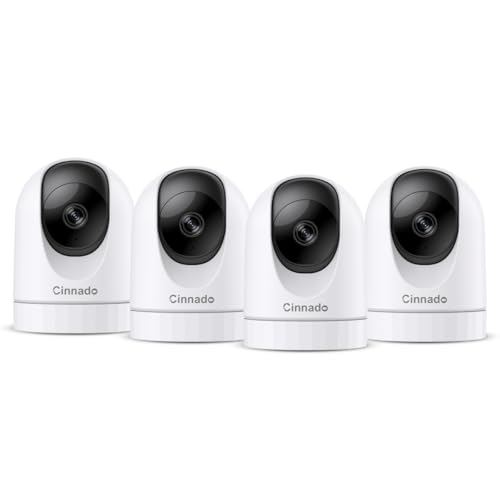
Cinnado 2K Home Security Cameras Indoor with 2.4GHz Wi-Fi & Siren, D1 4Pack | 360° Auto Tracking for Pets/Nanny/Baby/Dog, 2-Way Audio, 24/7 SD Card Storage, Cloud Storage, Works with Alexa & Google Home
Check price on Amazon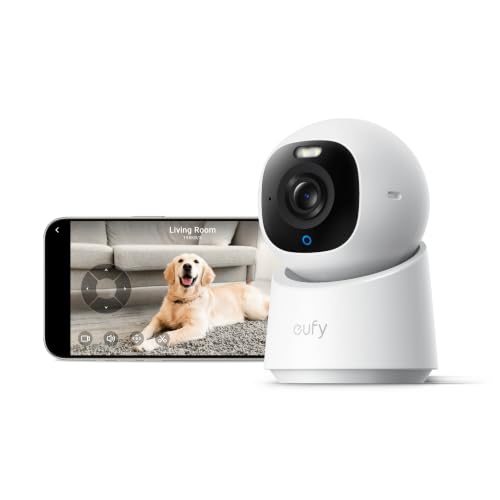
eufy Security 4K Indoor Camera E30, No Subscription, Work as Pet Camera | Nanny/Baby Camera, Pan&Tilt, AI Tracking, AI Detection, 24/7 Recording, Color Night Vision, Two-Way Audio,Works with HomeKit
Check price on Amazon
Anona 4K UHD Indoor Camera, Pet/Dog/Baby Security Camera with Phone App, 360°Pan-Tilt, 5G/2.4G Dual-Band Wi-Fi 6, Auto-Tracking, Person/Pet/Baby Crying Detection, Privacy Mode, Two-Way Audio, 2 Pack
Check price on Amazon
eufy Security Indoor/Outdoor Camera C31, Spotlight-Free PURECOLOR VISION | Spotlight-Free Color Night Vision, IP66, AI Human/Vehicle/Pet/Cry Detection, Plug-In Powered, 24/7Recording, No Subscription
Check price on Amazon
eufy Security Indoor/Outdoor Camera C31(2-Pack), IP66, No Subscription | Spotlight-Free Color Night Vision, 360° Coverage Pan &Tilt, AutoTracking, AI Human/Vehicle/Pet/Cry Detection, 24/7 Recording
Check price on Amazon
GNCC Cameras for Home Security 5Ghz WiFi Indoor Camera with 360°PTZ, 4 Pack | AI Motion Tracking,2K Night Vision, Detection for Pets /Baby/Nanny/Dogs, 2-Way Audio, 24/7 SD Card or Cloud, Works with Alexa
Check price on Amazon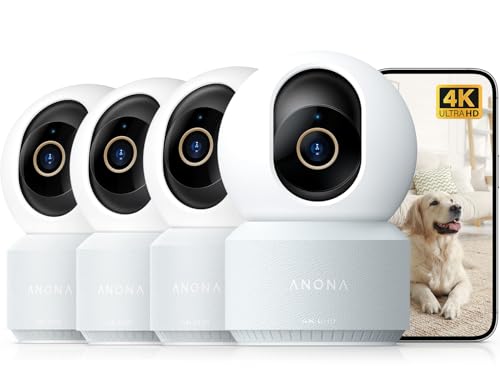
Anona 4K UHD Indoor Camera, Pet/Dog/Baby Security Camera with Phone App, 360°Pan-Tilt, 2.4G/5G Dual-Band Wi-Fi 6, Auto-Tracking, Person/Pet/Baby Crying Detection, Privacy Mode, Two-Way Audio, 4 Pack
Check price on Amazon
Blink Mini 2K+ (newest model) – Plug-in Home & Pet Indoor Security Camera with 2K video resolution, night vision, enhanced audio, motion detection – 1 camera (Black)
Check price on AmazonFrequently Asked Questions
Recording duration depends on your storage capacity. A 128GB microSD card can hold approximately 7–14 days of continuous 1080p footage, while a 1TB NVR can store months of video. Cloud plans typically offer 7–30 days of retention.
Yes, many cameras can record locally to a microSD card without an internet connection. However, you'll need WiFi or cellular connectivity to view the feed remotely. For a no-internet solution, consider a security camera without WiFi connection.
Prices vary. Basic indoor continuous recording cameras start around $30–$60, while feature-rich models with 2K resolution and advanced AI can cost $100–$250. Professional-grade systems with NVRs can exceed $500. Monthly cloud fees, if applicable, range from $3–$15.
Indoor cameras are not weatherproof and should not be used outdoors. For outdoor continuous recording, look for an outdoor camera with continuous recording that is IP65 or higher rated.
A 1080p continuous recording camera uses approximately 1–2 Mbps, translating to about 10–20 GB per day. 4K cameras can use 5–8 Mbps or more. To reduce bandwidth, enable sub-streams or lower the resolution when high detail isn't needed.
Final Thoughts
A continuous recording indoor security camera offers unmatched peace of mind by capturing every moment, not just motion events. Whether you're monitoring your home, pets, or loved ones, the right camera combined with adequate storage ensures you never miss a thing. Evaluate your storage needs, choose a camera with the features that matter most to you, and enjoy round-the-clock protection.
For more insights on security camera setups, explore our guide on continuous recording home security cameras and security cameras that will alert your phone to stay informed wherever you are.