


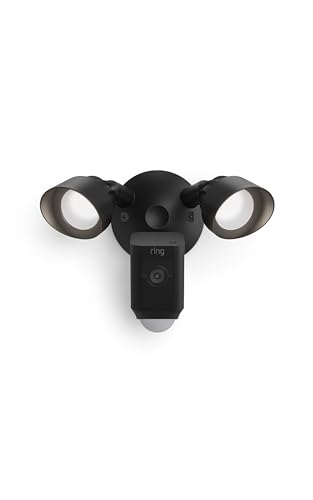

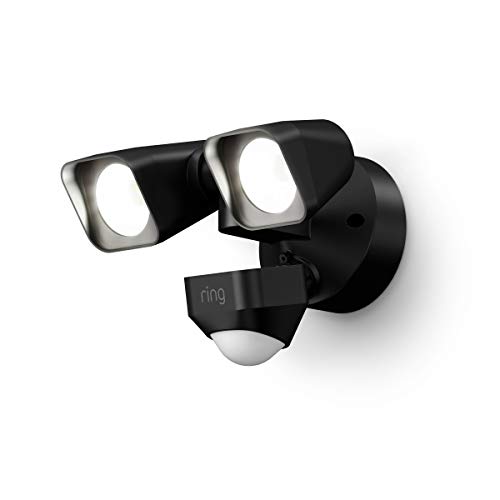


Understanding Integrated Flood Light Cameras
A flood light camera is not just a light with a camera attached. It is a sophisticated security device that combines a high-intensity LED light, a wide-angle HD camera, and a passive infrared (PIR) motion sensor into a single unit. When the sensor detects movement, it triggers the light and begins recording video, often sending a push alert to your smartphone. This immediate response is a powerful deterrent and provides invaluable evidence. For a standalone solution, you might look at a motion-activated flood light with camera, but integrated units offer a cleaner, all-in-one package.
Key Features to Evaluate Before Buying
When researching flood lights with cameras, you will encounter a wide range of specifications. Understanding these core features is crucial to making an informed decision that fits your property and budget.
Video Resolution and Field of View
Most modern flood light cameras offer 1080p (Full HD) or 2K resolution. A wider field of view, typically 130 to 180 degrees, reduces blind spots. For critical areas, a higher resolution is always better. If you need a camera that can see in the dark, look for models with excellent night vision. You can learn more about this in our guide on security cameras with night vision and audio.
Motion Detection Technology
Not all motion sensors are created equal. Basic PIR sensors detect heat, but advanced models use AI to distinguish between people, animals, and cars. This reduces false alerts from swaying trees or passing animals. For a truly smart system, consider a wireless motion sensor security camera that integrates with your broader home network.
Lighting Brightness and Control
Flood lights are measured in lumens. A brightness of 1,500 to 3,000 lumens is typical for residential use. Dimmable lights and adjustable color temperature (from warm white to cool daylight) are premium features that add convenience and allow for customizing the light to your preference.
Connectivity and Storage
Wi-Fi connectivity is standard, allowing you to view live feeds and recordings from your phone. Some models also support Ethernet. For storage, you have two main options: local storage via a microSD card or a base station, or cloud storage through a subscription. If you prefer to avoid monthly fees, look for a model that supports local storage or is part of a security camera system without monthly fee.
Installation and Placement Tips for Optimal Performance
Proper installation is key to maximizing the effectiveness of your flood light camera. Placing it at the right height and angle ensures it captures useful footage and triggers the motion sensor accurately.
For the best coverage, mount the unit 8 to 10 feet high on a wall, angled slightly downward. This height prevents easy tampering and provides a good view of faces. Avoid pointing the sensor directly at roads or busy sidewalks to prevent constant triggering. For a comprehensive look at where to place your devices, see our guide on where to install security cameras outside home.
Integrating Your Flood Light Camera into a Smart Home System
Most modern flood light cameras are designed to work with smart home ecosystems like Amazon Alexa and Google Assistant. This allows for voice control and integration with other smart devices. You can create routines, such as having the flood light turn on when another camera detects motion, or view the feed on a smart display. If you are building a comprehensive system, ensure your new flood light camera can communicate with your existing setup. It's often the perfect complement to a home security camera system with night vision. For those who want to monitor everything from a single app, a security camera system that connects to phone is an excellent foundation.
Maintenance and Troubleshooting
Like any outdoor electronic device, flood light cameras require occasional maintenance. Regularly clean the lens and the motion sensor with a soft, dry cloth to ensure clear video and accurate detection. Check the Wi-Fi signal strength to prevent connectivity issues. In cold climates, ensure the unit is rated for low temperatures. If you experience frequent false alerts, try adjusting the sensitivity settings or the angle of the sensor. For more general tips, our camera care and maintenance hub is a great resource.