
Where to Install Security Cameras Outside Home
Discover the optimal placement for outdoor security cameras to maximize coverage, deter intruders, and protect your property. This comprehensive guide covers mounting heights, angles, and strategic locations for complete home surveillance.
START PLACEMENT GUIDEInstalling security cameras outside your home is one of the most effective ways to protect your property and loved ones. However, the effectiveness of your surveillance system depends entirely on where you place those cameras. A poorly positioned camera can leave blind spots, fail to capture identifying details, or miss crucial activity altogether. This guide will walk you through the best locations for outdoor security cameras, the ideal mounting heights, and the angles that capture the most useful footage.
Whether you are setting up a wireless security camera system or a traditional wired setup, the principles of strategic placement remain the same. By the end of this article, you will know exactly where to install your cameras for maximum security coverage.
Quick Tip: The primary goal of outdoor camera placement is to capture faces, license plates, and activity—not just to see that something happened. Position cameras low enough to capture identifying details but high enough to prevent tampering.
Key Principles for Outdoor Camera Placement
Before diving into specific locations, it is important to understand the core principles that guide effective camera placement. These principles apply regardless of whether you are using a wireless outdoor camera system or a wired 8-channel system.
1. Cover All Entry Points
Every possible entry point to your home should be within the field of view of at least one camera. This includes front doors, back doors, side doors, garage doors, and ground-floor windows. Intruders typically target the least visible entry points, so comprehensive coverage is essential. For homes with multiple entries, consider a multi-channel outdoor security camera system to ensure no point is left unmonitored.
2. Prioritize Identification Over Detection
A camera that only shows a silhouette or a distant figure is of limited value. Position cameras close enough to capture clear facial features and details. This often means placing cameras lower than you might initially think—around 8 to 10 feet above the ground rather than 12 to 15 feet. For enhanced detail, consider a high-resolution security camera that can capture crisp images even from a distance.
3. Avoid Direct Sunlight and Glare
Position cameras away from direct sunlight, which can cause lens flare and wash out images. Similarly, avoid pointing cameras directly at reflective surfaces or bright lights. If your camera is facing a direction where the sun rises or sets, consider a camera with wide dynamic range (WDR) to handle challenging lighting conditions. For night-time clarity, a high-resolution night vision security camera is an excellent choice.
4. Ensure Proper Height and Angle
The ideal mounting height for most outdoor security cameras is between 8 and 10 feet. This height allows the camera to capture faces while remaining difficult to tamper with. Angle the camera slightly downward to cover the approach to your home, but avoid pointing it so low that it only captures the ground. A good rule of thumb is to have the camera cover the area from the ground up to about 7 feet at the point of interest.
Best Locations to Install Security Cameras Outside Your Home
Now that you understand the principles, let's explore the specific locations where outdoor security cameras should be installed. Each location serves a unique purpose and contributes to a comprehensive security strategy.
1. Front Door and Porch Area
The front door is the most common entry point for both guests and intruders. A camera positioned here should capture the faces of anyone approaching the door. Mount the camera at about 8 feet high, angled slightly downward to capture faces without being easily reached. A smart video doorbell can complement a traditional camera by providing a close-up view of visitors and enabling two-way communication. For comprehensive coverage, consider a camera with microphone to capture audio as well.
2. Back Door and Patio
Back doors are often targeted because they are less visible from the street. Install a camera that covers the back door and the surrounding patio or yard. If your back door has a glass panel, position the camera to capture both the door and the area leading up to it. A wireless motion sensor security camera can alert you to any movement in this area, even when you are not actively monitoring.
3. Driveway and Garage
The driveway and garage are prime locations for capturing vehicles and identifying visitors. A camera positioned to cover the driveway should be able to capture license plates and the faces of anyone approaching the garage. For large driveways, consider a PTZ camera with long-range zoom to capture details from a distance. If your garage is detached, ensure the camera covers both the garage door and the path to the main house.
4. Side Yards and Walkways
Side yards and walkways are often overlooked but can provide easy access to the back of your home. Install cameras to cover these narrow passages, ensuring they capture anyone moving along the side of the house. A 180-degree outdoor wireless camera can provide wide coverage for these areas, reducing the number of cameras needed.
5. Backyard and Perimeter
If you have a large backyard or perimeter, cameras should be placed to cover the entire area. This is especially important if you have valuables in the backyard, such as a pool, shed, or expensive equipment. A solar-powered wireless security camera system is an excellent choice for areas where running power cables is difficult. For continuous monitoring, consider a camera with continuous recording capability.
6. Second-Story Windows and Eaves
While cameras should generally be mounted at 8 to 10 feet, second-story windows and eaves can be used for broader overviews. Cameras placed here can monitor large areas but may not capture identifying details. Use these cameras in conjunction with lower-mounted cameras to provide both context and detail. A top-rated surveillance camera with a wide field of view works well for this purpose.
Camera Placement by Location: A Quick Reference
The following table summarizes the recommended mounting heights, angles, and camera types for each key location around your home.
| Location | Recommended Height | Best Camera Type | Primary Purpose |
|---|---|---|---|
| Front Door | 8 feet | Video doorbell or bullet camera | Capture faces of visitors and intruders |
| Back Door | 8–10 feet | Wireless motion sensor camera | Monitor rear entry and patio |
| Driveway | 10–12 feet | PTZ or bullet camera | Capture vehicles and license plates |
| Side Yard | 8–10 feet | 180-degree wide-angle camera | Cover narrow passages |
| Backyard | 10–12 feet | Solar-powered or continuous recording | Monitor large open areas |
| Second Story | 15–20 feet | Wide-angle overview camera | Provide broad context |
Practical Installation Tips for Outdoor Cameras
Once you have determined where to install your cameras, follow these practical tips to ensure a successful installation:
- Test Before Mounting: Before permanently mounting a camera, hold it in the intended position and check the view on your monitor or phone. This allows you to make adjustments without drilling unnecessary holes.
- Use Weatherproof Housing: Ensure your cameras are rated for outdoor use. Even cameras labeled "weatherproof" may need additional protection in extreme climates. Look for IP66 or IP67 ratings for peace of mind.
- Secure Cables: For wired cameras, secure cables in conduit or cable channels to protect them from weather and tampering. A wired security camera with battery backup can provide continued operation during power outages.
- Consider Lighting: Cameras with built-in spotlights or floodlights with motion sensors can deter intruders and improve night-time image quality.
- Enable Motion Alerts: Configure your cameras to send motion notifications to your phone so you can respond quickly to potential threats.
- Check Local Laws: Be aware of local privacy laws regarding camera placement, especially if your cameras might capture neighboring properties or public spaces.
Common Mistakes to Avoid When Installing Outdoor Cameras
Even with the best intentions, homeowners often make mistakes that reduce the effectiveness of their security cameras. Here are the most common pitfalls to avoid:
- Mounting Too High: As mentioned earlier, cameras mounted too high capture the tops of heads rather than faces. Keep them at 8 to 10 feet for optimal identification.
- Ignoring Blind Spots: Walk around your property and identify areas that are not covered by any camera. A camera that moves with motion can help cover areas that are difficult to monitor with a fixed camera.
- Pointing Cameras at Each Other: This creates glare and reduces image quality. Ensure cameras are positioned to complement each other, not interfere.
- Forgetting About Audio: A camera with speaker and microphone can provide valuable audio evidence and allow you to communicate with visitors or intruders.
- Neglecting Maintenance: Dust, spider webs, and water spots can degrade image quality. Regularly clean your camera lenses and check for obstructions.
Recommended Outdoor Security Cameras
⚠️ AFFILIATE DISCLOSURE: This website contains affiliate links. As an affiliate Associate, we earn from qualifying purchases. If you make a purchase through these links, we may receive a small commission at no additional cost to you. Read our full affiliate policy.

SEHMUA 2K Solar Security Cameras Wireless Outdoor, 2 Pack 360° View Pan/Tilt WiFi Security Camera Outside with Color Night Vision,Easy to Install, PIR Alarm, 2-Way Audio
Check price on Amazon
Security Cameras Wireless Outdoor, 2K Indoor Cameras for Home Security Battery Powered, AI Motion Detection, Color Night Vision, 2-Way Talk, Spotlight Siren Alarm, Cloud & SD Storage-Jet Black Camera
Check price on Amazon
2 Pack 4MP Security Cameras Wireless Outdoor, Color Night Vision Camera | Cameras for Home Security with PIR Motion Detection, SD/Cloud Storage, 2-Way Audio, Siren Alarm, FHD, IP65, Works with Alexa
Check price on Amazon
SEHMUA 2K Solar Security Cameras Wireless Outdoor, 4 Pack 360° View Pan/Tilt WiFi Security Camera Outside with Color Night Vision, Easy to Install, PIR Alarm, 2-Way Audio, White
Check price on Amazon
VIMTAG 2.5K Cameras for Home Security Outdoor/Indoor, Color Night Vision Security Camera for Baby/Pet/Dog/Nanny, Light/Siren, Motion Detection, 2-Way Audio, Work with Alexa, Cloud/Card Storage, 2Pcs
Check price on Amazon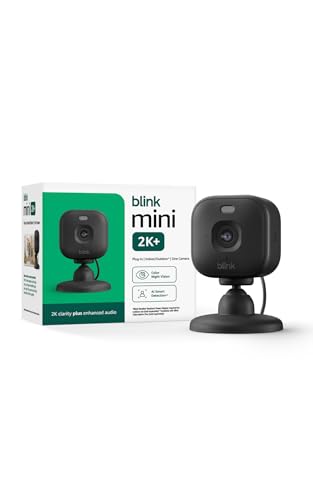
Blink Mini 2K+ (newest model) – Plug-in Home & Pet Indoor Security Camera with 2K video resolution, night vision, enhanced audio, motion detection – 1 camera (Black)
Check price on Amazon
2K Security Camera System, 5GHz&2.4GHz WiFi Solar Wireless Cameras for Home Security, Wire-free Installation, AI Detection, Two-way Audio, Mobile alerts, SD/Cloud Storage, Color Night Vision, 4 Packs
Check price on Amazon
2026 Enhanced 2K UHD Security Cameras Wireless Outdoor – Free Cloud & SD Storage, Dual-Band WiFi 2.4G/5G, Full-Color Night Vision, 6-Month Battery, Motion Alerts, IP66 Weatherproof, 2-Way Talk
Check price on AmazonFrequently Asked Questions
How many security cameras do I need for outside my home?
Most homes need 4 to 6 outdoor cameras to cover all entry points and key areas. A typical setup includes one at the front door, one at the back door, one covering the driveway, and one or two covering side yards and the backyard. For larger properties, an 8-channel security camera system provides ample coverage.
Should I install security cameras myself or hire a professional?
Many modern wireless cameras are designed for DIY installation and can be set up in a few hours. However, for complex wired systems or if you are not comfortable with electrical work, hiring a professional is recommended. There are companies that install home security cameras and can ensure a clean, professional result.
Do outdoor security cameras need Wi-Fi?
Not all outdoor cameras require Wi-Fi. Some systems use cellular connections or local storage. If you have areas with weak Wi-Fi, consider a camera system that doesn't require Wi-Fi or a wireless system without a subscription that uses a local hub.
How do I prevent my security cameras from being tampered with?
Mount cameras at a height that is difficult to reach (8 to 10 feet) and use tamper-resistant mounts. Additionally, choose cameras with motion alerts so you are notified if someone approaches the camera. A camera that moves with motion can also track intruders and deter tampering.
What is the best angle for outdoor security cameras?
The best angle is slightly downward, approximately 15 to 30 degrees, to capture faces and activity without including too much sky or ground. Avoid pointing cameras directly at the horizon or at reflective surfaces. Testing the view before permanent mounting is the best way to find the optimal angle.
Conclusion
Strategic placement is the key to an effective outdoor security camera system. By covering all entry points, prioritizing identification, and avoiding common mistakes, you can create a robust surveillance setup that protects your home and gives you peace of mind. Remember to test each camera's view before mounting, and consider complementing your cameras with motion-activated lighting and audio capabilities for comprehensive security.
Whether you choose a simple single wireless camera with monitor or a full wireless security camera system with hard drive, the principles outlined in this guide will help you get the most out of your investment. For more information on choosing the right security camera for your needs, explore our other guides on top-rated outdoor security cameras and easy-to-install home security cameras.