
Front Door Security Camera With Monitor: Your Complete Guide
Protect your home's main entry point with a dedicated monitor system. Learn how to choose, install, and get the most out of a front door security camera with monitor.
View Recommended SystemsWhy a Dedicated Monitor Matters: A front door security camera with a dedicated monitor provides instant, always-on visibility without needing to check your phone. This is especially useful for elderly family members, busy households, or anyone who wants immediate situational awareness at a glance.
Why Choose a Front Door Security Camera With Monitor?
Your front door is the primary access point to your home. A front door security camera with monitor gives you a dedicated screen to see who's there—day or night—without relying on a smartphone app. This setup is ideal for homeowners who want a simple, reliable, and always-visible security solution.
Unlike app-only cameras, a dedicated monitor means you don't need to unlock your phone, open an app, and wait for a feed to load. The monitor sits on your desk, kitchen counter, or nightstand, providing continuous or on-demand viewing. This is particularly helpful for families with children, elderly residents, or anyone who wants a no-fuss security setup.
When researching your options, it helps to understand the broader category of wireless security camera systems with monitor, as many front door models are part of a larger ecosystem that can be expanded later.
Key Features to Look For
1. Video Quality and Night Vision
Most modern front door cameras offer at least 1080p resolution, with 2K and 4K becoming increasingly common. For clear identification of faces and license plates, aim for 2K or higher. Night vision is equally important—look for cameras with infrared (IR) or color night vision. If you need detailed nighttime footage, consider a model with home security cameras with night vision capabilities.
2. Monitor Size and Quality
The monitor is your primary interface. Sizes range from 5 to 10 inches. A 7-inch screen is a good balance for most homes—large enough to see details without taking up too much counter space. Some systems allow you to pair multiple cameras to a single monitor, which is useful if you want to expand coverage to your backyard or garage.
3. Wireless vs. Wired
Wireless systems are easier to install and don't require running cables through walls. However, they rely on Wi-Fi and battery life. Wired systems offer more reliable connections and continuous power. If you're looking for a completely wire-free experience, explore wireless front door camera with monitor options. For those who prefer a more permanent setup, a wired security camera system with monitor might be the better choice.
4. Storage and Subscription Fees
Many cameras offer local storage via SD card, which means no monthly fees. Others require a cloud subscription for video history. If you want to avoid ongoing costs, look for systems that support security camera systems without subscription. This is a major consideration for budget-conscious buyers.
5. Two-Way Audio and Smart Features
Two-way audio lets you speak to visitors or delivery personnel. Motion detection alerts, package detection, and person detection are also valuable. Some systems integrate with smart home platforms like Alexa or Google Assistant. For more advanced audio features, check out wireless security cameras with two-way audio.
Types of Front Door Camera Systems
Doorbell Cameras With Monitor
These replace your existing doorbell and combine a camera, microphone, and speaker in one unit. The monitor can be placed anywhere in your home. Ideal for apartments and rental properties where drilling is limited.
Standalone Front Door Cameras
Mounted beside or above your door, these cameras offer more flexibility in angle and positioning. They often come with a separate monitor or connect to a hub. Best for homeowners who want a dedicated security camera separate from the doorbell.
Peephole Cameras
These replace your door's peephole and offer a discreet, renter-friendly solution. They typically connect to a monitor or your smartphone. Good for apartments and condos.
If you're considering a doorbell-style camera, our guide to wireless doorbell cameras with monitor covers the pros and cons in more detail. For a broader look at entry-point security, see our article on wireless outdoor security cameras with monitor.
Installation Tips for Your Front Door Camera
Installing a front door security camera with monitor is a straightforward DIY project for most homeowners. Here are some key tips:
- Height Matters: Mount the camera at eye level (around 5 to 6 feet) for the best facial recognition. Too high, and you'll mostly see the tops of heads.
- Angle for Coverage: Aim the camera slightly downward to capture faces and packages. Avoid pointing it directly at the sun or reflective surfaces.
- Secure the Monitor: Place the monitor on a stable surface away from direct sunlight. Ensure it's within reach for quick viewing.
- Wi-Fi Signal: If you're using a wireless camera, make sure your front door has a strong Wi-Fi signal. A weak signal can cause lag or dropped connections. For more on this, read our guide to wireless outdoor security cameras with Wi-Fi.
- Power Source: If you're using a battery-powered camera, check battery life and consider a model with a rechargeable battery. For a more permanent solution, explore battery-powered security camera systems.
If you're not comfortable installing it yourself, professional options exist. Our article on security camera installation services can help you find local experts.
Benefits of a Monitor-Based System
While smartphone apps are convenient, a dedicated monitor offers several advantages:
- Instant Access: No need to unlock your phone or open an app. Just glance at the monitor.
- Always On: Many monitors can display a continuous live feed, so you always know what's happening at your door.
- No Smartphone Required: Perfect for elderly family members or anyone who isn't tech-savvy.
- Reliability: Monitors don't rely on your phone's battery or data connection.
- Multi-Camera Support: Many systems allow you to view multiple cameras on one monitor, giving you a complete view of your property.
If you want to avoid monthly fees entirely, look for a security camera with monitor no Wi-Fi needed—these systems use a dedicated wireless signal between the camera and monitor, not your home Wi-Fi.
Recommended Front Door Security Cameras With Monitor
⚠️ AFFILIATE DISCLOSURE: This website contains affiliate links. As an affiliate Associate, we earn from qualifying purchases. If you make a purchase through these links, we may receive a small commission at no additional cost to you. Read our full affiliate policy.

Doorbell Camera Wireless, 720P HD Smart Doorbell 4.5" Monitor Screen | Weatherproof Front Door Security Camera, Two-Way Audio, IR Night Vision, Battery Powered Home Doorbell, No WiFi or App Needed
Check price on Amazon
KEPEAK Doorbell Camera Wireless, Video Door Bell with Monitor | No WiFi or No APP Needed for Front Door Home Security, Two-Way Audio, No Subscription Local Storage, Easy Setup
Check price on Amazon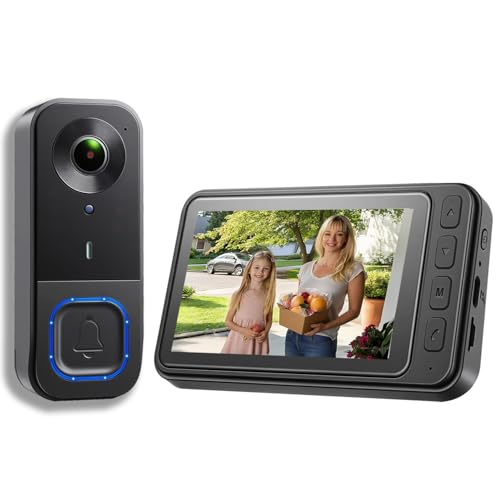
KALOGL Video Doorbell Wireless with Screen 1080p, No Subscription Door Bell Camera with Monitor Screen, Local Storage NO WiFi and APP Needed, Video Intercom Two-Way Audio,160° View,Night Vision
Check price on Amazon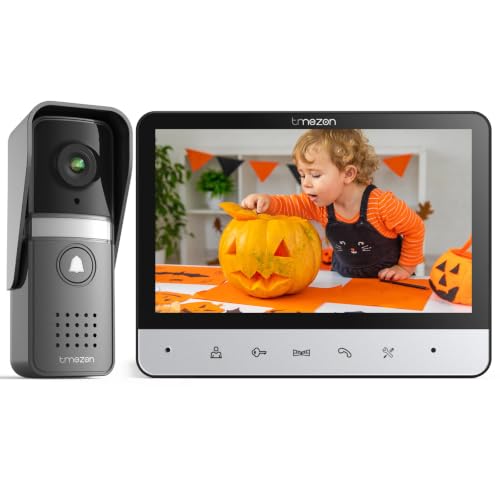
TMEZON Wired Video Intercom System,7 Inches Video Doorbell Camera with Monitor, Wired Video Door Phone Support Unlock, Monitoring, Intercom for Villa Home Office Apartment 500TVL(NTSC US Standard)
Check price on Amazon
TKMARS Wireless Doorbell Camera No Subscription No WiFi/App Needed | Waterproof IP65 Door Bell with Monitor Screen, 1080P Video Intercom 170° Wide Angle Night Vision for Home/Apartment/Seniors
Check price on Amazon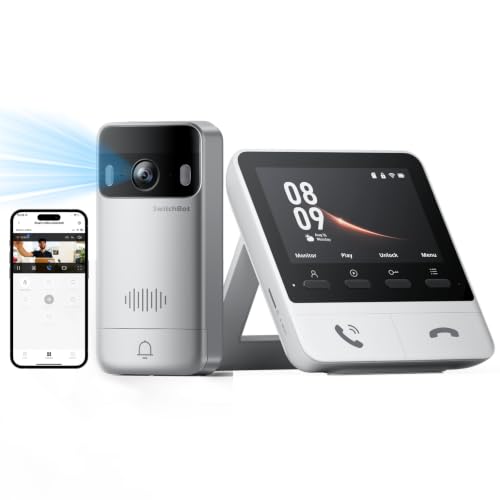
SwitchBot 2K Doorbell Camera with Monitor, No Subscription | Video Doorbell Wireless, Color Night Vision, 4.3 Inch Screen, Motion Detection, Two-way talk
Check price on Amazon
SURPN Wireless Doorbell Camera with 4.3" Indoor Monitor, 1080P Video Door Bell, APP Remote View, Night Vision, PIR Human Detection, Two-Way Audio, Rechargeable Battery for Home Apartment
Check price on Amazon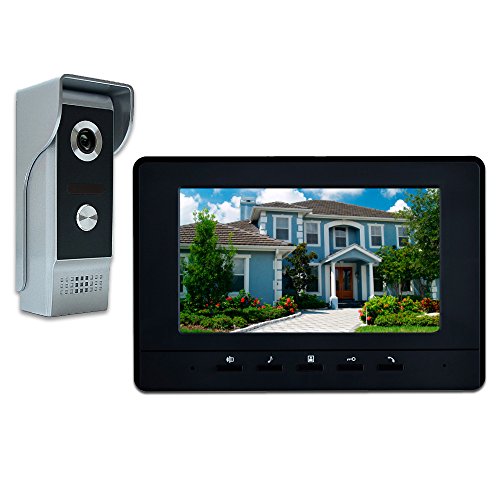
AMOCAM Wired Video Intercom System, 7 Inch Video Doorbell Door Camera Kit | Dual-way Intercom, Door Monitoring, HD Camera with Monitor Unlock, Night Vision, Waterproof for Villa Home Office Apartment
Check price on AmazonWhat to Consider Before Buying
Before you commit to a purchase, consider these factors:
- Budget: Front door camera systems with monitor range from $80 to $400, depending on features. Basic models start around $80–$150, while premium systems with 4K resolution and advanced AI can cost $250–$400.
- Expandability: If you plan to add more cameras later, choose a system that supports multiple cameras. Our guide to wireless security camera systems with remote viewing and no monthly fee can help you find scalable options.
- Storage: Local storage (SD card) vs. cloud storage. Local storage means no monthly fees, but you need to manage the SD card. Cloud storage is convenient but often requires a subscription. For no-subscription options, see our list of security cameras that don't require a subscription.
- Weather Resistance: If your front door is exposed to the elements, ensure the camera is weatherproof (IP65 or higher). This is especially important for outdoor use security cameras for home.
- Smart Home Integration: If you use Alexa or Google Assistant, check for compatibility. Some systems can display the feed on smart displays like the Echo Show.
Ready to secure your front door? Browse our recommended systems above and find the perfect front door security camera with monitor for your home.
See Top PicksConclusion
A front door security camera with monitor is a smart investment for any homeowner. It provides instant visibility, peace of mind, and a simple way to monitor your entryway without relying on a smartphone. By considering factors like video quality, night vision, storage options, and expandability, you can choose a system that fits your needs and budget.
Whether you opt for a simple wireless setup or a more comprehensive wired system, the key is to find a solution that works for your lifestyle. For more general advice on choosing a security camera, see our article on what is a good security camera for home. And if you're interested in a broader system that covers more than just the front door, explore our guide to wireless indoor and outdoor security cameras.