
Hardwired Security Camera Installation: The Complete DIY Guide
Everything you need to know about wiring, mounting, and configuring a reliable hardwired surveillance system for your home or business.
START INSTALLATION GUIDEWhy Go Hardwired? Unlike wireless cameras that rely on batteries or Wi-Fi, hardwired systems offer continuous power, rock-solid video transmission, and zero lag. They are the gold standard for 24/7 surveillance, especially for critical entry points and large properties. This guide will walk you through every step, from planning to final testing.
Installing a hardwired security camera system might seem daunting, but with the right preparation and tools, it's a manageable DIY project that delivers unmatched reliability. Whether you're upgrading from a budget wireless setup or starting fresh, a wired system ensures your property is never left unguarded due to a dead battery or dropped signal. In this comprehensive guide, we'll cover everything from choosing the right cables to configuring your NVR or DVR.
Pre-Installation Planning: The Key to Success
Before you drill a single hole, careful planning will save you hours of frustration. Start by mapping out your property's blind spots and identifying key areas you want to monitor: entry doors, driveways, backyards, and side gates. For comprehensive coverage, consider a mix of camera types, such as wide-angle models for open areas and PTZ cameras for targeted zooming.
Next, determine your cable routes. You'll need to run cables from each camera location to your central recording unit (NVR or DVR). The most common and reliable cabling for modern IP cameras is Ethernet (Cat5e or Cat6) using Power over Ethernet (PoE). For older analog systems, you'll use Siamese cable (video + power). If you're unsure which system type you have, our guide on the difference between NVR and DVR can help clarify.
Essential Tools and Materials
Gather these items before you begin. Having everything on hand will make the installation smooth and efficient.
- Cameras: Your chosen hardwired cameras (PoE or analog).
- Cables: Cat5e/Cat6 Ethernet cables (for PoE) or Siamese cable (for analog).
- Connectors: RJ45 connectors and a crimping tool (for PoE) or BNC connectors and a crimper (for analog).
- Power Supply: PoE switch or injectors (for PoE) or a power distribution box (for analog).
- Recording Unit: NVR (Network Video Recorder) or DVR (Digital Video Recorder).
- Mounting Hardware: Screws, anchors, and brackets (usually included with cameras).
- Tools: Drill, drill bits (masonry and wood), screwdriver set, wire strippers, cable tester, fish tape, ladder, safety glasses, and a stud finder.
- Accessories: Cable clips, conduit (for exposed outdoor runs), junction boxes, and weatherproof seals.
Step-by-Step Hardwired Camera Installation
Step 1: Mount the Cameras
Start by mounting all cameras first. This allows you to run cables without obstruction. Use the included template or bracket to mark screw holes. For outdoor installations, ensure the camera is angled slightly downward to avoid water pooling on the lens. If mounting on siding or brick, use appropriate anchors. For a clean look, consider using a junction box to hide connections. If you're installing in a business setting, you might want to review our guide on top business security camera systems for best practices.
Step 2: Run the Cables
This is the most labor-intensive part. Plan your routes to minimize exposure. You can run cables through attics, crawlspaces, basements, or conduit. Avoid running cables near power lines to prevent interference. Use a fish tape to pull cables through walls. For outdoor runs, use UV-resistant cable or conduit to protect against weather. If you're running cables underground, use direct-burial rated cable. For long distances, consider long-range transmitters as an alternative, but for true hardwired reliability, stick with cable.
If you're installing a system in an apartment or rental, you might need to explore renter-friendly options, but hardwired is still possible with careful planning.
Step 3: Terminate and Connect Cables
For PoE cameras, crimp RJ45 connectors onto both ends of each cable. Follow the T568B wiring standard for consistency. For analog cameras, attach BNC connectors for video and barrel connectors for power. Use a cable tester to verify continuity and correct pinouts before connecting to cameras or the NVR/DVR. This step is crucial—a single faulty connector can bring down an entire channel.
Step 4: Connect to the NVR/DVR and Power
Connect the camera ends to your cameras, and the other ends to your NVR (for PoE) or to the DVR and power supply (for analog). For PoE, simply plug the Ethernet cable into the NVR's built-in PoE ports or a separate PoE switch. For analog, connect the BNC to the DVR and the power lead to a 12V DC power supply. Ensure all connections are secure and weatherproofed if outdoors. If you're using a PoE system, this step is incredibly simple—one cable does it all.
Step 5: Configure Your System
Power on your NVR/DVR and access its interface via a monitor or the manufacturer's app. The system should automatically detect your cameras. You'll need to set up recording schedules, motion detection zones, and alerts. For remote viewing on your phone, configure the network settings and enable P2P or port forwarding. If you want to avoid monthly fees, look for systems that support local storage—most hardwired NVRs do this natively. You can also set up phone alerts for motion events.
Step 6: Test and Fine-Tune
After configuration, test each camera's live view and recording. Adjust angles to eliminate blind spots and reduce false alerts from trees or traffic. Check night vision performance. For outdoor cameras, ensure the infrared is working correctly. If you notice any issues, troubleshoot cables and connections first.
Advanced Tips for a Professional Installation
- Cable Management: Use cable clips and conduit to keep runs neat and protected. Label both ends of each cable for easy troubleshooting.
- Power Considerations: For large systems, use a dedicated PoE switch with enough wattage. Calculate total power draw to avoid overloading.
- Surge Protection: Install surge protectors on the power supply and Ethernet runs to protect against lightning strikes.
- Backup Power: Connect your NVR and PoE switch to a UPS to keep recording during outages.
- Security: Secure your NVR with a strong password and enable encryption. If you're concerned about internet dependency, consider a system that doesn't require internet for local recording.
Troubleshooting Common Hardwired Camera Issues
Even with careful installation, you might encounter problems. Here are quick fixes:
- No Video: Check cable connections, test with a known-good cable, and verify power at the camera.
- Poor Image Quality: Clean the lens, adjust focus, and check for interference from power lines.
- Camera Not Detected: Ensure the NVR/DVR firmware is updated and the camera is on the same network subnet (for IP cameras).
- Night Vision Issues: Check IR LEDs, remove obstructions, and adjust sensitivity settings.
For more complex issues, consult the manufacturer's support or a professional installer. If you'd rather not DIY, you can always hire a professional company.
Maintaining Your Hardwired System
Hardwired systems are low-maintenance, but regular checks ensure longevity. Clean camera lenses every few months, inspect cables for wear, and test your recording and alerts quarterly. Keep your NVR firmware updated to patch security vulnerabilities. For outdoor cameras, check weatherproofing seals annually.
Recommended Hardwired Security Camera Systems
⚠️ AFFILIATE DISCLOSURE: This website contains affiliate links. As an affiliate Associate, we earn from qualifying purchases. If you make a purchase through these links, we may receive a small commission at no additional cost to you. Read our full affiliate policy.
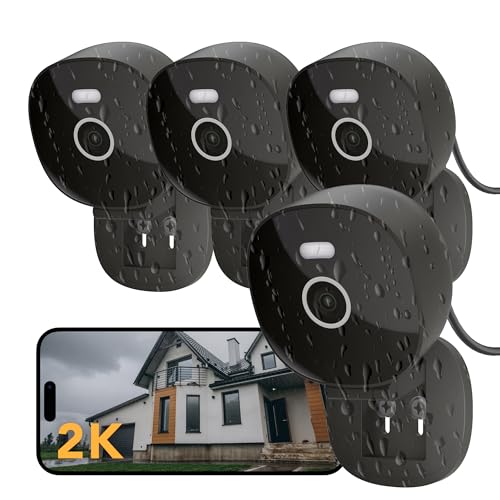
FAMVIVA 2K Wired Security Camera, Indoor/Outdoor for Home, Pet, Baby, Nanny, IP65 Waterproof Color Night Vision, White Light & Siren, Recording, Motion Detection, Works with Alexa,Pulg in, Black-4P
Check price on Amazon
ZOSI 2.0MP 1080P HD 1920TVL Security Camera Hybrid 4-in-1 TVI/CVI/AHD/960H CVBS CCTV Camera Outdoor Indoor,80ft IR Night Vision,Weatherproof Bullet Camera For analog Surveillance DVR(Black)
Check price on Amazon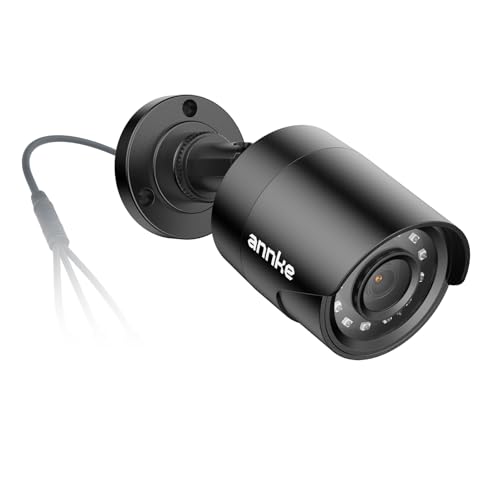
ANNKE 1080p Security Camera 4-in-1 CCTV Bullet Wired Cam, AHD/TVI/CVI/CVBS | Analog Surveillance Video Add-On Black Camera for Outdoor Use, 100ft Clear Night Vision (Power Adapter Not Included) - E200
Check price on Amazon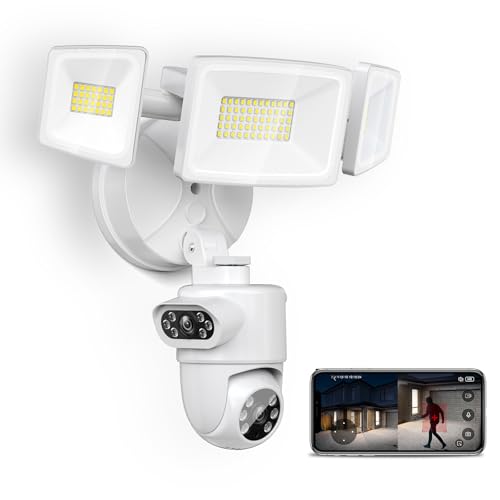
Onforu 360° Dual-Lens Security Floodlight Camera, Auto Tracking, 4MP
Check price on Amazon
eufy Security Video Doorbell E340, Dual Cameras, 2K FHD, 8GB Local Storage | No Subscription,Head-to-Toe View,Wireless or Wired,Color Night Vision,Two-way talk,AI motion/Package Detection, 2.4 GHz Wi-Fi
Check price on Amazon
ZOSI 4 Pack 1080P HD TVI Wired Security Cameras, Outdoor Indoor Bullet Cam | 80ft Night Vision, IP66 Weatherproof, for 1080P/5MP/4K HD TVI Analog CCTV DVR Home Surveillance System
Check price on Amazon
Ring Hardwired Kit for Cameras — Compatible with Outdoor Cam Pro, Spotlight Cam Pro (Newest Model), White
Check price on AmazonFinal Thoughts
Hardwired security camera installation is a rewarding project that significantly enhances your property's security. By following this guide, you can achieve a professional-grade setup without the professional price tag. Remember, the key is in the planning and cable management. Once installed, your system will provide years of reliable, uninterrupted surveillance.
If you're still weighing your options, explore our guides on top-rated wired systems or consider a hybrid approach with wireless cameras without monthly fees for hard-to-reach areas. Whichever path you choose, the goal is peace of mind—and a hardwired system delivers exactly that.