
Home Alarm Systems That Don't Require Internet
Protect your home even when your Wi-Fi goes down. Discover reliable alarm systems that work without internet using cellular, landline, or local monitoring.
Explore Alarm OptionsWhen you think about modern home security, you probably imagine smart alarms connected to your Wi-Fi, controlled through a smartphone app, and monitored from anywhere in the world. But what happens when your internet goes down? Or what if you live in a rural area with unreliable connectivity? This is where home alarm systems that don't require internet become essential.
Whether you're concerned about power outages, live in a remote location, or simply want a security system that doesn't depend on your internet provider, there are excellent options available. These systems use cellular networks, traditional phone lines, or standalone local monitoring to keep your home protected around the clock.
In this comprehensive guide, we'll walk you through everything you need to know about internet-free alarm systems. From how they work to which type suits your needs best, you'll have all the information to make a confident purchasing decision.
Quick Fact: A cellular alarm system uses the same network as your mobile phone, meaning it works even when your internet and power are out. This makes it one of the most reliable options for uninterrupted protection.
Types of Home Alarm Systems Without Internet
Not all alarm systems are created equal. Understanding the different types will help you choose the right one for your home and lifestyle.
1. Cellular Alarm Systems
Cellular alarm systems communicate through mobile networks (4G/LTE) rather than your home internet. They send alerts directly to a monitoring center or your phone via cellular signal. This is the most popular choice for people who want reliable protection without depending on Wi-Fi. Many systems like surveillance cameras that don't require internet also use this technology.
- Pros: Works during internet and power outages, no landline needed, reliable in rural areas
- Cons: Requires a cellular plan (usually $10–$30 per month), slightly higher upfront cost
- Best for: Homeowners who want professional monitoring without internet dependency
2. Landline Alarm Systems
Traditional landline systems use your existing phone line to communicate with monitoring centers. While less common today, they remain a solid choice if you still have a landline and want a no-frills, reliable solution.
- Pros: No internet needed, reliable connection, lower monthly monitoring fees
- Cons: Requires active landline, can be cut by intruders, becoming less common
- Best for: Those who already have a landline and want a simple setup
3. Local Alarm Systems (Standalone)
Local alarm systems don't communicate with any external monitoring center. Instead, they trigger a loud siren and flashing lights when sensors are tripped. Some can also send push notifications via Bluetooth or local network. This is similar to how home security cameras that do not require internet work for local recording.
- Pros: No monthly fees, complete privacy, works without any external connection
- Cons: No professional monitoring, you must be nearby to respond
- Best for: DIY enthusiasts, renters, and those who want basic deterrence
4. Hybrid Systems
Many modern alarm systems combine multiple communication methods. For example, a system might use cellular as the primary connection and landline as a backup. Some also support local storage and wireless security camera systems with local storage for added flexibility.
How Do Internet-Free Alarm Systems Work?
Understanding the mechanics helps you appreciate why these systems are so reliable. Here's how each type operates:
Cellular systems contain a SIM card and radio module that connects to cell towers. When a sensor triggers, the system sends a signal through the cellular network to a monitoring center or your phone. This is the same technology used in wireless security cameras with cellular connectivity.
Landline systems dial a monitoring center through your phone line. The signal travels through the same copper wires that carry your voice calls. While older, this method is still reliable as long as the phone line is intact.
Local systems rely on internal processors and sensors. When triggered, they activate sirens, lights, and sometimes local recording. You can also connect them to security cameras that will alert your phone via Bluetooth for notifications.
Key Features to Look For
When shopping for a no-internet alarm system, prioritize these features:
- Battery Backup: Ensures the system works during power outages. Look for 24-hour backup minimum.
- Cellular Backup: Even if your primary connection is landline, cellular backup adds reliability.
- Local Siren: A loud siren (110dB+) deters intruders and alerts neighbors.
- Sensor Variety: Door/window sensors, motion detectors, glass break sensors, and smoke detectors.
- Easy Installation: Many systems like security camera systems that are easy to install offer DIY setup.
- Expandability: Ability to add sensors and cameras as your needs grow.
Comparison: Internet vs. No-Internet Alarm Systems
| Feature | Internet-Based | No-Internet (Cellular/Landline) |
|---|---|---|
| Reliability During Outages | Fails during power/internet outages | Works during outages (with battery backup) |
| Monthly Cost | $0–$10 (DIY) or $20–$50 (monitored) | $10–$30 (cellular) or $15–$40 (landline) |
| Installation Complexity | Moderate (Wi-Fi setup) | Easy to Moderate (SIM or phone line) |
| Remote Access | Yes (app-based) | Limited (some cellular systems offer apps) |
| Best For | Urban homes with stable internet | Rural areas, outage-prone regions, privacy-focused users |
Top Use Cases for Internet-Free Alarm Systems
These systems shine in specific scenarios. Here's when they make the most sense:
Rural and Remote Properties
If you live in an area with unreliable internet, a cellular alarm system is a game-changer. It uses the same network as your mobile phone, which is often more reliable than broadband in rural locations. Pair it with wireless outdoor security cameras with long battery life for complete coverage.
Vacation Homes and Rental Properties
When you're not on-site, you need a system that works independently. Cellular systems let you monitor your property without relying on a tenant's internet. For rentals, consider security cameras for apartment renters that are easy to install and remove.
Areas Prone to Power Outages
Storms and grid issues can knock out both power and internet. A cellular alarm with battery backup keeps protecting your home when everything else fails. This is especially important if you also use security cameras that continuously record.
Privacy-Conscious Homeowners
Some people prefer not to have their security system connected to the internet at all. Local alarm systems with no cloud dependency offer complete privacy while still providing deterrence and alerts. You can also use security cameras without cloud subscription for local storage.
Installation Tips for No-Internet Alarm Systems
Installing your own alarm system is easier than ever. Here are some practical tips:
- Plan Sensor Placement: Cover all entry points—doors, windows, and vulnerable areas. Don't forget basements and garages.
- Test Cellular Signal: Before committing to a cellular system, check signal strength in your area. Most providers offer coverage maps.
- Mount the Control Panel Centrally: Place it where you can easily access it but intruders can't immediately disable it.
- Use Quality Batteries: Replace batteries in sensors annually. Consider lithium batteries for longer life.
- Integrate with Cameras: Pair your alarm with home security cameras with audio recording for comprehensive coverage.
Pro Tip: If you're installing a cellular alarm system, consider a model that supports dual SIM cards or has automatic network switching. This ensures the best possible signal at all times.
Cost Breakdown: What to Expect
Budgeting for a no-internet alarm system involves both upfront and ongoing costs:
- DIY Local Systems: $150–$500 (one-time), no monthly fees
- Cellular Systems (DIY): $200–$600 upfront, $10–$30/month for cellular plan
- Professional Cellular Monitoring: $300–$800 upfront, $25–$50/month monitoring
- Landline Systems: $100–$400 upfront, $15–$40/month monitoring
When comparing to internet-based systems, the monthly costs are similar, but you gain the reliability of working during outages. If you're also considering cameras, check out home security cameras with no subscription to avoid additional fees.
Maintenance and Long-Term Reliability
To keep your alarm system working reliably for years:
- Test Monthly: Run a test cycle to ensure all sensors and communication paths work.
- Replace Batteries: Mark your calendar for annual battery replacements in all devices.
- Update Firmware: If your system supports it, keep firmware updated for security patches.
- Clean Sensors: Dust and debris can affect motion detectors. Clean them gently with a dry cloth.
- Check Cellular Signal: Periodically verify signal strength, especially if you live in an area with changing coverage.
For more advanced setups, consider integrating your alarm with indoor security cameras with audio recording or outdoor home security cameras with no subscription for a complete security ecosystem.
Frequently Asked Questions
Can a home alarm system work without internet and phone line?
Yes! Cellular alarm systems work entirely through mobile networks, requiring neither internet nor a landline. They're the most independent option available.
Do cellular alarm systems need a monthly fee?
Most do, typically $10–$30 per month for the cellular connection. However, some DIY local systems have no monthly fees at all.
What happens if the power goes out?
Quality alarm systems include battery backup that lasts 24 hours or more. Your system continues working even during extended outages.
Can I monitor my alarm system from my phone without internet?
Some cellular systems offer app-based monitoring through the cellular network. You'll need a data connection on your phone, but your home doesn't need internet.
Are no-internet alarm systems more expensive?
The upfront cost is similar to internet-based systems. Monthly monitoring may be slightly higher for cellular, but you gain reliability during outages.
Final Thoughts: Choosing the Right System for Your Home
Home alarm systems that don't require internet offer a level of reliability that internet-dependent systems simply can't match. Whether you choose a cellular system for professional monitoring, a landline system for simplicity, or a local system for complete independence, you're investing in peace of mind that works when you need it most.
Before you buy, assess your specific needs: Do you need professional monitoring? How reliable is your cellular coverage? What's your budget for upfront and monthly costs? Answering these questions will point you toward the perfect system.
Remember, the best alarm system is one that works consistently and gives you confidence that your home is protected. With the options available today, you don't have to sacrifice reliability for connectivity—you can have both.
Ready to explore specific products? Check out our recommended alarm systems below, or browse our guides on security camera systems that don't require internet and battery-powered security cameras without WiFi to build a complete no-internet security setup.
Recommended Home Alarm Systems Without Internet
⚠️ AFFILIATE DISCLOSURE: This website contains affiliate links. As an affiliate Associate, we earn from qualifying purchases. If you make a purchase through these links, we may receive a small commission at no additional cost to you. Read our full affiliate policy.

15-Piece WiFi Home Security System, DIY Wireless Alarm Kit, No Subscription | 120dB Loud Alarm, 8-Hour Backup Battery, Instant App Alerts, DIY Installation, No Monthly Fee, Expandable Home Protection
Check price on Amazon
Alarm System for Home Security,24Pcs No Monthly Fees,No Pairing Required | Home Alarm System with WiFi+GSM/4G,Compatible with Alexa or Google,Quick Installation,APP Control with Instant Alerts
Check price on Amazon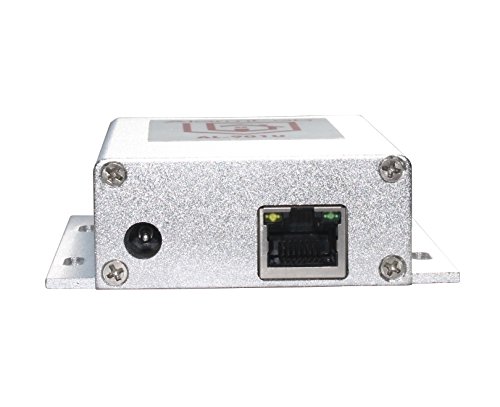
IP Auto Alarm Dialer: Calls your Cell Phone using your Router
Check price on Amazon
Home Security System, Alarm System for Home Security, 8-Piece Kit WiFi/GSM SMS Alarm System with Motion Detector, 120dB Alarm Siren, Door/Window Burglar Alarm, Smart Remote Control, Alexa-Compatible
Check price on Amazon
Hapippofa GEN 2 Wireless Home Security System, 16-Piece DIY Alarm Kit for House & Apartment, WiFi & 4G Touchscreen Hub, Door Sensors, Motion Detectors, App Alerts, 120dB Wired Siren, No Monthly Fee
Check price on Amazon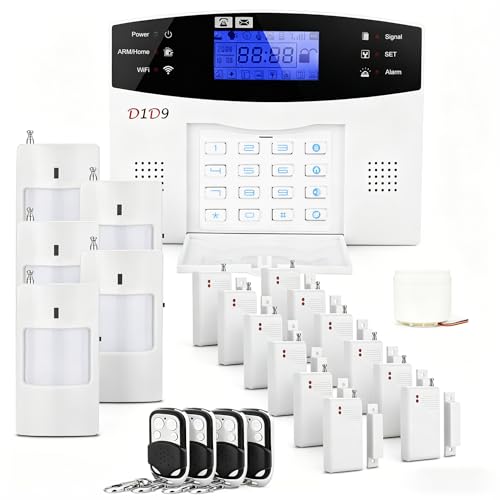
D1D9 24pcs Wireless DIY Home Burglar Alarm System, 4G WiFi GSM, No Monthly Fee,Home Security with App Alert
Check price on Amazon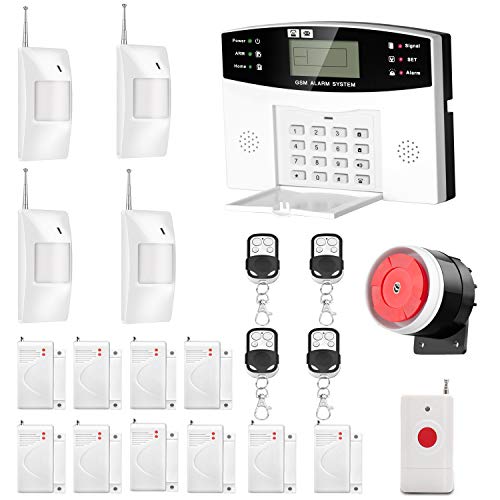
AGSHOME Security Alarm System 99+7 Zone Auto Dial 3/4G GSM SMS Home Burglar Security Wireless GSM Alarm System Detector Sensor Kit Remote Control
Check price on Amazon