
Indoor Security Camera Continuous Recording: The Ultimate 24/7 Monitoring Guide
Learn how continuous recording works, what storage you need, and which indoor cameras deliver reliable 24/7 surveillance for complete peace of mind.
VIEW TOP PICKSWhy Continuous Recording Matters: Motion-triggered cameras only capture fragments of activity, often missing the critical seconds before or after an event. An indoor security camera with continuous recording captures every single moment—24 hours a day, 7 days a week—ensuring you never miss a thing. Whether you're monitoring a nursery, watching over pets, or keeping an eye on your home while traveling, 24/7 recording provides the complete picture that event-based cameras simply cannot match.
What Is Continuous Recording on an Indoor Security Camera?
Continuous recording is a surveillance mode where your indoor camera records video non-stop, 24/7, without any gaps or triggers. Unlike motion-activated recording that only saves clips when movement is detected, continuous recording captures every second of footage—even when the room appears completely still. This means if something happens, you have the full context, not just a fragment.
For homeowners who want total coverage, this recording method is invaluable. It eliminates the risk of missed events due to poorly calibrated motion sensors or brief movements that fall below detection thresholds. When paired with a reliable local storage solution like a microSD card or network video recorder (NVR), continuous recording provides a comprehensive security archive. If you're comparing options, our guide on home security camera continuous recording covers how whole-home systems handle 24/7 footage.
However, continuous recording does come with trade-offs. It consumes significantly more storage space and requires a constant power source. That's why many modern cameras offer hybrid modes—continuous recording with motion-tagged events—so you can quickly scan through hours of footage to find the moments that matter.
How Continuous Recording Works: Storage, Bandwidth, and Power
Understanding the technical requirements behind 24/7 recording helps you choose the right camera and storage setup for your home. Here's what you need to know:
📹 Video Encoding
Most modern indoor cameras use H.264 or H.265 compression to reduce file sizes. H.265 is more efficient, cutting storage needs by up to 50% compared to H.264 while maintaining the same video quality.
💾 Storage Options
You can store continuous footage on a microSD card (up to 512GB), a local NVR with a hard drive, or cloud storage. Local storage eliminates subscription fees but requires physical access for retrieval.
📶 Bandwidth Usage
Continuous recording to the cloud uses significant upload bandwidth—typically 1-4 Mbps per camera. If you have multiple cameras, this can strain your internet connection. Local recording avoids this issue entirely.
🔌 Power Requirements
Continuous recording drains battery-powered cameras quickly. For 24/7 operation, you'll want a wired camera or one that supports constant power via USB or PoE (Power over Ethernet).
For those who prefer a wire-free setup, battery-operated cameras can still support continuous recording if connected to constant power. Our article on security cameras for home battery operated explains how to balance portability with 24/7 recording needs.
How Much Storage Do You Need for 24/7 Recording?
Storage is the most common concern for anyone considering continuous recording. The exact amount depends on your camera's resolution, frame rate, and compression codec. Here's a practical breakdown:
| Resolution | Frame Rate | Codec | Storage Per Day | Storage Per Week |
|---|---|---|---|---|
| 1080p (2MP) | 15 fps | H.264 | ~6 GB | ~42 GB |
| 1080p (2MP) | 30 fps | H.265 | ~4 GB | ~28 GB |
| 2K (4MP) | 15 fps | H.265 | ~8 GB | ~56 GB |
| 4K (8MP) | 30 fps | H.265 | ~20 GB | ~140 GB |
Note: These are estimates. Actual storage usage varies based on scene complexity, lighting conditions, and camera settings.
For a typical 1080p indoor camera recording 24/7, a 128GB microSD card holds roughly 3 weeks of footage. A 256GB card doubles that to about 6 weeks. If you want to keep months of footage, consider a camera that supports NVR storage or a model with wireless security camera cloud storage for unlimited retention (with a subscription).
Key Features to Look for in a Continuous Recording Indoor Camera
Not all indoor cameras are built for 24/7 operation. Here are the features that matter most when continuous recording is your priority:
- Local Storage Support: A microSD card slot or NVR compatibility lets you record continuously without monthly fees. Look for cameras that support at least 256GB cards.
- H.265 Compression: This codec significantly reduces file sizes, letting you store more footage on the same card.
- Constant Power Option: Wired cameras or battery models with USB power support are essential for uninterrupted 24/7 recording.
- Wide Field of View: A 130° or wider lens captures more of the room, reducing blind spots in your continuous footage.
- Night Vision: Infrared LEDs ensure your camera records clear footage even in complete darkness.
- Two-Way Audio: Built-in microphones and speakers let you listen and talk through the camera—useful for monitoring pets or family members.
- Smart Home Integration: Compatibility with Alexa or Google Assistant adds convenience for viewing feeds and managing recordings.
If you want a camera that also alerts you to activity, even while recording continuously, look for models with security cameras that alert your phone. This combination gives you the best of both worlds—complete footage plus instant notifications.
Pros and Cons of Continuous Recording
✅ Advantages
- Never miss a moment—complete 24/7 coverage
- Full context for every event, not just triggers
- No gaps from failed motion detection
- Ideal for monitoring pets, babies, or elderly relatives
- Valuable evidence if an incident occurs
- No reliance on motion sensor accuracy
❌ Disadvantages
- Requires significantly more storage space
- Constant power needed—battery life suffers
- Cloud storage costs can add up
- More footage to review when searching for events
- Higher bandwidth usage for cloud recording
- Some cameras limit continuous recording features
Continuous Recording vs. Motion-Activated Recording
The choice between continuous and motion-activated recording depends on your specific needs. Here's how they compare:
| Factor | Continuous Recording | Motion-Activated Recording |
|---|---|---|
| Coverage | 24/7, no gaps | Only when motion is detected |
| Storage Needs | High (40-140 GB/week) | Low (depends on activity) |
| Power Consumption | Constant, high | Lower, event-based |
| Best For | Critical monitoring, evidence gathering | Casual monitoring, low-traffic areas |
| Review Effort | Higher—must scan through footage | Lower—only event clips saved |
| Missed Events | None | Possible if motion is subtle |
Many modern cameras offer a hybrid approach: continuous recording with motion tagging. This lets you record everything while easily jumping to marked events during playback. It's the best of both worlds for most homeowners. If you're setting up a system for an apartment, our guide on wireless security camera system for apartments covers how to balance recording modes in smaller spaces.
Top Indoor Security Cameras with Continuous Recording
Based on current market offerings, here are the standout options for 24/7 indoor recording. Prices reflect typical retail ranges as of publication:
- Wyze Cam v4 (Around $35): Affordable 2.5K camera with continuous recording to microSD (up to 256GB). No subscription required for local recording. Color night vision and IP65 rating.
- TP-Link Tapo C120 (Around $40): 2K resolution, free local storage via microSD, and support for continuous recording. Person detection and customizable activity zones.
- Reolink E1 Pro (Around $50): 2K pan-tilt camera with 355° coverage, microSD slot supporting up to 512GB, and reliable 24/7 recording. Works with Reolink NVR for expanded storage.
- Eufy Indoor Cam S350 (Around $100): Dual-lens 4K camera with continuous recording to microSD (up to 128GB) or HomeBase. No monthly fees for local storage.
- Arlo Essential Indoor (Around $100): 1080p camera with continuous recording available through Arlo Secure subscription. Includes privacy shutter and two-way audio.
- Ring Indoor Cam (Around $60): Compact 1080p camera with continuous recording via Ring Protect Plan. Works well within the Ring ecosystem.
When selecting a camera for continuous recording, prioritize local storage options if you want to avoid ongoing costs. For remote viewing and management, ensure the camera supports reliable Wi-Fi and a user-friendly app. If you need to monitor without internet, see our guide on can you have a security camera without wifi for offline recording solutions.
Recommended Indoor Security Cameras with Continuous Recording
⚠️ AFFILIATE DISCLOSURE: This website contains affiliate links. As an affiliate Associate, we earn from qualifying purchases. If you make a purchase through these links, we may receive a small commission at no additional cost to you. Read our full affiliate policy.
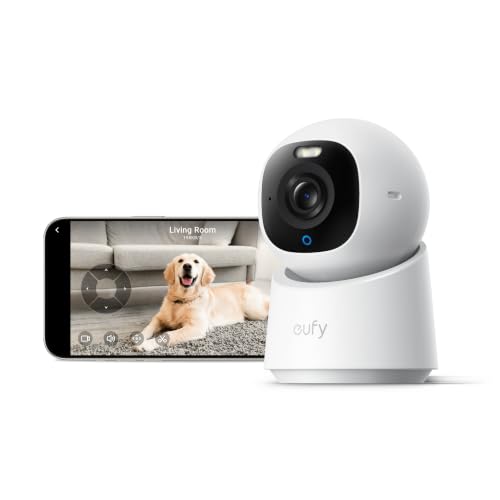
eufy Security 4K Indoor Camera E30, No Subscription, Work as Pet Camera | Nanny/Baby Camera, Pan&Tilt, AI Tracking, AI Detection, 24/7 Recording, Color Night Vision, Two-Way Audio,Works with HomeKit
Check price on Amazon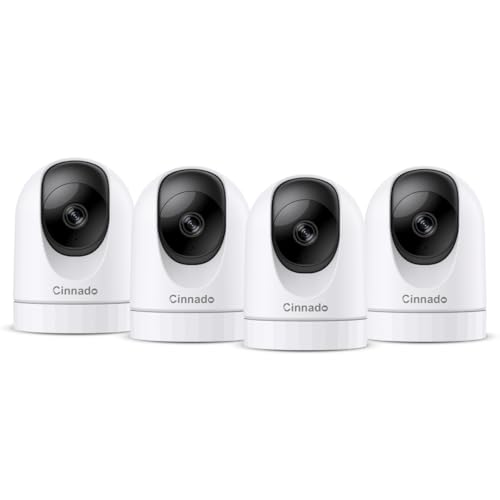
Cinnado 2K Home Security Cameras Indoor with 2.4GHz Wi-Fi & Siren, D1 4Pack | 360° Auto Tracking for Pets/Nanny/Baby/Dog, 2-Way Audio, 24/7 SD Card Storage, Cloud Storage, Works with Alexa & Google Home
Check price on Amazon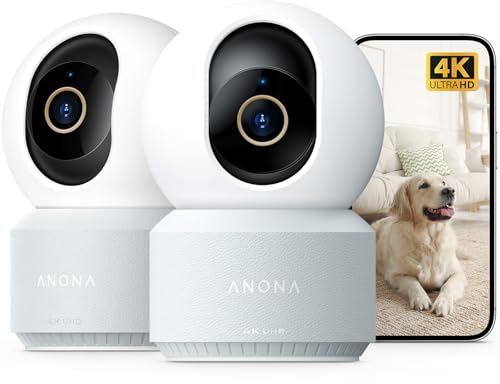
Anona 4K UHD Indoor Camera, Pet/Dog/Baby Security Camera with Phone App, 360°Pan-Tilt, 5G/2.4G Dual-Band Wi-Fi 6, Auto-Tracking, Person/Pet/Baby Crying Detection, Privacy Mode, Two-Way Audio, 2 Pack
Check price on Amazon
eufy Security Indoor/Outdoor Camera C31, Spotlight-Free PURECOLOR VISION | Spotlight-Free Color Night Vision, IP66, AI Human/Vehicle/Pet/Cry Detection, Plug-in Powered, 24/7Recording, No Subscription
Check price on Amazon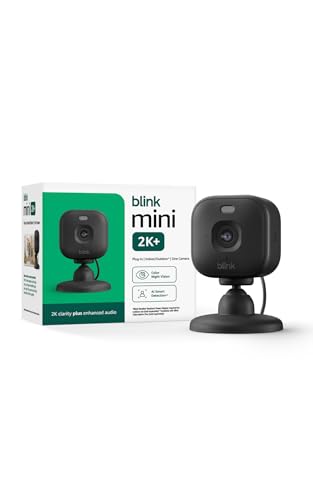
Blink Mini 2K+ (newest model) – Plug-in Home & Pet Indoor Security Camera with 2K video resolution, night vision, enhanced audio, motion detection – 1 camera (Black)
Check price on Amazon
Tapo 1080P Indoor Security Camera, Baby Monitor, Dog Camera, C101 | Motion Detection, 2-Way Audio, Siren, Night Vision, Cloud & SD Card Storage, Works w/Alexa & Google Home, Black
Check price on Amazon
Tapo 1080p Pan/Tilt Security Camera for Baby Monitor, Pet Camera, C201 | Motion Detection, 2-Way Audio, Night Vision, Cloud & SD Card Storage, 2.4 GHz Wi-Fi Only, Works with Alexa & Google Home
Check price on Amazon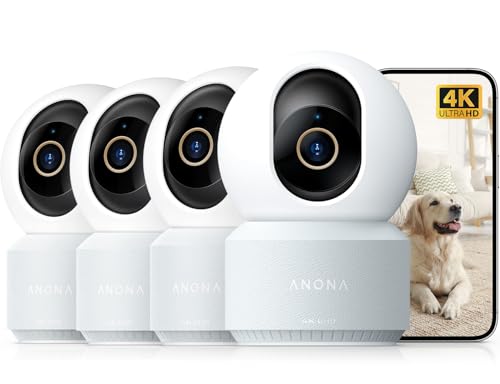
Anona 4K UHD Indoor Camera, Pet/Dog/Baby Security Camera with Phone App, 360°Pan-Tilt, 2.4G/5G Dual-Band Wi-Fi 6, Auto-Tracking, Person/Pet/Baby Crying Detection, Privacy Mode, Two-Way Audio, 4 Pack
Check price on AmazonInstallation and Setup Tips for 24/7 Indoor Recording
Getting the most out of your continuous recording camera requires thoughtful placement and configuration. Follow these practical tips:
- Position for Coverage: Mount cameras in corners or high shelves to maximize field of view. Avoid pointing directly at windows to prevent glare and backlighting issues.
- Ensure Constant Power: Use the included USB adapter or PoE injector. Avoid battery-only operation if you need true 24/7 recording.
- Optimize Storage Settings: Set your camera to record at 15 fps rather than 30 fps for continuous mode—this halves storage usage with minimal impact on security footage.
- Enable Motion Tagging: Even with continuous recording, turn on motion detection so you can quickly find important events in the timeline.
- Test Night Vision: After dark, check your camera's IR range and adjust placement to avoid reflective surfaces that cause glare.
- Secure Your Network: Use WPA3 encryption on your Wi-Fi and change default passwords to prevent unauthorized access to your camera feed.
- Regular Maintenance: Clean the lens weekly and check storage levels monthly to ensure uninterrupted recording.
If you're installing multiple cameras, consider a centralized NVR system for easier management. Our article on wired and wireless security camera system explains how to mix camera types for comprehensive coverage.
Common Use Cases for Indoor Continuous Recording
Continuous recording isn't just for security—it serves many practical purposes around the home:
👶 Baby Monitoring
Capture every moment of your baby's sleep patterns, movements, and milestones. Continuous recording lets you review feeding times, sleep cycles, and any concerns without missing a beat.
🐾 Pet Surveillance
Monitor pets while you're away. See exactly what they're doing, when they're eating, and whether they're experiencing separation anxiety—all with complete footage.
👴 Elderly Care
Keep an eye on aging family members. Continuous recording provides a full record of daily activity, helping you ensure they're safe and well without intrusive check-ins.
🏠 Home Security
Document everything that happens in your home. If a break-in occurs, continuous footage provides comprehensive evidence that motion-triggered clips might miss.
📦 Package Monitoring
Track deliveries from the moment they arrive. Continuous recording captures who delivered packages, when, and what happened to them afterward.
🔧 Service Provider Oversight
Monitor contractors, cleaners, or repair workers while you're not home. Complete footage ensures accountability and peace of mind.
Frequently Asked Questions About Indoor Continuous Recording
Ready to Upgrade Your Indoor Security?
Continuous recording gives you complete peace of mind with 24/7 coverage. Browse our top-rated indoor cameras above and find the perfect solution for your home.
BACK TO TOP PICKSFinal Thoughts on Indoor Security Camera Continuous Recording
An indoor security camera with continuous recording is the gold standard for home monitoring. It eliminates the blind spots of motion-triggered recording and provides a complete, uninterrupted record of everything happening in your home. While it demands more storage and constant power, the peace of mind it delivers is unmatched—especially for baby monitoring, elder care, and comprehensive home security.
When choosing a camera, prioritize models with local storage options to avoid subscription fatigue. Look for H.265 compression to maximize storage efficiency, and ensure the camera supports constant power for true 24/7 operation. For whole-home coverage, consider integrating your indoor cameras with an NVR system or a wireless monitored home security system that supports continuous recording across multiple cameras.
Whether you're watching over a nursery, keeping tabs on pets, or securing your home while traveling, continuous recording ensures you never miss a moment. Explore our recommended products above and take the first step toward complete indoor surveillance.