
IP Camera Viewer: The Complete Guide to Remote Monitoring
Unlock the full potential of your security system. Learn how to choose the right IP camera viewer software, set up remote access, and monitor your property from anywhere in the world.
VIEW TOP RECOMMENDATIONSWhy an IP Camera Viewer Matters: Your IP camera is only as good as the software you use to view it. Whether you need a simple mobile app for home monitoring or a robust desktop client for a multi-camera business setup, the right viewer gives you control, clarity, and peace of mind.
What is an IP Camera Viewer?
An IP camera viewer is a software application—available for desktop, mobile, or web—that allows you to connect to your IP cameras over a network and view live or recorded footage. Unlike traditional analog CCTV systems that require a dedicated monitor and DVR, IP cameras stream video over your local network or the internet, giving you the flexibility to watch from virtually any device.
Modern viewers do much more than just display video. They offer motion alerts, two-way audio, cloud storage integration, and AI-powered detection. If you are building a new surveillance setup, understanding how viewers work is essential. For a broader look at the hardware side, explore our guide on CCTV systems to see how IP cameras fit into a complete security ecosystem.
Key Features to Look for in an IP Camera Viewer
Multi-Camera Support
The best viewers let you monitor multiple cameras on a single screen. This is crucial for businesses or large properties where you need a comprehensive overview without switching between apps. Look for grid layouts that support 4, 9, or 16 cameras simultaneously.
Remote Access
View your cameras from anywhere using a mobile app or web browser. This feature relies on secure P2P connections or port forwarding. If you are concerned about privacy, some users prefer a camera without WiFi for local-only recording, but for remote viewing, a robust viewer is key.
Motion Detection & Alerts
Receive push notifications or email alerts when your camera detects movement. Advanced viewers use AI to distinguish between people, vehicles, and animals, reducing false alarms. This is particularly useful for home security systems with motion sensors.
Playback & Recording
A good viewer allows you to scrub through recorded footage stored on an SD card, NVR, or cloud service. Some viewers even support local recording directly to your computer's hard drive, giving you full control over your data.
Types of IP Camera Viewers
There is no single "best" viewer—it depends on your specific needs. Here are the main categories:
- Manufacturer-Specific Apps: Most brands like Hikvision, Dahua, and Reolink offer their own free apps (e.g., Hik-Connect, DMSS, Reolink). These are optimized for their hardware but may lack support for other brands.
- Universal Viewers: Software like iSpy, Blue Iris, and Agent DVR supports thousands of camera models from different manufacturers. These are ideal if you have a mixed-brand setup.
- Web-Based Viewers: Many cameras have a built-in web interface accessible via a browser. This is convenient but often lacks advanced features and can be less secure if not properly configured.
- Mobile Apps: For on-the-go monitoring, apps like TinyCam Monitor (Android) and IP Cam Viewer (iOS/Android) are popular choices that support a wide range of protocols.
If you are setting up a small, discreet system, you might consider small security cameras that pair well with lightweight mobile viewers. For those who need something even more covert, our article on hidden home security cameras covers options that integrate with standard viewing software.
How to Set Up Your IP Camera Viewer
Setting up a viewer is usually a straightforward process, but it requires some basic network knowledge. Here is a step-by-step overview:
- Connect Your Camera: Power on your IP camera and connect it to your router via Ethernet cable or WiFi. Most cameras come with a setup app or a default IP address (often 192.168.1.10).
- Find the IP Address: Use the manufacturer's tool or your router's admin panel to find the camera's IP address.
- Add Camera to Viewer: Open your chosen viewer software, select "Add Camera," and enter the IP address, username, and password. You may also need to select the correct protocol (RTSP, ONVIF, etc.).
- Configure Remote Access: If you want to view cameras outside your home network, enable P2P or set up port forwarding. Always use strong passwords and consider a VPN for added security.
- Test and Optimize: Check the live feed, adjust resolution and frame rate to balance quality and bandwidth, and set up motion detection zones.
For a deeper dive into home security integration, see our guide on home security system motion sensors, which explains how viewers interact with sensors for a fully automated response.
Recommended IP Cameras & Viewers
⚠️ AFFILIATE DISCLOSURE: This website contains affiliate links. As an affiliate Associate, we earn from qualifying purchases. If you make a purchase through these links, we may receive a small commission at no additional cost to you. Read our full affiliate policy.

4K 12MP IP Camera Tester, WANLUTECH IPC Tester 90W PoE Power Output 8'' Touchscreen CCTV Test SFP Optical Fiber Module Port RJ45 Cable TDR Test HDMI VGA Input WiFi Network Tools (E88)
Check price on Amazon
EVERSECU 7 Inch Touch Screen CCTV Tester Supports Up to 8K IP Camera & 8.0 Megapixel HD & CVBS Analog Camera, TDR Cable Test, Built in Wi-Fi, Video Level Meter, POE/DC Power Output
Check price on Amazon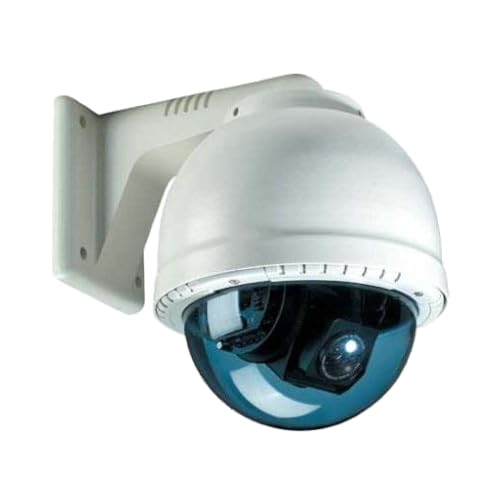
IP Cam Viewer Full
Check price on Amazon
Upgraded 8K IP Camera Tester with PoE, WANLUTECH CCTV Test CVI TVI AHD SDI Analog Camera Test 5.4inch Touchscreen Cable Tracer RJ45 Cable TDR Test RS485 HDMI in VGA in (IPC-5200C Plus)
Check price on Amazon
EVERSECU 5 in 1 CCTV Tester Support Up to 4K IP Camera & 720P/1080P/3mp/4mp/5 Megapixel AHD, TVI, CVI & CVBS Analog Camera, 4" Touch Screen Security Video Monitor, POE Out, IP Scan, UTP Cable Test
Check price on Amazon
IP Camera Viewer for Fire TV RTSP, ONVIF, CCTV & Multi Camera
Check price on Amazon
IP Camera Viewer for Fire TV
Check price on AmazonAdvanced Tips for Power Users
Use ONVIF for Compatibility
ONVIF is a global standard for IP cameras. If your viewer supports ONVIF, you can mix and match cameras from different brands. This is a game-changer for expanding your system without being locked into one ecosystem.
Secure Your Stream
Never expose your camera directly to the internet without protection. Use strong, unique passwords, enable two-factor authentication where available, and keep firmware updated. For local-only setups, consider a camera without WiFi to eliminate wireless vulnerabilities.
Optimize Bandwidth
High-resolution streams consume significant bandwidth. If you have multiple cameras, use sub-streams for live viewing and main streams for recording. This keeps your network responsive while maintaining high-quality archives.
Integrate with Smart Home
Many viewers now integrate with smart home platforms like Home Assistant, Google Home, and Amazon Alexa. This allows you to view feeds on smart displays or trigger recordings based on other smart sensors.
Frequently Asked Questions
For Windows, iSpy and Agent DVR are excellent free options with broad camera support. On mobile, TinyCam Monitor (Android) and IP Cam Viewer (iOS) are highly rated. The "best" one depends on your camera brand and whether you need advanced features like AI detection.
Yes, most IP cameras come with a mobile app. You can also use universal apps that support RTSP or ONVIF protocols. Ensure your phone and camera are on the same network for local viewing, or set up remote access for viewing over the internet.
You can use the manufacturer's P2P service (easiest), set up port forwarding on your router (more advanced), or use a VPN (most secure). Always secure your remote access with a strong password to prevent unauthorized viewing.
No, you don't strictly need an NVR. Many viewers can record directly to your computer's hard drive or to a cloud service. However, an NVR (Network Video Recorder) provides a dedicated, always-on recording solution that is more reliable for 24/7 surveillance.
Ready to Upgrade Your Surveillance?
The right IP camera viewer transforms your security setup from a simple camera into a powerful monitoring station. Whether you need a basic mobile app or a full-featured desktop client, there is a solution for every budget and technical skill level.
Explore our top product recommendations above to find the perfect viewer and camera combination for your home or business. For more help choosing the right hardware, check out our guide to small security cameras or browse our full selection of CCTV systems.
SHOP TOP PICKS