
Network Video Recorder (NVR) Buying Guide
Everything you need to know before buying an NVR for your home or business security system. Compare features, storage options, and find the perfect recorder for your IP cameras.
START LEARNINGWhat is a Network Video Recorder (NVR)?
A Network Video Recorder (NVR) is the brain of a modern IP surveillance system. Unlike traditional DVRs that rely on analog signals, an NVR receives digital video streams from IP cameras over your network and records them to a built-in hard drive or network-attached storage. This makes NVRs the preferred choice for anyone building a scalable, high-resolution security and surveillance camera setup.
If you are serious about protecting your home or business, understanding how an NVR works is essential. It determines how many cameras you can connect, the maximum resolution you can record, and how easily you can access footage remotely. Whether you are upgrading an old system or starting from scratch, this guide will walk you through every critical decision.
Quick Tip: Before choosing an NVR, make sure your IP cameras are compatible with the NVR's protocol (ONVIF is the most universal standard). Many brands like Hikvision, Dahua, and Reolink work best within their own ecosystem.
How Does an NVR System Work?
An NVR connects to your IP cameras through a network switch or router. Each camera streams compressed video data to the NVR, which then stores it on a hard drive. You can view live feeds and playback recordings through a monitor connected directly to the NVR, or remotely via a smartphone app or web browser.
One of the biggest advantages of an NVR is PoE (Power over Ethernet). With a PoE NVR, a single Ethernet cable delivers both power and data to each camera, simplifying installation and reducing cable clutter. This is especially useful for PTZ cameras and outdoor installations where power outlets are scarce.
For those who want a fully integrated system, many NVRs now support AI-driven features like person detection, vehicle recognition, and line-crossing alerts. These smart features reduce false alarms and make your surveillance footage far more actionable.
Key Features to Look for in an NVR
Not all NVRs are created equal. Here are the most important specifications to evaluate before making a purchase:
📹 Channels
Determine how many cameras you need now and in the future. Common options include 4, 8, 16, and 32-channel NVRs. Always buy a few channels more than you currently need.
🎥 Resolution Support
Ensure the NVR supports at least 4K (8MP) if you plan to use high-resolution cameras. Check 4K vs 1080p video to understand the difference.
💾 Storage Capacity
Most NVRs support 1–4 SATA drives. For 4K recording, plan for at least 2TB per camera for 30 days of continuous recording. Surveillance-grade drives are recommended.
🔌 PoE Support
PoE NVRs simplify installation by delivering power and data over a single cable. Ideal for home security systems with cameras.
📱 Remote Access
Look for NVRs with reliable mobile apps and P2P cloud connectivity for easy remote viewing without complex port forwarding.
🤖 AI & Smart Detection
AI-powered NVRs can distinguish between people, vehicles, and animals, dramatically reducing false alerts and improving search efficiency.
NVR vs DVR: Which One Should You Choose?
Understanding the difference between an NVR and a DVR is crucial for making the right investment. Here is a quick comparison:
| Feature | NVR (Network Video Recorder) | DVR (Digital Video Recorder) |
|---|---|---|
| Camera Type | IP Cameras | Analog / HD-CVI / TVI Cameras |
| Video Quality | Up to 4K and beyond | Typically up to 1080p or 4K with limited support |
| Installation | Network-based, PoE simplifies setup | Requires coaxial cables for each camera |
| Scalability | Highly scalable, easy to add cameras | Limited by physical ports |
| Remote Access | Advanced, cloud-friendly | Basic, often requires port forwarding |
| Cost | $200–$1,500+ | $100–$800+ |
For new installations, an NVR is almost always the better choice. It offers superior image quality, easier expansion, and better integration with modern smart home ecosystems. If you already have analog cameras and want to keep costs down, a DVR might still make sense.
Storage and Bandwidth Considerations
Storage is one of the most overlooked aspects of NVR planning. A single 4K camera can consume up to 50GB per day, meaning a 4-camera system could fill a 2TB drive in about 10 days. To maximize retention, consider the following:
- Motion-based recording: Record only when motion is detected to save space.
- H.265 compression: Offers up to 50% storage savings compared to H.264.
- Surveillance-grade drives: Designed for 24/7 operation and longer lifespan.
- RAID configuration: Some high-end NVRs support RAID for redundancy.
Bandwidth is equally important. Each camera stream consumes network bandwidth, and if your network is congested, you may experience dropped frames or latency. A dedicated VLAN for your surveillance system is a best practice for larger installations.
For remote viewing, ensure your upload speed is sufficient. A single 4K stream may require 8–16 Mbps upload bandwidth. If you plan to access multiple cameras remotely, consider a lower-resolution substream for mobile viewing.
Installation and Setup Tips
Setting up an NVR is straightforward for most DIY enthusiasts, but a few best practices can save you hours of frustration:
- Plan your camera locations first. Identify entry points, blind spots, and areas with high traffic.
- Use quality Ethernet cables. Cat6 or Cat6a is recommended for 4K streams and PoE.
- Secure your NVR. Place it in a locked cabinet or a secure room, as it contains sensitive footage.
- Set up strong passwords. Default credentials are a major security risk. Change them immediately.
- Enable notifications. Configure email or push alerts for motion events so you never miss a critical moment.
If you are not comfortable running cables or configuring network settings, consider hiring a professional installer. The cost is often worth it for a reliable, well-optimized system.
For those who prefer a simpler setup, many brands offer wireless NVR kits that connect cameras via Wi-Fi. However, wired systems are generally more reliable and secure.
Who Should Buy an NVR?
An NVR is ideal for:
- Homeowners who want a scalable, high-resolution security system.
- Businesses that need multi-camera coverage with centralized management.
- Remote property owners who rely on remote viewing and cloud access.
- Tech enthusiasts who want AI-powered features and smart home integration.
If you are on a tight budget or already own analog cameras, a DVR may be more cost-effective. But for most new installations, an NVR is the future-proof choice.
When shopping, look for NVRs from reputable brands like Reolink, Hikvision, Dahua, Lorex, and Amcrest. These brands offer reliable firmware updates, good customer support, and broad compatibility with third-party IP cameras.
Final Thoughts: Choosing the Right NVR
Investing in a quality network video recorder is one of the most important decisions you will make for your security setup. It affects everything from video quality to storage capacity and remote accessibility. By understanding your needs, comparing features, and planning for future expansion, you can build a system that protects what matters most for years to come.
Ready to explore cameras that work perfectly with your NVR? Check out our guides on PTZ cameras, doorbell cameras, and cameras with infrared for night vision. And if you are still deciding on a complete system, our home camera system guide can help you put all the pieces together.
For more expert advice, explore our camera security system hub and stay updated with the latest in surveillance technology.
Recommended Network Video Recorders
⚠️ AFFILIATE DISCLOSURE: This website contains affiliate links. As an affiliate Associate, we earn from qualifying purchases. If you make a purchase through these links, we may receive a small commission at no additional cost to you. Read our full affiliate policy.

REOLINK RLN8-410 8CH NVR Network Video Recorder PoE Security Camera System | Only Work with REOLINK 16MP/12MP/8MP/5MP/4MP PoE IP Camera, 24/7 Recording to Pre-Installed 2TB Hard Drive
Check price on Amazon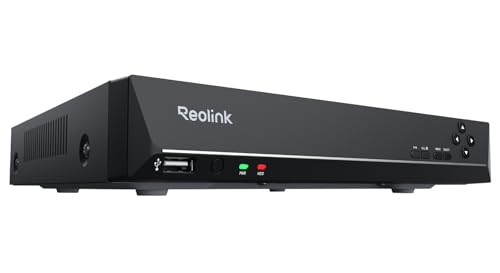
REOLINK RLN8-410 8CH Network Video Recorder for Home Security Camera System | 24/7 Recording (HDD Not Included), Only Work with REOLINK 16MP/12MP/4K/8MP/5MP/4MP PoE IP Camera
Check price on Amazon
Hiseeu 4K PoE Network Video Recorder NVR with 8 Ports, 16CH Extendable | Support 4K/2K/8MP/5MP/3MP/1080P PoE Camera, Free Remote Access, Motion Alarm, 24/7 Recording, Smart Playback, No Hard Drive
Check price on Amazon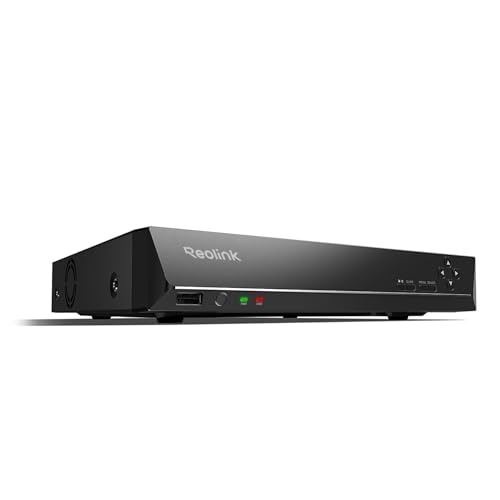
REOLINK RLN16-410 16CH NVR Network Video Recorder PoE Security System | Only Work with REOLINK 16MP/12MP/8MP/5MP/4MP PoE IP Camera, 24/7 Recording to Pre-Installed 4TB Hard Drive
Check price on Amazon
ANNKE 8 Channel 3K Lite H.265+ Security DVR Recorder, Hybrid 5-in-1, NO HDD | CCTV DVR with AI Human/Vehicle Detection for Surveillance Camera, Supports 8CH Analog and 2CH IP Cameras, Easy Remote Access
Check price on Amazon
REOLINK RLN4E 4CH PoE NVR Network Video Recorder for Security System | Up to 8TB Local Storage &512GB microSD Card (HDD & microSD Card Not Included), Only Work with REOLINK IP Camera
Check price on Amazon
ANNKE 8CH 3K Lite H.265+ Security Digital Video Recorder, 1TB Hard Drive | Hybrid 5-in-1 Surveillance DVR, Human & Vehicle Detection, Supports 8CH Analog and 2 IP Cameras for 24/7 Home Business CCTV
Check price on Amazon