
PoE Network Video Recorder: The Ultimate Guide to Power & Performance
Streamline your security setup with a single cable for power and data. Learn how a PoE NVR can transform your surveillance system, making installation cleaner, simpler, and more reliable than ever before.
If you're building or upgrading a security camera system, you've likely encountered the term PoE Network Video Recorder (NVR). This powerful device is the brain of a modern IP surveillance setup, combining video recording, management, and—crucially—power distribution into one sleek unit. For anyone seeking a clean, professional, and scalable solution, understanding PoE technology is essential. This guide will walk you through everything you need to know, from the basics of Power over Ethernet to choosing the perfect NVR for your home or business.
What is a PoE Network Video Recorder?
A PoE NVR is a specialized recording device designed to work with IP cameras. Its standout feature is the built-in Power over Ethernet (PoE) capability. Instead of running separate power cables to each camera, a PoE NVR sends both power and data over a single Ethernet cable. This dramatically simplifies installation, reduces cable clutter, and allows for greater flexibility in camera placement. It's the cornerstone of a modern, efficient surveillance system. To understand the broader ecosystem, it helps to know what an IP camera is, as the NVR is its perfect partner.
How Does PoE Technology Work?
Power over Ethernet is a clever technology that injects electrical power into the same twisted-pair Ethernet cables used for data transmission. A PoE NVR acts as Power Sourcing Equipment (PSE), while the connected cameras are Powered Devices (PD). When you plug a compatible PoE camera into the NVR's dedicated port, it negotiates power requirements and begins receiving both power and a network connection. This eliminates the need for a nearby power outlet for each camera, making it ideal for mounting cameras high on walls or in outdoor locations where power is not readily available.
Key Benefits of Using a PoE NVR
Choosing a PoE NVR over a traditional DVR or a non-PoE NVR offers several distinct advantages:
- Simplified Installation: A single cable per camera drastically reduces installation time and complexity. No electrician is needed for power outlets.
- Cost-Effective: You save on the cost of electrical wiring, power adapters, and professional installation fees.
- Centralized Power Management: If a camera freezes, you can often reboot it remotely by cycling power through the NVR's interface.
- Cleaner Aesthetics: Fewer cables mean a tidier, more professional-looking installation, especially important for business environments.
- Scalability: Adding a new camera is as simple as running one Ethernet cable and plugging it in.
- Reliability: Fewer connection points mean fewer potential points of failure.
How to Choose the Right PoE NVR
Selecting the right NVR is critical for a smooth experience. Consider these factors to ensure your system meets your needs today and in the future.
1. Number of Channels & PoE Ports
The number of channels determines how many cameras the NVR can support. A 4-channel NVR is perfect for a small home setup, while 8, 16, or even 32-channel units are available for larger properties. Ensure the NVR has enough PoE ports for your cameras, or consider a separate PoE switch for greater flexibility. For a comprehensive look at different systems, exploring camera systems can provide valuable context.
2. Resolution & Bandwidth
To get the most out of high-resolution cameras (like 4K or 8MP), your NVR must support that resolution for both recording and live view. It also needs sufficient incoming bandwidth to handle the data stream from all connected cameras simultaneously. Always check the NVR's specifications to avoid bottlenecks.
3. Storage Capacity
NVRs typically use surveillance-grade hard drives. The storage capacity you need depends on the number of cameras, their resolution, frame rate, and how long you want to retain footage. A single 4TB drive might be sufficient for a small 4-camera system, while larger setups may require multiple drives and support for higher capacities. Consider your cost of CCTV installation alongside storage needs.
4. PoE Standard & Power Budget
Most modern NVRs support the IEEE 802.3af/at PoE standards. The total power budget of the NVR is a crucial spec—it's the maximum amount of power it can supply to all connected devices. Ensure the budget is sufficient for all your cameras, especially if you plan to use power-hungry models with pan-tilt-zoom (PTZ) or heaters. A related device, the PoE doorbell, also benefits from this same technology.
Basic Installation & Setup Tips
Setting up a PoE NVR is generally straightforward. Start by connecting the NVR to your router and a monitor via HDMI. Then, run an Ethernet cable from each camera to a PoE port on the NVR. The NVR will automatically detect and power the cameras. Most systems use a plug-and-play approach, but you'll need to initialize the system, set up a password, and configure recording schedules. For a more robust outdoor setup, you might also consider weatherproof surveillance cameras to withstand the elements.
Recommended PoE Network Video Recorders
⚠️ AFFILIATE DISCLOSURE: This website contains affiliate links. As an affiliate Associate, we earn from qualifying purchases. If you make a purchase through these links, we may receive a small commission at no additional cost to you. Read our full affiliate policy.

Hiseeu 4K PoE Network Video Recorder NVR with 8 Ports, 16CH Extendable | Support 4K/2K/8MP/5MP/3MP/1080P PoE Camera, Free Remote Access, Motion Alarm, 24/7 Recording, Smart Playback, No Hard Drive
Check price on Amazon
REOLINK RLN8-410 8CH NVR Network Video Recorder PoE Security Camera System | Only Work with REOLINK 16MP/12MP/8MP/5MP/4MP PoE IP Camera, 24/7 Recording to Pre-Installed 2TB Hard Drive
Check price on Amazon
ANNKE 12MP 8CH PoE Network Video Recorder for Security IP Camera, No HDD | 8 Channel AI H.265+ NVR, Only Work with ANNKE 12/8/6/5/4MP Cam, 24/7 Recording, Home Business Surveillance, Plug & Play, RTSP
Check price on Amazon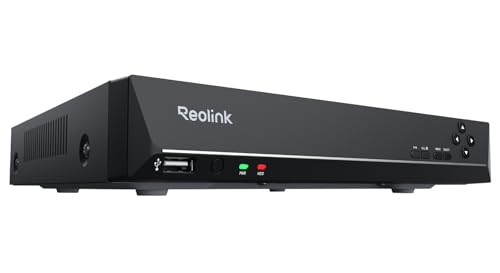
REOLINK RLN8-410 8CH Network Video Recorder for Home Security Camera System | 24/7 Recording (HDD Not Included), Only Work with REOLINK 16MP/12MP/4K/8MP/5MP/4MP PoE IP Camera
Check price on Amazon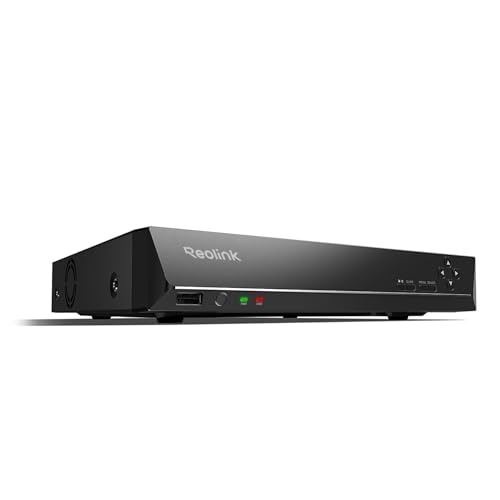
REOLINK RLN16-410 16CH NVR Network Video Recorder PoE Security System | Only Work with REOLINK 16MP/12MP/8MP/5MP/4MP PoE IP Camera, 24/7 Recording to Pre-Installed 4TB Hard Drive
Check price on Amazon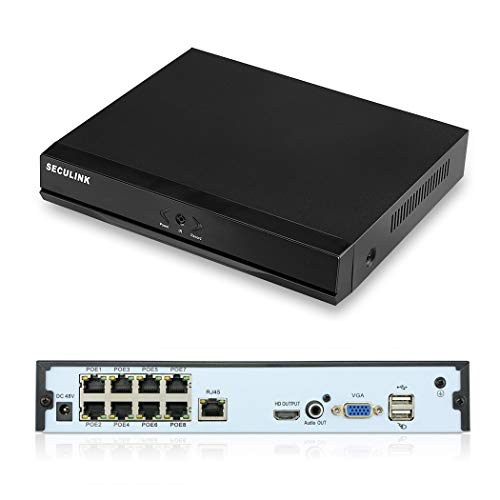
SECULINK 4K 8 Channel PoE NVR Recorder, H.265 Network Video Recorder with Built-in 8 Port PoE Switch, Supports 8MP/5MP/4MP IP Cameras, ONVIF Compatible, XMEYE App, Motion Detection (No HDD)
Check price on Amazon
REOLINK 36CH PoE Network Video Recorder for Security Camera System RLN36 | 24/7 Recording, Up to 48TB Storage, No HDD Included, Integrated O/I Alarm System, No PoE Port, Requires Reolink PoE Switch
Check price on Amazon
REOLINK RLN4E 4CH PoE NVR Network Video Recorder for Security System | Up to 8TB Local Storage &512GB microSD Card (HDD & microSD Card Not Included), Only Work with REOLINK IP Camera
Check price on AmazonPowering Your Peace of Mind
A PoE Network Video Recorder is more than just a recording box; it's the central hub that makes a modern security system efficient, reliable, and easy to manage. By simplifying power and data transmission, it removes the biggest hurdles of DIY installation. Whether you're securing a small home or a large commercial property, investing in a quality PoE NVR is a decision that pays off in performance and peace of mind.
Ready to build your system? The right NVR is the first step. For those looking for a non-subscription model, exploring non-subscription security cameras can also be a wise choice.