
Sensor Clean: The Complete Guide to a Spotless Camera Sensor
Dust spots ruining your photos? Learn how to safely perform a sensor clean on your DSLR or mirrorless camera. Step-by-step instructions, tools, and expert tips to keep your images sharp and flawless.
Start CleaningWhy Sensor Cleaning Matters: A dirty sensor can introduce unsightly dark spots, reduce contrast, and ruin an otherwise perfect shot. While professional cleaning is an option, learning to do a safe sensor clean yourself saves money and downtime. This guide covers everything from diagnosing dust to the final verification step.
Why Your Camera Sensor Gets Dirty
Every time you change a lens on your DSLR or mirrorless camera, microscopic dust particles can enter the camera body and settle on the camera sensor. Even with careful handling, dust is inevitable. It can also come from the shutter mechanism, lens debris, or simply from the environment. The result? Dark, blurry spots on your images, especially visible against plain backgrounds like skies or walls.
Before you attempt a sensor clean, it's crucial to diagnose the problem correctly. Sometimes what looks like sensor dust is actually dust on your lens or a dirty lens. Use a blower to clean your lens first, then take a test shot at a small aperture (f/16 or f/22) against a white wall. If spots persist, your sensor needs attention.
Essential Tools for a Safe Sensor Clean
Using the right tools is non-negotiable. A scratch on your sensor or low-pass filter can be costly. Here’s what you need:
- Rocket Blower: The first line of defense. A powerful air blower removes loose dust without touching the sensor.
- Sensor Swabs: Pre-moistened or dry swabs designed specifically for sensor cleaning. Match the size to your sensor (APS-C, Full Frame, etc.).
- Sensor Cleaning Solution: High-purity methanol or ethanol-based liquids. Never use household cleaners.
- LED Loupe or Sensor Scope: Helps you see dust particles clearly.
- Bright Light Source: A headlamp or desk lamp to illuminate the sensor.
- Dust-Free Environment: Work in a clean, well-lit room with minimal airflow.
For those who prefer a professional touch, many camera stores offer sensor cleaning services. However, with patience and the right tools, a DIY sensor clean is perfectly safe.
Step-by-Step Guide to a Sensor Clean
Follow these steps carefully. Always start with the least invasive method.
- Prepare Your Camera: Charge your battery fully. Set your camera to "Sensor Cleaning Mode" (or "Mirror Lock-Up" for DSLRs) to expose the sensor. Remove the lens in a clean, dust-free environment.
- Blow Away Loose Dust: Use a rocket blower to gently blow air across the sensor. Do not touch the sensor with the blower tip. Hold the camera with the sensor facing down to let gravity help.
- Inspect with a Loupe: Use an LED loupe to check for remaining dust. If you see stubborn particles, proceed to the next step.
- Use a Sensor Swab: If dry blowing doesn't work, use a pre-moistened sensor swab. Gently drag the swab across the sensor in one direction, then use the other side of the swab to drag back in the opposite direction. Use a new swab for each pass. Never reuse a swab.
- Re-inspect and Repeat: Check the sensor again. If dust remains, repeat the swab process with a fresh swab. Avoid excessive pressure.
- Reassemble and Test: Reattach your lens, exit cleaning mode, and take a test shot at f/16 against a white wall. If spots are gone, you're done!
For those who shoot in harsh environments, consider a camera care routine that includes regular sensor checks. If you frequently use your camera for action photography or dash cam recordings, dust can be a constant battle.
When to Call a Professional
While DIY sensor cleaning is safe for most, there are times when professional help is warranted:
- If you see scratches or damage on the sensor.
- If dust is accompanied by oil spots (common in some DSLRs).
- If you're uncomfortable touching the sensor.
- If your camera is under warranty and you fear voiding it.
Professional cleaning typically costs $50–$100. For high-end cameras like medium format or cinema cameras, always consult a specialist.
Preventing Future Sensor Dust
Prevention is better than cure. Here are some habits to keep your sensor cleaner for longer:
- Always turn off your camera before changing lenses to reduce static charge.
- Change lenses quickly and in a clean environment.
- Keep your camera bag clean and use lens caps.
- Use a UV filter on your lens to protect the front element.
- Store your camera with a body cap on when not in use.
If you own multiple cameras, such as a point-and-shoot for travel and a pro camera for work, establish a cleaning schedule for each. For security cameras like CCTV or wireless security systems, sensor cleaning is less frequent but still important for image clarity.
Recommended Sensor Cleaning Kits
⚠️ AFFILIATE DISCLOSURE: This website contains affiliate links. As an affiliate Associate, we earn from qualifying purchases. If you make a purchase through these links, we may receive a small commission at no additional cost to you. Read our full affiliate policy.

Gumout 540041 Professional Formula Mass Air Flow Sensor Cleaner Spray, 11 oz – Safely Cleans Delicate MAF Sensors to Improve Engine Performance, Restore Power, Reduce Hesitation and Boost Fuel Economy
Check price on Amazon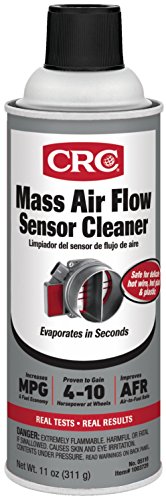
CRC Mass Air Flow Sensor Cleaner - Plastic Safe, Fast Drying - 11 oz | Residue-Free MAF Cleaner, Plastic-Safe Formula, Fast Drying, Help to Restore Lost Horsepower and Fuel Economy
Check price on Amazon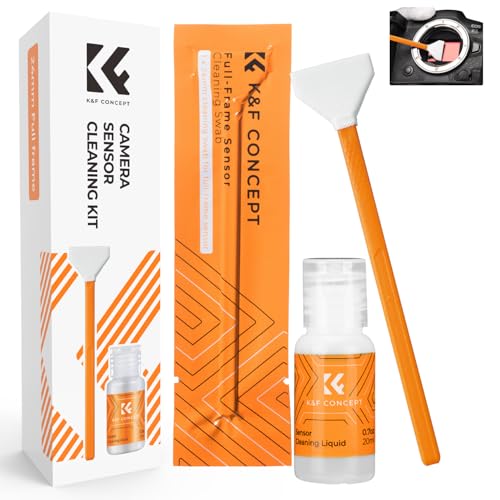
K&F CONCEPT 24mm Full Frame Sensor Cleaning Kits, with 20ml Sensor Cleaner | Sensor SwabsX6, Vacuum Sealed, Gentle Cleaner, Multi-Device Use, Precision Cleaning,for Nikon Sony Canon Camera Clean,MA01
Check price on Amazon
AAwipes Sensor Cleaning Swabs 24mm for Full Frame Sensors DDR24 DSLR 20 pcs | 20 Sensor-Cleaning Swabs, 24 Mm Wide, For Full-Frame DDR24 DSLR Or SLR Camera Sensors And Routine Precision Maintenance
Check price on Amazon
K&F CONCEPT APS-C Sensor Cleaning Kit, with Sensor Cleaner, Camera Cleaning | 16mm Sensor SwabX6, Vacuum Sealed, Gentle Cleaner, Multi-Device Use,Precision Cleaning,for Nikon Sony Canon Camera Clean,MA02
Check price on Amazon
VSGO DKL-20F Sensor Cleaning Kit for Full Frame Cameras (24mm) | 69-in-1, for Canon, Nikon, Sony, Pentax & DSLR, All-in-One Camera Cleaning Kit Including Swabs, Lens Pen, Air Blower, Etc.
Check price on Amazon
VSGO Full Frame Camera Sensor Cleaning Kit VS-S03-12 | for Nikon Sony Canon DSLR Full-Frame Sensor Cleaning, 12Pcs 24mm Full Frame Sensor Cleaning Swabs & 10ml Sensor Cleaner
Check price on Amazon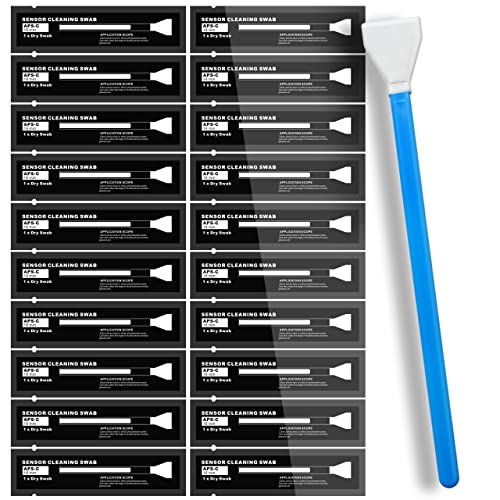
AAwipes Sensor Cleaning Swabs 16mm for APS-C Sensors DDR DSLR or SLR 20pcs | 20 Sensor-Cleaning Swabs, 16 Mm Wide, For APS-C DSLR Or SLR Camera Sensors And Routine Precision Camera Maintenance
Check price on AmazonFrequently Asked Questions About Sensor Cleaning
How often should I clean my camera sensor?
It depends on usage. If you change lenses frequently or shoot in dusty environments, check your sensor every few months. For occasional shooters, once a year is often sufficient. Always inspect before cleaning.
Can I use a cotton swab to clean my sensor?
Never use cotton swabs, tissues, or household cloths. They can leave fibers and scratch the sensor. Always use dedicated sensor swabs and cleaning solution.
Is it safe to clean a mirrorless sensor?
Yes, but mirrorless sensors are exposed and more sensitive. Use a blower first, then a sensor swab specifically designed for mirrorless cameras. Be extra gentle.
What is the best way to check for sensor dust?
Set your camera to aperture priority (f/16 or f/22), point it at a plain white wall or sky, and take a photo. Review the image on your computer; dust spots will appear as dark circles.