
Wireless Security Cameras No WiFi Needed: Complete Guide
Discover reliable off-grid surveillance solutions. Learn how no-WiFi cameras work, compare battery & cellular options, and find the perfect camera for remote locations, rentals, or areas with poor internet coverage.
SEE TOP PICKSWhy Go WiFi-Free? Not every location has reliable internet. Whether you're securing a remote cabin, a construction site, a rental property, or simply want a backup that works when the grid goes down, wireless security cameras that don't need WiFi offer unmatched flexibility and peace of mind.
Understanding Wireless Security Cameras That Work Without WiFi
When people hear "wireless security camera," they often assume it requires a WiFi network. But that's not always the case. A growing category of cameras operates completely independently of WiFi, using cellular networks, local storage, or even built-in SIM cards to transmit video and alerts. These devices are ideal for locations where running Ethernet cables is impractical or where WiFi signals are weak or nonexistent.
If you've ever searched for a security camera that doesn't need internet, you're in the right place. This guide will walk you through the technology, the benefits, the limitations, and the best options available today. By the end, you'll know exactly which type of no-WiFi camera fits your specific surveillance needs.
How Do No-WiFi Security Cameras Work?
These cameras rely on alternative connectivity methods to function without a traditional WiFi network. The three main approaches are:
📶 Cellular (4G/LTE) Cameras
These cameras use a built-in SIM card to connect to mobile networks, just like a smartphone. They can stream live video and send alerts from virtually anywhere with cell coverage. Perfect for remote locations, construction sites, and vacation homes.
💾 Local Storage Cameras
These record footage directly to an SD card or built-in memory. They don't transmit video over the internet, so you can only view recordings by physically accessing the camera or connecting directly via a local hotspot. Ideal for discreet, offline monitoring.
📡 Proprietary Wireless (Non-WiFi)
Some systems use a dedicated base station that communicates with cameras via a private radio frequency. The base station may connect to the internet via Ethernet or cellular, but the cameras themselves don't need WiFi. This is common in wireless security camera systems for small business.
Understanding these differences is crucial. If you need remote access from your phone, a cellular camera is your best bet. If you only need local recording, a local storage camera is more affordable and doesn't require any subscription. Some cameras combine both: they record locally and use cellular for alerts.
Key Benefits of WiFi-Free Security Cameras
Choosing a camera that doesn't rely on WiFi comes with several distinct advantages. Here's why many homeowners and business owners are making the switch:
✅ Advantages
- Works Anywhere: No need for an internet connection or router. Ideal for remote areas, farms, and construction sites.
- Reliable During Outages: If your WiFi goes down, your camera keeps working (especially cellular and local storage models).
- Easy Installation: No messy cables or complicated network setup. Mount it and go.
- No Monthly Fees (Optional): Many models offer local storage without any subscription. You can also find wireless security cameras without monthly fee.
- Portability: Move the camera from one location to another without reconfiguring network settings.
- Security: Less vulnerable to WiFi hacking or network-based attacks.
⚠️ Limitations
- Data Plans: Cellular cameras require a SIM card and a data plan, which may incur monthly costs.
- Battery Life: Battery-powered models need periodic recharging, especially with frequent motion alerts.
- Limited Live View: Local-only cameras don't offer remote live streaming unless you're nearby.
- Storage Management: SD cards can fill up; you may need to manually offload footage.
- Higher Upfront Cost: Cellular cameras often cost more than standard WiFi models.
Types of Wireless Security Cameras Without WiFi
Not all no-WiFi cameras are created equal. Here's a breakdown of the most common types you'll encounter:
1. Battery-Operated Security Cameras Without WiFi
These are among the most popular because they combine portability with easy installation. A battery operated security camera without WiFi can be mounted almost anywhere—no power outlet needed. They typically use cellular connectivity or local storage. Many models offer impressive battery life (up to 6 months) and are weather-resistant for outdoor use. Look for features like PIR motion detection and two-way audio.
2. Cellular Security Cameras (4G/LTE)
These are the go-to choice for remote monitoring. They use a cellular network to send alerts and stream video. You'll need an active SIM card with a data plan. Some models come with built-in LTE, while others require you to insert your own SIM. They're perfect for outdoor security camera without internet scenarios, such as monitoring a cabin or job site.
3. Solar-Powered No-WiFi Cameras
Combine a battery-operated camera with a solar panel, and you get a nearly maintenance-free solution. A solar panel for outdoor security camera keeps the battery topped off, so you rarely need to recharge. These are excellent for locations with plenty of sunlight and no power source. They often use cellular connectivity for remote access.
4. Local Storage Only Cameras
These cameras record to an SD card and don't transmit anything over the internet. They're the most secure and private option, but you must physically access the camera to view footage. Some models can create a local WiFi hotspot for direct phone connection when you're nearby. They're great for indoor security camera that doesn't need WiFi.
Best Wireless Security Cameras No WiFi Needed
⚠️ AFFILIATE DISCLOSURE: This website contains affiliate links. As an affiliate Associate, we earn from qualifying purchases. If you make a purchase through these links, we may receive a small commission at no additional cost to you. Read our full affiliate policy.

SEHMUA 4G LTE Cellular Solar Security Camera Wireless Outdoor, No Wi-Fi Solar Powered Camera, 360° Live View, 2K Color Night Vision, PIR Motion Sensor, Two-Way Talk, Built-in SIM Card
Check price on Amazon
HOSAFE.COM 4G LTE Cellular Security Camera No Internet Needed, 2K Solar No WiFi Security Camera Outdoor Wireless with SIM Card Jobsite,360 Live View, Motion Detection,Free Cloud Storage(Need Apply)
Check price on Amazon
LIWAN 4G LTE Cellular Security Camera Indoor Wireless, No WiFi, 2K Portable | Built-in SIM Card, Rechargeable Battery Powered, No WiFi Security Camera for Home/Travel/Baby/Pet/Elderly, AI Human Detection
Check price on Amazon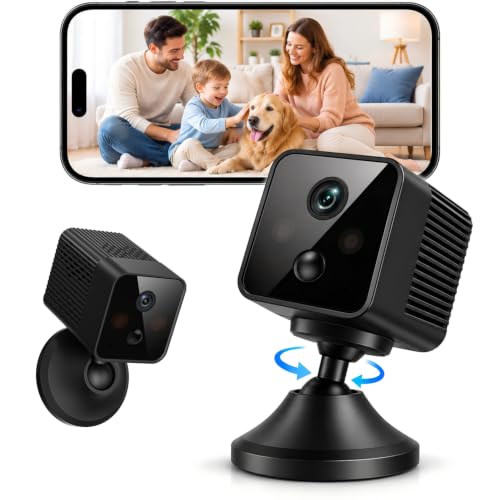
4G LTE Cellular Bullet Security Camera, No Wi-Fi Needed Battery Camera | Indoor Cameras for Home Security, AI Motion Detection, Night Vision, Wireless Security Camera for Home, Office, Garage
Check price on Amazon
2026 Upgraded 2K Security Cameras Wireless Outdoor, Free Cloud Storage, 1-6 Months Battery Life, Waterproof, 2-Way Talk, AI Motion Detection Spotlight Siren Alarm Cameras for Home Security
Check price on Amazon
Oculview 4G LTE Cellular Security Camera 2 Pack, Easy to Install, Off Grid Solar Powered, No WiFi Needed for Farm, Ranch, Jobsite, 2K Color Night Vision, 360° View, Built-in SIM Card - Black
Check price on Amazon
Kestanlora 1080P Mini Spy Camera, Portable Small Nanny Cam with Night Vision, Body Surveillance Cameras for Home Security Indoor/Outdoor No WiFi Needed
Check price on AmazonWhat to Look for in a No-WiFi Security Camera
Before you buy, consider these critical factors to ensure you get the right camera for your needs:
🔋 Battery Life
If you're going battery-powered, look for at least 3–6 months of battery life. Solar panels can extend this indefinitely. Consider how often you're willing to recharge.
📶 Connectivity
Decide if you need remote access (cellular) or just local recording (SD card). Cellular cameras require a data plan, so factor in monthly costs.
🌙 Night Vision
Most cameras offer infrared night vision, but some provide color night vision. For critical surveillance, a small security camera with night vision is essential.
💾 Storage Options
Local SD card storage is subscription-free but limited. Cloud storage via cellular may require a fee. Some cameras support both.
📱 Remote Access
If you want to check in from your phone, ensure the camera supports a mobile app. Cellular models excel here. Look for a camera that you can watch on your phone.
🛡️ Durability
For outdoor use, choose an IP65 or IP66 weatherproof rating. It should withstand rain, dust, and extreme temperatures.
Installation Tips for WiFi-Free Cameras
Installing a no-WiFi camera is generally easier than a traditional wired system, but a few best practices will ensure optimal performance:
- Position for Coverage: Place cameras at strategic entry points—doors, windows, driveways. For outdoor use, consider a small camera for outside apartment door or a hidden surveillance camera for outside home.
- Check Cellular Signal: For cellular cameras, test signal strength at the mounting location. You may need an external antenna.
- Secure the Camera: Use tamper-resistant mounts. For discreet options, look at inconspicuous outdoor security cameras.
- Optimize Battery Life: Adjust motion sensitivity to reduce false alerts. Place the camera where it won't be triggered by passing cars or trees.
- Regular Maintenance: Clean the lens and solar panel periodically. Check battery levels and SD card space.
Common Use Cases for No-WiFi Security Cameras
These cameras shine in scenarios where traditional WiFi cameras fall short. Here are some popular applications:
🏕️ Remote Properties
Cabins, farms, and vacation homes often lack internet. Cellular cameras provide peace of mind without needing a WiFi network.
🏗️ Construction Sites
Monitor equipment and materials 24/7. Cellular cameras can be moved as the site evolves. A wireless security camera system for small business is ideal.
🏠 Rentals & Airbnbs
Keep an eye on your property without relying on guests' WiFi. Discreet indoor cameras that don't require WiFi are perfect.
🚗 Vehicles & Fleets
Some dash cams and car cameras operate without WiFi. A wireless front and rear camera for car can record incidents without internet.
🌳 Wildlife Monitoring
Trail cameras often work without WiFi. For long-range detection, consider a trail camera with longest detection range.
🏢 Temporary Security
For events or temporary setups, battery-powered cameras can be deployed quickly and removed just as easily.
WiFi vs. No-WiFi Security Cameras: Which Is Right for You?
Still on the fence? Here's a quick comparison to help you decide:
Cost Considerations: What to Expect
Prices for wireless security cameras without WiFi vary widely based on features and connectivity. Here's a general idea of what you'll pay:
- Budget Local Storage Cameras: $50–$120. These record to SD card and don't offer remote viewing. Great for basic indoor monitoring.
- Mid-Range Battery Cameras: $120–$250. Often include cellular or local storage, 1080p HD, night vision, and motion alerts.
- Premium Cellular Cameras: $250–$500+. 4K resolution, advanced AI detection, solar compatibility, and robust build quality.
- Data Plans: $10–$30 per month, depending on data usage and carrier. Some brands offer prepaid plans.
- Solar Panels: $30–$80 if not included. A worthwhile investment for maintenance-free operation.
When budgeting, don't forget to factor in the cost of a solar panel with battery for security camera if you plan to go off-grid. Also, consider whether you want a non-subscription outdoor security camera to avoid recurring fees.
Maintenance Tips for Long-Lasting Performance
To keep your no-WiFi camera running smoothly, follow these simple maintenance practices:
- Clean the Lens Regularly: Dust and dirt can degrade image quality. Use a soft microfiber cloth.
- Check Battery Levels: Recharge or replace batteries before they die completely. Solar panels should be wiped clean to maintain efficiency.
- Manage Storage: If using an SD card, format it periodically and transfer important footage to a computer.
- Update Firmware: Manufacturers release updates to improve security and performance. Check for updates via the app or manufacturer's website.
- Inspect Mounts: Ensure the camera is securely mounted and hasn't shifted due to weather.
Final Thoughts: Is a No-WiFi Security Camera Right for You?
Wireless security cameras that don't need WiFi are a game-changer for anyone who needs reliable surveillance without the constraints of an internet connection. Whether you choose a cellular model for remote access, a battery-powered camera for easy installation, or a local storage camera for maximum privacy, there's a solution that fits your needs.
Before you buy, assess your specific situation: Do you need remote viewing? How often can you recharge batteries? What's your budget? Answering these questions will guide you to the perfect camera. And remember, you can always start with a cheap indoor wireless security camera to test the waters before investing in a more robust system.
For more help narrowing down your options, explore our related guides on outdoor use home security cameras wireless and indoor and outdoor security cameras wireless. With the right camera, you can enjoy peace of mind no matter where you are—or where your property is.