
Card Readers: The Ultimate Guide to Fast & Reliable Data Transfer
Stop waiting for slow transfers. Discover the best card readers for photographers, videographers, and security professionals who demand speed and reliability.
VIEW TOP PICKSWhy a Good Card Reader Matters: Your memory card is only as fast as the reader you use to access it. A high-quality card reader ensures fast, secure data transfer, protects your files, and streamlines your entire workflow—whether you're a professional photographer or managing a home security system.
Why Every Photographer Needs a Reliable Card Reader
In today's digital age, card readers are the unsung heroes of every photographer's and videographer's toolkit. While much attention is given to cameras and lenses, the humble card reader is the bridge between your captured memories and your editing station. A slow or unreliable reader can turn a quick file transfer into a frustrating bottleneck, wasting precious time that could be spent creating.
Whether you're shooting with a professional mirrorless camera or managing a security camera system, the right card reader ensures your data is transferred quickly and safely. For those working with high-resolution files or 4K video, a fast reader is not a luxury—it's a necessity. If you're still building your gear collection, understanding card readers is as essential as choosing the right camera accessories.
Key Features to Look for in a Card Reader
⚡ Transfer Speed
The most critical factor. Look for readers that support USB 3.0, USB 3.1, or USB-C with UHS-II compatibility for speeds up to 312 MB/s or higher. This is essential for large RAW files and 4K video.
🔌 Card Compatibility
Ensure the reader supports your card types—SD, microSD, CFexpress, CFast, or CF. Multi-card readers offer versatility, while dedicated readers often provide better performance for specific formats.
🔗 Connection Type
USB-C is the modern standard for fast data transfer and universal compatibility. Some readers offer dual connectors (USB-C and USB-A) for maximum flexibility across devices.
🛡️ Build Quality & Durability
A sturdy, heat-dissipating design ensures reliable performance during long transfers. Look for aluminum bodies that manage heat effectively, especially for high-speed CFexpress readers.
Types of Card Readers: Which One Is Right for You?
Card readers come in various forms, each designed for specific use cases. Understanding the differences helps you make an informed decision based on your workflow and gear. For those using compact cameras, a simple small digital camera often uses microSD cards, making a compact reader ideal. Professionals shooting with DSLR or mirrorless systems may need readers that handle multiple card formats.
| Reader Type | Best For | Typical Speed | Price Range |
|---|---|---|---|
| USB-A Card Reader | Legacy computers, basic transfers | Up to 5 Gbps | $10–$25 |
| USB-C Card Reader | Modern laptops, smartphones, tablets | Up to 10 Gbps | $15–$45 |
| Multi-Card Reader | Photographers with mixed card formats | Varies by slot | $25–$60 |
| CFexpress Reader | Professional cinema and high-end mirrorless | Up to 40 Gbps (Thunderbolt) | $50–$120 |
| Portable / OTG Reader | On-the-go transfers to phones/tablets | Up to 5 Gbps | $10–$30 |
Who Benefits Most from a Premium Card Reader?
While almost anyone with a digital camera can benefit from a good card reader, certain users will see a dramatic improvement in their workflow:
- Photographers: Rapidly transfer large RAW files from DSLR or mirrorless cameras to editing software.
- Videographers: Offload 4K and 8K footage quickly, minimizing downtime between shoots.
- Security Professionals: Efficiently manage footage from security camera systems and wireless security cameras.
- Drone Pilots: Transfer high-resolution aerial footage from 4K resolution drones without long waits.
- Action Camera Users: Quickly move files from action cameras and best action cameras for immediate sharing.
Pros and Cons of Different Card Reader Options
✅ Pros of a Quality Card Reader
- Dramatically faster transfer speeds
- Reduces wear on camera's USB port
- Supports multiple card formats
- Portable and travel-friendly
- Plug-and-play, no drivers needed
❌ Cons to Consider
- Higher-end readers can be costly
- Some require specific cables
- Cheap readers may overheat
- Compatibility issues with older OS
- Not all readers support UHS-II
Recommended Card Readers
⚠️ AFFILIATE DISCLOSURE: This website contains affiliate links. As an affiliate Associate, we earn from qualifying purchases. If you make a purchase through these links, we may receive a small commission at no additional cost to you. Read our full affiliate policy.

acer SD Card Reader USB C, Dual Slots USB Type C to Micro SD Card Adapter | Memory Card Reader for MicroSD, SDHC, SDXC, Compatible with Laptop, PC, iPhone16/15, MacBook Pro/Air, iPad Pro, Android
Check price on Amazon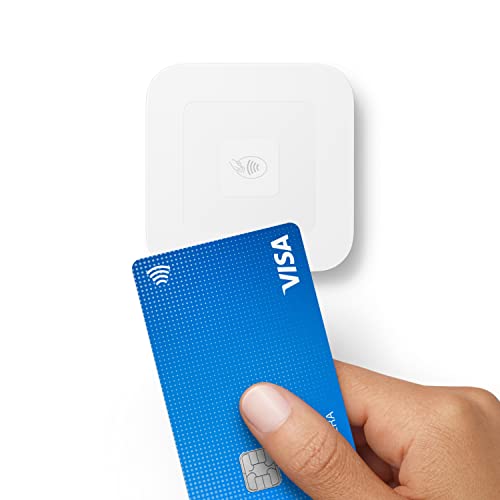
Square Reader for contactless and chip (2nd Generation)
Check price on Amazon
USB C SD Card Reader, Type C SD Card Reader, Supports SD and MicroSD Memory Card Adapters for iPhone 15 16/iPad/MacBook/Mac, Trail Camera Viewer Plug and Play -2 Slots
Check price on Amazon
SmartQ C368 USB 3.0 Card Reader - Plug & Play, Compatible with Apple & Windows, Supports SD, Micro SD, MS, CF Cards
Check price on Amazon
Square Terminal - Credit Card Machine to Accept All Payments | Mobile POS
Check price on Amazon
Memory Card Reader, BENFEI 4in1 USB 3.0 and USB-C to SD Micro SD MS CF Card Reader Adapter, 4 Cards Simultaneously Read and Write, Compatible with iPhone 15 Series, MacBook Pro/Air 2023, and More
Check price on Amazon
Anker SD Card Reader USB C, Dual Slots USB Type C to Micro SD Card Adapter | For iPhone and Laptops, Card Viewer with Dual Slots for SDXC/SDHC/SD/Micro SDXC/MicroSD/Micro SDHC/UHS-I Cards
Check price on Amazon
Square Reader for magstripe (USB-C)
Check price on AmazonHow to Choose the Perfect Card Reader: A Buying Guide
Selecting the right card reader involves more than just picking the cheapest option. Here's a step-by-step approach to ensure you make the best choice:
1. Identify Your Card Types
Check the memory cards you use most. If you shoot with a superzoom camera or a budget camera, you likely use SD or microSD cards. Professionals using high-end cinema cameras may need CFexpress or CFast readers. A multi-card reader can future-proof your investment.
2. Prioritize Transfer Speed
Speed matters. If you're transferring 64GB of RAW files, the difference between a 100 MB/s and a 300 MB/s reader is significant. Look for UHS-II support if your cards support it. For videographers working with cine lenses and high-bitrate footage, speed is paramount.
3. Consider Your Connection Needs
USB-C is the future, but if you're working with older equipment, a USB-A reader might be necessary. Some premium readers offer both. For mobile workflows, an OTG reader lets you transfer directly to your smartphone—ideal for vlogging cameras and on-the-go creators.
4. Build Quality and Heat Management
High-speed transfers generate heat. A well-designed reader with an aluminum body dissipates heat more effectively, ensuring consistent performance and longevity. This is especially important for professionals who transfer large files daily.
5. Budget Considerations
Card readers range from under $10 to over $100. For casual users, a $15–$25 reader is often sufficient. For professionals demanding maximum speed and reliability, investing in a $50–$100 reader is worthwhile. Remember, a good reader protects your valuable data—it's an investment in your workflow.
Card Reader Care and Maintenance Tips
To ensure your card reader performs reliably for years, follow these simple maintenance practices:
- Keep it clean: Dust and debris can accumulate in card slots. Use compressed air to clean slots gently.
- Avoid overheating: Don't place your reader on hot surfaces or in direct sunlight during use.
- Safe ejection: Always eject your card properly from your computer before removing it from the reader.
- Store properly: When not in use, store your reader in a dry, cool place. A hard case offers excellent protection for travel.
- Check for firmware updates: Some high-end readers offer firmware updates for improved compatibility and performance. Learn more in our firmware update guide.
If you ever encounter issues with your reader or other gear, our camera repair guide offers troubleshooting tips for common problems.
Card Readers in Action: Real-World Use Cases
Understanding how card readers fit into different workflows helps clarify their importance:
For Photographers
A wedding photographer shooting thousands of RAW images needs a fast, reliable reader to back up files quickly. A multi-card reader that handles both SD and CFexpress cards is ideal for photographers using dual-card cameras. Whether you're using a 50mm lens or an 85mm lens, your workflow depends on efficient file transfer.
For Videographers
Videographers working with high-bitrate footage from cinema cameras need readers capable of handling CFexpress or CFast cards. Speed is critical when offloading terabytes of footage. If you're using standard zoom lenses or cine lenses for professional work, a high-speed reader is non-negotiable.
For Security System Users
Home and business owners managing wireless security camera systems with local storage often need to access footage from SD cards. A reliable card reader makes it easy to review and archive important footage. For those with 24/7 recording systems, quick access to footage is essential.
Final Thoughts: Invest in a Card Reader That Works as Hard as You Do
A card reader is a small but vital piece of your photography or security setup. It's the tool that connects your captured moments to your computer, and its performance directly impacts your workflow efficiency. Whether you're a professional photographer, a videographer, or someone managing a home security system, investing in a quality card reader pays for itself in time saved and data protected.
When choosing a card reader, prioritize speed, compatibility, and build quality. Don't settle for a slow, unreliable reader that bottlenecks your workflow. Your time is valuable, and your data is irreplaceable—choose a card reader that respects both.
Ready to upgrade your workflow? Explore our recommended card readers above and find the perfect match for your needs. For more guidance on building your complete camera setup, check out our camera setup and accessories hub.