
Home Security Camera System Without WiFi: Complete Buyer's Guide
Discover how to protect your home with reliable security cameras that don't depend on WiFi. From wired DVR systems to cellular-enabled cameras and local storage solutions, learn everything you need to choose the right off-grid surveillance system.
Why Go WiFi-Free? While WiFi cameras dominate the consumer market, they come with real limitations: signal drops, network congestion, hacking risks, and complete failure during internet outages. A home security camera system without WiFi eliminates these vulnerabilities, offering rock-solid reliability whether you're protecting a remote property, a home with weak internet, or simply want a surveillance system that works no matter what.
Key Takeaways
- Three main types: Wired DVR/NVR systems, cellular-connected cameras, and standalone local-storage cameras.
- Most reliable: Wired systems with DVR recording offer 24/7 uninterrupted surveillance without internet dependency.
- Most flexible: Cellular cameras work anywhere with mobile coverage — ideal for remote locations and construction sites.
- Most affordable: Standalone cameras with SD card storage start around $50–$150 per camera.
- Remote viewing still possible: Many no-WiFi systems connect to your router via Ethernet for optional remote access.
What Does "Without WiFi" Really Mean?
Before diving into product recommendations, it's important to understand what "without WiFi" actually means in the security camera world. The term can refer to several different configurations, and knowing the distinction will help you choose the right system for your needs.
1. No internet connection required at all. These systems record locally to a DVR, NVR, or SD card. They operate completely offline — no router, no modem, no monthly fees. You view footage directly on a monitor or by physically accessing the recording device. This is the purest form of a camera system that doesn't require WiFi.
2. Wired cameras with optional internet. These systems use wired connections (coaxial or Ethernet) for power and video transmission, but the DVR/NVR can optionally connect to your router via a single Ethernet cable for remote viewing. The cameras themselves don't use WiFi — only the recorder does. This is the most common setup for home security camera system no subscription configurations.
3. Cellular-connected cameras. These cameras use a 4G/5G cellular data plan instead of WiFi. They're completely wireless in terms of installation but rely on mobile networks for connectivity. Perfect for locations without any internet infrastructure.
4. Local-only wireless cameras. Some cameras create their own direct wireless connection to a base station or monitor without going through your home WiFi network. These are technically "wireless" but don't use your internet.
Understanding these differences matters because a wireless security camera system with remote viewing no WiFi can mean different things depending on the manufacturer. Always verify the exact connectivity method before purchasing.
Types of No-WiFi Security Camera Systems
1. Wired DVR Systems (Most Reliable)
Wired DVR (Digital Video Recorder) systems are the gold standard for reliable home surveillance. Each camera connects to a central DVR unit using coaxial cable (for analog HD cameras) or Ethernet cable (for IP cameras). The DVR handles recording, storage, and playback — no internet required.
These systems are ideal for homeowners who want set-and-forget reliability. Once installed, they run continuously without any dependency on your home network. A typical 8 channel wired security camera system can cover an entire property with cameras at every entry point, driveway, backyard, and blind spot.
Installation requires running cables through walls or attics, which can be a DIY project for handy homeowners or a professional job for complex layouts. The payoff is a system that works flawlessly for years with minimal maintenance.
For those who want the option of remote viewing, many DVRs include an Ethernet port that connects to your router. This gives you the best of both worlds: local recording that never fails, plus optional remote access when you want it. This is the configuration most people mean when they search for a home security camera system without WiFi.
2. Cellular Security Cameras (Most Flexible)
Cellular security cameras use mobile networks (4G LTE or 5G) to transmit video and alerts. They don't need WiFi at all — just a cellular data plan, which typically costs $10–$30 per month per camera. These are the best choice for locations where running cables is impractical and WiFi is unavailable.
Think remote cabins, construction sites, vacation properties, farms, and RV parks. A cellular camera can be mounted almost anywhere with cellular coverage and will send motion alerts, live video, and recordings to your phone. Some models include solar panels for completely wire-free operation.
When researching options, look for systems that support outdoor use wireless security camera system with remote viewing — these are specifically designed for remote locations and harsh weather. Battery life varies from 1–6 months depending on activity levels and settings.
The main trade-off is the ongoing cellular plan cost. However, for many users, the flexibility and independence from local infrastructure is worth every penny. Compare this to a security camera system without monthly fee — which typically means wired or local-storage systems.
3. Standalone Local Storage Cameras (Most Affordable)
These are individual cameras that record directly to an SD card, USB drive, or built-in hard drive. No WiFi, no DVR, no monthly fees. Setup takes minutes — just mount the camera, insert a storage card, and you're recording.
Popular options include trail cameras, dash cams, and simple indoor/outdoor cameras with local recording. While they lack the centralized management of a DVR system, they're perfect for targeted surveillance: watching a single entry point, monitoring a garage, or keeping an eye on a specific area.
Many of these cameras still offer remote viewing through a direct connection or by connecting to your router via Ethernet. A single wireless security camera with monitor is a great example — it creates its own private wireless signal to a dedicated monitor, no home network required.
For budget-conscious buyers, a security camera with recorder built in offers exceptional value. You get camera and recording in one unit, often for under $100.
No-WiFi Security Camera Systems Compared
| Feature | Wired DVR System | Cellular Camera | Local Storage Camera |
|---|---|---|---|
| Internet Required | No (optional for remote viewing) | No (uses cellular data) | No |
| Power Source | Wired (continuous) | Battery / Solar | Battery / Wired |
| Recording | 24/7 continuous | Motion-triggered | Motion-triggered / Continuous |
| Remote Viewing | Optional (via Ethernet) | Yes (cellular network) | Limited / Direct connection |
| Monthly Fees | None | $10–$30 per camera | None |
| Installation | Complex (cable runs) | Easy (mount anywhere) | Very Easy |
| Best For | Whole-home coverage | Remote locations | Single-area monitoring |
| Typical Cost | $150–$800 (4–8 cameras) | $100–$400 per camera | $50–$200 per camera |
Why Choose a Security Camera System Without WiFi?
WiFi cameras are convenient, but they have well-documented weaknesses. A no-WiFi system addresses these directly:
- Reliability during outages: When your internet goes down, WiFi cameras stop working. A wired or local-storage system keeps recording. If you've ever experienced a power outage during a storm, you understand why this matters.
- No signal interference: WiFi signals degrade with distance, walls, and interference from other devices. Wired connections deliver consistent quality regardless of your home's layout or neighboring networks.
- Better security: WiFi cameras can be hacked if not properly secured. A closed-circuit system that never touches the internet is virtually unhackable from outside. For those concerned about privacy, this is a major advantage.
- No bandwidth consumption: Multiple WiFi cameras streaming 4K video can saturate your home network, slowing down everything else. Wired systems use dedicated cables, leaving your internet free for other uses.
- No subscription fees: Many WiFi cameras require cloud storage subscriptions for full functionality. Local recording eliminates ongoing costs. A security camera system no subscription pays for itself within a year.
- Works in remote areas: If you're protecting a property without internet infrastructure, WiFi simply isn't an option. Cellular or local-storage systems are your only choice.
That said, no-WiFi systems aren't perfect for everyone. If you rent your home, move frequently, or need easy setup without drilling holes, a WiFi system might still be the better choice. But for permanent installations where reliability matters most, going WiFi-free is the superior approach.
Key Features to Look For in a No-WiFi Camera System
Not all no-WiFi systems are created equal. Here's what to prioritize when comparing options:
Resolution and Image Quality
At minimum, look for 1080p HD. For better detail — especially for identifying faces or license plates — choose 2K or 4K. A high resolution security cameras for home setup makes a real difference when you need to provide evidence or identify someone.
Night Vision
Most cameras include infrared night vision, but quality varies. Look for cameras with a range of at least 30 feet for indoor use and 100 feet for outdoor. A high resolution night vision security camera with color night vision (using a spotlight or starlight sensor) provides much more useful footage than black-and-white infrared.
Storage Capacity
DVR systems typically support hard drives from 500GB to 8TB or more. Calculate your needs: a single 1080p camera recording 24/7 uses about 15–20GB per day. For an 8-camera system, that's 120–160GB daily. A 2TB drive gives you roughly 12–16 days of continuous recording before overwriting. For cellular and local-storage cameras, choose models that support at least 128GB SD cards.
Power Options
Wired cameras need a power source at each location. Battery-powered cameras are more flexible but require recharging or battery replacement. Solar-powered options are ideal for outdoor cameras in sunny locations. For critical coverage, consider a wired security camera with battery backup — it keeps recording even during power outages.
Motion Detection and Alerts
Basic motion detection triggers recording when movement is detected. Better systems use AI to distinguish between people, animals, and vehicles, reducing false alerts. Look for cameras with adjustable sensitivity zones and security cameras with motion notification that can alert your phone.
Weather Resistance
Outdoor cameras should have an IP65 or IP66 rating at minimum. IP67 offers better protection against dust and water. If you live in an area with extreme temperatures, check the operating temperature range.
Audio Capabilities
Many modern cameras include built-in microphones and speakers. A security camera with speaker and microphone lets you hear what's happening and speak to visitors or intruders through the camera. For comprehensive coverage, consider an audio and video security camera system that records both streams.
Installation and Setup Considerations
Installation complexity varies significantly by system type. Here's what to expect:
Wired DVR systems require the most work. You'll need to run cables from each camera location to the DVR. This often means drilling through walls, routing cables through attics or crawl spaces, and potentially hiring an electrician for power outlets near camera locations. If you're not comfortable with this level of work, budget $200–$500 per camera for professional installation.
Cellular cameras are the easiest to install — just mount them where you want them and activate the cellular plan. No cables, no drilling for power (unless you choose a wired power option), no configuration. A easy to install home security cameras setup with cellular cameras can be completed in under an hour.
Local storage cameras are similarly easy. Mount, insert SD card, and you're done. The main limitation is that you need physical access to the camera to retrieve footage, unless you set up optional remote viewing.
Before installing any outdoor camera, carefully consider placement. A where to install security cameras outside home guide can help you identify the most effective locations: entry points, blind spots, driveways, and backyards. Aim for cameras that cover overlapping fields of view so an intruder can't disable all cameras from a single location.
For those who want professional monitoring without the hassle, some companies offer complete installation. However, if you're looking for a security camera system without monthly fee, self-installation is the way to go — you save both on installation and ongoing monitoring costs.
Can You View No-WiFi Cameras Remotely?
This is one of the most common questions about no-WiFi systems, and the answer is: it depends on your setup.
Wired DVR systems: Yes, you can view remotely if you connect the DVR to your router via Ethernet cable. The cameras themselves don't use WiFi, but the DVR uses your internet connection to send video to your phone. This gives you the reliability of wired cameras with the convenience of remote viewing. Many people searching for security cameras I can view on my phone don't realize that a wired system with Ethernet-connected DVR can provide exactly this.
Cellular cameras: Yes, these are designed for remote viewing. They transmit video over cellular networks, so you can check in from anywhere with a cell signal. This is the best option for locations with no internet infrastructure at all.
Local storage cameras: Usually no. Most standalone cameras with SD card storage don't have any network connection, so you can't view footage remotely unless you physically access the camera. However, some models include a direct WiFi hotspot (not internet-connected) or Ethernet port for local network viewing only.
If remote viewing is important to you, look for a system that supports it natively. A wireless security camera system with remote viewing that uses cellular data is the most flexible option. Alternatively, a CCTV camera for home with mobile connectivity via Ethernet-connected DVR works well for fixed locations.
Some advanced systems even support security cameras that work with your phone through a combination of local recording and cellular backup — the best of both worlds for critical applications.
Recommended Home Security Camera Systems Without WiFi
⚠️ AFFILIATE DISCLOSURE: This website contains affiliate links. As an affiliate Associate, we earn from qualifying purchases. If you make a purchase through these links, we may receive a small commission at no additional cost to you. Read our full affiliate policy.

2K Security Camera System, 5GHz&2.4GHz WiFi Solar Wireless Cameras for Home Security, Wire-free Installation, AI Detection, Two-way Audio, Mobile alerts, SD/Cloud Storage, Color Night Vision, 4 Packs
Check price on Amazon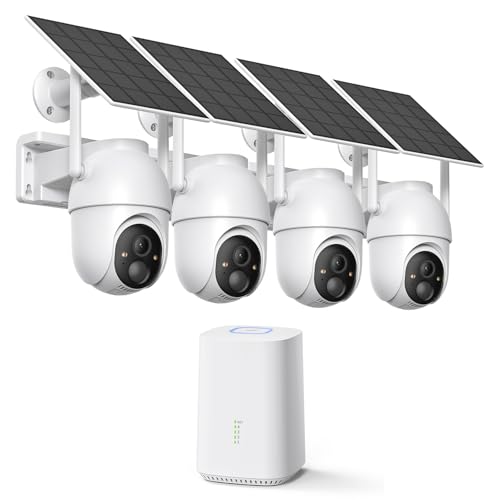
ELYSOO 2K/4MP Home Security Camera System, 2.4G & 5GHz Wi-Fi Connected | Local Storage Included, Solar Security Cameras Wireless Outdoor, IP65, Instant APP Alerts, Color Night Vision
Check price on Amazon
aosu D1 Classic 4-Cam Kit, Security Cameras Wireless Outdoor, Solar Powered | No Subscription Required, 32GB Built-in Storage, 360° Auto Tracking, 2K (3MP) Full-Color Night Vision, Easy Install
Check price on Amazon
2026 Upgraded 2K Security Cameras Wireless Outdoor, Free Cloud Storage, 1-6 Months Battery Life, Waterproof, 2-Way Talk, AI Motion Detection Spotlight Siren Alarm Cameras for Home Security
Check price on Amazon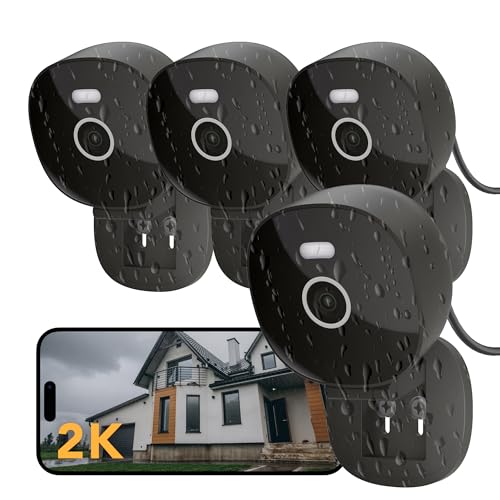
FAMVIVA 2K Wired Security Camera, Indoor/Outdoor for Home, Pet, Baby, Nanny, IP65 Waterproof Color Night Vision, White Light & Siren, Recording, Motion Detection, Works with Alexa,Pulg in, Black-4P
Check price on Amazon
VTimes Smart Home Security Camera System Wireless Outdoor with Monitor | AI Human Detection, 24/7 Recording, Motion Detection, FHSS,1000ft,5G & 2.4G WiFi,IPX6, 2-Way Audio,Night Vision,Plug & Play
Check price on Amazon
4MP Security Cameras Wireless Outdoor, No Subscription 128GB Local Storage, Solar Powered Cameras For Home Security, PTZ Auto Tracking, 4Cam-Kit, Color Night Vision Home Security Camera System,5G&2.4G
Check price on Amazon
4CH Wired Security Camera System, AIWIXEN 4X 1080P Cam, DVR with 512GB HDD | Surveillance Cameras with Human Vehicle Detection, IP68 Waterproof, 24-7 Recording, Remote Access, Home Security CCTV Outdoor
Check price on AmazonBudget Guide: What to Expect to Pay
Prices for no-WiFi security camera systems vary widely based on type, resolution, and number of cameras. Here's a realistic breakdown:
- Entry-level wired DVR system (4 cameras, 1080p): $150–$300
- Mid-range wired system (8 cameras, 2K/4K): $400–$800
- Premium wired system (8–16 cameras, 4K, advanced AI): $800–$2,500
- Cellular camera (single unit, 1080p/2K): $100–$400 per camera, plus $10–$30/month cellular plan
- Local storage camera (single unit): $50–$200 per camera
- Professional installation (if needed): $200–$500 per camera for wired systems
When comparing costs, remember to factor in ongoing expenses. A security camera system without monthly fee may cost more upfront but saves money over time. Cellular systems have lower upfront costs but require a data plan indefinitely.
For budget-conscious buyers, affordable security cameras for outside are available from brands like Reolink, Annke, and Zosi. These offer solid 1080p or 2K performance at prices that won't break the bank. If you need a complete 8 channel outdoor security camera systems, expect to pay $300–$500 for a quality kit.
Common Mistakes to Avoid
- Underestimating storage needs: A 500GB hard drive fills up fast with multiple cameras recording 24/7. If you want to keep footage for more than a week, invest in a larger drive — 2TB minimum, 4TB or more for 8+ cameras.
- Choosing the wrong camera type for your climate: Not all outdoor cameras handle extreme cold or heat well. Check the operating temperature range and IP rating. If you live in an area with harsh winters, look for cameras rated to at least -4°F (-20°C).
- Poor camera placement: Mounting cameras too high makes facial recognition difficult. Aim for 8–10 feet high, angled slightly downward. Avoid pointing cameras directly at the sun or bright lights.
- Ignoring power requirements: Wired cameras need power at each location. If you don't have outlets nearby, you'll need to run power cables or choose battery-powered cameras.
- Not testing before final installation: Connect everything on the ground first to verify it works, then install permanently. This saves hours of troubleshooting on a ladder.
- Forgetting about maintenance: Outdoor cameras need occasional cleaning. Spider webs, dust, and water spots degrade image quality over time. Plan for easy access.
- Overlooking legal requirements: In many jurisdictions, you must disclose that you're recording audio. Check local laws before enabling audio recording, especially in areas where privacy is expected.
Wired vs Wireless vs Cellular: Which Is Right for You?
Choose a wired DVR system if: You own your home, want the most reliable 24/7 recording, have multiple cameras to install, and don't mind running cables or hiring an installer. This is the best choice for comprehensive whole-home coverage. A top rated surveillance cameras for home list almost always includes several wired DVR options.
Choose a cellular camera if: You need surveillance at a location without internet (remote cabin, construction site, vacation home), want easy installation without cables, or need the flexibility to move cameras as needed. Cellular is also a good backup for primary systems. A solar powered wireless security system with cellular connectivity is completely self-contained.
Choose a local storage camera if: You only need one or two cameras, want the simplest possible setup, and don't need remote viewing. This is the most budget-friendly option and works well for apartments, garages, or specific areas. Look for high quality wireless security cameras with SD card slots if you go this route.
Consider a hybrid approach: Many homeowners combine a wired DVR system for perimeter coverage with cellular or local-storage cameras for specific areas. This gives you reliability where it matters most and flexibility elsewhere. For example, a wired security camera with battery backup can handle the front entrance while a cellular camera covers the back gate.
Whatever you choose, make sure it fits your actual needs — not just what's popular or cheapest. The best system is the one that works reliably when you need it most.
Frequently Asked Questions
Yes, absolutely. Security cameras can work without WiFi through several methods. Wired systems use coaxial or Ethernet cables to transmit video to a DVR or NVR. Cellular cameras use mobile networks (4G/5G) instead of WiFi. Standalone cameras record directly to SD cards or built-in storage. You don't need WiFi for any of these options — you only need it if you want remote viewing from your phone.
The best system depends on your specific situation. For whole-home coverage with maximum reliability, a wired DVR system with 8 cameras and 2TB+ storage is hard to beat. For remote locations without internet, a cellular camera with solar power is the most practical choice. For simple, budget-friendly monitoring of one or two areas, local-storage cameras with SD cards work great. Consider your installation capabilities, budget, and whether you need remote viewing to determine the best fit.
There are several ways. Cellular cameras connect through mobile networks — they have a SIM card and transmit data just like your phone. Wired DVR systems can connect to your phone if you plug the DVR into your router with an Ethernet cable (the cameras themselves don't use WiFi, but the DVR uses your internet for remote access). Some local-storage cameras create their own direct wireless signal that your phone can connect to without going through your home WiFi. If a camera has no network capability at all, you'll need to physically access it to view footage.
It depends on your priorities. Wired cameras offer: continuous power (no batteries to change), more stable connection (no signal interference), higher resolution support without bandwidth concerns, and no vulnerability to WiFi jamming or hacking. They're better for permanent installations where reliability is critical. Wireless cameras offer: easier installation, flexibility to move cameras, and no cable runs. They're better for renters or situations where installation flexibility matters more than maximum reliability. For most homeowners seeking a permanent security solution, wired is the better choice.
Costs range widely. Basic wired DVR systems with 4 cameras start around $150. Mid-range systems with 8 cameras and 4K resolution cost $400–$800. Premium systems with advanced features like 4K recording, smart detection, and large storage can cost $1,000–$2,500 or more. Cellular cameras typically cost $100–$400 per camera plus $10–$30 monthly for the data plan. Local storage cameras are the most affordable at $50–$200 per camera. Professional installation for wired systems adds $200–$500 per camera if you don't DIY.
No, you don't. Wired DVR systems and local-storage cameras have no mandatory subscription fees. You buy the hardware once and record locally forever. Cellular cameras require a data plan, but that's the only ongoing cost. Many WiFi cameras require cloud storage subscriptions for full functionality, which is one reason people switch to no-WiFi systems. If avoiding monthly fees is important to you, a wired DVR system or local-storage camera is the best choice.
Ready to Secure Your Home Without WiFi?
Browse our recommended no-WiFi security camera systems above. Whether you need a complete wired DVR setup, a cellular camera for a remote location, or a simple local-storage camera, we've got you covered. Protect your home with a system that works — no matter what happens to your internet.
Explore All Security Cameras