
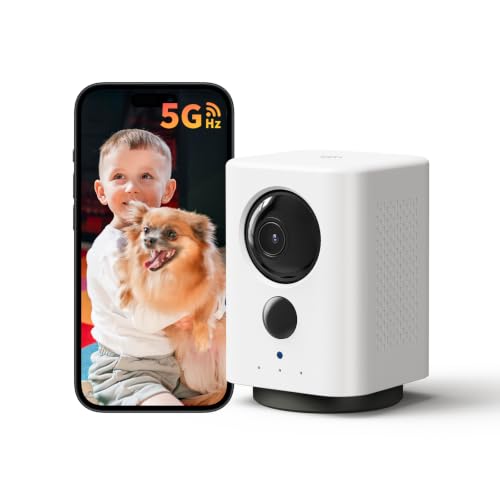



What Is a Wireless Indoor Security Camera?
A wireless indoor security camera is a compact, internet-connected device designed to monitor the interior of your home. Unlike traditional CCTV cameras, these devices transmit video and audio over Wi-Fi, eliminating the need for long coaxial cables. Most models today offer high-definition video, two-way audio, night vision, and motion detection, making them an essential component of any modern home security system.
Whether you want to keep an eye on your pets, monitor a nanny, or simply deter intruders, a Wi-Fi camera provides real-time alerts and remote viewing through a smartphone app. The best part? You can set one up in minutes—no technical expertise required.
Key Features to Look For
Not all indoor cameras are created equal. When shopping for a wireless indoor security camera, consider these critical features:
1. Video Resolution
Look for at least 1080p Full HD. For sharper details—like identifying a face or reading a license plate through a window—consider a 2K security camera. Higher resolution means better evidence if an incident occurs.
2. Field of View
A wide field of view (130° or more) reduces blind spots. Some cameras offer pan-and-tilt functionality, allowing you to remotely rotate the lens to cover an entire room. If you need a broader perspective, a fisheye lens can capture a 180° or 360° view.
3. Night Vision
Infrared LEDs enable clear black-and-white video in complete darkness. Look for models with a range of at least 20–30 feet for standard rooms.
4. Two-Way Audio
Built-in microphones and speakers let you communicate with family members, pets, or visitors. This is especially useful for interactive pet cameras.
5. Storage Options
Most cameras offer local storage via microSD card or cloud subscription plans. Local storage saves money, while cloud storage provides off-site backup in case the camera is stolen.
6. Smart Home Integration
Compatibility with Amazon Alexa, Google Assistant, or Apple HomeKit allows voice control and automation. A smart security camera can trigger lights or send alerts when motion is detected.
Wired vs. Wireless: Which Is Better Indoors?
While wired cameras offer uninterrupted power and a stable connection, wireless models win on flexibility. You can place a wireless camera on a shelf, mount it on a wall, or move it to a different room without hiring an electrician. However, you'll need to recharge batteries or plug it into a USB outlet periodically.
For renters or anyone who wants a hassle-free setup, a wireless indoor camera is the clear winner. If you need 24/7 continuous recording without battery worries, consider a plug-in model—still wireless in terms of data transmission.
Installation Tips for Optimal Coverage
Position your camera strategically to maximize its effectiveness:
- Height: Mount at 7–8 feet for a good overview without being easily tampered with.
- Angle: Aim toward entry points like doors and windows. Avoid pointing directly at bright lights or windows to prevent glare.
- Wi-Fi Signal: Ensure the camera is within range of your router. A weak signal causes lag and dropped connections.
- Privacy: Avoid placing cameras in bathrooms or bedrooms. Use privacy shutters or software to disable recording when needed.
If you're unsure about placement, a camera Wi-Fi indoor setup guide can help. For outdoor protection, consider a wireless outdoor security camera or a battery-powered outdoor camera.
Top Use Cases for Indoor Wireless Cameras
These versatile devices serve many purposes beyond security:
- Pet Monitoring: A dog camera or dog camera for home lets you check on your furry friend and even toss treats.
- Baby Monitoring: Keep an eye on newborns with night vision and two-way audio.
- Elderly Care: Monitor aging parents and receive alerts if they fall or need help.
- Vacation Home Security: Deter burglars and receive instant alerts when motion is detected.
- Package Detection: Some cameras distinguish between people, pets, and packages, reducing false alarms.
Privacy and Security Considerations
As with any connected device, security is paramount. Always:
- Change default passwords to strong, unique ones.
- Enable two-factor authentication (2FA) on your camera account.
- Keep firmware updated to patch vulnerabilities.
- Use a separate Wi-Fi network for IoT devices if possible.
- Check for a physical privacy shutter or the ability to disable the camera remotely.
If you're concerned about hidden cameras in rental properties, learn how to find hidden cameras before you settle in.
How to Choose the Right Wireless Indoor Camera
Start by defining your needs. Are you looking for a simple indoor camera for occasional check-ins, or a full-fledged wireless home security system with multiple cameras? Budget also plays a role: basic models start around $30–$50, while premium 2K cameras with pan-tilt-zoom can cost $100–$200.
Consider the ecosystem you already use. If you have Alexa devices, choose a camera that works with Alexa. If you prefer Google, look for Google Assistant compatibility. For Apple users, HomeKit Secure Video offers end-to-end encryption.
Finally, read reviews and compare features. Our wireless security cameras with monitor guide can help you find a bundle that includes a dedicated display. And if you need a camera for a specific niche—like a light bulb camera or a doorbell camera—we have dedicated guides for those too.
Frequently Asked Questions
Do wireless indoor cameras need Wi-Fi?
Yes, they connect to your home Wi-Fi network to stream video and send alerts. Some models support cellular backup or local storage without Wi-Fi.
Can I use a wireless indoor camera without a subscription?
Absolutely. Many cameras offer free local storage via microSD card. Cloud subscriptions are optional and typically add features like AI detection and longer video history.
How long do batteries last on a wireless indoor camera?
Battery life varies from 2–6 months, depending on usage and settings. Plug-in models never need recharging.
Are wireless cameras easy to hack?
Any connected device can be targeted, but strong passwords, 2FA, and regular firmware updates make hacking extremely difficult.
What's the best wireless indoor camera for pet monitoring?
Look for models with two-way audio, treat dispensers, and wide-angle lenses. Our interactive pet camera guide has top recommendations.
Final Thoughts
A wireless indoor security camera is one of the most affordable and effective ways to protect your home. With easy installation, smart features, and remote access, you can enjoy peace of mind whether you're at work or on vacation. Ready to buy? Check out our top picks above—these cameras are selected for their reliability, video quality, and value.
For more security solutions, explore our guides on home cameras, affordable security cameras, and surveillance cameras.