
4K Wireless Security Camera System with DVR: The Ultimate Buying Guide
Everything you need to know about choosing, installing, and maximizing a 4K wireless security camera system with DVR for your home or business.
In an era where security is paramount, a 4K wireless security camera system with DVR represents the gold standard for protecting your property. Unlike traditional 1080p systems, 4K resolution (3840 x 2160 pixels) delivers four times the detail, allowing you to capture critical evidence like license plates, facial features, and fine details that lower resolutions simply miss. When combined with the reliability of a DVR (Digital Video Recorder) and the flexibility of wireless connectivity, you get a surveillance solution that is both powerful and easy to install.
Whether you are a homeowner looking to safeguard your family or a business owner protecting valuable assets, understanding the nuances of these systems is essential. This comprehensive guide will walk you through the technology, the benefits, and the practical considerations to help you make an informed decision. For those who need a system that operates independently of your home Wi-Fi network, exploring options like security systems that don't require WiFi can be a game-changer, ensuring uninterrupted recording even during internet outages.
Why 4K Matters: A 4K camera captures 8.3 million pixels per frame. This means you can digitally zoom into a video feed and still retain clarity, which is invaluable for identifying intruders or reading distant text. When paired with a DVR, all this data is stored locally, giving you full control over your footage without recurring cloud storage fees.
What Exactly is a 4K Wireless Security Camera System with DVR?
Before diving into the specifics, it's important to understand the components. A 4K wireless security camera system with DVR typically consists of:
- 4K Cameras: These are the eyes of your system, capturing video in ultra-high definition. They can be wireless (connecting via Wi-Fi or a proprietary wireless signal to the DVR) or wired (using Ethernet cables for both power and data).
- DVR (Digital Video Recorder): This is the brain of the system. It receives video feeds from the cameras, encodes them, and stores the footage on a built-in or external hard drive. A DVR is traditionally used with analog cameras, but modern "wireless DVR systems" often use a hybrid approach where cameras connect wirelessly to the DVR, which then processes and stores the video.
- Hard Drive: The storage medium for your footage. The size of the hard drive (e.g., 1TB, 2TB, 4TB) determines how many days of continuous recording you can store.
- Power Supply: Cameras need power. Wireless cameras usually require a nearby power outlet or a battery, while wired cameras draw power from the DVR or a separate power adapter.
- Router/Network: For remote viewing on your smartphone or tablet, the DVR connects to your home network.
It's worth noting the difference between a DVR and an NVR (Network Video Recorder). A DVR typically works with analog cameras, while an NVR works with IP cameras. However, the lines have blurred, and many "wireless DVR systems" now use IP cameras that connect wirelessly to the DVR unit. If you're unsure about the distinctions, our guide on the difference between DVR and NVR security cameras provides a clear breakdown.
Key Benefits of Choosing a 4K Wireless System with DVR
Why should you consider this specific setup over other options? Here are the primary advantages:
1. Unmatched Video Clarity
4K resolution is the headline feature. It provides exceptional detail, which is crucial for identifying faces, license plates, and other identifying marks. This level of detail can be the difference between a useful recording and one that is too blurry to be of any help. For outdoor applications where subjects may be far away, 4K is particularly beneficial.
2. No Monthly Fees (Usually)
With a DVR, you are storing footage locally on a hard drive. This means you typically don't need to pay for a cloud subscription. This is a significant cost-saving over time. Many users specifically look for security cameras without subscription fees, and a DVR-based system is the perfect solution. You buy the hardware once, and you own your footage.
3. Flexibility of Wireless Installation
Wireless cameras are much easier to install than their wired counterparts. You don't need to run video cables through walls or attics. You simply mount the camera, connect it to power (or rely on a battery), and pair it with the DVR. This is ideal for renters or those who want a DIY installation. However, "wireless" can be a misnomer; many wireless cameras still need a power cable. For truly wire-free options, consider no WiFi battery operated security camera models, which offer ultimate placement flexibility.
4. Local Storage and Privacy
Storing footage locally on a DVR gives you complete control over your data. You don't have to worry about third-party cloud servers being compromised or your data being used for other purposes. It's a more private and secure way to manage your surveillance footage.
How to Choose the Right 4K Wireless DVR System
Not all systems are created equal. Here are the critical factors to evaluate:
Camera Resolution and Sensor
While "4K" is the standard, ensure the camera's sensor truly supports 4K. Some cheaper cameras might interpolate a lower resolution to 4K, resulting in poor quality. Look for cameras with a native 8MP (megapixel) sensor. Also, consider the sensor size; a larger sensor (e.g., 1/2.5") generally performs better in low light.
Night Vision Capabilities
Most security incidents happen at night. Look for cameras with robust night vision. Infrared (IR) LEDs are standard, but the range and clarity matter. Some systems use infrared light bulb for security camera setups to enhance night vision. Alternatively, color night vision, which uses a spotlight, can be very effective. Consider infrared spotlight for security camera add-ons for better coverage.
Storage and DVR Capacity
How many days of footage do you need? A 4K camera generates a lot of data. A 1TB hard drive might only store a few days of continuous 4K recording from multiple cameras. Consider a DVR that supports at least 2TB or 4TB, and ensure it has enough channels for your cameras (e.g., 4-channel, 8-channel, 16-channel).
Wireless Range and Interference
If you choose a wireless system, the range between the cameras and the DVR is critical. Walls, trees, and other obstacles can reduce range. Look for systems that use a dedicated wireless frequency (like 5GHz) to avoid interference from other devices. For homes with challenging layouts, you might need a system that uses a security camera that works with 5GHz WiFi for a more stable connection.
Remote Viewing and App
Modern systems allow you to view live feeds and playback recordings from your smartphone. Ensure the DVR supports a user-friendly app (like Hik-Connect, Amcrest, or Reolink). This feature is non-negotiable for most users. If you want to check in on your property from anywhere, look for security cameras I can watch from my phone.
Installation and Setup
Some systems are designed for easy DIY installation, while others may require professional help. If you're looking for a hassle-free setup, consider a system that is marketed as easy install wireless outdoor security camera. For a more comprehensive setup, a smart professional surveillance system might be more appropriate.
Top Use Cases for a 4K Wireless DVR System
These systems are versatile and can be used in various scenarios:
- Home Security: Protect your family and property. You can monitor entry points, driveways, and backyards. A professional home surveillance system can be tailored to your specific needs.
- Business Security: Monitor your storefront, warehouse, or office. A smart professional surveillance system can integrate with alarms and access control.
- Construction Sites: Keep an eye on valuable equipment and materials. For temporary setups, consider construction site security cameras rentals.
- Remote Properties: If you have a cabin or vacation home, a 4K system with DVR can provide peace of mind. For locations without internet, look for security systems that don't require WiFi.
Installation Tips for Your 4K Wireless DVR System
Proper installation is key to getting the most out of your system. Here are some tips:
- Plan Camera Locations: Identify entry points, blind spots, and areas of high value. For outdoor cameras, ensure they are placed high enough to avoid tampering but low enough to capture faces.
- Ensure Good Wireless Signal: Before mounting, test the wireless signal strength at each camera location. You want a strong, stable connection to the DVR.
- Power Supply: Ensure each camera has access to a power source. If not, consider battery-powered models or running power cables. For a completely wire-free experience, explore solar powered surveillance cameras no WiFi options.
- Secure the DVR: Place the DVR in a secure, climate-controlled location, preferably out of sight. Connect it to your router via Ethernet for the most reliable network connection.
- Configure Settings: Set up motion detection zones, recording schedules, and alerts. This will save storage space and reduce false alarms.
How Much Should You Expect to Pay?
The cost of a 4K wireless security camera system with DVR varies widely based on the number of cameras, storage capacity, and brand. Here is a general idea of current market prices:
- Entry-Level (2-4 Cameras, 1TB): $300–$600
- Mid-Range (4-8 Cameras, 2TB): $600–$1,200
- High-End (8-16 Cameras, 4TB+): $1,200–$2,500+
Remember that these are one-time costs. There are no monthly fees for the DVR itself, though you may pay for cloud backup if you choose to use it. For budget-conscious buyers, there are many affordable wireless home security systems that don't compromise on quality.
Common Pitfalls to Avoid
- Overlooking Bandwidth: 4K cameras require significant bandwidth. If you have many cameras, your wireless network might struggle. Consider a dedicated wireless network for your security system.
- Poor Night Vision: Don't assume all 4K cameras have good night vision. Check reviews and specifications for IR range and clarity.
- Insufficient Storage: A 1TB hard drive can fill up quickly with 4K footage. Opt for a larger drive or a DVR that supports multiple drives.
- Ignoring Privacy Laws: Ensure your cameras don't point into neighbor's windows or private areas. Familiarize yourself with local laws.
Maintaining Your 4K Wireless Security System
To ensure longevity and performance, regular maintenance is essential. Clean the camera lenses periodically to remove dust and cobwebs. Check the DVR's hard drive health and consider replacing it every few years. Keep the firmware updated to patch security vulnerabilities. For more general tips, our camera care and maintenance hub offers a wealth of information.
Final Thoughts: Is a 4K Wireless DVR System Right for You?
A 4K wireless security camera system with DVR is an excellent investment for anyone serious about security. It offers the perfect blend of high-resolution video, local storage, and flexible installation. While the initial cost might be higher than 1080p systems, the peace of mind and potential savings on subscription fees make it worthwhile. By carefully considering your needs, doing your research, and following best practices for installation and maintenance, you can create a robust surveillance solution that protects what matters most.
Whether you are securing a small home or a large commercial property, the technology is accessible and more affordable than ever. Explore the options, read reviews, and choose a system that fits your budget and requirements. Your safety is worth it.
Recommended 4K Wireless Security Camera Systems with DVR
⚠️ AFFILIATE DISCLOSURE: This website contains affiliate links. As an affiliate Associate, we earn from qualifying purchases. If you make a purchase through these links, we may receive a small commission at no additional cost to you. Read our full affiliate policy.

Hiseeu 4K Wired Security Camera System,8PCS 8MP CCTV Cameras,3TB HDD | Smart Color Night,Audio,AI Human/Vehicle Detection,Weatherproof,Surveillance DVR Kit
Check price on Amazon
Hiseeu 4K PTZ Wired Security Camera System with 8 x 8MP CCTV Cameras | 360° Coverage,Smart Color Night Vision,Audio,Person/Vehicle Detection,8MP DVR,2TB HDD for 24/7 Recording,Surveillance DVR Kit
Check price on Amazon
Swann 4K DVR Security Camera System, 4 Wired Cameras, 8 Channel, 2TB HDD | True Detect alerts, 65 ft color night vision, 130 ft infrared night vision, audio recording, spotlights and siren
Check price on Amazon
Swann 4K DVR Security Camera System, 8 Wired Cameras, 8 Channel, 2TB HDD | True Detect alerts, 65 ft color night vision, 130 ft infrared night vision, audio recording, spotlights and siren
Check price on Amazon
ANNKE 3K Lite Wired Security Camera System Outdoor, 8x 2MP Cameras, 1TB HDD | AI Human/Vehicle Detection, 8CH H.265+ Surveillance DVR and IP67-Rated Home CCTV Camera, IR Night Vision, 24/7 Recording
Check price on Amazon
Hiseeu 4K Security Cameras Wireless Outdoor, 8MP 4-Cam Kit, 1T HDD | 5G&2.4G WiFi System for Home Security, Auto Tracking, Pan Tilt, Color Night Vision, Two-Way Audio, 16CH NVR, No Subscription
Check price on Amazon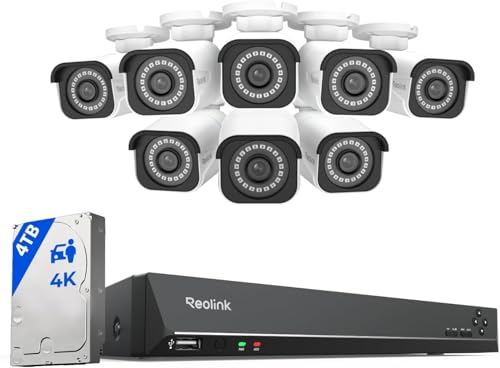
REOLINK 16CH 4K Security Bullet Camera System with 4TB HDD RLK16-800B8 | 8pcs H.265 PoE IP Cameras Wired with Person Vehicle Detection, 8MP/4K 16CH NVR with 4TB HDD for 24-7 Recording
Check price on Amazon