
Camera WiFi Outdoor: Complete Guide to Wireless Security Cameras
Everything you need to know before buying a wireless outdoor camera. Compare features, understand setup requirements, and find the best WiFi camera for your home or business.
VIEW TOP PICKSWhy Camera WiFi Outdoor? A WiFi outdoor camera eliminates the need for complex wiring while providing reliable surveillance. Whether you're protecting your home, monitoring a driveway, or keeping an eye on a vacation property, a wireless outdoor camera offers flexibility, easy installation, and remote access from anywhere.
Why Choose a WiFi Outdoor Camera?
Traditional security cameras require professional installation, drilling, and miles of cable. A camera WiFi outdoor changes everything. These devices connect to your existing wireless network, stream live video to your smartphone, and can be installed in minutes. For homeowners who want professional-grade security without the professional price tag, a wireless outdoor camera is the ideal solution.
Unlike non-WiFi security cameras that require local storage and physical access, WiFi cameras offer cloud storage, two-way audio, and AI-powered motion detection. If you're new to home security, understanding what is an IP camera will help you appreciate how far this technology has come. Modern WiFi outdoor cameras are essentially smart devices that happen to record video.
Key Features to Look For in a WiFi Outdoor Camera
📹 Resolution & Clarity
Look for at least 1080p Full HD. 2K and 4K cameras provide sharper details, crucial for identifying faces or license plates. Higher resolution means better evidence if something goes wrong.
🌙 Night Vision
Infrared (IR) night vision is standard. Color night vision is a premium feature that uses a spotlight or advanced sensor to capture color footage even in low light.
🌧️ Weatherproof Rating
IP65 or higher is essential for outdoor use. IP66 and IP67 offer better protection against rain, dust, and extreme temperatures. Check the operating temperature range.
🔋 Power Source
Battery-powered cameras offer total wireless freedom but need recharging. Wired cameras provide continuous power but require an outlet. Solar cameras combine the best of both worlds.
📶 WiFi Connectivity
2.4GHz WiFi has longer range and better penetration through walls. 5GHz offers faster speeds but shorter range. Dual-band cameras are ideal for flexibility.
💾 Storage Options
Cloud storage (subscription-based) offers remote access and backup. Local storage (microSD or NVR) has no ongoing fees. Many cameras support both for redundancy.
🤖 Smart Detection
AI-powered detection distinguishes between people, pets, vehicles, and packages. This reduces false alerts and ensures you only get notified for what matters.
🔊 Two-Way Audio
Built-in microphone and speaker allow you to listen and talk through the camera. Useful for greeting visitors, warning intruders, or communicating with family.
Pros and Cons of WiFi Outdoor Cameras
✅ Advantages
- Easy DIY installation—no professional needed
- Remote access from anywhere via smartphone
- No messy cables or drilling through walls
- Cloud storage protects footage from theft
- Expandable—add cameras as needed
- Integration with smart home systems
- Two-way audio and AI detection features
❌ Limitations
- Requires stable WiFi signal at camera location
- Battery-powered models need periodic charging
- Cloud storage often requires monthly fees
- Can be vulnerable to WiFi jamming
- Video quality may drop with weak signal
- Some models have limited local storage
- Privacy concerns with cloud-connected devices
Power Options: Battery vs. Wired vs. Solar
One of the most important decisions when choosing a camera WiFi outdoor is how to power it. Each option has distinct advantages and trade-offs:
| Power Type | Best For | Pros | Cons | Typical Price |
|---|---|---|---|---|
| Battery | Renters, temporary setups, remote locations | No wiring, flexible placement | Need recharging every 1-6 months | $80–$250 |
| Wired | Permanent installations, high-traffic areas | Continuous power, no charging | Requires outlet, less flexible | $50–$200 |
| Solar | Sunny locations, eco-friendly setups | Continuous power, no wiring | Depends on sunlight, higher upfront cost | $100–$300 |
For those who want a completely wire-free experience, a battery-powered outdoor security camera is an excellent choice. If you live in a sunny area and want to avoid charging altogether, consider a solar security camera.
How to Install Your WiFi Outdoor Camera
Installing a WiFi outdoor camera is a straightforward process that most homeowners can complete in under an hour:
- Choose the location: Mount the camera 8-10 feet high, angled slightly downward. Ensure it covers the area you want to monitor and is within WiFi range.
- Check WiFi signal: Use your phone to test signal strength at the mounting location. If weak, consider a WiFi extender or mesh system.
- Mount the camera: Use the included screws and anchors. For brick or concrete, use a drill with a masonry bit.
- Power the camera: Connect to power (if wired) or insert a fully charged battery.
- Download the app: Follow the manufacturer's instructions to connect the camera to your WiFi network.
- Configure settings: Set motion detection zones, notifications, and storage preferences.
For a comprehensive security setup, you might also consider a wireless DIY home security system that integrates multiple cameras, sensors, and alarms into one cohesive platform.
Best WiFi Outdoor Cameras for Home Security
⚠️ AFFILIATE DISCLOSURE: This website contains affiliate links. As an affiliate Associate, we earn from qualifying purchases. If you make a purchase through these links, we may receive a small commission at no additional cost to you. Read our full affiliate policy.

2026 Upgraded 2K Security Cameras Wireless Outdoor, Free Cloud Storage, 1-6 Months Battery Life, Waterproof, 2-Way Talk, AI Motion Detection Spotlight Siren Alarm Cameras for Home Security
Check price on Amazon
GALAYOU Solar Camera Outdoor Wireless for Home Security 2.4GWiFi, R6 1Pack | 2K Cameras for Home Security/Garage/Farm/Outside Surveillance, Detachable Solar Panel, Color Night Vision, SD/Paid Cloud
Check price on Amazon
2026 Enhanced 2K UHD Security Cameras Wireless Outdoor – Free Cloud & SD Storage, Dual-Band WiFi 2.4G/5G, Full-Color Night Vision, 6-Month Battery, Motion Alerts, IP66 Weatherproof, 2-Way Talk
Check price on Amazon
LITYMOL 2K 2.4g WiFi Security Cameras Wireless Outdoor, 360° View Solar Cameras for Home Security, Color Night Vision, Motion Detection, 2-Way Audio, Spotlight Siren Alarm, SD/Cloud Storage
Check price on Amazon
GMK 4 Pack Cameras System, Security Cameras Wireless Outdoor, 2K Video | VicoHome Cam, Motion Detect, Color Night Vision, 2-Way Talk, IP65 Waterproof, Indoor&Outdoor, 2.4GHz WiFi, SD/Cloud Storage
Check price on Amazon
SEHMUA 2K Solar Security Cameras Wireless Outdoor, 2 Pack 360° View Pan/Tilt WiFi Security Camera Outside with Color Night Vision,Easy to Install, PIR Alarm, 2-Way Audio
Check price on Amazon
Fazoxo 2K Security Camera Wireless Outdoor, WiFi Cameras for Home Security | Solar Powered,Motion Detection,Color Night Vision(Spotlight),Instant Alert,2-Way Audio,Siren&SD/Cloud Storage,IP65,2.4GHz
Check price on Amazon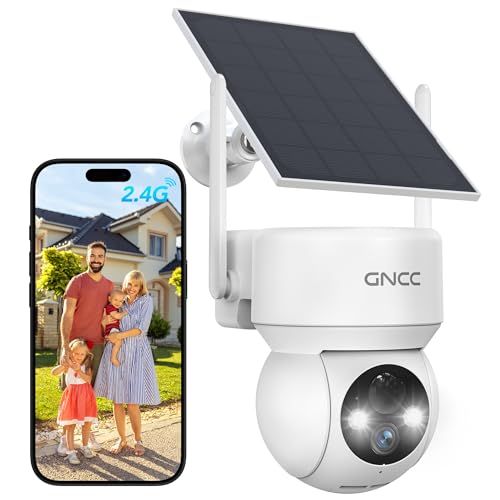
GNCC Solar Security Cameras Wireless Outdoor 2.4G WiFi, SD/Cloud Storage | Solar & Battery 360° Security Cameras, Color Night Vision, PIR Motion Detection, Spotlight & Siren Alarm, IP65 Waterproof
Check price on AmazonHow to Choose the Right WiFi Outdoor Camera
With dozens of options available, narrowing down your choice can feel overwhelming. Here's a simple framework to guide your decision:
Step 1: Define Your Budget
Entry-level WiFi outdoor cameras start around $50. Mid-range models with 2K resolution and AI detection cost $100–$200. Premium 4K cameras with advanced features range from $200–$400. Don't forget to factor in subscription costs if you want cloud storage.
Step 2: Assess Your WiFi Coverage
Walk to your intended camera location and check your phone's WiFi signal. If it's weak, you'll need a mesh system or WiFi extender. Some cameras support Ethernet backhaul for more reliable connectivity.
Step 3: Choose Your Storage
If you want no monthly fees, look for cameras with microSD card slots or compatibility with a PoE network video recorder. If remote access and backup are priorities, cloud storage is worth the subscription.
Step 4: Consider Smart Home Integration
If you use Amazon Alexa, Google Home, or Apple HomeKit, choose a camera that integrates seamlessly. This allows voice control, routine automation, and unified management.
Ready to Secure Your Home?
Browse our top-rated WiFi outdoor cameras and find the perfect balance of features, price, and performance for your security needs.
Compare Top Models →Frequently Asked Questions About WiFi Outdoor Cameras
Related Camera Guides
Explore more guides to build a complete security and photography setup:
- WiFi Security Camera Outdoor — Deep dive into outdoor security camera features
- Wirefree Outdoor Security Cameras — Compare wire-free options
- Smart Security Camera System — Integrate cameras with smart home automation
- Weatherproof Surveillance Cameras — Best cameras for extreme weather
- Outdoor Lamp Camera — Cameras disguised as light fixtures
- Security Cameras Without Subscription — No-fee security options
- Solar Security Camera — Eco-friendly continuous power
- PoE Doorbell — Power-over-Ethernet doorbell cameras