
Home Security Camera That Doesn't Need WiFi
Protect your property even without an internet connection. Explore cellular, local storage, and battery-powered cameras designed for complete independence.
VIEW TOP PICKSWhy Go WiFi-Free? Whether you have unreliable internet, a remote property, or simply want to avoid monthly fees, a security camera that doesn't need WiFi offers unmatched reliability and privacy. This guide covers everything you need to know.
Why Choose a Security Camera Without WiFi?
Traditional WiFi security cameras rely on a stable internet connection to stream footage and send alerts. However, many homeowners face challenges like weak signals, data caps, or simply want a more private and reliable solution. A security camera without WiFi connection uses alternative methods such as cellular networks, local storage, or a direct Ethernet connection to operate independently.
These cameras are ideal for rural properties, vacation homes, construction sites, or any location where running a WiFi network is impractical. They provide continuous recording and remote access without the vulnerabilities of a shared network. If you're looking for a system that keeps working when the internet goes down, a surveillance camera that doesn't require internet is your best bet.
Types of WiFi-Free Security Cameras
Not all WiFi-free cameras are the same. Understanding the different technologies will help you choose the right one for your needs.
1. Cellular Security Cameras
These cameras use a SIM card to connect to a mobile network (4G/LTE), just like a smartphone. They are perfect for locations without any internet infrastructure. You'll need a data plan, but many offer flexible, no-contract options. A wireless security camera with cellular connectivity can send alerts and stream video from virtually anywhere. For a deeper dive, check out our guide on wireless security cameras with cellular.
2. Local Storage Cameras (DVR/NVR)
These systems record footage directly to a hard drive or SD card, eliminating the need for cloud storage and internet. You can still access the footage remotely if you connect the system to a router, but the recording itself is independent. A wireless security camera system with local storage offers a great balance of security and convenience.
3. Battery-Powered and Solar Cameras
Many WiFi-free cameras are also battery-powered, making them completely wire-free. Combined with a solar-powered security camera with monitor, they can run indefinitely without needing a power outlet or an internet connection. This is the ultimate solution for off-grid surveillance.
Best Home Security Cameras Without WiFi
⚠️ AFFILIATE DISCLOSURE: This website contains affiliate links. As an affiliate Associate, we earn from qualifying purchases. If you make a purchase through these links, we may receive a small commission at no additional cost to you. Read our full affiliate policy.

ELYSOO No WiFi Security Camera Outdoor, Always-on Video, 4MP 360° Full View | 4G LTE Cellular Security Camera Solar, Built-in SIM Card, 24/7 Recording, Color Night Vision, Instant Alerts for Remote Areas
Check price on Amazon
LIWAN 4G LTE Cellular Security Cameras, No WiFi Needed, 2K Off-Grid Cam | Solar Camera Outdoor Wireless, 2K Color Night Vision, IP66, 360° PTZ View for Farm, Ranch, Remote Property, Built in SIM Card
Check price on Amazon
Tefrio No WiFi Security Camera, 4G LTE Cellular, 4MP 360° Full Live View | Solar Cellular Security Camera Outdoor, Built-in SIM Card/Color Night Vision/Instant Alerts/Remote Control for Off-grid Areas
Check price on Amazon
Mini Portable Camera,1080P HD No WiFi Indoor Surveillance Security Camera | Works Without Wifi And App,Motion Detection,Loop Record,Night Vison, Gravity Sensor,Caring for babies and securing property
Check price on Amazon
4G LTE Cellular Solar Security Camera Wireless Outdoor, No WiFi | 360° Live View, 2K Color Night Vision, 2-Way Audio, PIR Motion Detection, Built-in SIM Card, Solar Powered for Farm, Cabin
Check price on Amazon
Tkiplay HD 1080P Hidden Spy Security Camera Picture Frame, No WiFi Needed | Battery Powered Indoor Hidden Spy Camera for Home with Loop Recording, Motion Detection (Doesn't Record Sound)
Check price on Amazon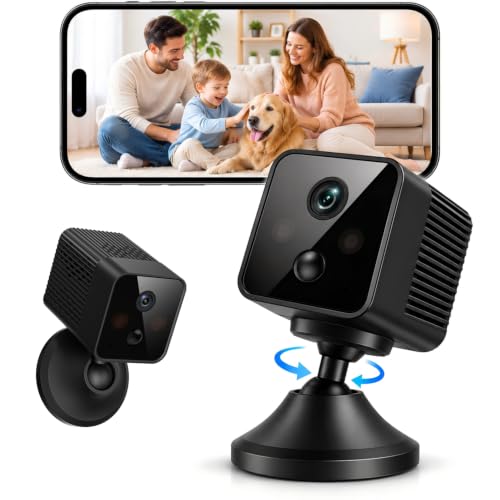
4G LTE Cellular Bullet Security Camera, No Wi-Fi Needed Battery Camera | Indoor Cameras for Home Security, AI Motion Detection, Night Vision, Wireless Security Camera for Home, Office, Garage
Check price on Amazon
4G LTE Cellular Security Camera No WiFi Needed, Dual Lens 2K Mini Camera | Magnetic Mount, 20 Days Standby Battery, Night Vision, Human Detect, Off Grid Security Camera for RV, Garage, Cabin, Barn
Check price on AmazonKey Features to Look For
When shopping for a WiFi-free camera, focus on these critical features to ensure you get the best value and performance.
- Power Source: Battery, solar, or wired? A battery-powered security camera without WiFi offers maximum placement flexibility.
- Storage: Look for local storage options like SD cards (up to 256GB) or a built-in DVR/NVR. Some cameras offer both local and cellular backup.
- Connectivity: If you need remote viewing, choose a cellular model. If not, a local-only camera is more secure and cost-effective.
- Night Vision: Ensure the camera has good infrared (IR) night vision for 24/7 monitoring.
- Durability: For outdoor use, look for an IP65 or higher weatherproof rating. An outdoor security camera that doesn't require WiFi needs to withstand the elements.
- Alerts: Even without WiFi, many cameras can send push notifications via a cellular connection or a local alarm. Check for security cameras that will alert your phone via alternative methods.
Installation and Setup Considerations
One of the biggest advantages of WiFi-free cameras is their ease of installation. Without the need to run network cables or configure a router, you can mount them almost anywhere. However, there are a few things to keep in mind.
For cellular cameras, ensure you have good mobile signal coverage at the installation site. For local storage systems, you'll need to periodically retrieve the footage or connect the device to a computer. If you're not comfortable with DIY, you can always hire home video surveillance system installers to do the job for you.
Proper placement is key. Position cameras to cover entry points, driveways, and blind spots. For a comprehensive overview, see our guide on installing security cameras outside home.
Cost and Subscription Fees
While the upfront cost of a WiFi-free camera can be higher than a basic WiFi model, you often save money in the long run by avoiding monthly cloud storage fees. Many brands offer home security cameras with no subscription.
Cellular cameras require a data plan, which typically costs $10–$30 per month, depending on your provider and data usage. However, this is often less than a full home internet package. For a breakdown of costs, explore our guide on the monthly cost for a cellular trail camera, which uses similar technology.
Top Use Cases for WiFi-Free Cameras
These cameras are incredibly versatile. Here are some of the most common scenarios where they excel:
- Remote Properties: Cabins, farms, and construction sites often lack internet. A camera system that doesn't require internet is essential.
- Rental Properties: Avoid sharing your WiFi password with tenants. Use a wireless security camera with no subscription to monitor your investment.
- Vacation Homes: Keep an eye on your second home without paying for year-round internet. A home security camera that doesn't need WiFi is perfect for this.
- Apartments: For renters who can't modify the existing network, a security camera for apartment renters that uses a SIM card is a great solution.
- Business Security: For large commercial spaces, a top 10 business security camera system may include cellular or local storage options.
Maintenance and Best Practices
To ensure your WiFi-free camera system remains reliable, regular maintenance is key. This includes:
- Battery Checks: For battery-powered models, monitor battery levels. A longest-lasting wireless security camera can go months on a single charge.
- Storage Management: If using local storage, regularly back up or delete old footage to free up space.
- Firmware Updates: Even without internet, you can often update firmware via a USB drive or SD card.
- Cleaning: Keep lenses clean for clear images, especially for outdoor cameras. Our guide on lens cleaning provides useful tips.
Final Thoughts
A home security camera that doesn't need WiFi is a powerful tool for anyone who values privacy, reliability, and independence. Whether you choose a cellular model for remote access or a local storage system for maximum security, you'll enjoy peace of mind knowing your property is protected, even when the internet is not. Explore our recommended products above to find the perfect camera for your needs.