
Security Camera That Sends Alerts to Cell Phone: Your Ultimate Guide
Discover how a smart security camera can send real-time alerts directly to your phone, keeping you informed and in control no matter where you are. Learn what to look for and how to choose the best model for your needs.
VIEW TOP PICKSWhy Phone Alerts Matter: A security camera that sends alerts to your cell phone transforms passive recording into active protection. Instead of discovering an incident hours later, you get instant notifications about motion, people, or unusual activity — allowing you to respond immediately or alert authorities. This guide covers everything you need to know before buying.
Why Choose a Security Camera with Phone Alerts?
Traditional security cameras record footage to a local DVR or SD card, but they require you to manually review hours of video to find incidents. A security camera that sends alerts to your cell phone changes the game by using motion detection, AI-powered person recognition, and instant push notifications to keep you informed in real time. Whether you're at work, on vacation, or just in another room, you'll know the moment something happens.
These cameras are especially valuable for homeowners, renters, and business owners who want affordable, proactive monitoring without the need for a professional monitoring service. Many models also support two-way audio, allowing you to speak directly to visitors or intruders through your phone. If you're looking for a reliable wireless security camera that combines convenience with advanced alert features, this guide will help you make an informed decision.
Key Features to Look For
Not all phone-alert cameras are created equal. Here are the most important features to consider when comparing models:
- Instant Push Notifications Receive real-time alerts on your phone via app notifications, SMS, or email. Look for customizable sensitivity settings to avoid false alarms.
- AI-Powered Detection Advanced cameras can distinguish between people, animals, vehicles, and general motion, reducing unnecessary alerts and focusing on what matters.
- Two-Way Audio Communicate directly through the camera's built-in microphone and speaker. Ideal for greeting guests or warning off intruders.
- Night Vision & HD Video Ensure clear footage day or night. Look for 1080p or 2K resolution and infrared or color night vision.
- Local & Cloud Storage Choose between local SD card storage, cloud subscription plans, or both. Some models offer free local storage without monthly fees.
- Power Options Battery-powered, wired, or solar-powered options are available. Battery models offer flexible placement, while wired models provide continuous power.
How Do Phone Alert Cameras Work?
When the camera detects motion or a specific event (like a person approaching your door), it triggers a notification that is sent through your home Wi-Fi network to your smartphone. The companion app then displays a push notification with a snapshot or video clip. Some advanced models, such as a security camera with motion notification, allow you to customize alert zones, schedules, and sensitivity levels.
For areas without reliable Wi-Fi, consider a security camera with cellular connectivity, which uses a SIM card to send alerts over mobile networks. This is ideal for remote locations, construction sites, or vacation homes. Similarly, a security camera without WiFi may use Bluetooth or a dedicated hub to relay alerts to your phone.
Best Security Cameras with Phone Alerts
⚠️ AFFILIATE DISCLOSURE: This website contains affiliate links. As an affiliate Associate, we earn from qualifying purchases. If you make a purchase through these links, we may receive a small commission at no additional cost to you. Read our full affiliate policy.

4G LTE Cellular Solar Security Cameras Wireless Outdoor, Built in SIM Card | No Wi-Fi 2K Camera, 24/7 Recording, Color Night Vision, 360°Pan Tilt, 2-Way Audio, AI Motion Detection, Ultra Solar Panel
Check price on Amazon
4G LTE Cellular Solar Security Camera with 360-Day Free Unlimited Data | No Subscription No WiFi Security Camera Solar Powered, Phone Alert, PIR Motion Sensor, 2K Color Night Vision, 360° Live View
Check price on Amazon
Solar Security Cameras Wireless Outdoor, 2K Pan/Tilt 360° View Solar/Battery Powered WiFi Cameras for Home Security with AI Motion Detection, Spotlight, 2-Way Audio, Siren, IP65, SD/Cloud Storage
Check price on Amazon
eufy Security 4G LTE Cam S330, 4K Cellular Solar Security Cameras Wireless Outdoor, Pan and Tilt, 4G and Wi-Fi Duo-Mode, AI Tracking, with SIM Card and 32GB SD Card, No WiFi, No Problem
Check price on Amazon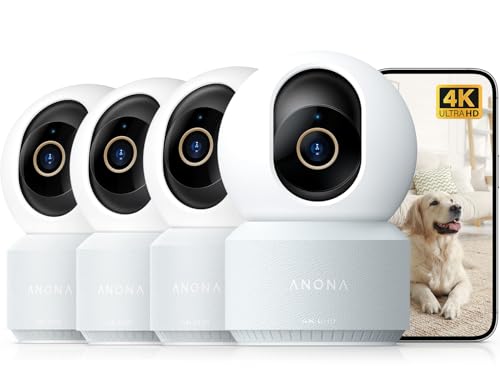
Anona 4K UHD Indoor Camera, Pet/Dog/Baby Security Camera with Phone App, 360°Pan-Tilt, 2.4G/5G Dual-Band Wi-Fi 6, Auto-Tracking, Person/Pet/Baby Crying Detection, Privacy Mode, Two-Way Audio, 4 Pack
Check price on Amazon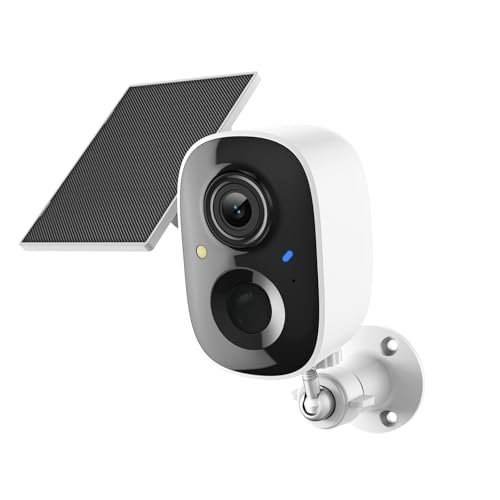
Fazoxo 2K FHD Security Camera Wireless Outdoor,Cameras for Home Security | Instant Alert, AI Human Detection, Color Night Vision,2-Way Talk,SD/Cloud Storage,Solar Powered,Spotlight,Siren,2.4G WIFI
Check price on Amazon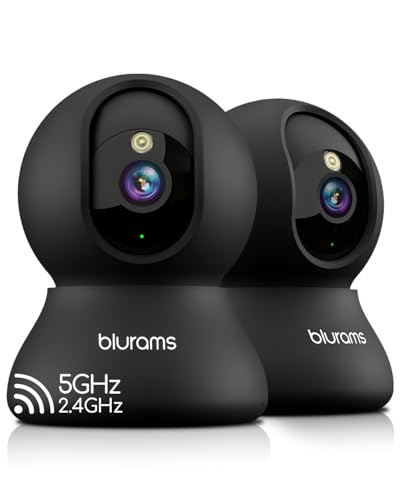
blurams 5G Indoor Cameras for Home Security, 2K Pet Camera with Phone App, 360° PTZ Home Cam w/Dual-Band WiFi6, 2-Way Talk, Free Human/Sound Detection, Motion Tracking, Night Vision, Works with Alexa
Check price on Amazon
ARCCTV 2.5K HD Security Cameras Outdoor Plug-in, 360°Pan-Tilt View, 2 Pack | Motion Tracking, 2.4G/5G Dual Band WiFi, 2-Way Audio, 24/7 Recording, Spotlight & Siren, Color Night Vision,Waterproof
Check price on AmazonBuying Considerations for Phone Alert Cameras
Before making a purchase, consider the following factors to ensure you choose the right camera for your specific situation:
1. Indoor vs. Outdoor Use
Indoor cameras are typically smaller and designed for discreet placement, while outdoor cameras are weather-resistant and built to withstand the elements. If you need both, many brands offer compatible systems. For outdoor use, look for an outdoor security camera with an IP65 or higher rating.
2. Power Source
Battery-powered cameras offer flexibility but require periodic recharging. A battery powered wireless outdoor camera is excellent for renters or those who can't run wires. Wired cameras provide continuous power but need professional installation. Solar-powered options are also available for eco-conscious users.
3. Storage Options
Local storage via SD card is convenient and subscription-free, while cloud storage offers off-site backup and easier access. Some cameras support both. If you prefer no monthly fees, look for a security camera without subscription.
4. Smart Home Integration
Many modern cameras integrate with Amazon Alexa, Google Assistant, and Apple HomeKit, allowing you to view feeds on smart displays and create automation routines. Check compatibility before buying if you use a smart home ecosystem.
5. Video Quality & Field of View
Higher resolution (1080p, 2K, or 4K) provides clearer details, which is crucial for identifying faces or license plates. A wider field of view (130° or more) reduces blind spots but may distort edges. Consider a security camera with 24/7 recording if you need continuous monitoring.
Installation & Setup Tips
Setting up a phone-alert security camera is usually straightforward, but a few tips can ensure optimal performance:
- Position for Optimal Coverage Place cameras at entry points, driveways, and blind spots. For outdoor use, mount at least 8-10 feet high to prevent tampering.
- Test Wi-Fi Signal Ensure strong Wi-Fi coverage at the camera's location. Weak signals can cause delayed alerts or dropped connections. Consider a Wi-Fi extender if needed.
- Customize Alert Zones Use the app to define specific areas that trigger alerts, such as your front door or driveway, to reduce false notifications from passing cars or trees.
- Adjust Sensitivity Fine-tune motion sensitivity to balance between catching every event and avoiding constant alerts.
- Secure Your Network Use strong passwords and enable two-factor authentication on your camera app to prevent unauthorized access.
Frequently Asked Questions
Do I need a subscription for phone alerts?
Not necessarily. Many cameras offer free push notifications and live viewing without a subscription. However, cloud storage for recorded clips often requires a paid plan. Look for a security camera without subscription if you want to avoid monthly fees entirely.
Can I use a security camera without Wi-Fi?
Yes. Some cameras use cellular networks or local storage and don't require Wi-Fi. A security camera without WiFi can still send alerts via cellular data or Bluetooth. This is ideal for remote locations or areas with unreliable internet.
How many cameras do I need?
It depends on your property size and layout. Most homes need 2-4 cameras to cover main entry points and blind spots. For larger properties, consider a wireless security camera system with DVR and audio for comprehensive coverage.
Are phone alert cameras easy to install?
Most wireless models are DIY-friendly and can be installed in minutes. Wired systems may require professional installation. Battery-powered and solar-powered cameras offer the most flexibility for placement.
What if I have poor Wi-Fi coverage outdoors?
Consider a camera with cellular connectivity, such as a security camera with cellular service, which uses a mobile network instead of Wi-Fi. Alternatively, a wireless security camera with local storage can record footage locally and sync alerts when Wi-Fi is available.
Final Thoughts
A security camera that sends alerts to your cell phone is one of the most effective ways to protect your home or business. By providing real-time notifications, these cameras empower you to take immediate action, whether you're on the couch or across the globe. When choosing a model, prioritize features like AI detection, two-way audio, and flexible storage options to get the most value.
Whether you're looking for a budget-friendly cheap security camera or a premium security camera with 24/7 recording, there's a solution for every need and budget. Explore our recommended products above to find the perfect fit for your security setup.