
Wireless Security Camera with Receiver
Discover how a dedicated receiver or base station can give you reliable, subscription-free security. Learn what to look for, how far they reach, and which features matter most.
SEE TOP PICKSWhy a Receiver Matters: Unlike standalone Wi-Fi cameras, a wireless security camera with a receiver uses a dedicated base station to capture and store footage locally. This means no cloud fees, no internet dependency, and a more stable connection—even during outages.
What Is a Wireless Security Camera with Receiver?
A wireless security camera with receiver is a system where one or more cameras transmit video and audio to a central base station or receiver. The receiver acts as the hub—it receives the signal, stores the footage (usually on a built-in hard drive or SD card), and often connects to your router so you can view live or recorded video on your phone or monitor.
This setup is ideal for people who want the convenience of wireless cameras without relying on cloud subscriptions. It's also a great choice for locations with unreliable internet, such as rural homes or temporary job sites. If you need a system that works entirely offline, you might prefer a wireless security camera that does not require internet.
How Does the Receiver Work?
The receiver (sometimes called a base station or hub) is the heart of the system. Here's what it does:
- Receives signals: Cameras send encrypted wireless signals to the receiver.
- Stores footage: Most receivers have a built-in hard drive (often 1TB or more) or support expandable storage.
- Connects to your network: The receiver links to your router via Ethernet, allowing remote viewing through an app.
- Manages power: Some systems use the receiver to manage camera power, though most wireless cameras run on batteries or solar.
Because the receiver handles storage locally, you avoid monthly cloud fees. This is a major advantage over many standalone cameras. For a deeper dive into subscription-free options, see our guide on security cameras that do not require a subscription.
Key Features to Look For
Range & Signal Strength
Most systems use 2.4GHz or 5GHz frequencies. 2.4GHz travels farther through walls; 5GHz offers faster speeds but shorter range. Look for a receiver with a strong antenna and a range of at least 300 feet (line of sight). If you have a large property, consider a system with a repeater or mesh capability.
Storage Capacity
Receivers typically come with 1TB or 2TB hard drives. Some support up to 8TB. If you want continuous recording, calculate your needs: a 1080p camera recording 24/7 uses about 15-20GB per day. For 4K, double that. Look for a receiver that supports external USB drives for easy expansion.
Camera Resolution
1080p is the minimum for clear identification. 2K (1440p) and 4K offer much sharper detail, especially for license plates or faces. However, higher resolution means more storage and bandwidth. For most homes, 2K is a great balance. If you need to read license plates, consider a solar-powered license plate reader camera.
Night Vision
Infrared (IR) night vision is standard, but color night vision is becoming popular. Look for cameras with a range of at least 30 feet. Some systems use spotlight integration for full-color night recording. For outdoor use, ensure the cameras are weatherproof (IP65 or higher).
Power Source
Wireless cameras can be battery-powered, solar-powered, or wired to a power outlet. Battery-powered models are easiest to install but require recharging. Solar-powered cameras are ideal for outdoor locations with direct sunlight. If you want a truly wire-free setup, consider wireless security cameras with receiver that support solar panels.
Smart Features
Look for motion detection, person detection, and two-way audio. Some systems offer AI-powered alerts that distinguish between people, pets, and vehicles. If you want to integrate with a smart home system, check for compatibility with Alexa or Google Assistant.
Benefits of a Receiver-Based System
- No Monthly Fees: Local storage means you own your footage without ongoing costs.
- Reliable Connection: A dedicated receiver often provides a more stable signal than direct-to-Wi-Fi cameras.
- Works During Internet Outages: Even if your internet goes down, the receiver keeps recording.
- Easy Expansion: Most systems let you add more cameras to the same receiver.
- Centralized Management: All cameras are managed through one app or interface.
For those who want a system that works without any internet at all, consider wireless security cameras that do not require internet.
Receiver vs. Standalone Wi-Fi Camera
| Feature | Receiver-Based System | Standalone Wi-Fi Camera |
|---|---|---|
| Storage | Local hard drive (no fees) | Cloud (often subscription) or SD card |
| Internet Dependency | Optional for remote viewing | Required for most features |
| Range | Dedicated signal, often longer | Depends on Wi-Fi strength |
| Expansion | Easy to add cameras | Limited by Wi-Fi bandwidth |
| Cost | Higher upfront, no monthly fees | Lower upfront, possible monthly fees |
Installation Tips
Setting up a wireless security camera with receiver is usually straightforward:
- Place the receiver centrally: Keep it near your router and in a central location to maximize range.
- Mount cameras strategically: Aim for areas with good signal and clear views. Avoid thick metal walls or large appliances that can interfere.
- Test before mounting: Connect everything and test signal strength before permanently mounting cameras.
- Secure your network: Use strong passwords and enable encryption on your receiver.
- Update firmware: Keep your receiver and cameras updated for security and performance.
If you need help choosing a location, consider a wireless PTZ camera for live streaming that can pan and tilt to cover more area.
Recommended Wireless Security Cameras with Receiver
⚠️ AFFILIATE DISCLOSURE: This website contains affiliate links. As an affiliate Associate, we earn from qualifying purchases. If you make a purchase through these links, we may receive a small commission at no additional cost to you. Read our full affiliate policy.

VTimes Smart Home Security Camera System Wireless Outdoor with Monitor | AI Human Detection, 24/7 Recording, Motion Detection, FHSS,1000ft,5G & 2.4G WiFi,IPX6, 2-Way Audio,Night Vision,Plug & Play
Check price on Amazon
Hiseeu Wireless Security Camera, 5MP WiFi Security Camera System, 500GB HDD | Expandable 10CH 8MP NVR, Spotlight, 2 Way Audio, IP66 Waterproof, Motion Alert, DC Power Plug-in, 24/7 Recording
Check price on Amazon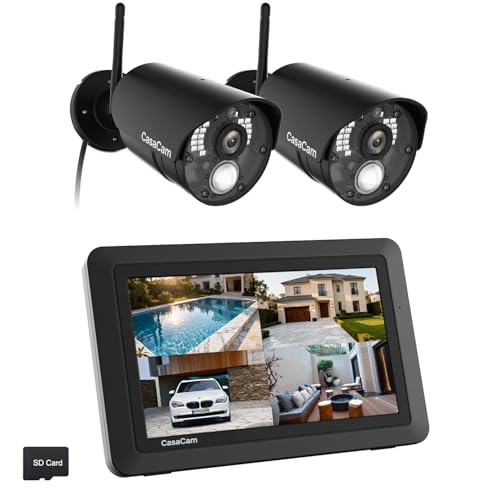
CasaCam Wireless Security Camera Air, 7 inch Monitor, 2 720p Cams, No Fees | No WiFi needed, AC powered, two-way audio, night vision, SD card and battery included, touchscreen, home, baby, pet, elderly
Check price on Amazon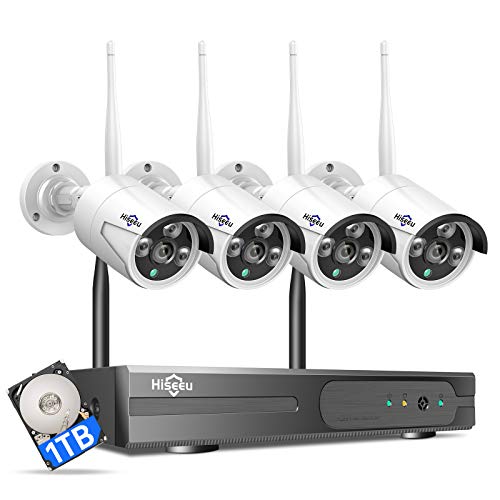
Hiseeu 3MP CCTV Home Security Camera System Outdoor, 2.4G/5G Wireless WiFi | 24/7 Recording, 1TB HDD No Monthly Fee, Wired Plug-in Powered 4pcs 3MP Cameras|Expandable 10CH 4K NVR, Night Vision, IP66
Check price on Amazon
ZOSI 3K Lite Security Camera System with AI Human Vehicle Detection,H.265+ 8CH HD TVI Video DVR Recorder with 4X HD 1920TVL 1080P Indoor Outdoor Weatherproof CCTV Cameras,Remote Access,1TB Hard Drive
Check price on Amazon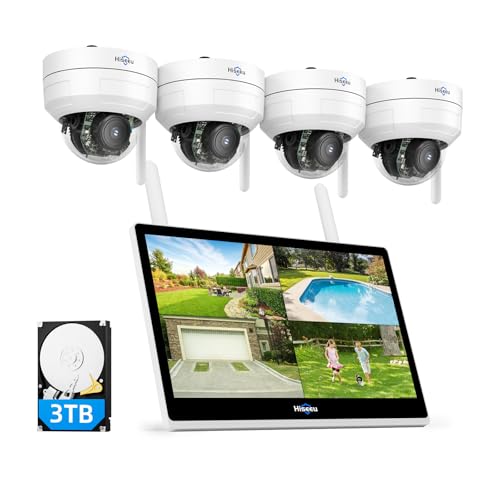
Hiseeu Wireless Security Camera System, 5MP 4 Cam-Kit, 14" LCD, 3TB HDD | 10CH NVR, 4PCS 5MP PTZ Dome Cameras, Auto Tracking, Explosion-Proof Outdoor WiFi Surveillance System
Check price on Amazon
Hiseeu Wireless Security Cameras Outdoor, Outdoor Cameras for Home Security | 5G & 2.4G WiFi Pro, Dual Lens, 360° Pan & Tilt, Auto Tracking, Color Night Vision, 1TB HDD No Subscription, Need Plug In
Check price on Amazon
Cromorc 5MP Wireless Security Camera System, Wired Plug-in Powered, 1TB HDD | Expandable 10CH 8MP NVR, 10" Monitor, 24/7 Recording, Motion Detection, 1-Way Audio, Home Business CCTV Surveillance Outdoor
Check price on AmazonBuying Tips: What to Look For
Check Compatibility
Ensure the receiver works with the cameras you plan to use. Some brands use proprietary protocols, so you can't mix and match. If you want flexibility, look for systems that support ONVIF.
Consider Future Expansion
Buy a receiver that supports more cameras than you currently need. This saves you from replacing the entire system later.
Look for Redundancy
Some receivers support dual hard drives for RAID-like redundancy. This is useful if you want extra protection against drive failure.
Check the App
Read reviews about the companion app. A good app makes remote viewing easy and reliable. Look for features like timeline scrubbing, alerts, and multi-camera view.
Frequently Asked Questions
Do I need internet for a receiver-based system?
No. The receiver can record locally without internet. However, you'll need internet if you want to view footage remotely on your phone. For a fully offline solution, see security cameras that don't use internet.
How far can cameras be from the receiver?
Typically 300–500 feet in open space. Walls and obstacles reduce this. If you need longer range, consider a system with a repeater or a wireless security camera with receiver that supports mesh networking.
Can I add more cameras later?
Most systems allow you to add cameras up to a certain limit. Check the receiver's maximum camera count before buying.
Are receiver-based systems better than cloud cameras?
It depends on your needs. If you want no monthly fees and local control, receiver-based is better. If you want easy setup and don't mind subscriptions, cloud cameras may be simpler. For a no-subscription option, see security camera outdoor no subscription.
Ready to secure your home with a reliable, subscription-free system?
VIEW TOP RECOMMENDATIONSConclusion
A wireless security camera with receiver offers a powerful combination of convenience, reliability, and cost savings. By storing footage locally, you avoid monthly fees and gain peace of mind knowing your data is under your control. Whether you're protecting a small apartment or a large property, there's a receiver-based system that fits your needs.
When choosing, focus on range, storage, resolution, and smart features. And don't forget to check our other guides, such as top 10 outdoor wireless security cameras and wireless security camera that does not require internet, to make an informed decision.