
Alarm System That Doesn't Require WiFi
Protect your home or business even when the internet goes down. Discover reliable alarm systems that work without WiFi, using cellular, landline, or local alerts to keep you safe.
Why go WiFi-free? Traditional alarm systems depend on your home internet connection, which can fail during power outages or network disruptions. A WiFi-free alarm system uses cellular networks, landlines, or local alarms to ensure your property stays protected no matter what. Whether you're in a rural area with unreliable internet or simply want a backup layer of security, these systems deliver peace of mind.
Types of Alarm Systems That Work Without WiFi
Not all WiFi-free alarms are built the same. Understanding the different technologies will help you choose the right one for your home or business. Here are the most common types:
Cellular Alarm Systems
These systems use a built-in cellular module (similar to a mobile phone) to communicate with monitoring centers. They don't rely on your home internet or phone line, making them highly reliable during outages. Ideal for areas with spotty WiFi. Learn more about no-internet security systems.
Landline Alarm Systems
Traditional landline alarms connect through your phone line. While older technology, they remain a solid choice if you have a landline and want a simple, no-WiFi solution. Just be aware that phone lines can be cut during break-ins. Explore landline-compatible options.
Local Alarm Systems (Sirens)
These systems trigger a loud siren or strobe light when sensors are tripped. They don't communicate with a monitoring center, but they're excellent for scaring off intruders and alerting neighbors. Best for budget-conscious users. See local recording options.
Hybrid Systems
Combine multiple communication methods—cellular, landline, and local siren—for maximum reliability. If one method fails, another takes over. Perfect for high-security needs. Check hybrid wireless systems.
Pros and Cons of WiFi-Free Alarm Systems
Before you commit, weigh the advantages and drawbacks to ensure this type of system fits your lifestyle and security requirements.
✅ Advantages
- Reliable during outages: Works when power or internet goes down.
- No WiFi dependency: Perfect for rural or remote areas.
- Harder to jam: Cellular signals are more difficult to intercept than WiFi.
- Backup protection: Can serve as a secondary system alongside WiFi cameras.
- Simple setup: Often easier to install without network configuration.
❌ Disadvantages
- Monthly fees: Cellular monitoring usually requires a subscription.
- Landline vulnerability: Phone lines can be cut by intruders.
- Limited smart features: No app control without internet.
- Higher upfront cost: Cellular modules can be pricier than WiFi-only systems.
- No remote video: You can't check live feeds from your phone.
WiFi vs. Cellular vs. Landline Alarm Systems
Use this quick comparison to understand how each type stacks up against the others.
| Feature | WiFi Alarm | Cellular Alarm | Landline Alarm |
|---|---|---|---|
| Requires Internet | Yes | No | No |
| Works During Power Outage | No (unless UPS) | Yes (battery backup) | Yes (if line active) |
| Monthly Monitoring Fee | Often Yes | Yes | Yes |
| Smartphone Control | Yes | Limited | No |
| Installation Complexity | Easy | Moderate | Easy |
| Best For | Urban homes with stable WiFi | Rural & high-security needs | Budget-conscious users |
What to Look for in a WiFi-Free Alarm System
Choosing the right system goes beyond just "no WiFi." Here are the key features to prioritize:
Battery Backup
Ensure the system has a rechargeable battery that lasts at least 24 hours during power outages. This is critical for cellular and hybrid systems. See battery backup options.
Multiple Sensors
Look for systems that support door/window sensors, motion detectors, and glass break sensors. More sensors mean better coverage. Explore motion detection systems.
Local Siren
A loud siren (110dB or higher) can deter intruders even if monitoring fails. Pair it with a strobe light for added visibility. Check motion light cameras.
Easy Installation
DIY-friendly systems with peel-and-stick sensors or simple screw mounting save you money on professional installation. Learn how to install without drilling.
Top WiFi-Free Alarm Systems to Consider
Based on reliability, features, and user reviews, here are some standout options. Prices are approximate and may vary by retailer.
Ring Alarm Pro (Cellular Backup)
While primarily WiFi-based, the Ring Alarm Pro includes a cellular backup module that keeps your system online during internet outages. Requires a Ring Protect Pro subscription. Price: $250–$350 plus monitoring.
SimpliSafe (Cellular Monitoring)
SimpliSafe uses a cellular module for professional monitoring, so it works without WiFi. Easy DIY install, no contracts. Price: $250–$500 depending on package.
Fortress Security (Landline/Cellular)
A budget-friendly option that supports both landline and cellular communication. Includes door/window sensors and a loud siren. Price: $150–$300.
Local Siren Systems (No Monitoring)
If you don't need professional monitoring, a standalone siren system like the outdoor laser beam security system can alert you and neighbors without any WiFi. Price: $50–$150.
Recommended WiFi-Free Alarm Systems
⚠️ AFFILIATE DISCLOSURE: This website contains affiliate links. As an affiliate Associate, we earn from qualifying purchases. If you make a purchase through these links, we may receive a small commission at no additional cost to you. Read our full affiliate policy.

15-Piece WiFi Home Security System, DIY Wireless Alarm Kit, No Subscription | 120dB Loud Alarm, 8-Hour Backup Battery, Instant App Alerts, DIY Installation, No Monthly Fee, Expandable Home Protection
Check price on Amazon
Alarm System for Home Security,24Pcs No Monthly Fees,No Pairing Required | Home Alarm System with WiFi+GSM/4G,Compatible with Alexa or Google,Quick Installation,APP Control with Instant Alerts
Check price on Amazon
Alarm System for Home Security,24Pcs WiFi+GSM/4G No Monthly Fee Wireless Security System, Phone App Control,Real-Time Alert,Auto Alarm Dial,Compatible with Alexa & Google,No Monthly Fee
Check price on Amazon
Home Security System, Alarm System for Home Security, 8-Piece Kit WiFi/GSM SMS Alarm System with Motion Detector, 120dB Alarm Siren, Door/Window Burglar Alarm, Smart Remote Control, Alexa-Compatible
Check price on Amazon
Home Security Systems Alarm System for Home Security GSM+WiFi (Blue) | 4.3" Touch Screen | SOS | App Instant Alerts | Wireless Smart System | Work with Alexa | No Monthly Fee
Check price on Amazon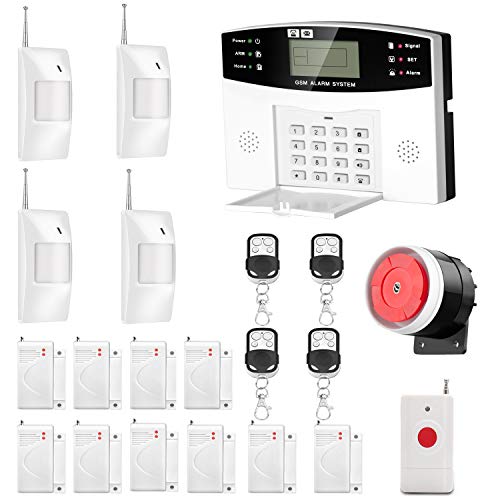
AGSHOME Security Alarm System 99+7 Zone Auto Dial 3/4G GSM SMS Home Burglar Security Wireless GSM Alarm System Detector Sensor Kit Remote Control
Check price on Amazon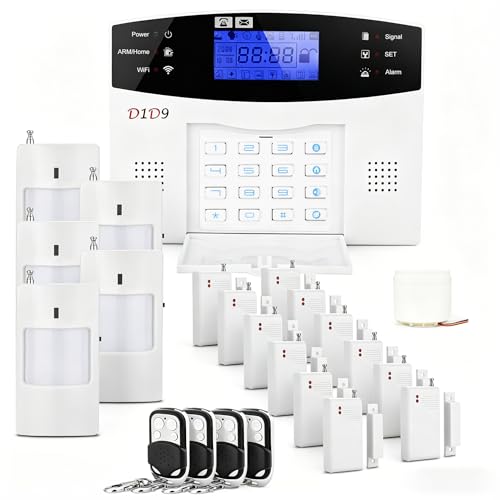
D1D9 24pcs Wireless DIY Home Burglar Alarm System, 4G WiFi GSM, No Monthly Fee,Home Security with App Alert
Check price on Amazon
CPVAN WiFi Motion Sensor Alarm System, 125dB Smart PIR Motion Detector with 6 Door Window Sensors, Phone App Alerts, Wireless Indoor Home Security Kit, 2.4GHz WiFi, Black
Check price on AmazonInstallation Tips for WiFi-Free Alarm Systems
Proper installation ensures your system works when you need it most. Follow these guidelines:
Test Cellular Signal
Before installing a cellular system, check signal strength in your area. Most providers offer coverage maps or trial periods. Weak signal? Consider a signal booster. See most reliable wireless options.
Position Sensors Strategically
Place door/window sensors on all entry points, and motion detectors in hallways and main rooms. Avoid direct sunlight or heat sources that can trigger false alarms. Learn about night vision placement.
Secure the Power Supply
Plug the base station into an outlet that's not easily accessible. Use a UPS (uninterruptible power supply) for extra backup during extended outages. See plug-in security cameras.
Regular Maintenance
Test your system monthly, replace batteries annually, and keep firmware updated if applicable. A well-maintained system is a reliable system. Read our firmware update guide.
The Verdict: Is a WiFi-Free Alarm System Right for You?
Who Should Buy a WiFi-Free Alarm System?
If you live in a rural area with unreliable internet, experience frequent power outages, or simply want a backup layer of security, a WiFi-free alarm system is an excellent investment. Cellular systems offer the best reliability but come with monthly fees, while local siren systems provide basic protection at a low cost.
For most homeowners, a cellular-backed alarm system like SimpliSafe or Ring Alarm Pro strikes the best balance between reliability and features. If you're on a tight budget, a local siren system with door/window sensors can still deter intruders effectively.
Remember: No security system is 100% foolproof. Combining a WiFi-free alarm with visible security cameras, motion lights, and good lighting habits will give you the best protection. Explore our guides on security cameras without subscriptions and home security systems without WiFi to build a complete security ecosystem.
Disclaimer
The information provided on AllCameraGuide is for educational and informational purposes only. We are not professional camera technicians or photographers, and our content should not replace professional advice. Always consult with a qualified expert regarding camera compatibility, safety, or technical concerns. Some content may use AI assistance. Always check product warranties and safety standards before purchasing. If you do not agree, please do not use this website. Read the full disclaimer.