
Home Security Cameras With No Monthly Fee
Your complete guide to subscription-free home security. Learn how to protect your property without ongoing costs.
VIEW TOP PICKSWhy pay monthly? Modern home security cameras offer excellent local storage options, allowing you to record and review footage without any recurring fees. This guide will help you understand your options.
Understanding No-Fee Security Cameras
When you start researching home security, you'll quickly notice that many popular brands push monthly subscription plans for cloud storage. However, there's a growing market for security cameras for home no monthly fee that store footage locally on SD cards, USB drives, or network video recorders (NVRs). This means you own your data and never pay a recurring fee.
The key to a truly subscription-free experience is understanding where your footage lives. Cloud storage always costs money because it uses someone else's servers. Local storage, on the other hand, uses hardware you already own. Many users prefer this approach for privacy and cost reasons. You can find excellent wireless security camera systems with local storage that offer all the features of cloud-based systems without the monthly bill.
If you want the most straightforward setup, look for a home security camera with no subscription. These cameras typically record to a microSD card and offer remote viewing through a free app. You get the convenience of checking in from your phone without the ongoing cost.
Key Features to Look For
Not all no-fee cameras are created equal. Here are the essential features that make a camera worth your investment:
- Local Storage: Look for cameras that support microSD cards (up to 256GB or more) or come with a built-in NVR. This is the foundation of a no-fee system.
- Wi-Fi Connectivity: A Wi-Fi security camera with local storage gives you the best of both worlds—easy installation and no monthly fees.
- Mobile App Access: Ensure the camera offers a free app for remote viewing. You should be able to see live feeds and playback recordings without paying extra.
- Motion Detection: Good motion alerts are crucial. Look for cameras with customizable detection zones to avoid false alarms.
- Night Vision: Infrared LEDs provide clear footage in low light. Check the range (usually 20-30 feet is standard).
- Weather Resistance: For outdoor use, look for an IP65 or IP66 rating to withstand rain and dust.
If you need a camera that works in areas without Wi-Fi, consider a surveillance camera that doesn't require internet. These typically use cellular connections or record directly to a local DVR. For a complete system, you might also explore a wireless security camera system without monthly fee.
Recommended Home Security Cameras With No Monthly Fee
⚠️ AFFILIATE DISCLOSURE: This website contains affiliate links. As an affiliate Associate, we earn from qualifying purchases. If you make a purchase through these links, we may receive a small commission at no additional cost to you. Read our full affiliate policy.

No Monthly Fee Solar Security Cameras Wireless Outdoor, home security systems,500GB HDD nvr security camera system No Subscription, 2.4G & 5G WiFi,2-Way Audio, 4MP, Color Night Vision, 360° View
Check price on Amazon
Carltec No Monthly Fee Solar Security Camera System with Home Hub, 2 Pack 4MP 360° PTZ Wireless Outdoor Cameras, Local Storage, Color Night Vision, 5GHz & 2.4GHz WiFi for Home Exterior, IP66
Check price on Amazon
Carltec No Monthly Fee Solar Security Camera System with Home Hub, 4 Pack 4MP 360° PTZ Wireless Outdoor Cameras, Local Storage, Color Night Vision, 5GHz & 2.4GHz WiFi for Home Exterior, IP66
Check price on Amazon
Hiseeu Solar Security Cameras Wireless Outdoor System, 8 Cam-Kit, Expandable to 10CH, No Monthly Fee, Solar-Powered, Home Security Cameras System with 4MP Color Night Vision, 2.4G & 5G WiFi, 1TB HDD
Check price on Amazon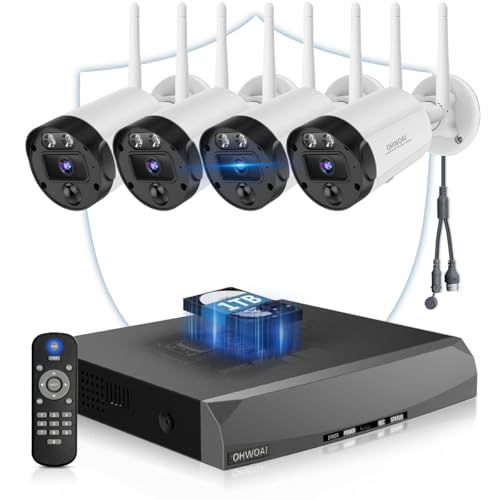
4K Security Cameras Wireless Outdoor, Home WiFi Video Surveillance System | No Monthly Fees, 8MP 2160P, 130° Wide Angle, 2-Way Audio, Color Night Vision
Check price on Amazon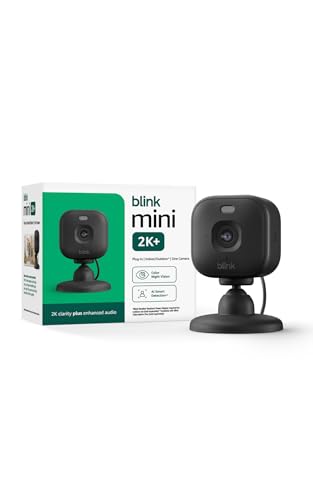
Blink Mini 2K+ (newest model) – Plug-in Home & Pet Indoor Security Camera with 2K video resolution, night vision, enhanced audio, motion detection – 1 camera (Black)
Check price on Amazon
ANSQUE Home Security Cameras Wireless Outdoor, Solar Powered, 4-Cam System | No Subscription Fees, 32GB Local Storage (up to 512GB), 360° Auto Human Tracking, 365-Day Battery Life, 2K Color Night Vision
Check price on Amazon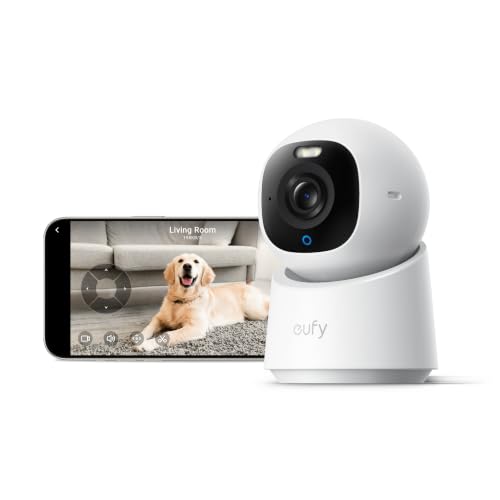
eufy Security 4K Indoor Camera E30, No Subscription, Work as Pet Camera | Nanny/Baby Camera, Pan&Tilt, AI Tracking, AI Detection, 24/7 Recording, Color Night Vision, Two-Way Audio,Works with HomeKit
Check price on AmazonInstallation & Setup Tips
One of the biggest advantages of subscription-free cameras is that they're often easy to install yourself. A security camera system easy to install can be set up in an afternoon without professional help. Here's what you need to know:
Placement: Position cameras at entry points—front door, back door, and garage. For a wider view, consider a wide-angle wireless outdoor security camera. If you want to cover a large area, a security camera with zoom pan and tilt gives you flexibility to monitor a broad space from a single device.
Power: If you don't want to run wires, a security camera that runs on batteries is a great choice. For a more permanent solution, consider a hardwired security camera installation. If you're handy, you can also look into installing security cameras outside home yourself.
Storage: Configure your camera to record to a local microSD card or NVR. If you want continuous recording, ensure your camera supports it. A continuous recording home security camera will capture everything, but you'll need a large storage card. For specific needs, an indoor security camera that records 24/7 can be ideal for monitoring a nursery or pet.
Advanced Considerations
If you're building a comprehensive system, there are a few more things to think about. For large properties, a 16 channel wireless security camera system gives you plenty of coverage. If you're handy with networking, a security camera system power over ethernet (PoE) offers reliable power and data over a single cable.
For areas without Wi-Fi, a wireless security camera with cellular connection can be a lifesaver. If you're in an apartment, a security camera for apartment renters should be non-invasive and easy to remove. You might also consider a wireless security camera with solar charger for a truly wire-free setup.
Don't forget about audio. A indoor security camera with audio recording can capture important conversations or sounds. If you want a camera that alerts you, look for one that sends push notifications. The best security cameras that will alert your phone are those with customizable motion zones.
Final Thoughts
Choosing a home security camera with no monthly fee is a smart financial decision that doesn't compromise on security. By focusing on local storage and free app access, you can protect your home without adding another subscription to your budget. Whether you need a single outdoor security camera no monthly fee or a full system, there's a solution for you.
Remember to check the camera's storage capacity, app features, and weather resistance before buying. With the right choice, you'll enjoy peace of mind without the recurring cost.