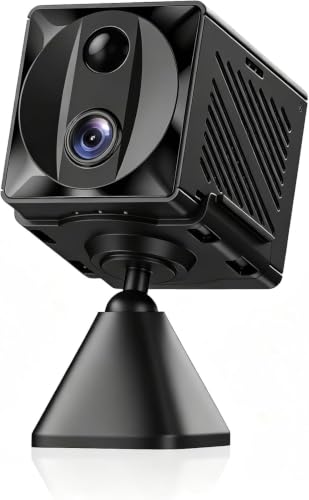
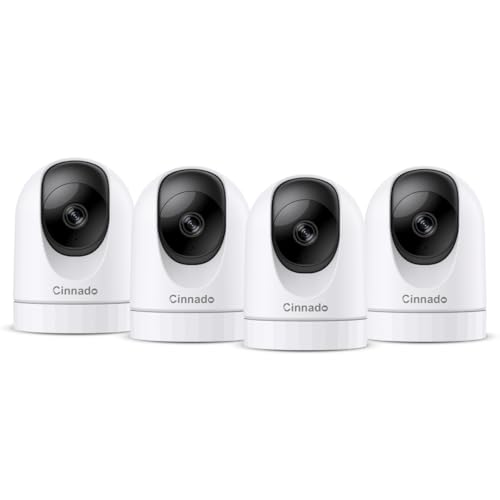
Why Choose an Indoor Camera with 5GHz WiFi?
When setting up a smart home, the WiFi band your devices use can significantly impact performance. The 2.4GHz band offers longer range but is often congested by other electronics like microwaves and baby monitors, leading to dropped connections and laggy video feeds. In contrast, the 5GHz band provides faster data transfer speeds and less interference, making it ideal for high-definition video streaming from indoor cameras. For users who demand real-time alerts and smooth live viewing, an indoor camera that works with 5GHz WiFi is a superior choice. However, not all cameras are dual-band compatible, so it's crucial to check specifications carefully before purchasing.
Key Features to Look for in a 5GHz Indoor Camera
Beyond WiFi compatibility, a top-tier indoor camera should offer a range of features to meet your specific needs. Here are the essentials:
- Dual-Band Connectivity: Ensure the camera explicitly supports both 2.4GHz and 5GHz bands. Some manufacturers label them as "dual-band" or "5GHz ready."
- Resolution: Look for at least 1080p Full HD; 2K or 4K is even better for crisp details.
- Night Vision: Infrared or color night vision is vital for 24/7 monitoring. For more on this, see our guide on a battery-powered security camera with night vision.
- Two-Way Audio: Enables you to communicate with family members or pets. A home security camera system with audio enhances interaction.
- Storage Options: Local microSD card, cloud subscription, or both. If you prefer no ongoing fees, consider a security camera that does not require a subscription.
- Pan/Tilt/Zoom (PTZ): For wide coverage, a wireless PTZ camera can be a great addition, though many indoor models offer digital pan and tilt.
Top Use Cases for 5GHz Indoor Cameras
Indoor cameras are versatile tools for home monitoring, pet care, and business security. Here are some popular applications:
1. Home Security & Surveillance
Protect your home from intruders or monitor activity while you're away. A hidden indoor security camera with audio can be discreet yet effective. For comprehensive coverage, you might also consider a home surveillance system with monitor to keep an eye on multiple rooms. If you're renting or want a non-permanent solution, a wireless security camera system no wifi might be an alternative, but for 5GHz users, sticking with dual-band models is best.
2. Pet Monitoring
Keep tabs on your furry friends with a camera that offers treat dispensing or interactive features. Our article on an interactive dog camera with treat dispenser explores options. For those who want to avoid monthly fees, check out pet cameras that don't require a subscription. A reliable 5GHz connection ensures you never miss a moment of your pet's antics.
3. Baby & Elderly Care
Monitor loved ones with high-definition video and two-way audio. A camera that connects seamlessly to 5GHz WiFi provides a lag-free experience, which is critical for timely responses. While many baby monitors use 2.4GHz, dedicated indoor cameras with 5GHz support are increasingly common. For a simple setup, consider a house camera that connects to your phone.
4. Business & Office Security
Small businesses can benefit from indoor cameras to deter theft and monitor employees. A commercial wireless security camera system often includes dual-band support for reliable performance. For after-hours monitoring, pairing with a motion detector porch light with camera can enhance outdoor security too.
How to Set Up Your 5GHz Indoor Camera
Setting up a 5GHz camera is similar to any other smart device, but there are a few nuances:
- Check Router Settings: Ensure your router broadcasts a separate 5GHz SSID. Some routers combine 2.4GHz and 5GHz into one network name; in this case, the camera may default to 2.4GHz. You may need to separate the bands in your router's admin panel.
- Camera Compatibility: Confirm the camera supports 5GHz. If it only supports 2.4GHz, it won't connect to a 5GHz-only network. If you need a camera that works without WiFi entirely, see our guide on a wireless camera that works without WiFi.
- Use the App: Follow the manufacturer's app instructions. During setup, select the 5GHz network when prompted.
- Troubleshooting: If connection fails, try moving the camera closer to the router or restarting both devices. For cameras that require a subscription for full features, consider a security camera outdoor no subscription model if you prefer to avoid fees (though this is outdoor-focused).
Potential Challenges and Solutions
While 5GHz offers speed, it has a shorter range and poorer wall penetration compared to 2.4GHz. If your indoor camera is far from the router, you might experience signal drops. Solutions include:
- Mesh WiFi System: Deploy a mesh network to extend 5GHz coverage throughout your home.
- WiFi Extender: A dual-band extender can help, but ensure it doesn't bottleneck speed.
- Wired Connection: Some indoor cameras offer Ethernet ports. If you need absolute reliability, consider a wired home security camera system.
- Power Backup: To keep your camera running during outages, an UPS power backup for CCTV cameras and DVR is a wise investment.
Budget Considerations
Indoor cameras with 5GHz WiFi range from budget-friendly options under $50 to premium models exceeding $200. Basic 1080p dual-band cameras typically cost between $30 and $70. Mid-range 2K cameras with pan/tilt and advanced features fall in the $70–$150 range. High-end 4K models with AI detection and privacy shutters can cost $150–$300. Always factor in potential subscription costs for cloud storage, or choose a model with local storage to avoid recurring fees. For those on a tight budget, a budget-friendly camera for photography might not be relevant here, but the principle of value applies.