
Indoor Home Security Cameras with Audio
Protect your home and loved ones with smart indoor cameras that let you hear, speak, and monitor from anywhere. Discover the features that matter most.
VIEW TOP PICKSWhy Audio Matters: Indoor security cameras with audio go beyond video. They let you listen for unusual sounds, speak to family members or pets, and even deter intruders with two-way talk. This guide will help you understand the technology and choose the right camera for your needs.
Why Choose an Indoor Camera with Audio?
When you think of home security, video is often the first thing that comes to mind. But audio adds a whole new layer of awareness. An indoor camera with a built-in microphone can pick up sounds like breaking glass, a crying child, or a pet in distress. More advanced models offer two-way audio, allowing you to communicate through the camera via a smartphone app. This is especially useful for checking in on elderly relatives, pets, or simply telling a delivery person where to leave a package.
For those who are just starting to build a security system, understanding the difference between indoor and outdoor cameras is crucial. If you need coverage for both areas, you might consider a wired and wireless security camera system that can handle multiple camera types. However, for a focused indoor setup, a dedicated audio-enabled camera is often the best choice.
Key Features to Look For
Not all indoor cameras with audio are created equal. Here are the most important features to consider:
- Two-Way Audio: This allows you to both listen and speak through the camera. It's essential for interacting with family members or pets, and can be a powerful deterrent.
- Sound Detection: Some cameras can alert you when they detect specific sounds, such as a smoke alarm or breaking glass. This is a valuable safety feature.
- Video Resolution: Look for at least 1080p for clear video. 2K or 4K offers even more detail, which can be helpful for identifying faces or objects.
- Night Vision: Indoor cameras need to work in low light. Infrared (IR) night vision ensures you can see in the dark.
- Storage Options: Choose between local storage (microSD card) or cloud storage. Some cameras offer both. For more on this, see our guide on wireless security camera cloud storage.
- Smart Home Integration: Many cameras work with Alexa, Google Assistant, or Apple HomeKit. This allows you to view feeds on smart displays or use voice commands.
- Privacy Features: A physical privacy shutter or the ability to turn off the camera when you're home is important for peace of mind.
If you're concerned about internet connectivity, there are options for wireless security cameras that don't need internet, though you may lose remote viewing capabilities. For most users, a Wi-Fi connection is standard and convenient.
How to Choose the Right Camera for Your Home
Start by identifying where you want to place the camera. Common indoor locations include living rooms, entryways, nurseries, and home offices. If you have a specific area like an apartment, you might need a wireless security camera system for apartments that is compact and easy to install.
Consider your power source. Some cameras plug into a wall outlet, while others are battery-powered. Battery-powered models offer more placement flexibility but require periodic charging. If you want a camera that can be placed almost anywhere, a security camera for home battery operated might be ideal. However, for continuous recording, a plug-in model is often more reliable.
Another key decision is whether you want a standalone camera or a full system. A standalone camera is great for monitoring a single room. For whole-home coverage, you might want to integrate it with other devices. Our article on home security camera system wireless outdoor can help you plan a more comprehensive setup.
Finally, think about how you want to receive alerts. Most cameras send push notifications to your phone when they detect motion or sound. This is a core feature of security cameras that alert your phone. Some systems also offer professional monitoring for an extra layer of security.
Best Indoor Home Security Cameras with Audio
⚠️ AFFILIATE DISCLOSURE: This website contains affiliate links. As an affiliate Associate, we earn from qualifying purchases. If you make a purchase through these links, we may receive a small commission at no additional cost to you. Read our full affiliate policy.
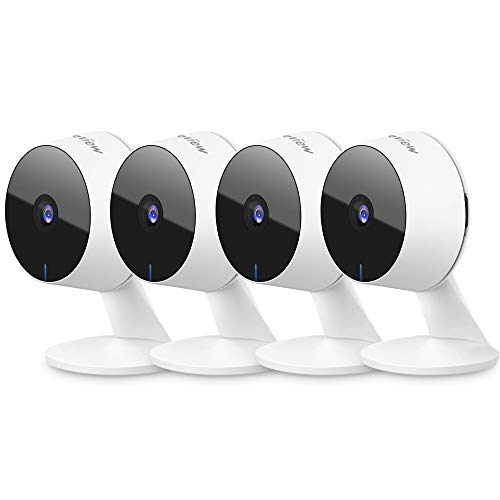
LaView Security Cameras 4pcs, Home Security Camera Indoor 1080P, Wi-Fi Cameras Wired for Pet, Motion Detection, Two-Way Audio, Night Vision, Phone App, Works with Alexa, iOS & Android & Web Access
Check price on Amazon
Tapo 1080P Indoor Security Camera, Baby Monitor, Dog Camera, C100(4-Pack) | Motion Detection, 2-Way Audio, Siren, Night Vision, Cloud & SD Card Storage, Works w/Alexa & Google Home, Wired
Check price on Amazon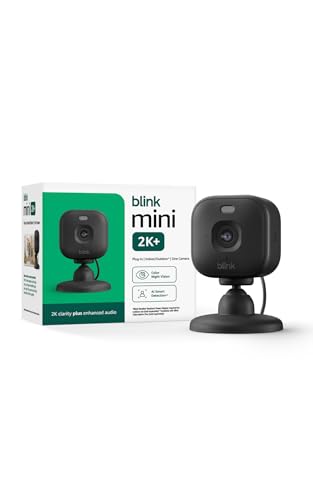
Blink Mini 2K+ (newest model) – Plug-in Home & Pet Indoor Security Camera with 2K video resolution, night vision, enhanced audio, motion detection – 1 camera (Black)
Check price on Amazon
AOQEE 5G Cameras for Home Security Indoor, Pet Monitor w/Phone APP G5 2Pcs | Dual-Band Wi-Fi Indoor Camera with 24/7 TF Card Storage, 360 PTZ Auto-Tracking Pet/Dog/Cat/Puppy/Nanny, Motion Alert, Plug-in
Check price on Amazon
GNCC 5G Cameras for Home Security Indoor, Pet/Dog/Baby w Phone App, 4Pcs | Dual-Band Wi-Fi, 360 PTZ Auto-Tracking Pet/Dog/Cat/Puppy/Nanny, Motion Alert, SD Card or Paid Cloud
Check price on Amazon
Blink Mini 2K+ (newest model) – Plug-in Home & Pet Indoor Security Camera with 2K video resolution, night vision, enhanced audio, motion detection – 1 camera (White)
Check price on Amazon
2.5K Cameras for Home Security with Audio and Video, Indoor Security Camera for Baby Monitor, 2.4g/5g Outdoor Cameras for House/Pet/Baby, Plug&Play, Support 128G Card (Not Included), 9.84ft Wire
Check price on Amazon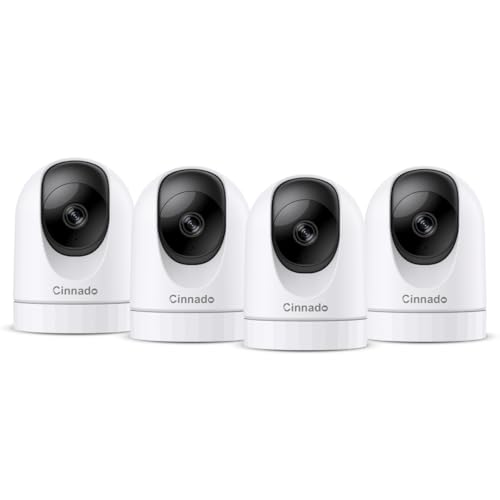
Cinnado 2K Home Security Cameras Indoor with 2.4GHz Wi-Fi & Siren, D1 4Pack | 360° Auto Tracking for Pets/Nanny/Baby/Dog, 2-Way Audio, 24/7 SD Card Storage, Cloud Storage, Works with Alexa & Google Home
Check price on AmazonInstallation and Placement Tips
Proper placement is key to getting the most out of your indoor camera. Here are some tips:
- Height: Place cameras at a height of 7-8 feet for a good viewing angle. Avoid pointing them directly at windows, as glare can ruin night vision.
- Coverage: Aim for a clear view of entry points, hallways, and valuable items. If you have a multi-story home, you may need multiple cameras.
- Privacy: Avoid placing cameras in private areas like bathrooms or bedrooms. Respect the privacy of family members and guests.
- Power: Ensure the camera is near a power outlet if it's not battery-powered. For battery models, consider a location that's easy to reach for recharging.
- Wi-Fi Signal: Make sure the camera is within range of your Wi-Fi router. A weak signal can cause lag or dropped connections.
If you're setting up a camera for a rental or apartment, you might want a non-permanent solution. A mini wireless security camera with smartphone app can be placed on a shelf and moved easily. For those who want a camera that can be mounted without drilling, there are options like a security camera for apartment door peephole.
Understanding Audio Features
The quality of audio can vary significantly between cameras. Here's what to look for:
- Microphone Sensitivity: A good microphone can pick up normal conversation from several feet away. Some cameras have noise cancellation to reduce background hum.
- Speaker Quality: If you plan to use two-way talk, a clear speaker is important. Look for models with built-in speakers that are loud enough to be heard across a room.
- Audio Detection: Some cameras can differentiate between sounds like a baby crying, a dog barking, or a smoke alarm. This can reduce false alerts.
- Privacy Mode: Many cameras allow you to disable the microphone and camera with a physical shutter or software switch. This is a must-have for privacy-conscious users.
For those who need a camera with long battery life and night vision, a spy camera with long battery life and night vision might be worth exploring, though these are often more discreet. If you're looking for a camera that can also serve as a deterrent, consider an outdoor security camera with spotlight, which can be paired with indoor cameras for full coverage.
Smart Home Integration
Indoor cameras with audio can be part of a larger smart home ecosystem. For example, you can link your camera to a smart home video doorbell installation to see who's at your door and talk to them from your phone. If you have a video doorbell, you might also want a video doorbell and security camera bundle for a cohesive setup.
Many cameras also work with voice assistants. You can ask Alexa or Google to show the camera feed on a smart display. This hands-free convenience is a big plus for busy households.
Maintenance and Privacy
To keep your camera working well, clean the lens regularly with a soft cloth. Check for firmware updates, as these often improve security and add features. For privacy, always change the default password and enable two-factor authentication if available.
If you're using cloud storage, review the privacy policy of the manufacturer. Some companies offer end-to-end encryption for added security. If you prefer local storage, a microSD card can be a good option, but be sure to secure the camera itself.
Final Thoughts
Indoor home security cameras with audio are a powerful tool for keeping your home safe and connected. Whether you want to check in on your pets, talk to your kids, or simply have peace of mind, there's a camera that fits your needs. By considering the features, placement, and integration options discussed in this guide, you can make an informed decision.
Remember to check out our recommended products above to find the best deals. For more security-related guides, explore our other articles on topics like high-quality security cameras for home and security cameras for home with internet access.