
Battery Powered No WiFi Security Camera: The Complete Guide
Discover how battery powered no WiFi security cameras work, where to place them, and how to choose the perfect wire-free solution for your home or business.
SEE TOP PICKSWhy go battery powered and WiFi-free? Traditional security cameras require constant power and a stable internet connection. But what if your property has no outlets nearby, or your WiFi doesn't reach the far corner of your yard? A battery powered no WiFi security camera solves both problems. These cameras run on rechargeable batteries and store footage locally on an SD card, so they work completely independently of your home network.
In this guide, we'll explain exactly how these cameras function, what to look for, and how to pick the right model for your specific situation. Whether you need a camera for a remote cabin, a rental property, or just a spot in your backyard where WiFi won't reach, this guide will help you make an informed decision.
How Does a Battery Powered No WiFi Security Camera Work?
A battery powered no WiFi security camera operates on two key principles: independent power and local storage. Unlike traditional IP cameras that stream video to the cloud 24/7, these devices are designed for flexibility and off-grid operation.
Power: Rechargeable Batteries
Most models use high-capacity lithium-ion or lithium-polymer batteries. Depending on the model and usage, a single charge can last anywhere from 2 to 12 months. Some cameras support solar panels for continuous charging, which is ideal for outdoor placement.
Storage: Local SD Card or Built-in Memory
Without WiFi, these cameras record footage directly to a microSD card (typically up to 128GB or 256GB). You can review footage by removing the card and inserting it into a computer, or by connecting directly to the camera via a local hotspot or Bluetooth.
Connectivity: No Internet Required
These cameras do not need a router or internet connection to record. Some models offer optional WiFi or cellular connectivity for remote viewing, but the core recording function works completely offline. This makes them perfect for areas with poor or no internet coverage.
🔋 Key Takeaway
A battery powered no WiFi security camera is essentially a self-contained surveillance unit. It powers itself, stores its own footage, and doesn't rely on any external network. This makes it ideal for remote locations, temporary setups, and anyone who wants to avoid monthly fees or complex installation.
Where Should You Use a Battery Powered No WiFi Security Camera?
These cameras shine in situations where traditional wired or WiFi-dependent cameras fall short. Here are the most common use cases:
- Remote properties and cabins: No electricity or internet? No problem. These cameras work completely off-grid.
- Rental homes and Airbnbs: Install them without modifying the property's electrical system or relying on the tenant's WiFi. For a related setup, consider an indoor security camera that doesn't need WiFi.
- Construction sites and temporary locations: Set them up quickly and move them as needed.
- Backyards and gardens: Places where WiFi signal is weak or nonexistent. A battery operated outdoor camera no WiFi is perfect for this.
- Garages, sheds, and outbuildings: Detached structures often lack both power and internet.
- Wildlife monitoring: For trail cameras and nature observation, check out our guide to a trail camera you can watch on your phone.
If you're specifically looking for a camera that works without any internet at all, you might also want to read about a security camera that doesn't use internet.
Pros and Cons of Battery Powered No WiFi Security Cameras
Like any technology, these cameras have trade-offs. Here's an honest breakdown:
✅ Pros
- No wiring or electrical work needed
- Works without internet or WiFi
- No monthly subscription fees
- Easy to install and relocate
- Ideal for remote or off-grid locations
- Unaffected by WiFi outages
❌ Cons
- Batteries need periodic recharging
- Limited remote viewing (unless you add connectivity)
- Local storage capacity is finite
- May miss events if battery dies
- Some models have slower wake-up times
If you want a camera that works without internet but still offers some smart features, consider a wireless security camera without monthly fee.
Key Features to Look For
Not all battery powered no WiFi cameras are created equal. Here are the features that matter most:
1. Battery Life
Look for a camera that offers at least 3–6 months of battery life on a single charge. Some premium models can last up to a year with moderate use. If the camera is outdoors, a solar panel for outdoor security camera can extend battery life indefinitely.
2. Video Resolution
1080p (Full HD) is the minimum standard today. For better detail, look for 2K or 4K models. Higher resolution means you can zoom in on footage and still identify faces or license plates.
3. Night Vision
Most cameras offer infrared night vision up to 30 feet. For better night performance, look for color night vision models that use a spotlight or advanced sensor. Learn more about wireless security cameras with color night vision.
4. Storage Capacity
Check the maximum microSD card size supported. 128GB is common; 256GB is better. Some cameras also support local network storage (NAS) if you want to archive footage.
5. Motion Detection
Look for PIR (passive infrared) motion sensors, which are more accurate than simple pixel-based detection. Adjustable sensitivity and detection zones help reduce false alerts.
6. Weather Resistance
For outdoor use, ensure the camera has an IP65 or IP66 rating or higher. This protects it from rain, dust, and extreme temperatures.
7. Two-Way Audio
Some models include a built-in microphone and speaker, allowing you to listen and talk through the camera. This is useful for greeting visitors or deterring intruders.
Battery Powered No WiFi vs. Other Security Cameras
How do these cameras compare to other options? Here's a quick comparison:
| Feature | Battery No WiFi | Wired WiFi | Wired No WiFi |
|---|---|---|---|
| Power Source | Rechargeable Battery | AC Outlet | AC Outlet / PoE |
| Internet Required | No | Yes | No |
| Installation | Very Easy | Moderate | Difficult |
| Monthly Fees | None | Often Required | None |
| Remote Viewing | Limited / Optional | Yes | No |
| Best For | Remote / Off-Grid | Homes with WiFi | Business / DVR |
If you need a camera that works without internet but still want the option to view footage on your phone, explore cameras that can connect to your phone.
Installation Tips for Best Performance
Getting the most out of your battery powered no WiFi security camera starts with proper placement and setup. Here are some practical tips:
- Position for coverage, not just height: Mount the camera 8–10 feet high, angled slightly downward. This captures faces rather than the top of heads.
- Avoid direct sunlight: While solar panels are great, direct sun can cause overheating and false motion triggers. Angle the camera away from the sun.
- Test the motion detection: Before finalizing the position, walk around the area to see what triggers the camera. Adjust sensitivity and zones accordingly.
- Check battery level regularly: Set a reminder to check the battery every few weeks, especially during extreme weather.
- Use a quality microSD card: Choose a card designed for surveillance (high endurance) to avoid corruption and data loss.
- Secure the camera: Use tamper-resistant mounts and consider a locked enclosure if theft is a concern.
For more placement ideas, see our guide to inconspicuous outdoor security cameras.
Maintenance and Battery Care
To keep your camera running reliably, follow these maintenance practices:
- Recharge batteries fully: Avoid partial charges. Most lithium-ion batteries perform best when fully discharged and recharged occasionally.
- Clean the lens: Dust, spiderwebs, and water spots can degrade image quality. Wipe the lens gently with a microfiber cloth.
- Check seals: For outdoor cameras, inspect rubber seals and gaskets for cracks or wear, especially before winter.
- Update firmware: Even without WiFi, some cameras allow firmware updates via SD card. Check the manufacturer's website periodically.
- Store spare batteries: If you have multiple cameras, keep a spare charged battery on hand for quick swaps.
If you're using a solar panel, make sure it's clean and angled correctly. Learn more about a solar panel with battery for security camera.
Frequently Asked Questions
Ready to Choose Your Battery Powered No WiFi Security Camera?
Explore our top recommended models below. These cameras offer the perfect balance of battery life, video quality, and offline functionality.
View Recommended CamerasRecommended Battery Powered No WiFi Security Cameras
⚠️ AFFILIATE DISCLOSURE: This website contains affiliate links. As an affiliate Associate, we earn from qualifying purchases. If you make a purchase through these links, we may receive a small commission at no additional cost to you. Read our full affiliate policy.

LIWAN 4G LTE Cellular Security Camera Indoor Wireless, No WiFi, 2K Portable | Built-in SIM Card, Rechargeable Battery Powered, No WiFi Security Camera for Home/Travel/Baby/Pet/Elderly, AI Human Detection
Check price on Amazon
No Subscription Wireless Security Camera, AA Battery Powered,Outdoor & Door | Built-in SD Card, High Privacy, WiFi, No Cloud,-4°F Rated, Long Battery Life, No Drill, Simple,Small Home Video Surveillance
Check price on Amazon
Kiewn 1080P Power Bank Video Recorder, Portable Camera with Motion Detection and Night Vision, Loop Recording Small Security Cam for Home Office Meeting, No WiFi Function
Check price on Amazon
Security Cameras Wireless Outdoor, 2K Indoor Cameras for Home Security Battery Powered, AI Motion Detection, Color Night Vision, 2-Way Talk, Spotlight Siren Alarm, Cloud & SD Storage-Jet Black Camera
Check price on Amazon
Indoor Camera Wireless, Battery Powered 5G/2.4G WiFi,2K Live View, Portable | Dog/Pet Camera, No Wires, Smart Detection, Instant Alerts, Night Vision, 2-Way Talk, Phone App Control Indoor Security Camera
Check price on Amazon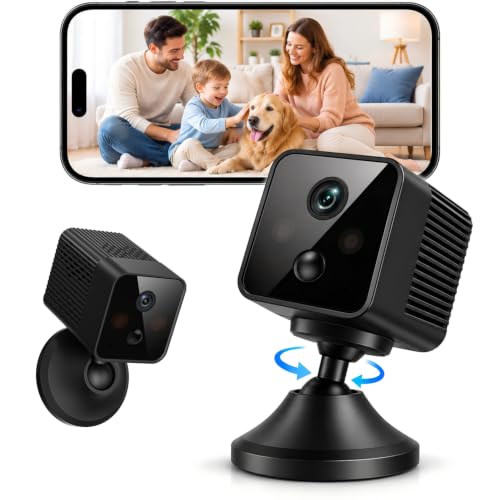
4G LTE Cellular Bullet Security Camera, No Wi-Fi Needed Battery Camera | Indoor Cameras for Home Security, AI Motion Detection, Night Vision, Wireless Security Camera for Home, Office, Garage
Check price on Amazon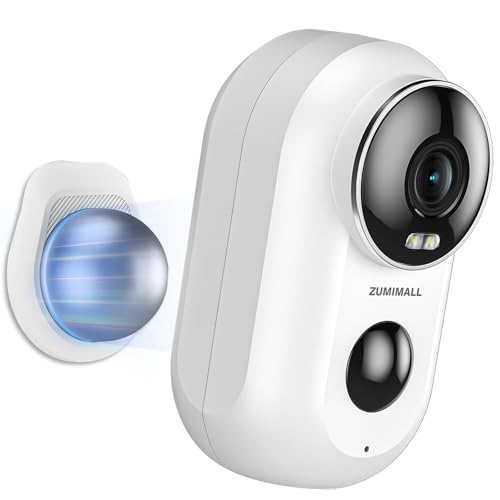
ZUMIMALL Security Cameras Wireless Outdoor with Magnetic Mount, No-Drill Installation, 2K Battery Powered Cameras for Home Security Indoor, 2.4G WiFi, Color Night Vision/130° View/AI Detection/Alexa
Check price on AmazonFinal Thoughts
A battery powered no WiFi security camera is the ultimate solution for locations where traditional cameras can't go. Whether you're securing a remote cabin, monitoring a construction site, or simply want a camera in a spot where WiFi doesn't reach, these devices offer unmatched flexibility and independence.
When choosing a model, prioritize battery life, video resolution, night vision, and storage capacity. And don't forget to consider a solar panel if you want continuous power without the hassle of recharging.
For more options, explore our related guides on battery operated security camera without WiFi, home security cameras that don't need internet, and wireless security cameras no WiFi needed.