
Light Bulb Camera Without Subscription
Discover how a light bulb camera without subscription can secure your home with zero monthly fees. Learn about features, installation, and how to choose the best model for your needs.
Why choose a light bulb camera without subscription? These innovative devices combine a security camera with a standard light socket, offering easy installation and no ongoing costs. Perfect for renters, DIY enthusiasts, and anyone who wants reliable security without the hassle of monthly fees. In this guide, we'll explore everything you need to know before buying.
What Is a Light Bulb Camera Without Subscription?
A light bulb camera is a smart security device that screws into a standard E26 or E27 light socket. It combines a camera, motion sensor, and often a light bulb into one unit. The "without subscription" aspect means you can access live view, receive motion alerts, and record footage locally (via microSD card) without paying a monthly fee. This makes it an affordable alternative to traditional security systems.
These cameras are especially popular for porches, garages, and entryways where a light fixture already exists. They're also a great choice for renters who can't drill holes or run wires. If you're looking for a camera that screws into a light socket, this is the perfect solution. For those who need a more discreet option, consider a light bulb with a security camera in it that blends seamlessly into your home.
Key Features to Look For
📹 Resolution & Clarity
Look for at least 1080p Full HD. Many modern models offer 2K or even 4K for sharper details. Higher resolution helps identify faces and license plates.
🌙 Night Vision
Infrared or color night vision is essential for 24/7 monitoring. Some models offer color night vision for better evidence.
🏃 Motion Detection
Advanced motion sensors with customizable zones reduce false alerts. Look for AI-powered human detection for the best experience.
💾 Local Storage
Most subscription-free models support microSD cards (up to 128GB or 256GB). Some also work with NVRs for larger storage.
📱 Two-Way Audio
Built-in microphone and speaker let you communicate with visitors or deter intruders directly from your phone.
📶 Connectivity
Wi-Fi is standard, but some models offer no-internet operation via local recording. Check compatibility with your home network.
Pros and Cons of Subscription-Free Light Bulb Cameras
✅ Pros
- No Monthly Fees: Save money over time compared to subscription-based cameras.
- Easy Installation: Screws into existing light sockets—no wiring or drilling required.
- Renter-Friendly: Ideal for apartments and temporary housing.
- Integrated Light: Some models double as a smart bulb, providing illumination and security.
- Local Storage: Footage is stored on a microSD card, giving you full control.
❌ Cons
- Limited Storage: MicroSD cards fill up quickly; you may need to manage recordings manually.
- Wi-Fi Dependent: Most models require a stable Wi-Fi connection for remote access.
- Power Limitations: The light socket must be always-on; a switched outlet can cut power.
- Field of View: Some models have a narrower viewing angle than traditional cameras.
- No Cloud Backup: Without a subscription, you lose off-site backup options.
How to Choose the Best Light Bulb Camera Without Subscription
Installation Tips for Light Bulb Cameras
Installing a light bulb camera is straightforward, but a few tips can ensure optimal performance:
- Position for Coverage: Aim the camera at entry points, driveways, or walkways. Avoid pointing directly at bright lights or reflective surfaces.
- Check Wi-Fi Signal: Ensure the camera is within range of your router. A weak signal can cause lag or dropped connections.
- Secure the Connection: Use the provided screws or adhesive to secure the camera, especially outdoors.
- Format the microSD Card: Before first use, format the card in the camera or app for optimal performance.
- Test Motion Zones: Adjust sensitivity and zones to avoid false alerts from passing cars or pets.
For those who need a camera in a location without a light socket, consider a small security camera that connects to your phone or a wireless security camera system for small business.
Recommended Light Bulb Cameras Without Subscription
⚠️ AFFILIATE DISCLOSURE: This website contains affiliate links. As an affiliate Associate, we earn from qualifying purchases. If you make a purchase through these links, we may receive a small commission at no additional cost to you. Read our full affiliate policy.

WYZE Bulb Cam - 2K Outdoor Security Camera, E26 Socket, 2.4GHz WiFi ONLY | FIXED POSITION(Manual Adjust Only), Color Night Vision, 800-Lumen Dimmable LED, 3000K Warm Light, 160° Wide View
Check price on Amazon
Poleeye Light Bulb Security Camera Outdoor, 2K 5GHz & 2.4GHz WiFi Bulb Cameras for Home Security, 360° PTZ Wireless Cam with AI Human Detection, Color Night Vision, 2-Way Talk, Screw-in Light Socket
Check price on Amazon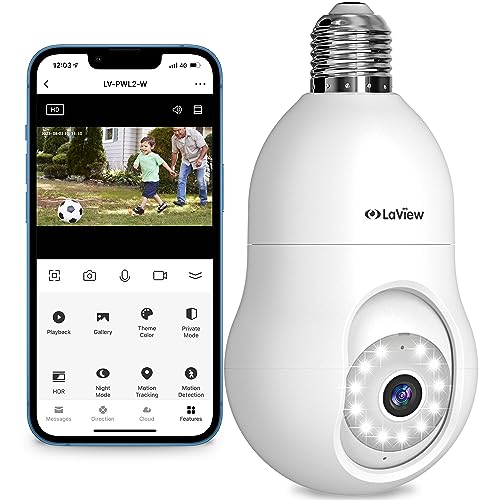
LaView 4MP Bulb Security Camera 2.4GHz,360° 2K Security Cameras Wireless Outdoor Indoor Full Color Day and Night, Motion Detection, Audible Alarm, Easy Installation, Compatible with Alexa
Check price on Amazon
WYZE Bulb Cam - 2K HD Smart Light Bulb Security Camera 2 Pack
Check price on AmazonReady to Secure Your Home Without Monthly Fees?
Explore our top-rated light bulb cameras without subscription and take control of your home security today. No contracts, no hidden costs—just reliable protection.
View Recommended CamerasFrequently Asked Questions
Do light bulb cameras require a subscription?
No, many light bulb cameras work without a subscription. They store footage locally on a microSD card and offer live view and motion alerts through a free app. However, some brands may offer optional cloud storage plans.
Can I use a light bulb camera without Wi-Fi?
Some models can record locally without Wi-Fi, but you'll need Wi-Fi for remote access and notifications. For a completely Wi-Fi-free option, look for a indoor security camera that doesn't need WiFi or a home security camera that doesn't need internet.
How long does the light bulb camera last?
With continuous power from the light socket, the camera can run indefinitely. If it has a battery backup, expect 2-6 months depending on usage. Always check the manufacturer's specifications.
Are light bulb cameras weatherproof?
Many outdoor models are weather-resistant (IP65 or higher). However, always check the rating before installing outdoors. For harsh climates, consider a professional outdoor security camera.
Can I use a light bulb camera in a switched outlet?
If the light switch is turned off, the camera loses power. For continuous operation, ensure the socket is always powered or use a camera with a battery backup like a battery-powered no WiFi security camera.
Final Thoughts
A light bulb camera without subscription is an excellent choice for anyone seeking affordable, easy-to-install home security. By avoiding monthly fees and leveraging local storage, you can protect your property without ongoing costs. Whether you're a renter or a homeowner, these cameras offer flexibility and peace of mind.
When choosing, prioritize resolution, night vision, and storage options. And don't forget to check compatibility with your existing light sockets. With the right model, you can enjoy 24/7 monitoring without the hassle of contracts. For more options, explore our guide to the best light bulb cameras without subscription and start securing your home today.