
Light Bulbs That Have Cameras In Them: The Ultimate Buyer's Guide
Discover how light bulb security cameras combine illumination and surveillance in one clever device. Learn about features, installation, privacy considerations, and how to choose the perfect model for your home or business.
VIEW RECOMMENDED MODELSWhy consider a light bulb camera? These ingenious devices screw into standard light sockets and discreetly monitor your space while providing normal lighting. No complicated wiring, no visible cameras — just smart security that blends seamlessly into your home.
What Are Light Bulb Cameras and How Do They Work?
Light bulbs that have cameras in them are hybrid devices that combine a standard LED light bulb with a built-in security camera. They screw into any E26 or E27 light socket — the same fitting used by most ceiling fixtures, porch lights, and lamp holders. Once installed, they draw power directly from the socket, so you never need to worry about battery replacements or charging.
The camera lens is typically positioned on the side or bottom of the bulb housing, offering a wide field of view. Most models connect to your home Wi-Fi network and stream live video to a smartphone app. Many also support two-way audio, motion detection, night vision, and cloud or local storage. Because the device looks exactly like a regular light bulb, it serves as a discreet alternative to traditional security cameras — particularly useful for renters or anyone who wants inconspicuous outdoor security cameras without permanent installation.
Some models are designed to work entirely offline, storing footage on a microSD card. If you prefer a setup that doesn't rely on the internet, you can explore options similar to home security cameras that don't need internet. This flexibility makes light bulb cameras suitable for apartments, offices, garages, and even vacation rentals.
Key Features to Look For in a Light Bulb Camera
Not all light bulb cameras are created equal. Here are the most important specifications to compare before buying:
- Resolution: Look for at least 1080p Full HD. Many modern models offer 2K or even 4K for sharper detail. Higher resolution helps you identify faces and license plates.
- Field of View: A 360-degree panoramic view is ideal for covering an entire room. Fixed-lens models typically offer 110° to 180°.
- Night Vision: Infrared LEDs enable clear footage in complete darkness. Check the night vision range — 20 to 30 feet is standard. For outdoor use, consider a model with small security cameras with night vision capabilities.
- Motion Detection: Smart motion alerts reduce false notifications. Some cameras distinguish between people, pets, and vehicles.
- Two-Way Audio: Built-in microphone and speaker let you listen and talk through the app — great for greeting visitors or deterring intruders.
- Storage Options: Cloud subscription, local microSD card (up to 128GB), or both. If you want to avoid monthly fees, look for light bulb camera without subscription models.
- Power Source: Most screw into a light socket. Some have backup batteries. For areas without wiring, consider a battery operated security camera without wifi as an alternative.
- Weather Resistance: Outdoor models need IP65 or higher rating to withstand rain and dust.
Installation and Setup: Simple as Changing a Light Bulb
One of the biggest advantages of light bulb cameras is their effortless installation. You don't need drills, screws, or professional help. Here's the typical process:
- Turn off the power to the light fixture at the breaker box.
- Remove the existing bulb and screw in the camera bulb firmly.
- Restore power and wait for the camera to boot up (usually 30–60 seconds).
- Download the companion app and create an account.
- Connect the camera to your 2.4GHz Wi-Fi network (most models don't support 5GHz).
- Adjust the camera angle using the app's live view.
For outdoor installation, choose a fixture that's protected from direct rain, or select a weather-rated model. If you're mounting it on a porch or garage, a front porch light with security camera offers a clean, integrated look. If you need a camera that works without Wi-Fi, there are indoor cameras that don't require wifi that can operate via local storage.
Pros and Cons of Light Bulb Security Cameras
Like any security device, light bulb cameras have trade-offs. Here's an honest breakdown:
Pros
- Discreet, blends into any room
- No separate power source or wiring
- Easy DIY installation
- Provides both lighting and surveillance
- Affordable compared to full security systems
- Many models work without monthly fees
Cons
- Requires a light socket — not always available where needed
- Field of view may be limited by fixture position
- Most need constant power (light switch must stay on)
- Wi-Fi dependence for remote viewing
- Some models have latency or connection issues
If you need a camera in a location without a light socket, consider a camera that screws into a light socket with an adapter, or explore small security camera that connects to phone alternatives.
Privacy and Legal Considerations
Because light bulb cameras are designed to be inconspicuous, they raise important privacy questions. In many jurisdictions, it's illegal to record audio or video in areas where people have a reasonable expectation of privacy — such as bathrooms, bedrooms, or changing rooms. Always inform household members and guests that surveillance is in use. For outdoor cameras, avoid pointing them directly at your neighbor's windows or private property.
If you're a renter, check your lease before installing any security device. Some landlords prohibit modifications, even something as simple as swapping a light bulb. When in doubt, opt for a non-subscription outdoor security camera that can be removed easily.
Best Use Cases for Light Bulb Cameras
These versatile devices shine in a variety of scenarios:
- Apartments and Rentals: No permanent installation means no damage and easy move-out.
- Porches and Entryways: Replace your existing porch light with a camera bulb for 24/7 monitoring. A light bulbs with security cameras in them guide can help you choose the right model.
- Garages and Sheds: Keep an eye on tools and vehicles without running new wires.
- Small Businesses: Monitor cash registers or stockrooms discreetly. For more comprehensive coverage, consider a wireless security camera system for small business.
- Pet Monitoring: Check in on pets while you're at work, with two-way audio to calm them.
- Vacation Rentals: Ensure property security between guests without complex setups.
How to Choose the Right Light Bulb Camera for Your Needs
With so many options on the market, narrowing down your choice can be overwhelming. Follow this simple framework:
- Determine Indoor vs. Outdoor: Outdoor models need weatherproofing and stronger night vision. Indoor models can be simpler and cheaper.
- Decide on Storage: Cloud storage offers easy access but comes with subscription fees. Local microSD storage is private and free after purchase. Some models offer both.
- Check Compatibility: Ensure the bulb fits your fixture (E26/E27) and your Wi-Fi frequency (2.4GHz is standard).
- Prioritize Features: Make a list of must-haves — 2K resolution, two-way audio, motion tracking, etc. — and compare models against it.
- Read Reviews: Look for real-world feedback on app reliability, video quality, and customer support. If you're on a tight budget, a cheap indoor wireless security cameras roundup can point you to value picks.
- Consider Future Expansion: If you plan to add more cameras later, choose a brand with a unified app ecosystem.
For those who need cameras in areas without Wi-Fi, explore wireless security cameras no wifi needed options. And if you want to avoid monthly fees entirely, a wireless security camera without monthly fee is your best bet.
Recommended Light Bulb Cameras
⚠️ AFFILIATE DISCLOSURE: This website contains affiliate links. As an affiliate Associate, we earn from qualifying purchases. If you make a purchase through these links, we may receive a small commission at no additional cost to you. Read our full affiliate policy.
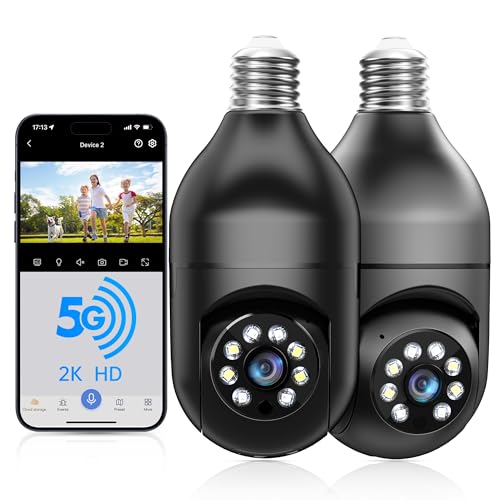
WESECUU Light Bulb Security Camera -5G& 2.4GHz WiFi 2K Security Cameras Wireless Outdoor Motion Detection and Alarm,Two-Way Talk,Color Night Vision,Human Detection, Bulb Camera Compatible with Alexa
Check price on Amazon
WESECUU Light Bulb Security Camera -5G& 2.4GHz WiFi 2K Camera for Home Security, 1000-Lumen Dimmable Bulb Camera with Color Night Vision, Two-Way Talk, Motion Detection & Siren, 355°Pan (1-Pack)
Check price on Amazon
2K Light Bulb Security Camera 5G&2.4G WiFi Security Cameras Wireless Outdoor Indoor,360°Bulb Cameras for Home Security Outside Indoor,Motion Detection and Alarm,Two-Way Talk,Color Night Vision 2 Pack
Check price on Amazon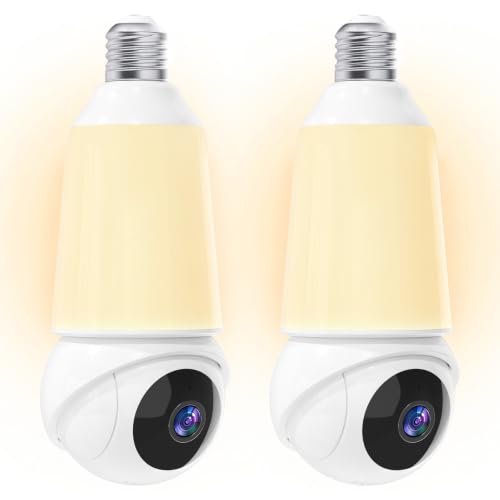
Light Bulb Security Camera -5G& 2.4GHz WiFi 2K Camera for Home Security, 1000-Lumen Dimmable Bulb Camera with Color Night Vision, Two-Way Talk, Motion Detection & Siren, 355°Pan Compatible with Alexa
Check price on AmazonMaintenance and Troubleshooting Tips
Light bulb cameras are low-maintenance, but a few simple habits will keep them running smoothly:
- Clean the lens regularly: Dust and insects can obscure the view. Use a microfiber cloth.
- Keep firmware updated: Manufacturers release updates that improve security and performance.
- Check Wi-Fi signal: Weak signal causes lag and disconnects. Consider a mesh router or Wi-Fi extender.
- Monitor storage: If using microSD, format the card periodically and replace it every 1–2 years.
- Adjust motion sensitivity: Reduce false alerts from passing cars or trees.
If you experience connectivity issues, try moving the camera closer to your router or switching to a 2.4GHz band. For cameras that work without internet, a security camera that doesn't use internet may be more reliable in remote areas.
Final Thoughts: Are Light Bulb Cameras Right for You?
Light bulbs that have cameras in them offer a unique blend of convenience, discretion, and affordability. They're ideal for renters, small business owners, and anyone who wants to enhance security without a major installation project. While they may not replace a full-scale professional outdoor security cameras system, they fill a valuable niche for targeted monitoring.
Before you buy, assess your specific needs: Do you have a suitable light socket? Do you prefer local or cloud storage? Are you comfortable with an app-based interface? Answering these questions will guide you to the perfect model. And remember — always respect privacy laws and inform others when surveillance is in use.
Ready to upgrade your home security? Check out our recommended light bulb cameras above and take the first step toward smarter, simpler protection.