
Wireless Camera That Connects to Phone: Complete Buying Guide
Discover how to choose the perfect Wi-Fi camera that streams live video directly to your smartphone. Compare features, understand setup requirements, and find the best option for your home or business.
VIEW RECOMMENDED CAMERASWhy a Phone-Connected Camera Matters: A wireless camera that connects to your phone gives you instant access to live footage, motion alerts, and two-way communication from anywhere in the world. Whether you're checking on your home while at work or monitoring a vacation property, these cameras provide unmatched convenience and peace of mind. This guide will walk you through everything you need to know before making a purchase.
What Is a Wireless Camera That Connects to Phone?
A wireless camera that connects to your phone is a surveillance device that transmits video and audio over a Wi-Fi or cellular network to a mobile app. Unlike traditional wired systems that require a DVR and coaxial cables, these cameras communicate directly with your smartphone, tablet, or cloud server. This means you can view live footage, review recorded clips, and receive real-time notifications without being tied to a physical monitor.
Most modern models fall into two categories: those that connect via your home Wi-Fi network and those that use a cellular signal. If you need coverage in an area without internet access, a security camera that works without Wi-Fi might be the better choice. However, for most homeowners, a standard Wi-Fi model offers an ideal balance of affordability and functionality.
The convenience factor cannot be overstated. With a wireless security camera system with remote viewing and no monthly fee, you can check on your property at any time without paying for a subscription. This is particularly valuable for renters or anyone who wants to avoid long-term contracts.
Key Features to Look For
Not all phone-connected cameras are created equal. Here are the most important features to evaluate before buying:
📹 Video Resolution
Look for at least 1080p Full HD. For clearer details like license plates or faces, consider a 4K Ultra HD security camera with color night vision. Higher resolution means better evidence quality if an incident occurs.
🌙 Night Vision
Infrared or color night vision is essential for 24/7 monitoring. A wireless security camera with night vision ensures you can see clearly even in complete darkness.
🔋 Power Source
Battery-powered models offer flexible placement, while plug-in cameras provide continuous power. A wireless battery powered security camera system is ideal for rentals or areas without outlets.
💾 Storage Options
Choose between local storage (SD card) or cloud storage. A wireless security camera with SD card lets you avoid monthly fees entirely.
🔔 Smart Alerts
Motion detection with phone notifications keeps you informed. Look for AI-powered person detection to reduce false alarms from pets or passing cars.
🎤 Two-Way Audio
A wireless security camera with two-way audio lets you speak to visitors or deter intruders directly through your phone.
Wi-Fi vs. Cellular vs. Bluetooth Cameras
Understanding the differences between connection types will help you choose the right camera for your situation.
| Feature | Wi-Fi Camera | Cellular Camera | Bluetooth Camera |
|---|---|---|---|
| Connection Range | Home network range (~150 ft) | Anywhere with cellular signal | Short range (~30 ft) |
| Monthly Fee | Optional (free if local storage) | Usually required (SIM data plan) | None |
| Best For | Home & office | Remote locations, construction sites | Quick setup, travel |
| Setup Difficulty | Easy | Moderate | Very Easy |
| Video Quality | Up to 4K | Up to 1080p | Usually 720p |
If you need a camera for a location without internet, consider a battery powered cellular security camera. For a quick, temporary solution, a Bluetooth mini camera for mobile phone is a great option.
Indoor vs. Outdoor Use
Where you plan to place your camera will significantly impact your choice. Indoor cameras are generally smaller, quieter, and designed for discreet placement. Outdoor models need weatherproof housing (IP65 or higher) and often feature more powerful night vision and motion detection.
For comprehensive coverage, many homeowners choose wireless indoor and outdoor security cameras that work together as a system. If your primary concern is the exterior of your home, look for outdoor use security cameras for home with durable construction and wide viewing angles.
For those who want a complete setup without professional installation, an outdoor wireless security camera system typically includes multiple cameras and a central hub. If you prefer individual units, wireless outdoor security cameras with Wi-Fi offer flexible placement.
Subscription vs. No Subscription: What You Need to Know
One of the most common concerns for buyers is ongoing costs. Many brands push cloud storage plans, but there are excellent alternatives. A security camera system without subscription typically stores footage locally on an SD card or a network-attached storage (NAS) device.
If you want to avoid monthly fees entirely, consider a Wi-Fi security camera without subscription. These models let you access live view and recorded clips through your phone without paying a dime after the initial purchase. For budget-conscious buyers, a wireless security camera with no subscription is the smartest choice.
However, keep in mind that without a subscription, you may lose access to cloud backup and advanced AI features. If those are important to you, a home security camera system without subscription might offer a middle ground with optional cloud storage.
Pros and Cons of Phone-Connected Cameras
✅ Advantages
- Remote access from anywhere via smartphone
- Easy installation with no professional wiring
- Real-time motion alerts and notifications
- Two-way audio for communication
- Scalable — add cameras as needed
- Many options with no monthly fees
❌ Disadvantages
- Requires stable Wi-Fi or cellular connection
- Battery-powered models need regular charging
- Potential security risks if not properly configured
- Cloud storage often requires a subscription
- Video quality may drop with weak signal
- Some models have limited local storage
How to Choose the Right Camera for Your Needs
With so many options available, narrowing down your choice can feel overwhelming. Start by identifying your primary use case:
For home security: Prioritize night vision, motion detection, and weatherproofing. A good security camera for home should offer at least 1080p resolution and reliable phone connectivity.
For business: Consider multi-camera systems with centralized management. Security cameras for business installation often require professional setup and advanced features like license plate recognition.
For renters: Look for battery-powered or adhesive-mount options that don't require drilling. A wireless security camera system with monitor can be a good choice if you want a dedicated display in addition to phone access.
For remote locations: If you don't have Wi-Fi, consider a solar powered security camera with Wi-Fi or a cellular model. A solar powered security camera with SD card is ideal for areas with plenty of sunlight but no power outlets.
For budget-conscious buyers: A good wireless security camera doesn't have to be expensive. Many affordable models offer excellent value without sacrificing essential features.
Setup Tips for Optimal Performance
Once you've chosen your camera, proper setup is crucial for reliable performance. Here are some tips:
1. Position for Wi-Fi strength: Place your camera within range of your router. If the signal is weak, consider a Wi-Fi extender or a mesh network system.
2. Optimize motion detection zones: Most apps let you define specific areas to monitor, reducing false alerts from trees or passing traffic.
3. Secure your network: Use a strong password and enable WPA3 encryption on your router. Change default camera passwords immediately.
4. Test before mounting: Connect the camera to your phone and test the live view before permanently mounting it. This saves time and avoids frustration.
5. Consider local storage: If you want to avoid subscription fees, insert a high-capacity SD card (128GB or more) for continuous or event-based recording.
Recommended Wireless Cameras That Connect to Phone
⚠️ AFFILIATE DISCLOSURE: This website contains affiliate links. As an affiliate Associate, we earn from qualifying purchases. If you make a purchase through these links, we may receive a small commission at no additional cost to you. Read our full affiliate policy.

realhide 2026 Upgraded 5GHz WiFi 4K Spy Camera, Mini Hidden Camera with Long Battery Life, Night Vision, Motion Detection, Free Cloud Storage, Wireless Indoor Nanny Cam for Home Security
Check price on Amazon
Zaiew 2K MiniSmart Hidden HD Cameras Wireless WiFi Camera for Home Security - Night Vision, Motion Detection, Built - in Battery, App Control (iOS & Android) - Ideal Indoor Nanny, Pet & Dog Camera
Check price on Amazon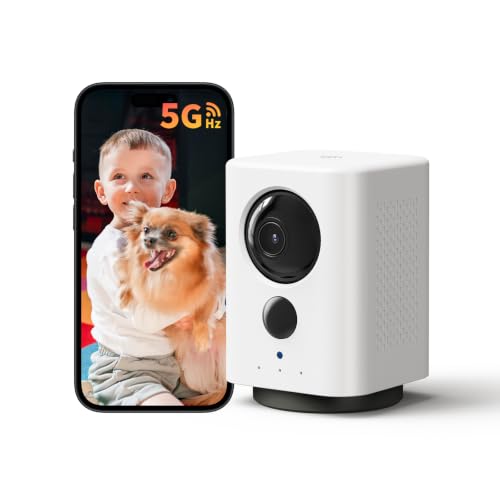
Indoor Camera Wireless, Battery Powered 5G/2.4G WiFi,2K Live View, Portable | Dog/Pet Camera, No Wires, Smart Detection, Instant Alerts, Night Vision, 2-Way Talk, Phone App Control Indoor Security Camera
Check price on Amazon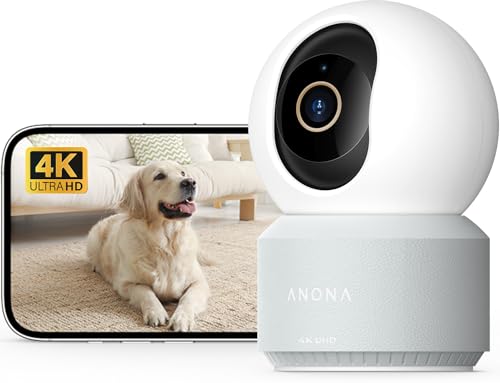
Anona Pano 4K UHD Indoor Camera, Pet/Dog Security Camera with Phone App | 360° Pan-Tilt, 5G/2.4G Dual-Band Wi-Fi 6, Auto-Tracking, AI Person/Pet/Baby Crying Detection, Privacy Mode, Two-Way Audio
Check price on Amazon
GNCC 2K Security Camera Indoor, 5G WiFi Cameras for Home Security,Phone App | AI Motion Tracking,Night Vision, Smart detection and alerts,SD Card or Paid Cloud, WiFi Security Camera for Pet/Elderly/Nanny
Check price on Amazon
GNCC 2K Indoor Security Camera with Motion Detection, 2.4G WiFi, 1Pack | Motion Detection, Baby/Pet Camera with Phone App, Night Vision, 2-Way Audio, TF/Cloud Storage, Works with Alexa & Google Home
Check price on Amazon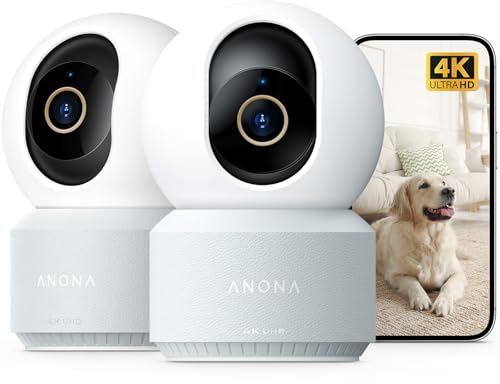
Anona 4K UHD Indoor Camera, Pet/Dog/Baby Security Camera with Phone App, 360°Pan-Tilt, 5G/2.4G Dual-Band Wi-Fi 6, Auto-Tracking, Person/Pet/Baby Crying Detection, Privacy Mode, Two-Way Audio, 2 Pack
Check price on AmazonFrequently Asked Questions
Most do require a Wi-Fi connection to stream video to your phone. However, there are alternatives. A security camera that doesn't require Wi-Fi may use cellular data or Bluetooth. If you have no internet at all, look for a home security camera that doesn't need Wi-Fi.
Yes! Many cameras support local storage via SD card, allowing you to record and review footage without any recurring fees. Look for a camera that doesn't require a subscription or a security camera for home with no subscription.
As long as your camera and phone both have internet access, distance is unlimited. You can be on the other side of the world and still view live footage. However, the camera must be within range of your Wi-Fi router or have a cellular connection.
Most modern wireless cameras are designed for DIY installation. You typically need to mount the camera, download the app, and follow the in-app setup instructions. For those who want the simplest experience, an easiest outdoor security camera to install often uses adhesive mounts or a single screw.
Yes, most camera apps support multi-view, allowing you to see 4, 8, or even 16 cameras on a single screen. This is especially useful for business owners who need to monitor multiple areas simultaneously.
The best camera depends on your specific needs. For comprehensive coverage, consider a wireless security camera system with monitor. For outdoor use, an outdoor wireless security camera with motion light adds both surveillance and illumination.
Ready to Secure Your Home with a Phone-Connected Camera?
Explore our top-rated wireless cameras that connect to your phone. Compare features, read reviews, and find the perfect model for your needs.
VIEW TOP-RATED CAMERASFinal Thoughts
A wireless camera that connects to your phone is one of the most practical investments you can make for home security. It gives you peace of mind whether you're at work, on vacation, or simply in another room. By understanding the key features, connection types, and subscription options, you can choose a camera that fits your lifestyle and budget.
Remember to consider your specific needs: indoor vs. outdoor, Wi-Fi vs. cellular, and subscription vs. no subscription. With the right camera, you'll enjoy seamless monitoring and instant alerts right from your smartphone.
For those who want a complete solution, explore our guides on wireless outdoor security cameras with Wi-Fi and in-home surveillance cameras wireless to build a comprehensive security system.