
Security Cameras for Business Installation: The Complete Guide
Protect your commercial property with the right surveillance system. Learn about camera types, installation costs, and expert setup tips for your business.
EXPLORE RECOMMENDED SYSTEMSWhy Business Security Matters: A well-designed surveillance system is no longer a luxury—it's a necessity for protecting your assets, employees, and customers. Whether you run a small retail shop or a large warehouse, choosing the right security cameras for business installation is a critical investment that pays for itself through deterrence and evidence collection.
This guide will walk you through everything you need to know: from understanding camera types and resolution requirements to planning your installation and understanding the true costs involved. By the end, you'll have the confidence to make an informed purchasing decision.
Understanding Your Business Security Needs
Before you purchase any equipment, you need to assess your specific requirements. Not all businesses have the same security challenges. A retail store needs to monitor checkout counters and entrances, while a warehouse might require coverage of loading docks and inventory storage areas.
Start by identifying the critical areas you need to monitor. These typically include entry and exit points, cash handling areas, inventory storage, and any blind spots around the perimeter. For businesses that operate around the clock, consider systems that offer continuous recording to ensure no activity is missed.
Another key consideration is whether you need a system that can function independently of your internet connection. Many businesses prefer security cameras that don't need internet to record, which adds a layer of reliability during network outages. Similarly, if you want to avoid recurring costs, look for security cameras without a monthly subscription.
Types of Security Cameras for Business
There are several types of cameras suitable for commercial installation, each with its own strengths and ideal use cases.
Indoor vs. Outdoor Cameras
Indoor cameras are designed for climate-controlled environments and often prioritize discreet design and wide-angle coverage. Outdoor cameras, on the other hand, must be weather-resistant and often come with features like night vision and motion detection. For businesses needing comprehensive coverage, an indoor-outdoor wireless security camera system offers the flexibility to cover both areas seamlessly.
Wired vs. Wireless Systems
Wired systems are generally more reliable and offer consistent power and data transmission, making them ideal for permanent installations. Wireless systems are easier to install and can be repositioned as needed. A wireless outdoor security camera system is an excellent choice for businesses that want to avoid running cables through walls and ceilings.
For businesses that need a centralized recording solution, a wireless outdoor security camera system with DVR provides the best of both worlds—flexible camera placement with a dedicated recording hub. If you prefer to monitor your footage on a dedicated screen, consider a system with a monitor.
Specialized Cameras
Depending on your industry, you might need specialized equipment. For example, a 180-degree wide-angle security camera can cover a large open area with a single unit, reducing the number of cameras needed. Businesses with remote locations might benefit from a solar-powered security camera with WiFi, which eliminates the need for nearby power outlets.
Key Features to Look For in Business Security Cameras
When evaluating cameras for your business, pay close attention to these features:
📹 Resolution & Clarity
- 1080p minimum for identification
- 4K for reading license plates or fine details
- Wide dynamic range for challenging lighting
🌙 Night Vision
- Infrared (IR) for zero-light conditions
- Color night vision for better evidence
- Check the effective range (typically 30-100 feet)
💾 Storage Options
- Local storage via SD card or NVR/DVR
- Cloud storage for off-site backup
- Consider a system with a hard drive for large capacity
📱 Remote Access
- Mobile app for live viewing
- Instant alerts for motion detection
- Ability to watch on your phone
For businesses that need to monitor activity after hours, security cameras with night vision are essential. If you want to capture audio as well as video, look for models with 2-way audio to communicate with visitors or deter intruders.
Installation Planning & Costs
Proper planning is the difference between a system that works flawlessly and one that leaves you with blind spots and frustration. Here's what you need to consider.
Planning Your Camera Placement
Map out your property and identify all entry points, high-value areas, and blind spots. Cameras should be mounted at a height that prevents tampering but still captures clear facial recognition—typically 8 to 10 feet. Consider the field of view and avoid pointing cameras directly at the sun or reflective surfaces.
For businesses that need a system that works even without a stable internet connection, explore options for a security camera that works without internet. This is particularly useful for remote sites or as a backup during network failures.
Understanding Installation Costs
The cost of security cameras for business installation varies widely based on the number of cameras, type of system, and whether you hire a professional or do it yourself. Here's a realistic breakdown:
Estimated Cost Breakdown
- Basic DIY System (4 cameras, wireless) $300–$800
- Professional Installation (4 cameras, wired) $1,200–$2,500
- Advanced System (8+ cameras, 4K, NVR) $2,500–$5,000+
- Enterprise Solution (16+ cameras, analytics) $5,000–$15,000+
Note: Prices are estimates and vary by region, equipment brand, and complexity. Always get multiple quotes for professional installation.
If you're wondering about the professional security camera installation cost, it's important to factor in labor, cabling, and configuration. Many businesses find that the peace of mind and warranty coverage from professional installation is worth the investment. For a more detailed breakdown, you can also explore the cost to have security cameras installed in your area.
For businesses looking to minimize upfront costs, a battery-operated security camera with SD card is a great option—it requires no wiring and stores footage locally. If you want a complete kit that's easy to set up, consider a battery-powered security camera system.
DIY vs. Professional Installation
Should you install your business security cameras yourself or hire a professional? The answer depends on your technical skills, the complexity of your setup, and your budget.
DIY Installation is suitable for small businesses with simple needs. Wireless systems are particularly DIY-friendly. If you're looking for the easiest security camera system to install, look for kits that come with pre-configured cameras and a user-friendly app. A wireless system with a monitor can be set up in an afternoon without any special tools.
Professional Installation is recommended for larger businesses, multi-camera setups, or when you need custom cabling and integration with existing systems. Professionals ensure optimal camera placement, proper weatherproofing, and secure network configuration. They can also help you choose the right security cameras for business installation based on your specific environment.
For businesses that want a middle ground, a solar-powered wireless security camera system with DVR offers easy installation with the reliability of a dedicated recorder.
Recommended Security Cameras for Business
⚠️ AFFILIATE DISCLOSURE: This website contains affiliate links. As an affiliate Associate, we earn from qualifying purchases. If you make a purchase through these links, we may receive a small commission at no additional cost to you. Read our full affiliate policy.

Security Cameras Wireless Outdoor 5G& 2.4G, No Subscription, 2 Cam-Kit,4MP Solar Powered Home Security Cameras System With 360°PTZ,128GB Local Storage,Color Night Vision WiFi Cameras for Home Security
Check price on Amazon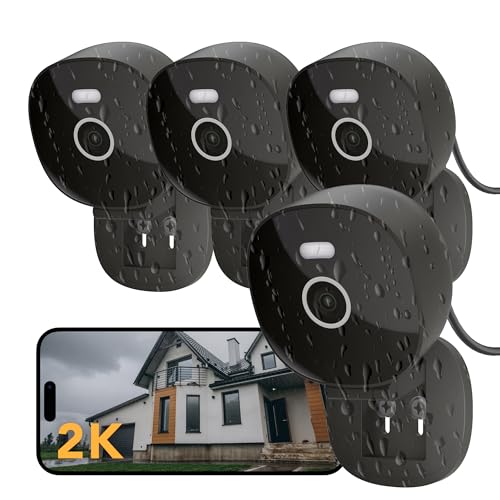
FAMVIVA 2K Wired Security Camera, Indoor/Outdoor for Home, Pet, Baby, Nanny, IP65 Waterproof Color Night Vision, White Light & Siren, Recording, Motion Detection, Works with Alexa,Pulg in, Black-4P
Check price on Amazon
3000TVL Home Security System Surveillance DVR Camera Kits, 4pcs Wired 5MP PoE IP Night Vision Cameras Set with AI Motion Person Vehicle Detection, 4K NVR with 512GB Hard Drive for 24-7 Recording
Check price on Amazon
Commercial CCTV and Security Camera Installation: Step-by-Step Guide to Cabling, Configuring, and Maintaining Surveillance Systems for Security Professionals and Business Owners
Check price on Amazon
2K Security Camera System, 5GHz&2.4GHz WiFi Solar Wireless Cameras for Home Security, Wire-free Installation, AI Detection, Two-way Audio, Mobile alerts, SD/Cloud Storage, Color Night Vision, 4 Packs
Check price on Amazon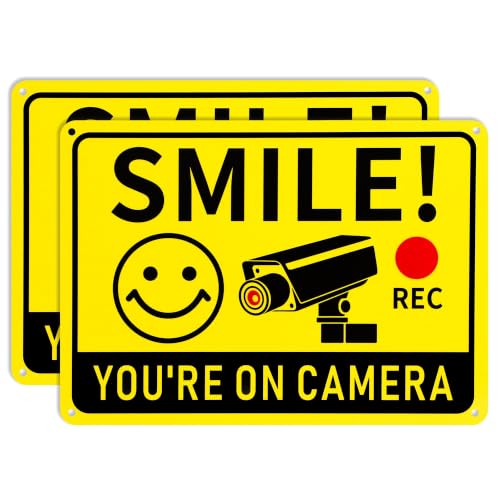
2 Pack Smile You're on Camera Signs – Video Surveillance Signs Outdoor, 10"x7" Rust-Free Aluminum Warning Sign, UV Printed Weatherproof Security Camera Sign for Home, Business, Fence, Driveway, CCTV
Check price on Amazon
Ring Floodlight Cam Wired Plus, Outdoor Home or Business Security with Motion-Activated 1080p HD Video and Floodlights, White
Check price on AmazonMaintenance & Best Practices
Once your system is installed, regular maintenance ensures it continues to perform when you need it most. Clean camera lenses periodically, check for firmware updates, and test recording and playback functions monthly.
Consider a system that offers continuous recording to ensure you never miss critical moments. For businesses that want to avoid ongoing fees, a security camera without a subscription is an excellent long-term choice. If you need a system that can alert you to activity, look for motion notification features.
For businesses that need a reliable, self-contained solution, a stand-alone security camera with SD card provides local recording without the need for a network. And if you're looking for a system that can operate completely off-grid, a solar-powered security camera with SD card is an ideal choice.
Ready to Secure Your Business?
Explore our top-rated security camera systems for commercial installation and find the perfect fit for your property.
VIEW RECOMMENDED SYSTEMSFrequently Asked Questions
How many cameras does a small business need?
Most small businesses need between 4 and 8 cameras to cover entrances, exits, cash handling areas, and inventory storage. The exact number depends on the size and layout of your property. A good rule of thumb is to start with coverage of all entry points and high-value areas, then expand as needed.
Can I install business security cameras myself?
Yes, many wireless systems are designed for DIY installation. However, for wired systems or complex setups with multiple cameras, professional installation is recommended to ensure optimal placement and reliable performance. If you're unsure, consult with a professional to assess your specific needs.
What is the best resolution for business security cameras?
For most businesses, 1080p (Full HD) is the minimum standard for clear identification. If you need to read license plates, identify faces from a distance, or monitor large areas, 4K resolution is worth the investment. The key is to match the resolution to your specific monitoring needs.
Do business security cameras require a monthly subscription?
Not necessarily. Many systems offer local storage via SD card or NVR/DVR, which eliminates the need for a monthly cloud subscription. If you prefer cloud storage for off-site backup, some brands offer optional subscription plans. For businesses looking to avoid recurring costs, look for systems that support local storage.
How much does professional business security camera installation cost?
The cost varies based on the number of cameras, system complexity, and your location. For a basic 4-camera wired system, professional installation typically ranges from $1,200 to $2,500. Larger systems with 8 or more cameras can range from $2,500 to $5,000 or more. Always get multiple quotes and factor in ongoing maintenance costs.
Final Thoughts
Investing in security cameras for business installation is one of the most effective ways to protect your commercial property. By understanding your needs, choosing the right equipment, and planning your installation carefully, you can create a surveillance system that provides peace of mind for years to come.
Whether you choose a simple DIY wireless setup or a comprehensive professional installation, the key is to prioritize reliability, coverage, and ease of use. For businesses that want to explore more options, consider a home security camera system installation guide for residential insights, or explore security cameras for a broader overview of available technologies.
Take your time, do your research, and don't hesitate to consult with security professionals if you're unsure about any aspect of your installation. Your business deserves the best protection possible.