
Indoor Outdoor Wireless Security Cameras: The Complete Guide
Everything you need to know before buying a versatile, weather-resistant wireless security camera system for your home or business.
Quick Summary: Indoor outdoor wireless security cameras combine the flexibility of a wire-free installation with the durability needed to withstand rain, dust, and extreme temperatures. This guide breaks down the key features, power options, and smart integrations so you can choose the right system with confidence.
Why Choose an Indoor Outdoor Wireless Security Camera?
Traditional wired cameras are reliable, but they limit where you can place them and often require professional installation. Indoor outdoor wireless security cameras solve that problem by removing the need for long runs of video cable. Instead, they transmit footage over Wi-Fi or a dedicated wireless receiver, which means you can mount them almost anywhere—under an eave, on a fence post, or inside a garage—without calling an electrician.
The "indoor outdoor" label matters because not every wireless camera is built to survive the elements. A true indoor outdoor model carries an IP65 or IP66 weatherproof rating, meaning it is sealed against dust and water jets. If you need a camera that can handle heavy rain or snow, look for an outdoor wireless security camera with motion light that combines weather sealing with an integrated floodlight for deterrence.
Key Features to Compare Before You Buy
Not all wireless cameras are created equal. The table below highlights the features that matter most when comparing models for indoor and outdoor use.
Resolution & Clarity
1080p is the minimum for reading license plates and identifying faces. 2K and 4K models offer sharper detail but consume more bandwidth and storage. For most homes, 2K strikes the best balance.
Night Vision
Infrared (IR) LEDs provide black-and-white footage in total darkness. Color night vision uses a spotlight or advanced sensor to capture color details after dark. Learn more in our guide to security cameras with night vision.
Power Source
Battery-powered models are easiest to install but require recharging. Solar-powered models stay charged with sunlight. Wired models offer continuous power but limit placement. Compare options in our battery-powered security camera system overview.
Storage & Subscriptions
Local storage via microSD card or a base station avoids monthly fees. Cloud storage adds convenience but often requires a subscription. See our list of security cameras without subscription for fee-free options.
Smart Detection
AI-powered person, pet, and vehicle detection reduces false alerts. Look for customizable motion zones and instant push notifications to your phone.
Two-Way Audio
Built-in microphones and speakers let you talk to visitors, delivery drivers, or intruders from your phone. This is a must-have for front-door coverage.
Indoor vs. Outdoor Placement: What Changes?
Inside your home, a wireless camera mainly needs a clear view of entry points, hallways, or valuables. Power is usually easy to find, so you can choose a plug-in model with pan-and-tilt functionality. An indoor security camera with night vision is ideal for monitoring a nursery, pet area, or home office after dark.
Outdoors, the requirements shift. The camera must resist moisture, dust, and temperature swings. It also needs a mounting point with a strong Wi-Fi signal or a direct line to a base station. If your Wi-Fi does not reach the far corner of your yard, consider a wireless outdoor security camera system that uses a dedicated hub to extend range.
For complete coverage, many homeowners pair an indoor camera with an outdoor model. The indoor unit watches the living room or garage, while the outdoor unit covers the driveway or backyard. A wireless outdoor security camera system with monitor lets you view both feeds on a dedicated screen without opening a phone app.
Power Options: Battery, Solar, or Wired?
Wireless cameras still need power, and the source you choose affects installation and maintenance.
- Battery-Powered: Fully wireless and easy to mount. Battery life ranges from one to six months depending on traffic and recording settings. A battery operated security camera with SD card stores footage locally without a subscription.
- Solar-Powered: A small solar panel keeps the battery topped off, so you rarely need to recharge. This is ideal for sunny locations. Browse solar powered outdoor security camera reviews to compare real-world performance.
- Wired (Plug-In): Requires an outlet nearby but never needs recharging. Best for covered porches, garages, or indoor use where an outlet is available.
If you want a system that never needs manual recharging, a solar powered security camera with solar charger is a strong choice for outdoor placement. For areas with limited sun, a battery operated security camera motion detection model can run for months on a single charge.
Storage: Local vs. Cloud
Where your footage lives matters for both privacy and cost. Local storage via microSD card or a network video recorder (NVR) keeps recordings in your home and avoids monthly fees. A security camera with SD card is the simplest local option—just insert a card and the camera records on motion.
Cloud storage offers off-site backup and easier sharing, but most brands charge a subscription. If you prefer to avoid recurring costs, look for a security camera without subscription or a home camera system without subscription. Many users also choose a security camera system with hard drive to store weeks of continuous footage locally.
For a hybrid approach, some systems let you use both local and cloud storage. You can keep continuous recordings on a local drive while sending motion-triggered clips to the cloud for quick access.
Connectivity: Wi-Fi, Cellular, or No Internet?
Most indoor outdoor wireless cameras connect to your home Wi-Fi network. This is convenient but can be unreliable if your router is far from the camera. If Wi-Fi coverage is a problem, consider a wireless security camera without internet that records to a local base station or SD card.
For remote locations without Wi-Fi, a security camera with cellular uses a mobile data plan to send alerts and footage. This is ideal for construction sites, vacation homes, or rural properties. A temporary construction security camera often relies on cellular connectivity for this reason.
If you want to avoid internet dependency entirely, a security camera that doesn't need internet can record to a local SD card and only requires internet when you want to view footage remotely. For a fully offline setup, a security camera that works without internet is the way to go.
Installation Tips for Best Performance
Mounting a wireless camera is straightforward, but a few best practices ensure reliable performance.
- Height: Mount cameras 8–10 feet above the ground to prevent tampering and improve viewing angles.
- Angle: Position the camera so the sun does not shine directly into the lens, which can cause glare and false motion alerts.
- Wi-Fi Signal: Test the signal strength at the mounting location before drilling holes. A Wi-Fi extender or mesh node can help.
- Weatherproofing: Use the included gaskets and cable covers to protect connections from water ingress.
- Motion Zones: Configure activity zones in the app to ignore busy streets or swaying trees.
If you prefer professional help, the cost to have security cameras installed varies by region and system complexity. A typical four-camera wireless system installation ranges from $200 to $800 depending on labor and mounting requirements.
Smart Home Integration
Modern wireless cameras integrate with Amazon Alexa, Google Home, and Apple HomeKit. You can view live feeds on smart displays, trigger routines, and receive voice alerts. A video doorbell camera often serves as the entry point to a broader smart security ecosystem.
For businesses, a security camera for business installation may require multiple cameras with centralized management. A 16 channel security camera system with audio can cover large retail spaces, warehouses, or office buildings.
How to Choose the Right System for Your Home
Start by identifying your coverage goals. Do you need to watch a single entry point, or do you want full perimeter coverage? For a single door or driveway, one or two cameras are enough. For a full home perimeter, a wireless outdoor security camera system with four to eight cameras is more appropriate.
Next, decide on storage and power. If you want zero monthly fees, choose a local storage option like a security camera with SD card or a system with a built-in hard drive. If you want the easiest installation, choose a battery or solar model. If you want continuous recording without recharging, choose a wired model with a nearby outlet.
Finally, check the app and smart features. A good app provides fast live view, clear playback, and customizable alerts. Look for cameras that support security cameras with 2 way audio so you can communicate with visitors or deter intruders.
Ready to compare models? Scroll down to see our recommended indoor outdoor wireless security cameras, or explore our guides to wireless security camera without subscription and best wireless outdoor security camera no subscription for fee-free options.
Recommended Indoor Outdoor Wireless Security Cameras
⚠️ AFFILIATE DISCLOSURE: This website contains affiliate links. As an affiliate Associate, we earn from qualifying purchases. If you make a purchase through these links, we may receive a small commission at no additional cost to you. Read our full affiliate policy.

GMK 4 Pack Cameras System, Security Cameras Wireless Outdoor, 2K Video | VicoHome Cam, Motion Detect, Color Night Vision, 2-Way Talk, IP65 Waterproof, Indoor&Outdoor, 2.4GHz WiFi, SD/Cloud Storage
Check price on Amazon
Jooedi Security Cameras Wireless Outdoor, Indoor Camera for Home Security | No Subscription Required, 2K Battery Powered, Color Night Vision, Spotlight Siren Alarm, AI Motion Detection, 2.4G WiFi
Check price on Amazon
Rraycom 5G/2.4G Security Cameras Wireless Outdoor,4Pack Cameras System | 2K Battery Powered AI Motion Detection Siren Alarm, Color Night Vision, 2-Way Talk, Waterproof, Works w/Alexa, Cloud/SD
Check price on Amazon
Blink Outdoor 4 – Wireless smart security camera, two-year battery life, 1080p HD day and infrared night live view, two-way talk. Sync Module Core included – 3 camera system
Check price on Amazon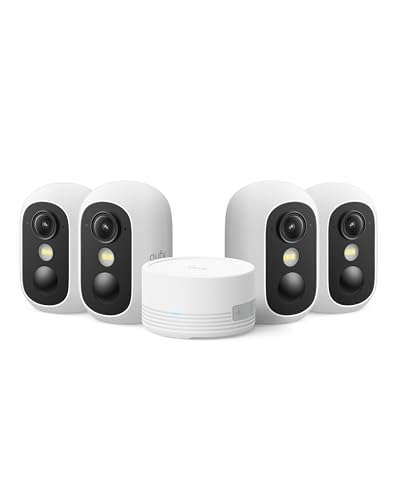
eufy Security eufyCam C35 4-Cam Kit, Wireless Indoor/Outdoor Camera | Magnetic Mount, Color Night Vision, Local Storage, No Monthly Fee, IP67, Facial Recognition, Solar Panel Compatible, White
Check price on Amazon
2K Security Cameras 4 Pack, Home Cameras Indoor/Outdoor for Baby/Pet
Check price on Amazon
Security Cameras Wireless Outdoor, 2K Indoor Cameras for Home Security Battery Powered, AI Motion Detection, Color Night Vision, 2-Way Talk, Spotlight Siren Alarm, Cloud & SD Storage-Jet Black Camera
Check price on Amazon
Blink Outdoor 4 – Wireless smart security camera, two-year battery life, 1080p HD day and infrared night live view, two-way talk. Sync Module Core included – 5 camera system
Check price on AmazonFrequently Asked Questions
Do indoor outdoor wireless security cameras need Wi-Fi?
Most wireless cameras use Wi-Fi to send alerts and stream video to your phone. However, some models can record locally to an SD card without any internet connection. If you want a camera that works entirely offline, look for a security camera that does not require internet or a security camera that doesn't need internet.
How long do wireless security camera batteries last?
Battery life depends on usage. A camera that records only on motion can last three to six months on a single charge. A camera that streams continuously may need recharging every few weeks. Solar-powered models can last indefinitely with adequate sunlight. See our guide to solar powered wireless security camera system with DVR for more details.
Can I use an indoor camera outdoors?
Only if it is rated for outdoor use. Indoor cameras lack weatherproof seals and may fail in rain or extreme temperatures. Always choose a camera with an IP65 or higher rating for outdoor placement. An outdoor wireless security camera with motion light is designed specifically for exterior conditions.
What is the best resolution for a wireless security camera?
1080p is sufficient for most homes, but 2K offers sharper detail for identifying faces and license plates. 4K is best for large properties where you need to zoom in on distant objects. Higher resolution also requires more storage and bandwidth.
Do wireless security cameras work without a subscription?
Yes. Many cameras support local storage via microSD card or a local NVR, which means no monthly fee. Look for a security camera without subscription or a security camera without monthly fee if you want to avoid recurring costs.
How do I install an indoor outdoor wireless security camera?
Installation is usually a DIY project. Mount the camera with the included screws, connect it to your Wi-Fi network via the app, and configure motion zones. For complex multi-camera systems, you may prefer professional installation. The cost to have security cameras installed varies, but a typical setup ranges from $200 to $800.