
Security Camera with SD Card: The Complete Guide to Local Storage
Discover how a security camera with an SD card can provide reliable, subscription-free recording for your home or business. Learn about storage capacity, installation, and the best options available today.
View Recommended CamerasWhen it comes to protecting your property, a security camera with an SD card offers a level of control and privacy that cloud-based systems simply cannot match. By storing footage locally on a removable memory card, you eliminate recurring monthly fees and ensure that your data remains in your hands. This guide will walk you through everything you need to know about choosing, installing, and maintaining a local-storage surveillance system.
Whether you are looking for a simple stand-alone security camera with SD card for your front door or a comprehensive multi-camera setup, understanding how SD card storage works is the first step toward a smarter, more affordable security solution.
Why Choose a Security Camera with SD Card Storage?
Cloud storage has become popular, but it comes with ongoing costs and potential privacy concerns. A local SD card solution provides distinct advantages that many homeowners and business owners find appealing.
Key Benefit: No monthly fees, no internet dependency, and complete control over your recorded footage. A security camera without subscriptions is an investment that pays for itself over time.
✅ Advantages of SD Card Storage
- No recurring monthly fees
- Works without internet connection
- Full privacy and data ownership
- Easy playback and file transfer
- Scalable storage capacity
⚠️ Considerations
- Card can be stolen if camera is accessible
- Limited storage compared to cloud
- Requires manual backup for long-term retention
- Card wear over extended use
How Does an SD Card Security Camera Work?
The mechanism is straightforward: the camera captures video and writes the data directly to a microSD card inserted into a slot on the device. Most modern cameras support cards ranging from 32GB to 256GB, with some supporting up to 512GB or more. The camera continuously overwrites the oldest footage when the card reaches capacity, a process known as loop recording.
For those who want a system that operates entirely independently of the internet, a security camera that doesn't need internet is ideal. You can still access footage by removing the card and viewing it on a computer, or through a local Wi-Fi network if the camera supports it.
If you need a camera that can record continuously, look for one with continuous recording capabilities. This ensures that no moment is missed, unlike motion-activated-only models.
Choosing the Right SD Card Capacity
The right capacity depends on your resolution, frame rate, and how far back you need to review footage. Here's a general guideline:
| Card Capacity | Approximate Recording Time (1080p) | Best For |
|---|---|---|
| 32GB | 2–4 days | Basic monitoring, short-term review |
| 64GB | 4–8 days | Standard home use |
| 128GB | 8–16 days | Extended coverage, busy areas |
| 256GB | 16–30 days | Comprehensive surveillance |
Always check the camera's maximum supported capacity before purchasing a card. Using a card larger than the camera supports can lead to errors or unrecognized storage. For outdoor cameras, consider a solar-powered security camera with SD card to keep your setup completely wireless and self-sustaining.
Key Features to Look for in an SD Card Security Camera
Not all local-storage cameras are created equal. Here are the features that matter most:
- Resolution: At least 1080p for clear identification; 2K or 4K for higher detail.
- Night Vision: Essential for 24/7 protection. Check out our guide on security cameras with night vision.
- Weatherproofing: IP65 or higher for outdoor use.
- Motion Detection: Smart alerts reduce false notifications. A security camera with motion notification keeps you informed.
- Two-Way Audio: Communicate with visitors or deter intruders. See security cameras with 2-way audio.
- Power Options: Battery, solar, or wired. For flexibility, a battery-operated security camera with SD card is an excellent choice.
If you need a system that works entirely off-grid, a security camera that runs off cell phone towers can provide connectivity where Wi-Fi is unavailable. Alternatively, a wireless security camera without internet offers local recording without any network dependency.
Installation and Setup Tips
Setting up your SD card camera is generally a straightforward process, but a few best practices ensure optimal performance:
- Format the Card: Always format the microSD card in the camera before first use to ensure compatibility.
- Position for Coverage: Mount the camera at least 8–10 feet high, angled slightly downward.
- Secure the Camera: If possible, place it out of easy reach to prevent tampering or theft.
- Test Recording: Record a short clip and review it to confirm the field of view and audio quality.
- Regular Maintenance: Periodically check the card's health and back up important footage.
For those who prefer a professional setup, understanding the home security camera system installation process can help you plan. If you're hiring a pro, knowing the cost to have security cameras installed will help you budget accordingly.
If you want the simplest possible setup, look for the easiest security camera system to install. Many modern cameras are designed for DIY installation in under 30 minutes.
SD Card vs. Cloud Storage: Which Is Right for You?
The choice between local and cloud storage often comes down to your priorities. If you want zero ongoing costs and full control, an SD card camera is the clear winner. If you need off-site backup and advanced AI features, cloud might be worth the subscription.
Many users opt for a hybrid approach: a camera that records to an SD card locally while also offering optional cloud backup. This provides the best of both worlds. For a purely local solution, consider a security camera without subscription or a home camera system without subscription.
If you're comparing specific models, our guides on security cameras without monthly fee and security cameras without monthly subscription can help you narrow down your options.
Best Security Cameras with SD Card
⚠️ AFFILIATE DISCLOSURE: This website contains affiliate links. As an affiliate Associate, we earn from qualifying purchases. If you make a purchase through these links, we may receive a small commission at no additional cost to you. Read our full affiliate policy.

Tapo 1080P Indoor Security Camera, Baby Monitor, Dog Camera, Wired, C100 | Motion Detection, 2-Way Audio, Siren, Night Vision, Cloud & SD Card Storage, Works w/Alexa & Google Home
Check price on Amazon
SensForge 2.5K Indoor Pan-Tilt Security Camera, 360° Dual-Band 2.4/5GHz Wi-Fi Camera for Home, Smart AI Human & Pet Detection, 64GB SD Card Included, Two-Way Talk, No Subscription Required (1, White)
Check price on Amazon
2026 Enhanced 2K UHD Security Cameras Wireless Outdoor – Free Cloud & SD Storage, Dual-Band WiFi 2.4G/5G, Full-Color Night Vision, 6-Month Battery, Motion Alerts, IP66 Weatherproof, 2-Way Talk
Check price on Amazon
2026 Upgraded 2K Wireless Security Camera with 64G SD Card, Free Cloud Storage, 1-6 Month Battery Life, AI Motion Detection, Spotlight, Siren Alarm, 2-Way Audio, Waterproof WiFi Surveillance Camera
Check price on Amazon
Tapo 1080P Indoor Security Camera, Baby Monitor, Dog Camera, C101 | Motion Detection, 2-Way Audio, Siren, Night Vision, Cloud & SD Card Storage, Works w/Alexa & Google Home, Black
Check price on Amazon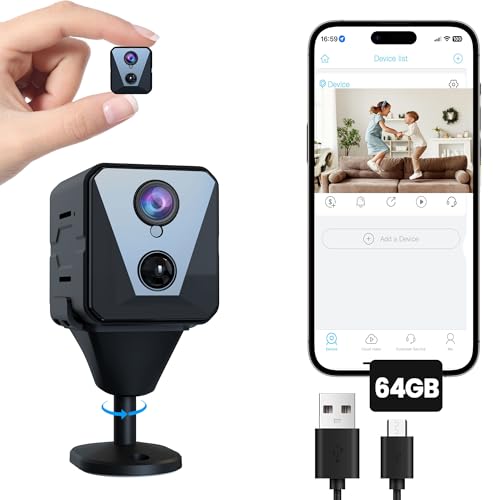
Funstorm 4K Security Camera with 64GB SD Card, Battery Powered Security Cam, 100-Day Standby, AI Human Detection, Night Vision, Real-Time Alert, Baby Monitor, Pet Cam for Home or Office
Check price on Amazon
SensForge 2.5K Indoor Pan-Tilt Security Camera, 360° Dual-Band 2.4/5GHz Wi-Fi Camera for Home, AI Human & Pet Detection, 64GB SD Card Included, Two-Way Talk, No Subscription Required (2-Pack, White)
Check price on Amazon
Tapo 2K Pan Tilt Security Camera for Baby Monitor, Dog Camera,C211(2-Pack) | Motion Detection, 2-Way Audio Siren, Night Vision, Cloud &SD Card Storage, Works with Alexa & Google Home, Black
Check price on AmazonFrequently Asked Questions
Yes, many cameras can stream live video without an SD card, but they won't be able to record and store footage locally. For recording, an SD card or cloud subscription is required. Some cameras have built-in storage, but this is less common.
High-endurance microSD cards designed for surveillance can last 2–5 years with continuous recording. Standard cards may wear out faster. Look for cards rated for "high endurance" or "surveillance" use.
Yes, if the camera is connected to your Wi-Fi network, you can typically view live footage and recordings remotely through a mobile app. However, if you want a camera that works entirely without internet, you'll need to access the SD card physically. Check out our guide on security cameras that work with your phone for more details.
Most cameras use loop recording, which means the oldest footage is automatically overwritten when the card reaches capacity. If you need to preserve specific clips, you must back them up before they are overwritten.
They are very secure from a privacy standpoint because your footage is stored locally and not transmitted to a third-party server. However, if someone steals the camera or the SD card, they could access the footage. Mounting the camera out of reach and using a locked enclosure can mitigate this risk. For added security, consider a hidden camera with long battery life for discreet monitoring.
Final Thoughts
A security camera with an SD card is a smart, cost-effective choice for anyone who values privacy, reliability, and freedom from monthly fees. By understanding storage capacities, key features, and proper installation, you can build a surveillance system that meets your exact needs without breaking the bank.
Whether you choose a simple indoor model or a comprehensive outdoor system, the ability to record locally gives you peace of mind and full control over your security data. Explore our recommended products above to find the perfect camera for your home or business today.