
Home Security Camera System Installation: Your Complete Guide
A professionally installed security system provides peace of mind, but with the right guidance, a DIY installation can be just as effective and rewarding. This comprehensive guide will walk you through every step of the process, from planning and choosing the right equipment to mounting, wiring, and configuring your system for optimal performance. Whether you're setting up a simple wireless outdoor security camera system or a complex multi-camera setup, we'll help you secure your home with confidence.
1. Planning Your Security Camera System Installation
Before you buy a single camera or drill a single hole, careful planning is the most critical step. A well-thought-out plan saves you time, money, and frustration, ensuring your system meets your specific security needs.
Assess Your Property and Vulnerabilities
Start by walking around your home and identifying potential entry points and blind spots. Common areas to cover include:
- Front Door: The primary entry point for most homes. A video doorbell camera is an excellent choice here.
- Back and Side Doors: Often less visible and more vulnerable.
- Ground-Floor Windows: Especially those hidden by bushes or fences.
- Driveways and Garages: To monitor vehicles and approaching visitors.
- Backyards: To protect outdoor valuables and monitor activity.
Choose the Right Type of System
Your choices largely fall into two categories: wired and wireless. Each has its own advantages for home security camera system installation.
- Wired Systems: These are generally more reliable, offer better video quality without signal interference, and don't require battery changes. However, they are more difficult to install, often requiring professional help and running cables through walls. A security camera system with hard drive (DVR or NVR) is a typical example.
- Wireless Systems: These are much easier to install for a DIYer, as they don't require running video cables. They are flexible and can be easily relocated. The trade-off is that they rely on a stable Wi-Fi signal and may require periodic battery charging. Many users prefer a wireless security camera system without monitor to use their phone as the primary viewing device.
Determine Your Power and Connectivity Options
For wireless cameras, you need to plan for power. You can use rechargeable batteries, plug them into an outdoor outlet, or use a solar panel for continuous power. For internet connectivity, you'll need a strong Wi-Fi signal at each camera location. If your Wi-Fi doesn't reach, a wireless outdoor security camera system with DVR might use a proprietary wireless signal to connect to a central hub, which is often more reliable.
Recommended Home Security Camera Systems
⚠️ AFFILIATE DISCLOSURE: This website contains affiliate links. As an affiliate Associate, we earn from qualifying purchases. If you make a purchase through these links, we may receive a small commission at no additional cost to you. Read our full affiliate policy.

Arlo Home Security System - Alarm System with Wired Keypad Sensor Hub, 5 8-in-1 Sensors & Yard Sign - No Contract Required - DIY Installation - White, SS1501
Check price on Amazon
2K Security Camera System, 5GHz&2.4GHz WiFi Solar Wireless Cameras for Home Security, Wire-free Installation, AI Detection, Two-way Audio, Mobile alerts, SD/Cloud Storage, Color Night Vision, 4 Packs
Check price on Amazon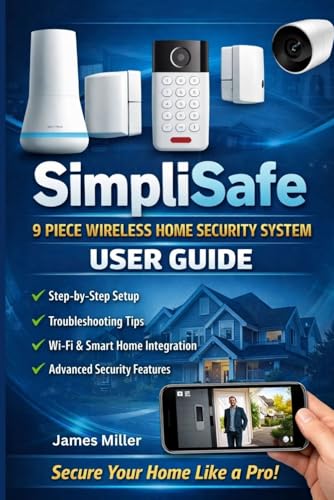
SimpliSafe 9 Piece Wireless Home Security System USER GUIDE: First-Time Camera Setup, System Installation, Configuration, Motion Detection & Privacy Controls
Check price on Amazon
4CH Wired Security Camera System, AIWIXEN 4X 1080P Cam, DVR with 512GB HDD | Surveillance Cameras with Human Vehicle Detection, IP68 Waterproof, 24-7 Recording, Remote Access, Home Security CCTV Outdoor
Check price on Amazon
Modern Video Surveillance Systems: Modern Video Surveillance Systems: A Practical Guide to IP Cameras, PoE, NVRs, Networking, Installation, and Home Security
Check price on Amazon
Security Cameras Wireless Outdoor 5G& 2.4G, No Subscription, 2 Cam-Kit,4MP Solar Powered Home Security Cameras System With 360°PTZ,128GB Local Storage,Color Night Vision WiFi Cameras for Home Security
Check price on Amazon
ANNKE 3K Lite Wired Security Camera System Outdoor, 8x 2MP Cameras, 1TB HDD | AI Human/Vehicle Detection, 8CH H.265+ Surveillance DVR and IP67-Rated Home CCTV Camera, IR Night Vision, 24/7 Recording
Check price on Amazon
CCTV Security Systems for Beginners: A Practical Guide to CCTV Cameras, Installation, Wiring, DVR and NVR Setup, Remote Monitoring, Maintenance, and Troubleshooting
Check price on Amazon2. The Step-by-Step Installation Process
Once you have your plan and equipment, it's time to get hands-on. Always prioritize safety. If you are uncomfortable working with electrical wiring or on a ladder, it's best to hire a professional. For those ready to proceed, here is a typical workflow.
Step 1: Gather Your Tools and Safety Gear
Before you start, make sure you have everything you need. This includes a power drill, drill bits (masonry bits for brick), screwdrivers, a ladder, a stud finder, cable clips or conduit, and a pencil for marking. For safety, always use safety glasses and gloves.
Step 2: Mount the Cameras
Using your plan, mark the mounting hole locations for each camera. For a clean look, you can often hide the cables behind the mounting base. If you are installing an easiest security camera system to install, it might use strong magnets or adhesive mounts, but for permanent outdoor use, screws are always recommended. Ensure cameras are angled correctly to capture the area you want to monitor.
Step 3: Run the Cables (for Wired Systems)
This is the most labor-intensive part of a wired installation. You'll need to run video and power cables from each camera to your DVR/NVR. This may involve drilling through walls and routing cables through attics or basements. Use cable clips to secure them neatly. If you have a security camera with continuous recording, the cabling is what makes that 24/7 feed possible.
Step 4: Power and Network Connection
Connect the power adapter to each camera and plug the other end into an outlet. For wireless systems, this is where you'd insert batteries or connect the solar panel. Next, connect your DVR/NVR or central hub to your internet router using an Ethernet cable. This is a crucial step for enabling remote viewing on your phone. If you have a system like a security camera that works with your phone, this connection is what makes it all possible.
3. Configuration and System Optimization
Once the hardware is installed, the final step is to configure the software. This is where you tailor the system to your needs.
Step 1: Set Up the Mobile App
Download the manufacturer's app on your smartphone or tablet. Follow the in-app instructions to create an account and add your system. You'll typically scan a QR code on the DVR/NVR or hub. This process connects your device to the cloud, allowing you to view live feeds and recordings from anywhere.
Step 2: Configure Motion Detection and Alerts
Most modern cameras allow you to customize motion detection zones. This is a powerful feature to reduce false alerts from things like passing cars or swaying trees. You can also set up a security camera with motion notification to send a push alert to your phone when activity is detected in a specific area.
Step 3: Set Up Recording and Storage
Decide how you want to record. You can record continuously, on a schedule, or only when motion is detected. For local storage, a security camera with SD card is a simple, subscription-free option. For a more robust solution, a system with a built-in hard drive is ideal. Many users looking for a home camera system without subscription prefer these local storage options.
Step 4: Integrate with Smart Home (Optional)
Many systems can integrate with smart home platforms like Amazon Alexa or Google Assistant. This allows you to view camera feeds on smart displays or use voice commands to control your system, adding another layer of convenience to your home security camera system installation.
Ready to Secure Your Home?
Now that you understand the installation process, you're ready to choose the perfect system for your needs.
Explore Recommended Systems4. Troubleshooting Common Issues & When to Call a Pro
Even with careful planning, you might run into issues. Here are a few common problems and their solutions.
- Weak Wi-Fi Signal: If your camera keeps going offline, the Wi-Fi signal might be too weak. Consider a Wi-Fi extender or, for a more reliable connection, a system that uses a security camera that doesn't need internet to record locally.
- False Motion Alerts: Adjust the motion sensitivity and create specific motion zones in the app to focus on important areas.
- No Power: Double-check all cable connections for wired cameras. For battery-powered models, ensure the batteries are fully charged.
While a DIY residential security camera installation is achievable for many, some situations call for a professional. If your home has complex wiring, you need cameras in hard-to-reach places, or you simply don't have the time or tools, hiring a pro is a wise investment. The cost to have security cameras installed can vary, but it ensures a safe, clean, and perfectly optimized setup.
For businesses, a professional security camera installation for business is often required to meet insurance and safety regulations.
Conclusion
Installing a home security camera system is a significant step towards protecting your home and family. By following this guide, you can approach the project with confidence. Remember, the key to a successful installation is thorough planning, careful execution, and proper configuration. Whether you choose a simple wireless outdoor security camera system or a comprehensive wired solution, the peace of mind it provides is invaluable.