
Security Cameras with Continuous Recording: The Complete Guide
Learn how 24/7 continuous recording works, what storage you need, and how to choose the best system for your home or business.
VIEW TOP PICKSWhy Continuous Recording Matters: Unlike motion-triggered cameras that may miss critical moments, a security camera with continuous recording captures every second of footage. This makes it the gold standard for evidence collection, business monitoring, and round-the-clock peace of mind.
What Is Continuous Recording?
Continuous recording is a surveillance mode where a security camera records video 24 hours a day, 7 days a week, without gaps. Unlike motion-activated recording, which only saves clips when movement is detected, continuous recording creates an uninterrupted timeline of everything that happens in the camera's field of view.
This feature is essential for locations where missing even a few seconds of footage could be costly. Businesses use it to monitor cash registers, warehouses use it to track inventory, and homeowners rely on it to review any suspicious activity that might not trigger motion sensors. A camera with 24/7 recording capability ensures you never miss a moment.
How Continuous Recording Works
Understanding the mechanics behind continuous recording helps you choose the right system. Here is how the process works from capture to storage:
- Video Capture: The camera's image sensor continuously captures video frames at a set resolution and frame rate.
- Encoding & Compression: The footage is compressed using codecs like H.264 or H.265 to reduce file size without sacrificing quality.
- Transmission: Video is sent via Wi-Fi, Ethernet, or cellular network to a storage destination.
- Storage: Footage is written to a local hard drive, SD card, NVR (Network Video Recorder), or cloud server.
- Overwrite Cycle: When storage is full, the oldest footage is automatically overwritten to make room for new recordings.
For systems that cannot rely on internet connectivity, a security camera that doesn't need WiFi to record is an excellent option, as it stores footage locally on an SD card or hard drive.
Storage Options for Continuous Recording
Storage is the most critical factor when setting up continuous recording. The right solution depends on your budget, technical comfort, and whether you want remote access.
1. Local Storage (SD Card)
Many standalone cameras support microSD cards up to 256GB or 512GB. A security camera with SD card is simple to set up and requires no monthly fees. However, continuous recording at high resolution fills up cards quickly—a 256GB card may only hold 3–7 days of footage.
2. NVR/DVR with Hard Drive
A security camera system with hard drive (often 1TB–4TB) can store weeks or months of continuous footage. These systems are ideal for businesses and large properties. A wireless outdoor security camera system with DVR combines flexibility with massive storage capacity.
3. Cloud Storage
Cloud-based cameras upload footage to remote servers. While convenient, most cloud plans charge monthly fees and may limit continuous recording to higher-tier subscriptions. For users who want to avoid ongoing costs, a security camera without subscription that uses local storage is often the better choice.
Pros and Cons of Continuous Recording
✅ Advantages
- Never miss a moment—captures everything
- Reliable evidence for legal or insurance purposes
- No dependency on motion detection accuracy
- Useful for monitoring employees, pets, or elderly relatives
- Works well in high-traffic areas
❌ Disadvantages
- Requires significantly more storage
- Higher power consumption
- Longer review times to find specific events
- Can be more expensive to maintain
- May raise privacy concerns in some settings
For many users, a hybrid approach works best: continuous recording at lower resolution combined with motion-triggered high-resolution clips. This balances storage efficiency with comprehensive coverage.
Key Features to Look For
When shopping for a security camera with continuous recording, prioritize these features:
Resolution and Frame Rate
1080p is the minimum for clear identification. 2K or 4K provides better detail but consumes more storage. A frame rate of 15–30 fps is standard for surveillance.
Night Vision
Continuous recording must work 24/7, including at night. Choose a model with night vision—either infrared or color night vision—for reliable low-light performance.
Storage Capacity and Expansion
Look for cameras that support large SD cards or systems with expandable hard drive bays. A stand-alone security camera with SD card is a good entry point for beginners.
Power Source
Wired cameras offer uninterrupted power, which is ideal for continuous recording. Battery-powered models may need frequent recharging unless paired with a solar panel charger for security camera.
Remote Access
Check whether the camera offers a mobile app for live viewing and playback. A security camera that works without internet can still record locally, but remote access requires connectivity.
Audio Recording
Some cameras include microphones for audio capture. A security camera with 2-way audio allows you to communicate through the camera, which is useful for doorbell and entryway applications.
Storage Method Comparison
| Storage Type | Capacity | Monthly Cost | Best For |
|---|---|---|---|
| microSD Card | 32GB–512GB | $0 | Single cameras, budget setups |
| NVR/DVR Hard Drive | 1TB–8TB | $0 | Multi-camera systems, businesses |
| Cloud Storage | Unlimited (varies) | $3–$20 | Remote access, off-site backup |
| Hybrid (Local + Cloud) | Varies | $0–$15 | Maximum reliability |
Recommended Security Cameras with Continuous Recording
⚠️ AFFILIATE DISCLOSURE: This website contains affiliate links. As an affiliate Associate, we earn from qualifying purchases. If you make a purchase through these links, we may receive a small commission at no additional cost to you. Read our full affiliate policy.
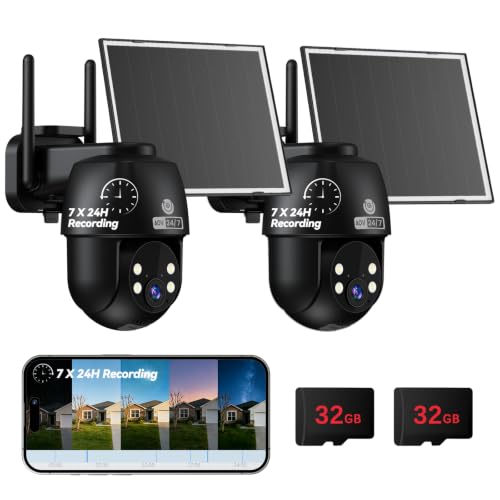
MUBVIEW 24/7 Continuous Recording Wireless Outdoor Security Camera | No Monthly Fee, 2.4G WiFi, 8X Zoom, 4MP 10W Solar Powered, 360° PTZ, Auto Tracking, SD Included, Charges Even Below 32°F
Check price on Amazon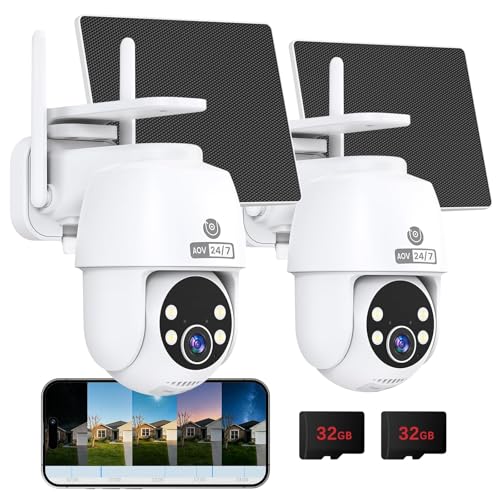
MUBVIEW 24/7 Continuous Recording Wireless Outdoor Security Camera | No Monthly Fee, 2.4G WiFi, 8X Zoom, 4MP 10W Solar Powered, 360° PTZ, Auto Tracking, SD Included, Charges Even Below 32°F
Check price on Amazon
eufy Security Indoor/Outdoor Camera C31, Spotlight-Free PURECOLOR VISION | Spotlight-Free Color Night Vision, IP66, AI Human/Vehicle/Pet/Cry Detection, Plug-In Powered, 24/7Recording, No Subscription
Check price on Amazon
TKENPRO 2K Solar Camera Outdoor Wireless, 2.4GHz Wi-Fi Connected | 24/7 Continuous Recording, Human Auto Tracking, 2K Color Night Vision, 360° Panoramic View, IP65
Check price on Amazon
SEHMUA 2K Solar Security Cameras Wireless Outdoor, 24/7 Recording, 2 Pack | 2.4GHz & 5GHz WiFi Connected, 24-Hour Continuous Recording, Instant APP Alerts, 2K Color Night Vision, PTZ View
Check price on Amazon
Security Cameras Wireless Outdoor 5G& 2.4G, No Subscription, 2 Cam-Kit,4MP Solar Powered Home Security Cameras System With 360°PTZ,128GB Local Storage,Color Night Vision WiFi Cameras for Home Security
Check price on Amazon
eufy Security Indoor/Outdoor Camera C31,Spotlight-Free Color Night Vision | IP66, 360° Pan &Tilt, AutoTracking,AI Human/Vehicle/Pet/Cry Detection, Plug-In Powered, 24/7 Recording, No Subscription
Check price on Amazon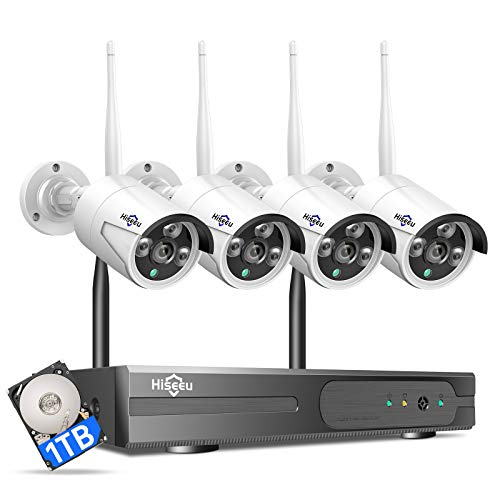
Hiseeu [24/7 Recording Home Security Camera System, No Subscription, 4K NVR with 4pcs 3MP Corded Plug-in Powered Outdoor Bullet Cameras, 2.4G/5G Wireless WiFi Connection, 1TB HDD, Night Vision, IP66
Check price on AmazonBuying Considerations Before You Decide
How Many Days of Footage Do You Need?
Calculate your storage requirements based on resolution, frame rate, and number of cameras. A general rule: 1TB of storage holds roughly 7–14 days of continuous 1080p footage from a single camera.
Do You Need Professional Installation?
DIY-friendly systems exist, but multi-camera setups with hardwired connections may benefit from professional help. The cost to have security cameras installed varies by region and system complexity, typically $200–$800 for residential setups.
Indoor vs Outdoor Use
For outdoor surveillance, choose weatherproof cameras (IP65 or higher). An indoor-outdoor wireless security camera offers flexibility, while dedicated outdoor models often provide better durability.
Subscription-Free Options
If you want to avoid recurring fees, look for security cameras without monthly fee. These systems store footage locally and provide full access without additional costs.
Integration with Existing Systems
If you already have a home security system without contracts, check whether new cameras are compatible. Many modern systems support ONVIF for cross-brand integration.
Frequently Asked Questions
How long can a security camera record continuously?
With sufficient storage, a security camera can record continuously indefinitely. The limiting factor is storage capacity—when the drive or card fills up, the oldest footage is overwritten. Cloud systems typically store 7–30 days depending on your plan.
Do continuous recording cameras need internet?
No. Many continuous recording cameras store footage locally on SD cards or hard drives and do not require internet to record. Internet is only needed for remote viewing and cloud backup. A security camera that does not require internet is perfect for remote locations.
What is the best storage for continuous recording?
For most users, a dedicated NVR with a 2TB–4TB surveillance-grade hard drive offers the best balance of capacity, reliability, and cost. For single-camera setups, a high-endurance microSD card (128GB or larger) is sufficient.
Can I use a continuous recording camera without a subscription?
Yes. Many cameras offer full continuous recording to local storage without any subscription. Look for models that support SD card storage or NVR connectivity. These are ideal for users who prefer one-time purchases over recurring fees.
How much does a continuous recording security camera cost?
Standalone cameras with continuous recording start around $50 and go up to $300 for premium 4K models. Complete systems with multiple cameras, NVR, and hard drive range from $300 to $1,500. Professional installation adds $200–$800.
Final Thoughts
A security camera with continuous recording is the most reliable way to ensure comprehensive surveillance. While it demands more storage and power than motion-triggered alternatives, the peace of mind from knowing every moment is captured is invaluable.
When choosing your system, prioritize storage capacity, night vision performance, and whether you prefer local or cloud-based recording. For those who want to avoid monthly fees, a security camera without subscription with local storage is an excellent choice. If you need remote access in areas without reliable internet, consider a security camera with cellular connectivity.
Explore our recommended products above to find the best continuous recording camera for your needs, and take the first step toward round-the-clock protection today.