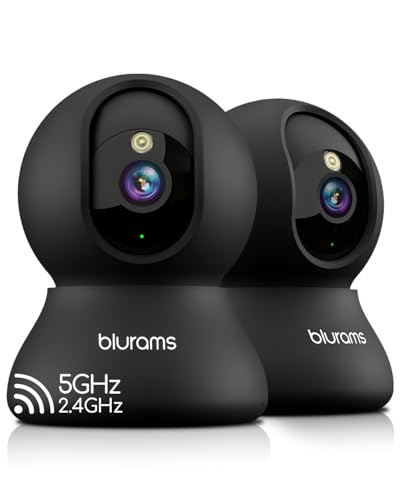
Security Cameras You Can Watch on Your Phone
Keep an eye on your home, business, or loved ones from anywhere in the world. Learn how to choose a security camera with seamless smartphone integration for live remote monitoring.
Why Remote Viewing Matters: In today's connected world, a security camera is only as good as its ability to keep you informed. Whether you are at work, on vacation, or just in another room, having live access to your camera feed on your phone provides unmatched peace of mind and real-time awareness.
What Does "Watch on Your Phone" Really Mean?
When we talk about security cameras you can watch on your phone, we are referring to cameras that connect to your home network and stream live video to a dedicated mobile app. This allows you to view real-time footage, receive motion alerts, and even communicate through two-way audio, all from your smartphone or tablet. The key technology here is the camera's ability to establish a secure connection, either through your Wi-Fi or a cellular network, and deliver low-latency video to your device.
This functionality has become a standard expectation for modern home security. It empowers you to verify alerts instantly, check in on pets or elderly family members, and monitor deliveries without being tied to a single location. For those who need reliability even when the internet goes down, exploring options like a security camera that doesn't need internet can be a smart alternative, though remote phone viewing typically requires some form of connectivity.
Key Features to Look for in a Phone-Compatible Security Camera
Not all smart cameras are created equal. To ensure a smooth and secure remote viewing experience, prioritize these features:
- Reliable Mobile App: The app is your primary interface. Look for intuitive design, fast load times, and consistent push notifications. Popular ecosystems include Ring, Arlo, Nest, and Eufy.
- Two-Way Audio: This lets you listen and speak through the camera, which is invaluable for greeting visitors, deterring intruders, or calming pets. You can find this feature in many security cameras with 2-way audio.
- HD Video Quality: 1080p is the minimum standard; 2K or 4K offers clearer details for identifying faces or license plates.
- Night Vision: Essential for 24/7 surveillance. Check out our guide on security cameras with night vision to understand the different types (infrared, color night vision).
- Motion Detection & Alerts: Customizable motion zones and instant alerts ensure you are notified of what matters. For outdoor areas, a security camera with motion light adds an extra layer of deterrence.
- Local & Cloud Storage: Decide if you prefer a security camera with SD card for local recording or a cloud subscription for off-site backup. Many users prefer security cameras without monthly fee to avoid ongoing costs.
How to Choose the Right Camera for Your Needs
Your specific situation will dictate the best camera type. Consider these scenarios:
For Renters or Temporary Setups
If you cannot drill holes or run wires, a wireless, battery-powered camera is ideal. Look for models that are easy to mount and remove. A wireless outdoor security camera system can often be installed without professional help. For construction sites or temporary locations, a temporary construction security camera is a specialized solution.
For Areas Without Wi-Fi or Power
Remote locations, garages, or sheds may lack reliable Wi-Fi. In these cases, consider a security camera that works without internet or a solar-powered security camera with Wi-Fi that can operate independently. Some cameras even use cellular networks, like a security camera with cellular connectivity, to stream video directly to your phone.
For Comprehensive Home Protection
A full system offers synchronized coverage. You might choose a wireless outdoor security camera system with DVR for local recording, or a home security system without contracts to avoid long-term commitments. If you prefer a single camera with robust features, a security camera with 24/7 recording ensures you never miss a moment.
For Indoor Monitoring
Indoor cameras often focus on pet monitoring, baby monitoring, or general home awareness. An indoor security camera with night vision is a good choice for low-light conditions. For discreet monitoring, a spy camera or hidden camera with long battery life might be suitable, but always check local laws regarding recording.
Understanding Connectivity: Wi-Fi, Cellular, and Local Networks
The method your camera uses to connect to the internet directly impacts how and when you can view it on your phone.
- Wi-Fi Cameras: The most common type. They connect to your home's Wi-Fi network. This is cost-effective but relies on your internet and router being operational. If you have spotty Wi-Fi, you might need a wireless security camera without internet that records locally.
- Cellular Cameras: These use a SIM card and cellular network (like 4G/5G) to transmit video. They are perfect for remote locations and work even if your home internet is down. However, they often require a data plan. A security camera that runs off cell phone towers is a robust choice for off-grid monitoring.
- Local Network (LAN) Cameras: Some cameras can stream directly to your phone over a local network without an internet connection, but this usually requires you to be on the same network. This is a niche feature, but useful for privacy-focused users. A security camera without Wi-Fi might use a direct Ethernet connection or a proprietary hub.
Top Picks: Security Cameras You Can Watch on Your Phone
Based on current market trends, here are some highly recommended models that excel at remote viewing. Prices are approximate and can vary.
| Model | Key Features | Approx. Price | Best For |
|---|---|---|---|
| Arlo Pro 5S 2K | 2K HDR, color night vision, dual-band Wi-Fi, no required subscription for basic use. | $250 | Overall performance & smart home integration. |
| Eufy SoloCam S230 | 2K resolution, solar-powered, no monthly fee, local storage on camera. | $180 | Eco-friendly, subscription-free monitoring. |
| Ring Stick Up Cam Battery | 1080p, two-way talk, works with Ring ecosystem, optional subscription. | $100 | Budget-friendly & easy integration with Ring alarms. |
| Reolink Argus 3 Pro | 2K, battery/solar, person/vehicle detection, SD card slot. | $120 | Feature-rich budget option with local storage. |
| Google Nest Cam (Battery) | 1080p, intelligent alerts, works with Google Home, subscription for history. | $180 | Google ecosystem users. |
When selecting a camera, consider the total cost of ownership. While some cameras are cheaper upfront, they may require a subscription for features like cloud recording or advanced alerts. If you want to avoid ongoing costs, look for security cameras without subscriptions or models that support local storage via SD card or a base station.
Setting Up Your Camera for Phone Viewing
Most modern cameras are designed for DIY installation. Here is a general outline:
- Download the App: Create an account and follow the in-app instructions to add your camera.
- Connect to Wi-Fi: The app will guide you through connecting the camera to your 2.4GHz Wi-Fi network (most cameras do not support 5GHz).
- Mount the Camera: Choose a location with a clear view, within Wi-Fi range, and ideally sheltered from extreme weather. For outdoor mounting, you might need a solar panel charger for security camera if you want to avoid recharging batteries.
- Configure Settings: Adjust motion zones, sensitivity, and notification preferences. Enable two-way audio and night vision as needed.
- Test Remote Viewing: Turn off Wi-Fi on your phone and use cellular data to ensure you can still access the live feed.
If you are not comfortable with DIY, professional installation is an option. The cost to have security cameras installed varies, but it can be worth it for complex systems. For a single camera, it is usually straightforward. For business needs, security cameras for business installation may require a more structured approach.
Maximizing Your Remote Monitoring Experience
To get the most out of your phone-enabled security camera, follow these best practices:
- Optimize Your Network: A strong Wi-Fi signal is crucial. Consider a mesh Wi-Fi system if your camera is far from the router.
- Manage Notifications: Adjust sensitivity to avoid false alerts from passing cars or trees. You can also schedule times when you don't want alerts.
- Secure Your Account: Use a strong, unique password and enable two-factor authentication on your camera app.
- Keep Firmware Updated: Regular updates patch security vulnerabilities and improve performance.
- Consider Privacy: When not needed, you can often set privacy zones or turn the camera off via the app.
For those who want a completely self-contained system, a stand-alone security camera with SD card can record continuously without needing the cloud, and you can still access the footage remotely as long as the camera has an internet connection for streaming.
Frequently Asked Questions
Can I watch my security camera on my phone without Wi-Fi?
Yes, but the camera itself needs a way to connect. If the camera is connected to your home Wi-Fi, you can view it on your phone using cellular data. If your home Wi-Fi is down, you cannot view a Wi-Fi camera remotely unless it has a cellular backup. Cameras that use cellular data, like a security camera with cellular service, can stream directly to your phone without any Wi-Fi at all.
Do I need a subscription to watch live on my phone?
Most cameras allow live viewing without a subscription. However, features like cloud recording, rich notifications, and AI detection often require a subscription. If you want to avoid fees, look for cameras that offer local storage and free live viewing, such as security cameras without monthly subscription.
What is the best camera for watching on a phone?
The "best" depends on your needs. For overall quality and ecosystem, Arlo and Nest are top contenders. For value and no subscriptions, Eufy and Reolink are excellent. For a simple, budget-friendly option, Ring and Wyze are popular. Consider factors like resolution, night vision, power source, and storage options. You can also explore what is a good wireless security camera for more general advice.
How many cameras can I view at once on my phone?
Most apps allow you to view multiple cameras simultaneously, often up to 4 or more in a grid view. However, streaming multiple 4K feeds can tax your phone's processor and your internet bandwidth.
Recommended Security Cameras for Phone Monitoring
⚠️ AFFILIATE DISCLOSURE: This website contains affiliate links. As an affiliate Associate, we earn from qualifying purchases. If you make a purchase through these links, we may receive a small commission at no additional cost to you. Read our full affiliate policy.

Anona 4K UHD Indoor Camera, Pet/Dog/Baby Security Camera with Phone App, 360°Pan-Tilt, 5G/2.4G Dual-Band Wi-Fi 6, Auto-Tracking, Person/Pet/Baby Crying Detection, Privacy Mode, Two-Way Audio, 2 Pack
Check price on Amazon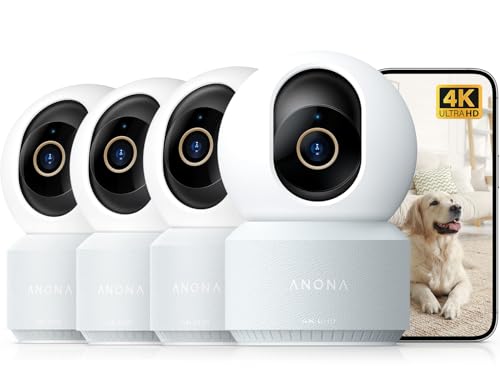
Anona 4K UHD Indoor Camera, Pet/Dog/Baby Security Camera with Phone App, 360°Pan-Tilt, 2.4G/5G Dual-Band Wi-Fi 6, Auto-Tracking, Person/Pet/Baby Crying Detection, Privacy Mode, Two-Way Audio, 4 Pack
Check price on Amazon
eufy Security 4K Indoor Camera E30, No Subscription, Pan and Tilt | AI Tracking, Color Night Vision, Pet/Baby/Nanny Camera with Two-Way Audio, Human/Pet Detection, Works with HomeKit (2-Pack)
Check price on Amazon
YOTON 2K Indoor Camera, 5G/2.4G WiFi Cameras for Home Security/Pet Cam/Baby | Keep an Eye on Your Loved Ones, Privacy Protection, Easy to Use, SD Card Storage, Family Sharing, 33 ft Coverage
Check price on Amazon
YOTON 2K Indoor Camera, 5G/2.4G WiFi Cameras for Home Security/Pet Cam/Baby | Keep an Eye on Your Loved Ones, Privacy Protection, Easy to Use, SD Card Storage, Family Sharing, 33 ft Coverage
Check price on Amazon
VIMTAG 4K 8MP UHD Indoor Camera Pet/Dog/Cat/Baby/Nanny/Home Security Camera
Check price on Amazon
YOTON 2K Indoor Camera, 5G/2.4G WiFi Cameras for Home Security/Pet Cam/Baby | Keep an Eye on Your Loved Ones, Privacy Protection, Easy to Use, SD Card Storage, Family Sharing, 33 ft Coverage
Check price on Amazon