
Security System That Doesn't Require Internet
Protect your home or business without relying on Wi-Fi or broadband. Discover how offline security systems work, what options are available, and how to choose the right one for your needs.
Why Go Internet-Free? Internet outages, Wi-Fi dead zones, and privacy concerns are just a few reasons why many homeowners are switching to security systems that operate entirely offline. Whether you need a security camera without internet or a full home security system without monthly fees, there are reliable solutions available today.
Key Takeaways
- Offline systems exist: You can find cameras and full systems that record locally to SD cards, DVRs, or NVRs without any internet connection.
- Cellular is an option: If you need remote access, cellular security cameras use mobile networks instead of Wi-Fi.
- No monthly fees: Most offline systems have no subscription costs, saving you money long-term.
- Privacy first: Local storage means your footage never leaves your property unless you want it to.
- Reliability: No internet means no downtime during outages, making offline systems ideal for critical monitoring.
How Do Security Systems Work Without Internet?
Traditional security cameras rely on Wi-Fi to transmit footage to the cloud or a remote server. However, an offline security system operates differently. Instead of sending data over the internet, these systems record and store footage locally on a built-in SD card, a DVR (Digital Video Recorder), or an NVR (Network Video Recorder). This means the camera and recording device communicate directly with each other, often through a closed local network or a direct wired connection.
For example, a security camera that does not require Wi-Fi can record continuously to a local hard drive. You can view the footage on a dedicated monitor or by connecting directly to the device. This setup is particularly popular for warehouse security and parking lot cameras, where reliable, uninterrupted recording is essential.
Some systems take a hybrid approach. They record locally but also include a cellular module for remote alerts. A security camera that runs off cell phone towers can send you notifications via SMS or a mobile app without ever connecting to Wi-Fi. This is ideal for remote locations, vacation homes, or construction sites where internet infrastructure is unavailable.
Editor's Note: When shopping for an offline system, look for cameras that support local storage. This is the key feature that allows recording without an internet connection.
Types of Security Systems That Don't Require Internet
Not all offline security systems are the same. Depending on your needs, you can choose from several types:
1. Local Storage Cameras (SD Card or DVR/NVR)
These are the most common offline systems. A security camera without Wi-Fi records directly to an SD card or a central DVR/NVR unit. You can access the footage by removing the SD card, connecting the DVR to a monitor, or using a direct local network connection. Many wireless security cameras without Wi-Fi fall into this category — they use a proprietary wireless signal to communicate with the base station, not your home internet.
2. Cellular Security Cameras
If you need remote viewing but don't have internet, a security camera with cellular service is your best bet. These cameras use a SIM card and connect to mobile networks (4G LTE or 5G) to send alerts and allow remote access. They are perfect for outdoor security cameras without Wi-Fi connection and can be paired with solar panels for completely wire-free operation.
3. Battery-Powered Offline Cameras
For maximum flexibility, consider a battery-operated outdoor security camera with no subscription. These cameras record to a local base station and can be placed anywhere without needing a power outlet. Many wireless outdoor security cameras with no subscription offer this functionality, making them ideal for renters or temporary installations.
4. Full Home Security Systems Without Internet
If you want to protect your entire home, a home security system with monitor that operates offline is a great choice. These systems typically include multiple cameras, a DVR/NVR, and a dedicated monitor. They don't require internet and often come with no monthly fees, making them a cost-effective long-term solution.
| Type | Storage | Remote Access | Best For | Price Range |
|---|---|---|---|---|
| SD Card / Local DVR | Local (SD/DVR/NVR) | No (or local network only) | Basic home monitoring, privacy-focused users | $100–$500 |
| Cellular Camera | Cloud + Local | Yes (via cellular) | Remote locations, construction sites | $200–$800 |
| Battery-Powered Offline | Local base station | Limited (local network) | Renters, temporary setups | $150–$600 |
| Full System Without Internet | DVR/NVR | No | Whole-home protection, businesses | $300–$1,500 |
Pros and Cons of Internet-Free Security Systems
Before you decide, it's important to weigh the advantages and disadvantages of going internet-free.
✓ Advantages
- No Monthly Fees: Most offline systems have no subscription costs, saving you hundreds of dollars over time.
- Privacy & Security: Your footage stays on your property and is not stored on third-party servers.
- Reliability: No internet means no downtime during outages. Your system keeps recording 24/7.
- Easy Setup: Many systems are plug-and-play with no network configuration required.
- Works Anywhere: Ideal for remote areas, cabins, and locations with poor internet infrastructure.
✗ Disadvantages
- Limited Remote Access: You can't view live footage from your phone unless you have a cellular model.
- Physical Access Needed: To view footage, you may need to physically access the DVR or SD card.
- Storage Limitations: Local storage can fill up; you'll need to manage recordings manually or set up overwrite rules.
- No Cloud Backup: If the device is stolen or damaged, footage may be lost.
- Fewer Features: Some AI-powered features (like person detection) may require an internet connection.
How to Choose the Right Offline Security System
Selecting the best internet-free security system depends on your specific needs. Here are the key factors to consider:
1. Determine Your Recording Needs
Do you need continuous recording or only motion-triggered clips? A security camera with continuous recording is ideal for businesses and high-traffic areas. For home use, a security camera with motion notification (even offline, via local alarm) may be sufficient.
2. Decide on Storage Capacity
Local storage is the backbone of any offline system. Consider how many days of footage you need to retain. A 1TB hard drive can typically hold 1–2 weeks of continuous recording from a single camera. For longer retention, look for systems that support larger drives or multiple cameras.
3. Choose Between Wired and Wireless
Wired systems are more reliable but require drilling and cabling. A wireless outdoor security camera that operates on a local network (not Wi-Fi) offers more flexibility. For outdoor use, consider a outdoor security camera with night vision to ensure 24/7 coverage.
4. Consider Power Source
If you don't want to run power cables, look for battery-powered or solar-powered options. A solar-powered security camera with solar charger is an excellent choice for remote locations. Alternatively, a security camera battery powered with no subscription gives you the freedom to place cameras anywhere.
5. Check for Audio and Two-Way Communication
Some offline systems support audio recording and even two-way communication. If this is important to you, look for a security camera with 2-way audio. This is particularly useful for indoor security cameras with audio or baby monitors.
6. Plan for Alerts and Notifications
Even without internet, some systems can send alerts. A security camera that sends alerts to cell phone via cellular is a great option if you want peace of mind while away. For local alerts, consider a security camera with motion light or a wireless outdoor motion sensor with indoor alert.
Installation and Setup Tips
Setting up an internet-free security system is generally straightforward, but here are some tips to ensure success:
- Plan Your Camera Placement: Position cameras to cover entry points, driveways, and blind spots. For outdoor use, ensure they are weatherproof and within range of your local network or base station.
- Test Before Mounting: Always test your cameras and recording setup before permanently mounting them. This saves time and avoids frustration.
- Secure Your Local Network: If your cameras communicate over a local network, ensure it is password-protected and encrypted to prevent unauthorized access.
- Set Up Storage Overwrite: Configure your DVR/NVR to overwrite old footage automatically when storage is full. This ensures continuous recording without manual intervention.
- Consider a UPS: A battery backup (UPS) for your DVR/NVR ensures your system keeps running during power outages.
- Regular Maintenance: Clean camera lenses, check cables, and test your system monthly. Refer to our camera repair guide for troubleshooting tips.
Pro Tip: For outdoor installations, use a hard case or weatherproof housing to protect your cameras from the elements. If you're installing a video doorbell, check out our guide to video doorbell cameras for offline options.
Common Use Cases for Internet-Free Security Systems
Offline security systems are versatile and can be used in many scenarios:
- Remote Cabins and Vacation Homes: No internet? No problem. A security camera without subscription records locally and can be checked when you visit.
- Construction Sites: A cellular security camera can monitor equipment and materials without relying on site Wi-Fi.
- Rental Properties: A wireless home security camera that records locally is ideal for renters who can't modify the property.
- Warehouses and Businesses: A security camera with 24/7 recording ensures continuous coverage for commercial spaces.
- Baby and Pet Monitoring: A nanny cam or in-house camera that works offline keeps your loved ones safe without exposing footage to the internet.
- Wildlife and Trail Monitoring: Use a hidden camera or trail camera in remote areas without internet access.
For more specific needs, explore our guides on good security cameras, cheap security cameras, and best HD cameras.
Frequently Asked Questions
Yes, absolutely. Many security cameras are designed to work without an internet connection. They record to a local SD card, DVR, or NVR. You can view the footage on a local monitor or by connecting directly to the device. Some models even offer cellular connectivity for remote access without Wi-Fi.
The best system depends on your needs. For basic home monitoring, a local DVR/NVR system with wired cameras is reliable and affordable. For remote locations, a cellular security camera like those from Reolink or Arlo is ideal. If you want no monthly fees and complete privacy, look for a security camera without subscription that records locally.
You can access footage in several ways: remove the SD card and view it on a computer, connect the DVR/NVR to a monitor via HDMI, or access it through a local network if the system supports it. Some cellular cameras allow remote access via a mobile app using the cellular network.
Most offline systems do not require monthly fees. You pay for the hardware once, and that's it. However, cellular cameras may require a data plan for remote access. If you want to avoid monthly fees entirely, choose a local storage system with no cloud subscription.
Yes, you can use a security camera with cellular service. These cameras use a SIM card and mobile network to provide remote viewing without Wi-Fi. They are perfect for locations without internet infrastructure.
If you have an internet-free security system, nothing happens — it continues to record and function normally. If you have a traditional Wi-Fi camera, it may stop recording or sending alerts during an outage. This is one of the main reasons people switch to offline systems.
Recommended Security Systems Without Internet
⚠️ AFFILIATE DISCLOSURE: This website contains affiliate links. As an affiliate Associate, we earn from qualifying purchases. If you make a purchase through these links, we may receive a small commission at no additional cost to you. Read our full affiliate policy.

Alarm System for Home Security,24Pcs No Monthly Fees,No Pairing Required | Home Alarm System with WiFi+GSM/4G,Compatible with Alexa or Google,Quick Installation,APP Control with Instant Alerts
Check price on Amazon
Hiseeu Home Security System, 24/7 Recording 5MP Wired Plug-in Powered Outdoor Bullet Cameras, 2.4G/5G WiFi Pro, 4K NVR with 12" LCD Monitor, 3TB HDD, Night Vision, IP65
Check price on Amazon
WiFi Alarm System for Home Security — Wireless 120dB Loud Siren with Motion Sensor, Remote Control, Weatherproof for House, Apartment, Shed, Garage & Driveway(SetD)
Check price on Amazon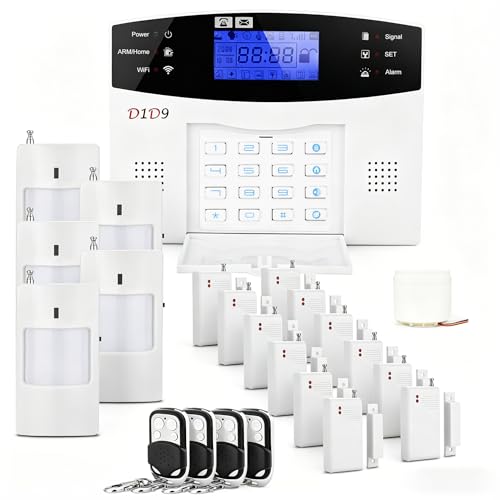
D1D9 24pcs Wireless DIY Home Burglar Alarm System, 4G WiFi GSM, No Monthly Fee,Home Security with App Alert
Check price on Amazon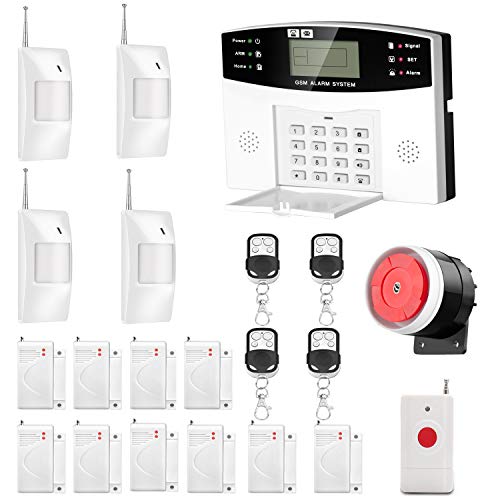
AGSHOME Security Alarm System 99+7 Zone Auto Dial 3/4G GSM SMS Home Burglar Security Wireless GSM Alarm System Detector Sensor Kit Remote Control
Check price on Amazon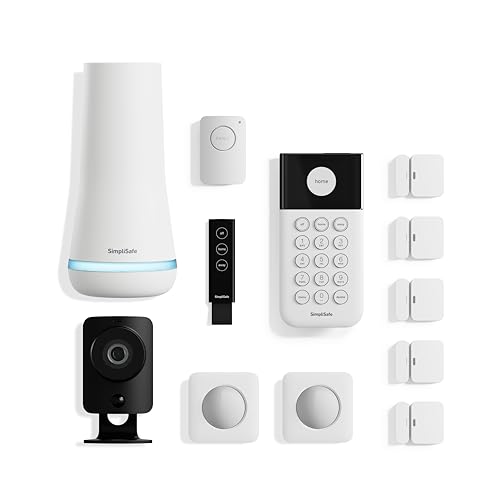
SimpliSafe 12 Piece Wireless Home Security System w/HD Camera - Optional 24/7 Professional Monitoring - No Contract - Compatible with Alexa and Google Assistant, White
Check price on Amazon
WiFi Wireless Alarm System for Home Security - 24/7 Protection Smart Home Devices 4.3" Touch Screen, GSM/4G+WiFi, App Instant Alerts, No Monthly Fee, Alexa Compatible for Villa, Kids Safety (24 pcs)
Check price on Amazon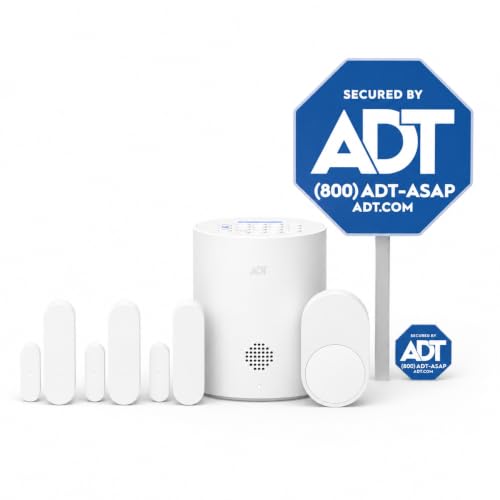
ADT Blu Home Security System Starter Kit, DIY Wireless Alarm, Plan Required | Door and window sensors, Motion detector, For house and apartment, Easy install, ADT+ App control
Check price on AmazonConclusion
A security system that doesn't require internet is a smart choice for anyone who values privacy, reliability, and cost savings. Whether you choose a simple local storage camera or a full cellular-enabled system, you can protect your property without relying on Wi-Fi or broadband.
When shopping, remember to consider your recording needs, storage capacity, power source, and whether you need remote access. With the right setup, you can enjoy peace of mind knowing your security system will work — even when the internet goes down.
For more information, explore our related guides on best outdoor security cameras with no subscription, wireless security cameras without monthly fees, and security cameras that do not require internet.