
Top Security Camera Systems for Business
Compare the best commercial surveillance solutions for offices, retail stores, warehouses, and multi-site operations. Find the right system for your business needs and budget.
VIEW TOP PICKSWhy Business Security Cameras Matter: A well-designed surveillance system protects your assets, reduces shrinkage, improves workplace safety, and provides critical evidence when incidents occur. Whether you operate a small retail shop or manage a multi-location enterprise, choosing the right camera system is one of the most important investments you can make.
This guide covers everything you need to know—from camera types and resolution to storage options, installation considerations, and pricing. By the end, you will have a clear understanding of which system fits your business best.
What You Will Learn
Types of Business Security Camera Systems
Understanding the different types of systems available is the first step toward making an informed decision. Business security cameras generally fall into three main categories, each with distinct advantages and trade-offs.
1. Wired Systems (DVR/NVR-Based)
Wired systems remain the gold standard for reliability and image quality in commercial environments. They use either a DVR (Digital Video Recorder) with analog cameras or an NVR (Network Video Recorder) with IP cameras. The wired connection ensures stable power and data transmission, eliminating the interference and dropouts that can plague wireless setups.
These systems are ideal for permanent installations where you can run cables through walls, ceilings, or conduit. They support higher resolutions, longer recording durations, and more cameras on a single network. If you need a comprehensive solution for a large facility, explore wired and wireless security camera system options that combine both approaches for maximum flexibility.
A typical wired system includes a digital video recorder with hard drive for local storage, which means no monthly fees and full control over your footage. For businesses that need to record broadcast or cable content alongside surveillance, a DVR recorder for cable TV without subscription can serve dual purposes.
2. Wireless Systems (Wi-Fi-Based)
Wireless systems have become increasingly popular for small to medium businesses because they are easier to install and can be repositioned as needed. These cameras connect to your existing Wi-Fi network and transmit footage to a cloud service or local hub. They are particularly useful in rented spaces where drilling holes and running cables is not feasible.
Modern wireless business cameras offer impressive features including 4K resolution, AI-powered motion detection, two-way audio, and seamless smartphone integration. You can find systems that hook up to your phone for remote monitoring from anywhere. For businesses without reliable internet, there are options that don't need internet to record locally.
If you prefer a subscription-free experience, look for Wi-Fi cameras that don't need a subscription. Many businesses also benefit from wireless security camera cloud storage for automatic backup and easy access to footage from multiple locations.
3. Hybrid Systems
Hybrid systems combine wired and wireless cameras on the same network, allowing you to use the right tool for each location. For example, you might use wired 4K cameras for critical entry points and wireless cameras for temporary or hard-to-reach areas. This approach offers the best of both worlds: reliability where it matters most and flexibility where you need it.
Many businesses also integrate commercial security surveillance systems with access control, alarm systems, and point-of-sale data to create a comprehensive security ecosystem.
Key Features to Evaluate in Business Security Cameras
Not all security cameras are created equal. When evaluating options for your business, pay close attention to these critical features:
Resolution & Image Quality
1080p is the minimum for business use. 4K cameras capture license plates, faces, and fine details essential for investigations. Higher resolution also allows for digital zoom without losing clarity.
Night Vision & Low-Light Performance
Businesses operate around the clock. Look for cameras with infrared (IR) or color night vision. Outdoor IR lights for security cameras can extend visibility in complete darkness.
Storage Options
Local NVR/DVR storage offers no monthly fees and full data ownership. Cloud storage provides remote access and automatic backup. Many systems support both for redundancy.
Remote Monitoring
Smartphone apps let you view live feeds, receive alerts, and review footage from anywhere. Systems that alert your phone when motion is detected are invaluable for busy owners.
Motion Detection & Analytics
Advanced analytics distinguish between people, vehicles, and animals to reduce false alarms. Wireless security cameras motion activated can trigger recording only when needed, saving storage.
Weather Resistance
Outdoor cameras need IP66 or higher ratings to withstand rain, dust, and temperature extremes. For comprehensive coverage, consider outdoor use wireless home security cameras that are built for the elements.
Scalability
Your business may grow. Choose a system that supports adding cameras without replacing the entire setup. Systems like a 16 camera wireless surveillance system offer room for expansion.
Audio Recording
Two-way audio allows communication with employees or intruders. Indoor home security cameras with audio can be adapted for office and retail environments.
Business Security Camera System Comparison
The table below compares the three main types of systems across the features that matter most to business owners:
| Feature | Wired (DVR/NVR) | Wireless (Wi-Fi) | Hybrid |
|---|---|---|---|
| Reliability | Excellent – no signal interference | Good – depends on Wi-Fi strength | Excellent – best of both |
| Image Quality | Up to 4K and beyond | Up to 4K | Up to 4K |
| Installation | Professional recommended | DIY-friendly | Mixed |
| Monthly Fees | None (local storage) | Optional cloud subscription | Optional |
| Scalability | High – add cameras easily | Moderate – limited by Wi-Fi | High |
| Best For | Large facilities, warehouses | Small offices, retail | Growing businesses |
| Price Range | $800–$5,000+ | $300–$2,500 | $600–$4,000 |
Pricing Guide: What Should Your Business Expect to Pay?
Budgeting for a business security camera system involves more than just the cameras themselves. Consider these cost components:
Camera Costs
- Basic 1080p cameras: $30–$80 each
- 4K cameras: $80–$250 each
- PTZ (pan-tilt-zoom) cameras: $200–$800 each
- Specialty cameras (thermal, license plate capture): $500–$2,500+ each
Recording & Storage
- DVR/NVR unit (8-channel): $150–$500
- Hard drive (2TB–8TB): $60–$250
- Cloud storage subscription: $5–$30 per camera per month
Installation & Accessories
- Professional installation: $50–$150 per camera
- Cables, connectors, mounts: $50–$300
- Power supplies and UPS: $100–$500
If you are handy with basic tools, wireless systems can save you hundreds in installation costs. For wired systems, getting multiple quotes from installers can help you find the best value. Also consider that the cheapest place to buy security cameras is often online retailers rather than local electronics stores.
Total System Cost Examples
- Small retail shop (4 cameras, 1080p, DIY wireless): $300–$600
- Medium office (8 cameras, 4K, hybrid): $800–$2,500
- Large warehouse (16 cameras, 4K, wired NVR, professional install): $3,000–$8,000+
Installation & Setup Tips for Business Owners
Proper installation is critical to getting the most value from your investment. Here are essential tips:
Strategic Camera Placement
Cover all entry and exit points first, then high-value areas such as cash registers, safes, and inventory storage. Where to install security cameras outdoors is just as important as indoor placement—aim for angles that capture faces and license plates, not just the tops of heads.
Lighting Considerations
Good lighting dramatically improves image quality. If your business has dark areas, consider cameras with built-in spotlights or add outdoor security cameras with spotlight functionality. Floodlight cameras deter intruders while providing clear color footage at night.
Network & Power
Ensure your Wi-Fi network can handle the bandwidth of multiple cameras. For wired systems, plan cable runs carefully and use PoE (Power over Ethernet) where possible to simplify installation. A wireless security camera system with recorder can be a good middle ground for businesses that want wireless convenience with local storage.
Legal & Privacy Compliance
Businesses must comply with local laws regarding surveillance, especially in areas where employees or customers have a reasonable expectation of privacy (restrooms, changing rooms). Post clear signage indicating that surveillance is in operation. Some jurisdictions also require professional home security camera installation to meet building codes.
Maintenance & Monitoring
Regularly clean camera lenses, check for firmware updates, and test recording and playback. For businesses without dedicated security staff, a wireless monitored home security system or professional monitoring service can provide peace of mind.
Label your cameras and document their locations. This makes it much faster to locate specific footage when an incident occurs. Also, back up critical footage regularly—whether to home security camera with cloud storage or an external hard drive.
Recommended Business Security Camera Systems
⚠️ AFFILIATE DISCLOSURE: This website contains affiliate links. As an affiliate Associate, we earn from qualifying purchases. If you make a purchase through these links, we may receive a small commission at no additional cost to you. Read our full affiliate policy.
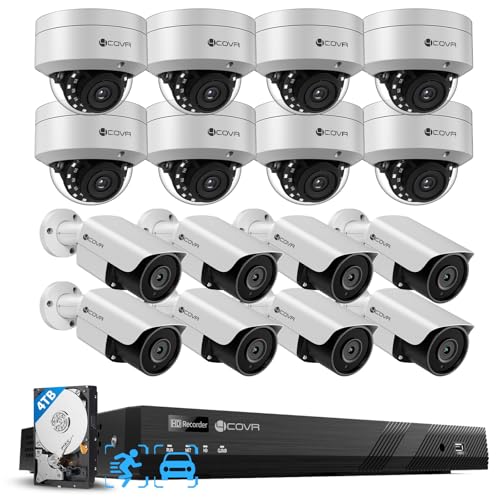
4COVR PoE 16 Camera Security System for Business with 4TB HDD, LYH54A5M1616 | AI Human Vehicle Detection, 8 Dome IK10 Vandal-Proof 8 Bullet 5MP Wired IP Camera IP67, Remote Access, 16 Channel 4K NVR
Check price on Amazon
Hiseeu 5MP Home Security Camera System Outdoor, 2.4G/5G Wireless WiFi Pro | 24/7 Recording, 3TB HDD No Subscription, Wired Plug-in Powered 5MP Cameras + 4K NVR Kit, Night Vision, IP66, Motion Detection
Check price on Amazon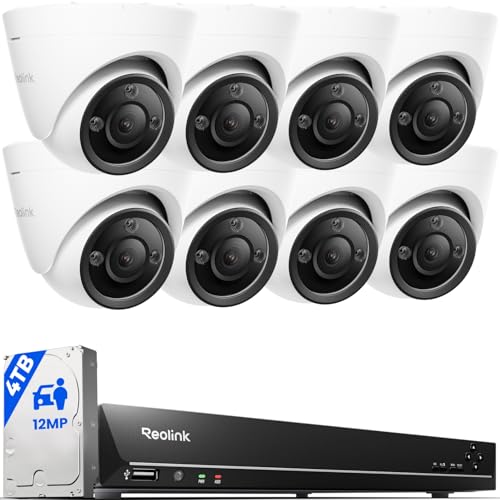
REOLINK 16CH 12MP PoE Security Camera System with 4TB HDD RLK16-1200D8-A | 8pcs H.265 12MP Security PoE Cams, Person Vehicle Pet Detection, Two-Way Talk, Spotlights Color Night Vision, home security
Check price on Amazon
4CH Wired Security Camera System, AIWIXEN 4X 1080P Cam, DVR with 512GB HDD | Surveillance Cameras with Human Vehicle Detection, IP68 Waterproof, 24-7 Recording, Remote Access, Home Security CCTV Outdoor
Check price on Amazon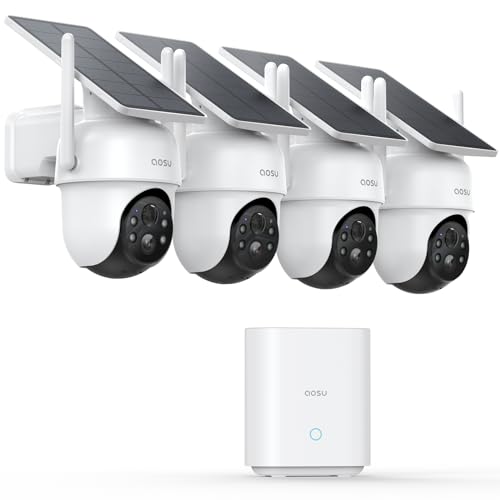
aosu D1 Classic 4-Cam Kit, Security Cameras Wireless Outdoor, Solar Powered | No Subscription Required, 32GB Built-in Storage, 360° Auto Tracking, 2K (3MP) Full-Color Night Vision, Easy Install
Check price on Amazon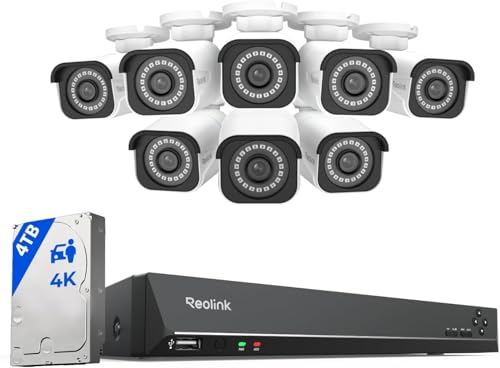
REOLINK 16CH 4K Security Bullet Camera System with 4TB HDD RLK16-800B8 | 8pcs H.265 PoE IP Cameras Wired with Person Vehicle Detection, 8MP/4K 16CH NVR with 4TB HDD for 24-7 Recording
Check price on Amazon
Hiseeu 4K PTZ Wired Security Camera System with 8 x 8MP CCTV Cameras | 360° Coverage,Smart Color Night Vision,Audio,Person/Vehicle Detection,8MP DVR,2TB HDD for 24/7 Recording,Surveillance DVR Kit
Check price on Amazon
4CH Wired Security Camera System, AIWIXEN DVR with 512GB HDD, 4X 1080P Cam | Home Surveillance CCTV, Security Cameras with Human Vehicle Detection, IP68 Waterproof, Remote Access, 24-7 Recording
Check price on AmazonFrequently Asked Questions
Most small businesses need between 4 and 8 cameras to cover entrances, exits, cash handling areas, and parking lots. Larger commercial spaces may require 16 or more cameras depending on the layout and number of entry points. A good rule of thumb is to start with coverage for all entry/exit points, then add cameras for high-value areas.
1080p (Full HD) is the minimum recommended resolution for business use. 4K cameras are increasingly popular for commercial applications because they capture finer details such as license plates and facial features, which are critical for identifying incidents. For areas where identification is paramount, 4K is worth the investment.
Not always. Many commercial systems use local NVR or DVR storage without recurring fees. However, cloud-based subscriptions offer remote access, automatic backups, and advanced analytics that may be worth the monthly cost for larger operations. Look for Wi-Fi cameras that don't need a subscription if you prefer no ongoing costs.
A basic 4-camera system starts around $300–$600. Mid-range 8-camera systems with 4K resolution and advanced features typically cost $800–$2,500. Enterprise-grade systems with 16 or more cameras, professional installation, and analytics can exceed $5,000. Prices vary based on camera quality, storage capacity, and installation complexity.
Wireless and Wi-Fi-based systems are generally DIY-friendly and can be set up by someone with basic technical skills. Wired systems with multiple cameras and long cable runs often require professional installation to ensure proper coverage and compliance with local regulations. If you are unsure, consulting a professional is a worthwhile investment.
Ready to Protect Your Business?
Explore our top-rated business security camera systems and find the perfect solution for your needs.
View Recommended Systems