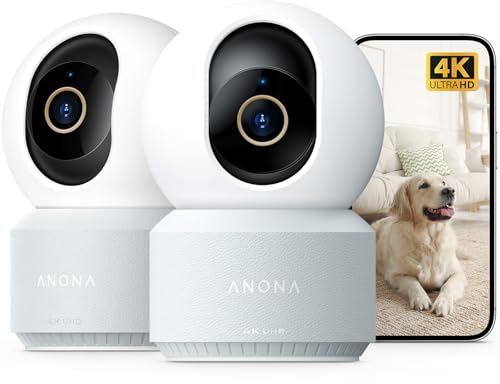
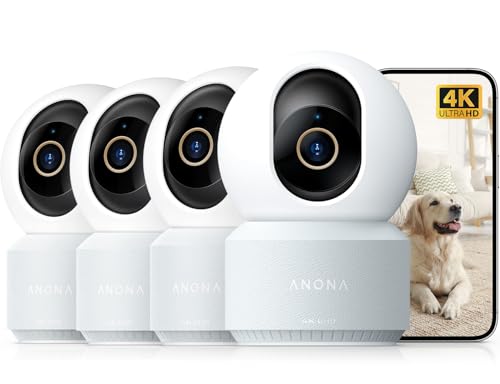
Indoor Home Cameras That Connect to Your Phone: The Complete Guide
Indoor security cameras have evolved far beyond simple webcams. Today's best models connect directly to your smartphone, giving you live video feeds, motion alerts, and two-way audio at your fingertips. Whether you want to monitor a baby, check on a pet, or keep an eye on your home while you're away, a phone-connected indoor camera is an essential tool for modern living.
This guide will walk you through everything you need to know about choosing the right indoor camera that connects to your phone. We'll cover key features, installation tips, and top recommendations for every budget.
Why an Indoor Camera That Connects to Your Phone is a Smart Investment
Traditional security systems often require professional installation and expensive monthly contracts. Phone-connected cameras eliminate those barriers. They are typically DIY-friendly, plug into a standard outlet, and connect to your home Wi-Fi network. Within minutes, you can have a live view of your living room, nursery, or home office on your smartphone.
The benefits are clear: peace of mind, instant notifications, and the ability to communicate with family members or pets remotely. For those who want a simple, no-fuss solution, these cameras are ideal. If you're looking for a camera that works without a subscription, there are excellent options available, such as a indoor wireless security camera without subscription.
Key Features to Consider Before Buying
Not all indoor cameras are created equal. When shopping for a camera that connects to your phone, focus on these critical features:
- Video Resolution: 1080p is the standard, but 2K and 4K models offer sharper details. For most indoor use, 1080p is sufficient, but higher resolution helps with identifying faces or reading text.
- Field of View: A wider lens (130° or more) covers more area, reducing blind spots. Some cameras offer pan and tilt capabilities for full-room coverage.
- Night Vision: Infrared LEDs allow the camera to see in complete darkness. Look for models with clear night vision up to 30 feet.
- Two-Way Audio: Speak and listen through the camera using your phone. This is perfect for calming pets or talking to family members.
- Motion Detection & Alerts: Customizable motion zones and instant push notifications keep you informed without false alarms.
- Storage Options: Choose between local storage (microSD card) or cloud storage. Some cameras offer both. For privacy-focused users, local storage is a great choice, like a security camera that records to SD card.
- Power Source: Most indoor cameras plug into a wall outlet, but battery-operated models offer more placement flexibility. Consider a battery operated indoor security camera if you want to avoid cables.
💡 Pro Tip: Check Your Wi-Fi Band
Many cameras only support 2.4GHz Wi-Fi networks. If your router broadcasts both 2.4GHz and 5GHz, ensure your camera can connect to the correct band. Some newer models support both, like these security cameras that work with 5GHz WiFi.
How to Set Up Your Indoor Camera
Setting up a phone-connected indoor camera is usually a straightforward process. Here's a quick overview:
- Download the App: Most manufacturers provide a free app for iOS and Android.
- Power the Camera: Plug it into a nearby outlet using the provided adapter.
- Connect to Wi-Fi: Follow the in-app instructions to connect the camera to your home network.
- Position the Camera: Place it on a shelf, table, or wall mount. Avoid pointing it directly at windows to prevent glare.
- Customize Settings: Set up motion alerts, privacy zones, and audio preferences.
For those who want a truly wireless experience, a wireless security camera that doesn't need WiFi can be a great alternative, though you'll need a cellular plan or local storage.
Top Use Cases for Indoor Phone-Connected Cameras
1. Baby and Pet Monitoring
Keep a watchful eye on your little ones or furry friends. Two-way audio lets you soothe a crying baby or correct a pet's behavior. Many cameras offer lullaby features and temperature sensors for added convenience. An indoor pet camera without subscription is a budget-friendly choice for pet owners.
2. Home Security While You're Away
Receive instant alerts if motion is detected. You can view live footage and even scare off intruders with a built-in siren (on select models). For comprehensive coverage, consider integrating your indoor camera with a smart professional surveillance system.
3. Elderly Care
Check in on aging parents or relatives without being intrusive. Two-way audio allows for easy communication, and motion alerts can notify you of unusual activity.
4. Monitoring Deliveries and Entryways
Place a camera near your front door to see when packages arrive. A doorbell camera and home security system can complement your indoor setup for full-perimeter coverage.
Privacy and Security Considerations
Since these cameras connect to the internet, security is paramount. Always use strong, unique passwords and enable two-factor authentication if available. Keep your camera's firmware up to date to patch vulnerabilities. If you're concerned about data privacy, look for cameras with local storage options and no mandatory cloud subscriptions. You can also explore security cameras not connected to internet for offline recording.
Budget Guide: What to Expect
Indoor phone-connected cameras range from budget-friendly to premium. Here's a general idea of what you can get at different price points:
- Budget ($25–$50): 1080p resolution, basic motion detection, local storage (microSD), 2.4GHz Wi-Fi only.
- Mid-Range ($50–$100): 1080p or 2K, pan/tilt, two-way audio, night vision, cloud storage options.
- Premium ($100–$200+): 2K/4K, advanced AI detection (person/pet), privacy shutter, dual-band Wi-Fi, local and cloud storage.
For those on a tight budget, there are cheap easy to install security cameras that still offer excellent value. If you prefer a camera without recurring fees, check out these security cameras without a monthly fee.
Comparison of Popular Indoor Camera Types
| Feature | Plug-in Wi-Fi Camera | Battery-Powered Camera | Pan/Tilt Camera |
|---|---|---|---|
| Power Source | Wall outlet | Rechargeable battery | Wall outlet |
| Placement Flexibility | Near outlet | Anywhere | Near outlet |
| Coverage | Fixed view | Fixed view | 360° coverage |
| Best For | Continuous monitoring | Renters, temporary setups | Large rooms, open spaces |
If you need a camera that works during power outages, a rechargeable battery powered security camera is a wise choice. For large rooms, a outdoor wireless PTZ security camera system (which can also be used indoors) offers pan, tilt, and zoom capabilities.
Installation Tips for Optimal Performance
- Height: Place cameras at least 7 feet high to prevent tampering and improve viewing angles.
- Lighting: Avoid pointing cameras directly at bright windows or lamps, which can cause glare and washed-out images.
- Wi-Fi Signal: Ensure the camera is within range of your router. If signal is weak, consider a Wi-Fi extender.
- Privacy: Use privacy mode or physically cover the lens when the camera is not in use.
For a seamless setup, you might also want to explore easy install wireless outdoor security camera options, as many of these can be adapted for indoor use.
Frequently Asked Questions
Do indoor cameras work without Wi-Fi?
Some cameras can record locally to a microSD card without Wi-Fi, but you won't be able to view live footage on your phone. For remote viewing, a Wi-Fi connection is required. However, there are cameras that don't need WiFi to record.
Can I use an indoor camera outdoors?
Indoor cameras are not weatherproof. For outdoor use, you'll need a weather-resistant model. If you're looking for an outdoor camera that connects to your phone, consider a cheap outdoor camera that connects to phone.
How much does a good indoor camera cost?
You can find reliable indoor cameras starting around $25. Mid-range models with advanced features typically cost between $50 and $100. Premium 4K models with AI detection can cost $150 or more.
Are indoor cameras easy to install?
Yes, most phone-connected indoor cameras are designed for DIY installation. You typically need to plug them in, download an app, and connect to Wi-Fi. No professional help is required.
What if I don't want a subscription?
Many cameras offer local storage via microSD card, eliminating the need for a monthly cloud subscription. Look for models that support local storage. You can also explore security cameras without subscription fees.
Final Thoughts: Choosing the Right Indoor Camera for Your Home
An indoor camera that connects to your phone is a powerful tool for modern home monitoring. Whether you're a pet owner, a parent, or simply want peace of mind while traveling, these devices offer unmatched convenience and security.
When selecting a camera, prioritize features that matter most to you: video quality, field of view, night vision, and storage options. Don't forget to consider your Wi-Fi network and whether you want a battery-powered or plug-in model.
For more options, explore our guides on cameras for inside home that connect to phone and security cameras I can watch from my phone. With the right camera, you'll never miss a moment at home again.