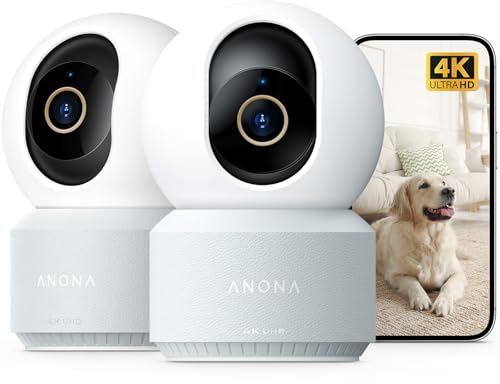
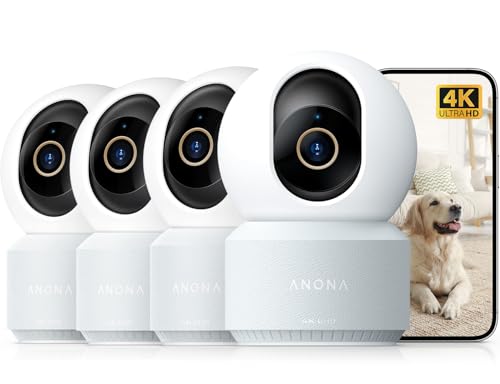
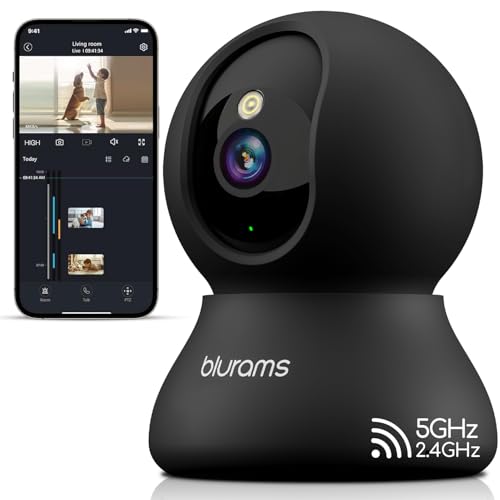
Why Phone-Connected Security Cameras Are So Popular
Being able to see your property from your phone changes how you think about home security. Instead of waiting to review footage after an incident, you can check a live feed during your lunch break, get an instant alert when someone approaches your door, and speak to visitors through two-way audio even when you are miles away. This level of convenience is why phone-accessible cameras have become the default choice for homeowners, renters, and small business owners.
The technology behind this is straightforward. Each camera connects to your home network or a cellular signal, then streams video to a secure cloud server. Your phone app pulls that stream in real time. Many systems also store clips locally on a microSD card or a base station, so you keep recordings even if the cloud subscription lapses. If you are still deciding between a fully wired and a fully wireless approach, our guide on wired and wireless security camera systems breaks down the trade-offs in detail.
How Phone-Viewable Security Cameras Actually Work
Understanding the basic workflow helps you ask the right questions before buying. Here is what happens from the moment a camera detects motion to the moment you see it on your screen:
- Capture: The camera sensor records video at its native resolution, typically 1080p, 2K, or 4K.
- Detection: A motion sensor or AI processor identifies movement and filters out false triggers like swaying trees.
- Transmission: The camera sends the video stream over Wi-Fi, Ethernet, or a cellular network to a cloud server or NVR.
- Notification: A push alert reaches your phone within seconds, often with a snapshot preview.
- Viewing: You open the manufacturer's app to watch live video, review clips, or download footage.
Some cameras rely entirely on the cloud, while others use a local hub. If you prefer not to pay a monthly fee, look for models that support Wi-Fi cameras that don't need a subscription. These typically record to a microSD card and still let you view live footage remotely.
Key Features to Compare Before You Buy
Not every phone-connected camera is built for the same job. Use the table below to match features to your situation.
| Feature | Why It Matters | Typical Options |
|---|---|---|
| Resolution | Higher resolution means clearer identification of faces and license plates. | 1080p, 2K, 4K |
| Power Source | Determines where you can mount the camera and how often you recharge. | Battery, wired, solar |
| Connectivity | Wi-Fi is cheapest; cellular works where no internet exists. | Wi-Fi, 4G LTE, Ethernet |
| Storage | Local storage avoids fees; cloud storage survives camera theft. | microSD, cloud, NVR |
| Night Vision | Essential for reliable 24/7 monitoring. | IR, color night vision, spotlight |
| AI Detection | Reduces false alerts by distinguishing people, pets, and vehicles. | Person, pet, vehicle, package |
| Two-Way Audio | Lets you speak to visitors or deter intruders through the app. | Built-in mic and speaker |
| Weather Rating | Outdoor cameras need protection from rain, dust, and temperature swings. | IP65, IP66, IP67 |
Wi-Fi vs Cellular vs Local-Only Cameras
The single biggest decision is how your camera connects to the internet. Each option has a distinct cost and reliability profile.
Wi-Fi Cameras
These are the most common and the most affordable. They connect to your home router and stream video to the cloud or a local hub. The main limitation is range: if your Wi-Fi signal is weak at the mounting point, the camera will drop offline. For outdoor placement, consider a outdoor wireless security camera with Wi-Fi that supports a 2.4 GHz band for better penetration through walls.
Cellular Cameras
If you have a remote property, a construction site, or a location with no broadband, a camera with a 4G LTE SIM card is the answer. It costs more per month but works almost anywhere with cell coverage. Our article on security cameras with cellular service covers data plans and coverage considerations.
Local-Only Cameras
Some cameras record only to a microSD card and do not require any internet connection for storage. You can still view them on your phone when you are on the same network, and some models let you access footage remotely through a peer-to-peer connection. If privacy is your top concern, read about wireless security cameras that don't need internet.
Best Camera Types for Phone Viewing
Indoor Cameras
Indoor cameras are usually plug-in, compact, and designed for shelves or tables. They excel at pet monitoring, baby watching, and keeping an eye on valuables. Features like continuous recording and audio detection are common. For a deeper look at always-on models, see our guide to indoor security cameras with continuous recording.
Outdoor Cameras
Outdoor cameras need weather sealing, night vision, and often a spotlight or siren. Battery-powered models are easiest to install because you do not need to run power cables. A battery-powered outdoor Wi-Fi security camera can be mounted almost anywhere and recharged every few months. If you want to avoid recharging entirely, a small solar panel keeps the battery topped up; learn more about small solar panels for security cameras.
Video Doorbells
Video doorbells are the most popular entry point for phone-based security. They combine a camera, doorbell, and two-way audio in one device. Installation is straightforward for most homeowners; our smart home video doorbell installation guide walks through the wiring and app setup. If you want a doorbell and a separate camera in one purchase, a video doorbell and security camera bundle is often the best value.
Floodlight and Spotlight Cameras
These combine motion-activated lighting with a camera. The bright light deters intruders and enables color night vision. A smart Wi-Fi flood light security camera is a strong choice for driveways and backyards. For a more focused beam, consider an outdoor security camera with spotlight.
Installation and Placement Tips
Where you mount a camera matters as much as which camera you buy. Follow these guidelines for reliable phone viewing:
- Height: Mount cameras 8 to 10 feet above the ground to prevent tampering while keeping faces visible.
- Angle: Aim slightly downward so the camera captures faces rather than the tops of heads.
- Wi-Fi signal: Test the signal strength at the mounting point before drilling. A weak signal causes lag and dropped feeds.
- Coverage: Place cameras at entry points first: front door, back door, driveway, and ground-floor windows.
- Lighting: Avoid pointing cameras directly at the sun or bright lights, which can wash out the image.
For a room-by-room plan, read our detailed guide on where to install security cameras outdoors.
Storage Options: Cloud vs Local
Every phone-viewable camera needs a place to store recordings. The two main choices are cloud and local storage.
Cloud storage is convenient and protects footage even if the camera is stolen or destroyed. Most brands offer a free tier with a few days of history and a paid tier with 30 to 60 days. If you want to avoid ongoing fees, look for a wireless security camera with cloud storage that includes a generous free plan.
Local storage uses a microSD card inside the camera or a network video recorder (NVR) in your home. There are no monthly fees, and footage stays private. A wireless security camera with storage is a good fit for budget-conscious buyers. For larger systems, a digital video recorder with hard drive or a wireless security camera system with recorder provides centralized storage.
Phone App Features That Make a Difference
The app is your primary interface. A well-designed app loads live video in under three seconds, organizes clips by date and type, and lets you share access with family members. Look for these features:
- Instant push alerts with a snapshot preview so you can judge whether the motion matters.
- Custom motion zones to ignore the street and focus on your porch.
- Two-way audio for communicating with delivery drivers or deterring intruders.
- Multi-camera view to see several feeds at once.
- Shared access with different permission levels for family members.
If you want a system that is especially easy to set up and use, see our recommendations for the most user-friendly security camera system.
Budget Guide: What to Expect at Each Price Point
| Price Range | What You Get | Best For |
|---|---|---|
| $30–$60 | 1080p indoor camera, Wi-Fi, microSD storage, basic motion alerts | Renters, single-room monitoring |
| $60–$120 | 1080p or 2K outdoor camera, battery or wired, night vision, two-way audio | Homeowners, front door and driveway |
| $120–$250 | 2K or 4K camera, AI person detection, color night vision, spotlight or siren | High-traffic entries, small business |
| $250–$600 | Multi-camera kit with NVR or hub, 2K–4K, local storage included | Whole-home coverage, no monthly fees |
| $600+ | Professional-grade system, 4K, advanced AI, cellular backup, commercial warranty | Businesses, large properties, critical infrastructure |
Prices fluctuate with sales and new releases. For a broader overview of what is available at the lower end, see our guide to high-quality security cameras for home and the cheapest place to buy security cameras.
Pro Tip: Check Your Upload Speed
Live remote viewing depends on your home internet upload speed, not download speed. Most cameras need at least 2 Mbps upload per stream. If your upload speed is below 5 Mbps, reduce the camera resolution or limit the number of simultaneous remote streams.
Special Situations
Apartments and Rentals
If you rent, you cannot drill into walls or run cables. Look for battery-powered cameras with adhesive mounts, or a security camera for an apartment door peephole that installs without damage. A wireless security camera system for apartments is designed for exactly this scenario.
No Wi-Fi Available
If your property has no internet, you have two options: a camera with a built-in cellular radio, or a local-recording camera that stores footage on a card. Our article on whether you can have a security camera without Wi-Fi explains both approaches. You can also repurpose an old phone as a camera; see how to use an old cell phone for a security camera.
Business and Commercial Use
Commercial systems need more cameras, longer retention, and often a dedicated monitor. A commercial security surveillance system supports 16 or more cameras and central management. For smaller businesses, a 16-camera wireless surveillance system or top security camera systems for business may be sufficient.
Common Mistakes to Avoid
- Ignoring upload speed: A 4K camera on a 3 Mbps upload connection will stutter remotely.
- Mounting too high: Cameras above 12 feet capture the tops of heads, not faces.
- Skipping two-factor authentication: Camera accounts are a common target for hackers. Enable 2FA on every device.
- Forgetting about power: Battery cameras need recharging every 2 to 6 months depending on traffic and settings.
- Buying without checking the app: Read recent app store reviews. A great camera with a buggy app is frustrating.
Frequently Asked Questions
Can I see my security camera on my phone without Wi-Fi?
Yes, if the camera uses a cellular connection. A 4G LTE camera streams over the mobile network, so you can view it from your phone anywhere you have cell service. If the camera is local-only, you can view it on your phone when connected to the same network, but not remotely.
How many cameras can I view at once on my phone?
Most apps support a 4-camera or 9-camera grid view. The limit depends on your phone's processing power and your internet bandwidth. For more than 16 cameras, a dedicated monitoring station is more practical.
Do I need a subscription to view live video on my phone?
No. Live viewing is free on almost every camera. Subscriptions typically cover cloud recording history, AI detection features, or extended warranty. If you record to a microSD card, you can avoid subscriptions entirely.
What internet speed do I need for remote viewing?
A minimum of 2 Mbps upload per camera stream is recommended for 1080p. For 2K or 4K, aim for 4 to 8 Mbps upload per stream. Your phone's download speed also matters, but most cellular and Wi-Fi connections are fast enough.
Are phone-viewable cameras secure?
Reputable brands use end-to-end encryption, secure cloud servers, and two-factor authentication. Avoid off-brand cameras with no security documentation. Always change the default password and enable 2FA.