
Indoor Outdoor Home Security Camera System
Your complete guide to choosing, installing, and maximizing an indoor outdoor home security camera system that protects what matters most. From wired to wireless, we break down everything you need to know before you buy.
VIEW RECOMMENDED SYSTEMSWhy an Indoor Outdoor System Matters: A single camera can only see so much. A properly designed indoor outdoor home security camera system creates a protective perimeter around your entire property, giving you complete visibility and peace of mind. Whether you are protecting a family home, a rental property, or a small business, understanding how indoor and outdoor cameras work together is the first step toward making a smart investment.
Understanding Indoor vs. Outdoor Security Cameras
What Makes Them Different?
Indoor and outdoor security cameras are built for very different environments. Indoor cameras prioritize compact design, two-way audio, and features like pet monitoring or baby monitoring. Outdoor cameras must withstand rain, dust, extreme temperatures, and potential tampering. They typically feature weatherproof ratings (IP65 or higher), infrared night vision, and wider field-of-view lenses.
A true indoor outdoor home security camera system combines both types under a single management platform, allowing you to monitor your entire property from one app. This integrated approach is far more effective than running separate systems for inside and outside.
If you are specifically looking for indoor coverage with battery convenience, explore our guide to indoor battery operated security cameras. For outdoor installations where drilling is not an option, see how to install an outdoor camera without drilling.
Key Features to Look For
Resolution and Video Quality
Most modern systems offer 1080p (Full HD) at minimum, with 2K and 4K becoming increasingly affordable. For outdoor cameras, 2K resolution provides a good balance of detail and storage efficiency. Higher resolution means you can zoom in on license plates or faces without losing clarity.
Night Vision Capabilities
Infrared (IR) night vision is standard, but quality varies. Look for cameras with long-range IR (30 feet or more) and consider color night vision if identifying colors at night is important. Our article on security cameras with good night vision breaks down the technology in detail. For specialized outdoor wildlife monitoring, see outdoor night vision camera for wildlife.
Weather Resistance
Outdoor cameras should have an IP65 or IP66 rating at minimum. IP67 and IP68 offer even greater protection but are rarely necessary for residential use. Check that the operating temperature range matches your climate.
Power Options
You have three main choices: wired (most reliable), battery-powered (most flexible), or solar-powered (best for remote locations). Battery and solar options are ideal for renters or anyone who cannot run cables. See our guide to security camera outdoor battery operated options for more details.
Storage and Subscription Models
Local storage (SD card, NVR/DVR with hard drive) avoids monthly fees but requires physical access to retrieve footage. Cloud storage offers remote access but usually comes with a subscription. Many users prefer security cameras without subscriptions to avoid ongoing costs. For a deeper dive, read about security cameras without monthly subscription.
Types of Indoor Outdoor Camera Systems
Wired Systems with DVR/NVR
These systems use a central recorder (DVR for analog, NVR for IP cameras) and a hard drive for continuous recording. They are the most reliable option, offering 24/7 recording without relying on internet or batteries. A security camera system DVR with hard drive is a popular choice for homeowners who want set-and-forget reliability.
For a complete package, consider a security camera system with hard drive that includes cameras, cables, and the recorder in one box. If you need both wired and wireless flexibility, a security camera system wired and wireless hybrid gives you the best of both worlds.
Wireless Systems
Wireless cameras connect via Wi-Fi or a proprietary wireless protocol. They are easier to install but can suffer from signal interference and require regular battery charging (unless solar-powered). For outdoor pan and tilt coverage, see wireless outdoor pan and tilt security cameras.
If you want a system that works entirely without internet, explore wireless camera system without internet and home security systems that do not require internet. For areas with poor Wi-Fi, a wireless security camera with SIM card uses cellular data instead.
Hybrid and Specialized Systems
Some systems combine wired reliability with wireless convenience. Others focus on specific use cases like outdoor security camera system for business or home security camera system wireless indoor outdoor for residential use.
Quick Comparison: Which System Fits Your Needs?
| Feature | Wired System | Wireless System | Battery/Solar System |
|---|---|---|---|
| Installation | Professional recommended | DIY-friendly | Easiest, no wiring |
| Reliability | Highest | Moderate (Wi-Fi dependent) | Good (battery dependent) |
| Monthly Cost | None (local storage) | Optional cloud fee | Optional cloud fee |
| Best For | Permanent homes, businesses | Rentals, apartments | Remote areas, renters |
| Price Range | $200–$800+ | $150–$500 | $100–$400 |
Installation and Setup Guide
Planning Your Camera Placement
Before buying anything, map out your property. Identify entry points (doors, windows, gates), blind spots, and areas where you want coverage. For outdoor cameras, place them at least 8–10 feet high and angle them downward to avoid glare and capture faces rather than the tops of heads.
If you are hiring a professional, understanding the cost to have security cameras installed helps you budget. For wired systems, wired security camera installation cost typically ranges from $100 to $200 per camera, while professional security camera installation cost for a full system can run $500 to $2,000 depending on complexity.
DIY Installation Tips
Wireless and battery-powered cameras are designed for easy DIY installation. Most mount with a few screws and pair with a mobile app in minutes. For the easiest experience, look for the easiest security camera system to install. If you cannot drill into walls, see install outdoor camera without drilling for alternative mounting solutions.
💡 Pro Tip: Test camera angles before permanently mounting. Use your phone's camera app to preview the view from your desired location, or use a temporary mount to verify coverage. This saves time and avoids unnecessary holes.
Maximizing Performance and Reliability
Network and Connectivity
For wireless systems, a strong Wi-Fi signal is critical. If your cameras are far from your router, consider a mesh Wi-Fi system or a dedicated wireless bridge. Cameras that support 5GHz Wi-Fi offer faster speeds but shorter range; 2.4GHz is slower but travels farther through walls.
For locations without reliable internet, a security camera that works without internet can record locally and sync later. Similarly, a security system for home without internet provides full functionality offline.
Storage and Backup
Local storage is the most reliable way to ensure you have footage when you need it. Options include SD cards (up to 256GB), USB drives, or dedicated NVR/DVR systems with hard drives. For outdoor cameras, an outdoor security camera with local storage ensures you are not dependent on cloud services.
If you want continuous recording, look for a continuous recording outdoor security camera or a system that supports home security cameras that record 24/7.
Power Management
Battery-powered cameras require regular charging unless paired with solar panels. A motion sensor camera outdoor solar powered can run indefinitely with adequate sunlight. For battery cameras, consider a wireless security camera with battery backup to avoid downtime during outages.
Some clever solutions include a security camera you screw into light socket or a security camera that goes in light socket, which draws power from existing fixtures without new wiring.
Specialized Solutions for Every Need
No Subscription Options
Many homeowners want to avoid recurring fees. Fortunately, there are excellent security cameras without subscriptions and indoor outdoor security cameras without monthly fee. For a comprehensive list, see top rated security cameras without subscription.
If you only need a doorbell camera, a doorbell security camera without subscription or wireless video doorbell no subscription is a cost-effective entry point.
Motion Detection and Alerts
Advanced motion detection can distinguish between people, animals, and vehicles, reducing false alerts. Features like outdoor security camera that follows motion (PTZ tracking) and wireless security camera with long range motion detection are particularly useful for large properties.
For areas that need extra deterrence, an outdoor security camera with motion light or motion detector flood light with camera combines illumination with surveillance. For perimeter protection, consider an outdoor laser beam security system for perimeter alarm.
Two-Way Audio and Communication
Cameras with built-in speakers and microphones let you talk to visitors, delivery personnel, or intruders. Look for home security cameras you can talk through if this is a priority. This feature is especially useful for indoor pet camera without subscription to check on pets during the day.
Off-Grid and No-Internet Solutions
For cabins, farms, or remote properties, a home security system that doesn't require internet or home security systems that don't require wifi keeps you protected without connectivity. A wireless surveillance camera without internet records locally and can be accessed physically when needed.
For areas with cellular coverage but no Wi-Fi, a solar powered security camera with SIM card or wireless outdoor security cameras without wifi can transmit alerts and footage over 4G/5G.
Common Mistakes to Avoid
1. Not Considering Lighting Conditions
Cameras placed facing direct sunlight will produce washed-out images during the day and poor night vision. Avoid pointing cameras east or west where the sun rises or sets directly in the lens.
2. Ignoring Storage Limits
A 1080p camera recording 24/7 can generate 15–30GB of data per day. If you are using local storage, ensure your hard drive or SD card can handle the retention period you need. A battery powered security camera with SD card is convenient but may only hold a few days of footage.
3. Overlooking Privacy Laws
Outdoor cameras should not point into neighbors' windows or private areas. Check local laws regarding audio recording, as some jurisdictions prohibit recording conversations without consent.
⚠️ Important: Always inform household members and regular visitors about camera locations. Transparency builds trust and ensures everyone understands the security measures in place.
4. Choosing the Wrong System for Your Climate
In extreme cold, battery life drops significantly. In extreme heat, some cameras overheat and shut down. Check operating temperature specifications before buying. For hot climates, wired or solar-powered systems are more reliable.
Frequently Asked Questions
How many cameras do I need for full home coverage?
Most homes need 4–6 cameras: one at each main entry point (front door, back door, garage), plus additional cameras for driveways, side yards, or blind spots. Larger properties may need 8–12 cameras. Start with entry points and expand as needed.
Can I mix indoor and outdoor cameras from different brands?
Technically yes, but it is not recommended. Different brands use different apps and protocols, making unified management difficult. For the best experience, choose a single ecosystem that offers both indoor and outdoor options.
Do I need a subscription for my security camera system?
Not necessarily. Many systems offer local storage options that work without any subscription. However, cloud storage, advanced AI features, and cellular backup typically require a subscription. If avoiding fees is a priority, look for systems with local storage and no mandatory subscription.
What is the best resolution for home security cameras?
1080p is the minimum for identifying faces and license plates. 2K offers better detail for zooming in. 4K provides the highest detail but requires more storage and bandwidth. For most homes, 2K strikes the best balance between quality and cost.
How do I protect my cameras from theft or tampering?
Mount cameras high (8–10 feet) and out of easy reach. Use tamper-resistant mounts and consider cameras with built-in sirens or motion-activated spotlights. Some systems send alerts if a camera goes offline unexpectedly.
Ready to Secure Your Home?
Explore our recommended indoor outdoor security camera systems below. These systems are selected for reliability, ease of use, and value.
VIEW TOP PICKSRecommended Indoor Outdoor Home Security Camera Systems
⚠️ AFFILIATE DISCLOSURE: This website contains affiliate links. As an affiliate Associate, we earn from qualifying purchases. If you make a purchase through these links, we may receive a small commission at no additional cost to you. Read our full affiliate policy.

GMK 4 Pack Cameras System, Security Cameras Wireless Outdoor, 2K Video | VicoHome Cam, Motion Detect, Color Night Vision, 2-Way Talk, IP65 Waterproof, Indoor&Outdoor, 2.4GHz WiFi, SD/Cloud Storage
Check price on Amazon
2K Security Cameras 4 Pack, Home Cameras Indoor/Outdoor for Baby/Pet
Check price on Amazon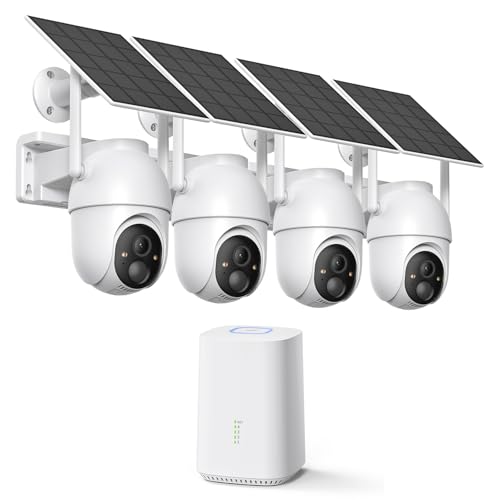
ELYSOO 2K/4MP Home Security Camera System, 2.4G & 5GHz Wi-Fi Connected | Local Storage Included, Solar Security Cameras Wireless Outdoor, IP65, Instant APP Alerts, Color Night Vision
Check price on Amazon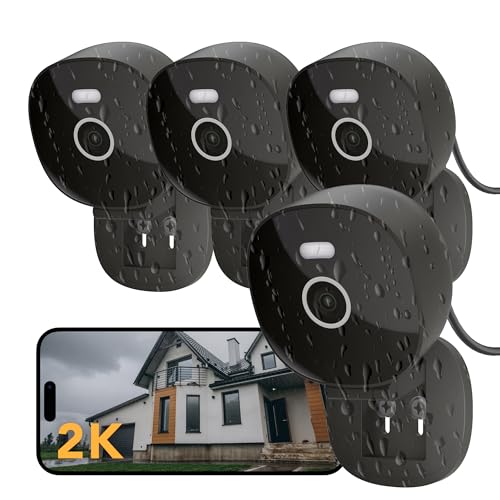
FAMVIVA 2K Wired Security Camera, Indoor/Outdoor for Home, Pet, Baby, Nanny, IP65 Waterproof Color Night Vision, White Light & Siren, Recording, Motion Detection, Works with Alexa,Pulg in, Black-4P
Check price on Amazon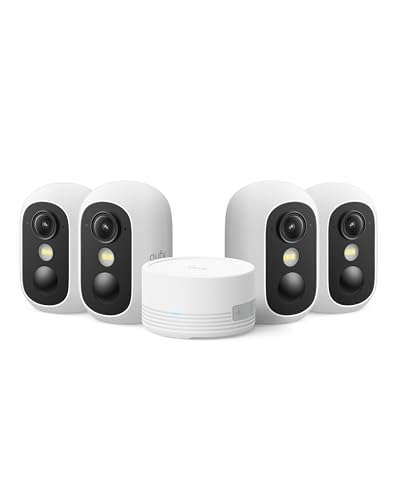
eufy Security eufyCam C35 4-Cam Kit, Wireless Indoor/Outdoor Camera | Magnetic Mount, Color Night Vision, Local Storage, No Monthly Fee, IP67, Facial Recognition, Solar Panel Compatible, White
Check price on Amazon
4MP Security Cameras Wireless Outdoor, No Subscription 128GB Local Storage, Solar Powered Cameras For Home Security, PTZ Auto Tracking, 4Cam-Kit, Color Night Vision Home Security Camera System,5G&2.4G
Check price on Amazon
2K Security Camera System, 5GHz&2.4GHz WiFi Solar Wireless Cameras for Home Security, Wire-free Installation, AI Detection, Two-way Audio, Mobile alerts, SD/Cloud Storage, Color Night Vision, 4 Packs
Check price on Amazon
AOQEE 2K Cameras for Home Security, Indoor/Outdoor, Full Color, C1 2Pack | 2.4G Wired Outdoor/Indoor Camera for Dog/Cat/Pet/Baby, Color Night Vision, Home Security with White Light, 24/7 TF Recording
Check price on AmazonFinal Thoughts
Investing in a quality indoor outdoor home security camera system is one of the most effective ways to protect your property and loved ones. The key is to choose a system that matches your specific needs—whether that means wired reliability, wireless flexibility, or battery-powered convenience.
Start by assessing your property, identifying entry points, and determining your storage and power preferences. Then, use this guide to narrow down your options. With the right system in place, you can monitor your home from anywhere, deter potential intruders, and enjoy peace of mind knowing your property is protected.
For more specific needs, explore our related guides on highest rated wireless security cameras, most reliable wireless security cameras, and what is a good inexpensive wireless security camera system. Whether you need security cameras for home indoor and outdoor or a home security camera system wireless indoor outdoor, there is a solution for every budget and requirement.